node-red-contrib-powermateble
Version:
A Node-RED node for interacting with a PowerMate Bluetooth device
104 lines (68 loc) • 3.78 kB
Markdown
# node-red-contrib-powermateble
A <a href="http://nodered.org" target="_blank">Node-RED</a> node for interacting with a <a href="https://griffintechnology.com/us/powermate-bluetooth" target="_blank">PowerMate Bluetooth</a> device.
Under the hood, this node makes use of and thus has a dependency on the <a href="https://github.com/sandeepmistry/noble" target="_blank">noble</a> Node.js library.
## Prerequisites
### Linux
* Node.js v0.12.x or greater
* Bluetooth
Install the prerequisite bluetooth libraries by running the following command.
sudo apt-get install bluetooth bluez libbluetooth-dev libudev-dev
**Optional:** The ```noble``` library requires Node.js to run as sudo or root. Run the following command to grant the ```node``` binary ```cap_net_raw``` privileges so that this is no longer a requirement.
sudo apt-get install libcap2-bin
sudo setcap cap_net_raw+eip $(eval readlink -f '/path/to/node/binary')
## Install
Run the following command in the root directory of your Node-RED install
npm install node-red-contrib-powermateble
## Usage
### powermate-in
A node that listens to a PowerMate Bluetooth device for device events.
Select or connect to a new PowerMate device via the _Device_ field by entering it's MAC address. The **msg.payload** property contains the parsed event value. Additionally, **msg.topic** contains the name of the captured event.
Possible events/value combinations are:
<table cellspacing="0" cellpadding="0" style="border-collapse:collapse;width:100%;">
<thead>
<tr>
<td><b>Event</b></td>
<td><b>Values</b></td>
</tr>
</thead>
<tbody>
<tr>
<td>battery</td>
<td>
<ul>
<li>Integer percentage battery level between 0 and 100</li>
</ul>
</td>
</tr>
<tr>
<td>knob</td>
<td>
<ul>
<li>'release' for the release of a short press</li>
<li>'clockwise' for a clockwise rotation</li>
<li>'anticlockwise' for an anticlockwise rotation</li>
<li>'hold1' to 'hold6' for a long press</li>
<li>'holdClockwise' for a clockwise rotation whilst depressed</li>
<li>'holdAnticlockwise' for an anticlockwise rotation whilst depressed</li>
<li>'holdRelease' for the release of a long press</li>
</ul>
</td>
</tr>
</tbody>
</table>
#### Screenshots
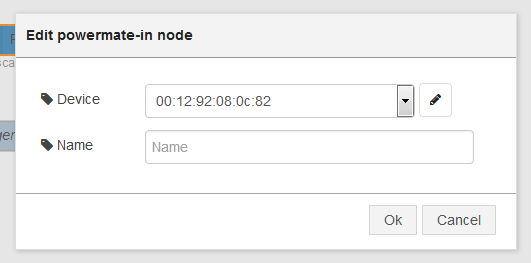
_**Caption:** powermate-in config dalog_
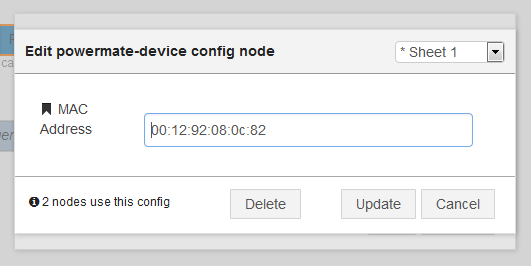
_**Caption:** powermate-in device dialog_

_**Caption:** powermate-in node wired to debug_
### powermate-led
A node that sets the brightness of a PowerMate Bluetooth device LED.
Select or connect to a new PowerMate device via the _Device_ field by entering it's MAC address. Enter the percentage brightness into the _Brightness_ field to set the devices LED brightness. If left blank the passed in **msg.payload** will be used.
Setting a value of **-1** will pulse the LED.
#### Screenshots
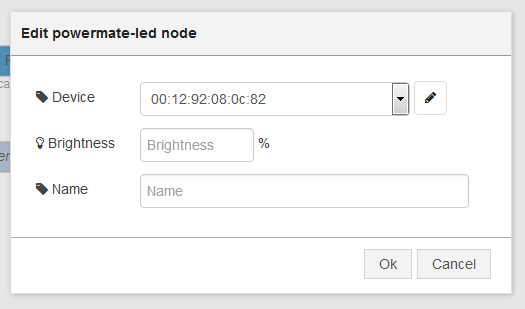
_**Caption:** powermate-led config dialog_

_**Caption:** powermate-LED node wired to random percentage generator_