node-red-contrib-grove-base-hat
Version:
The node for Grove Base HAT for Raspberry Pi.
71 lines (39 loc) • 2.93 kB
Markdown
# node-red-contrib-grove-base-hat
The node for Grove Base HAT for Raspberry Pi.
## Note
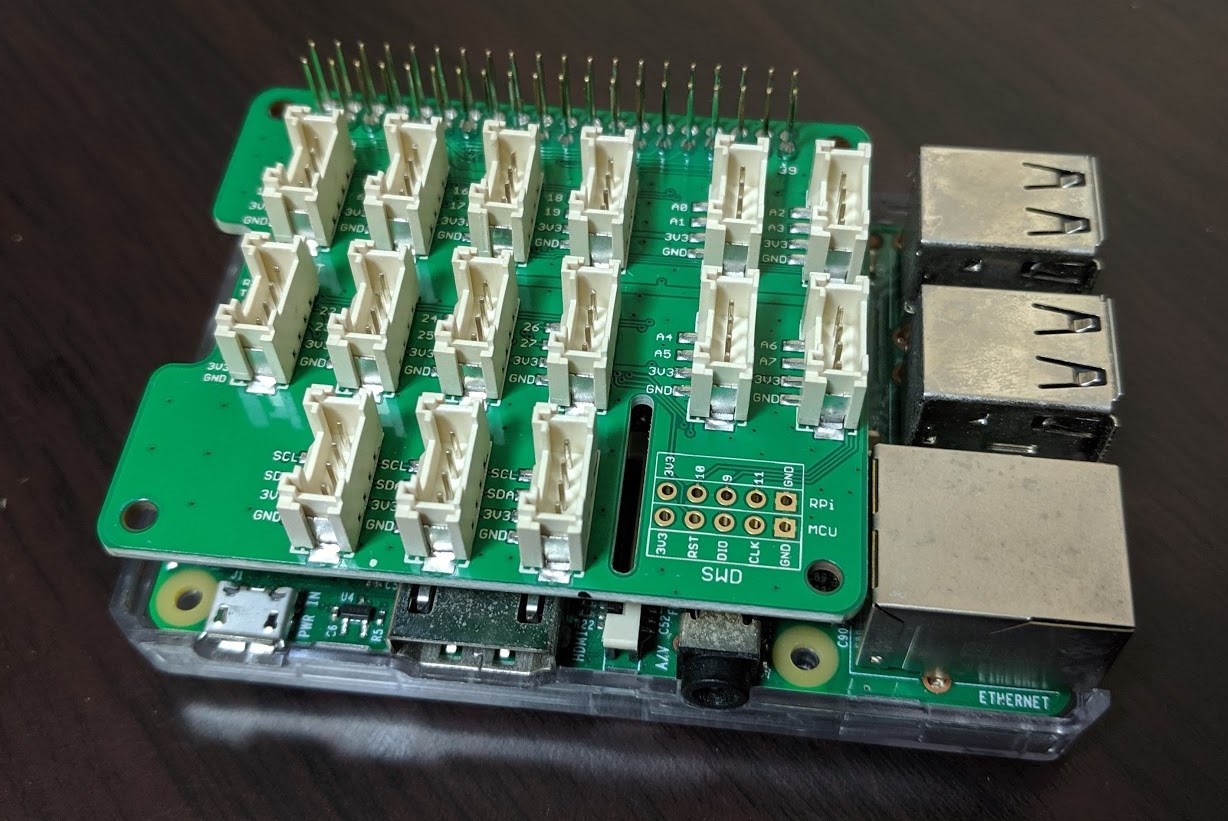
Developing Grove Base HAT for Raspberry Pi at the time of 2019/08/02.
https://www.seeedstudio.com/Grove-Base-Hat-for-Raspberry-Pi.html
The node don't support Grove Base HAT for Raspberry Pi Zero **yet**.
## Install and Setup
### 0. Setup Grove Base HAT
Install Online one-click installation flow at basic Grove Base HAT setup page.
http://wiki.seeedstudio.com/Grove_Base_Hat_for_Raspberry_Pi/
* Tips
* Require pip,pip3 added install if your using Raspbian Lite.
Try to work various Grove parts before starting Node-RED of Grove Base HAT node :)
### 1. Install Grove Base HAT node
Execute following command. npm install node-red-contrib-grove-base-hat
then the node may be installed in "/home/pi/.node-red".
OR
Adding nodes to the palette
https://nodered.org/docs/user-guide/runtime/adding-nodes
## How to use
## Prepare and connect Grove LED
Connect Grove LED to Grove Base HAT's D18 port.
## Import the sample flow
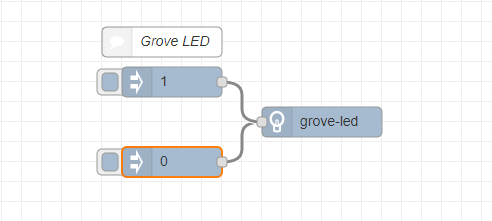
Import this flow.
```
[{"id":"3ab363a8.b5975c","type":"grove-led","z":"67547794.3ec478","name":"","port_number":"18","x":460,"y":700,"wires":[]},{"id":"ca04ad9.009385","type":"inject","z":"67547794.3ec478","name":"","topic":"","payload":"0","payloadType":"num","repeat":"","crontab":"","once":false,"onceDelay":0.1,"x":310,"y":740,"wires":[["3ab363a8.b5975c"]]},{"id":"4d045af6.e1cca4","type":"inject","z":"67547794.3ec478","name":"","topic":"","payload":"1","payloadType":"num","repeat":"","crontab":"","once":false,"onceDelay":0.1,"x":310,"y":660,"wires":[["3ab363a8.b5975c"]]},{"id":"c0a7f102.46dbe","type":"comment","z":"67547794.3ec478","name":"Grove LED","info":"","x":300,"y":620,"wires":[]}]
```
* The detail about Node-RED flow import way
* https://nodered.org/docs/user-guide/editor/workspace/import-export
## Check port setting
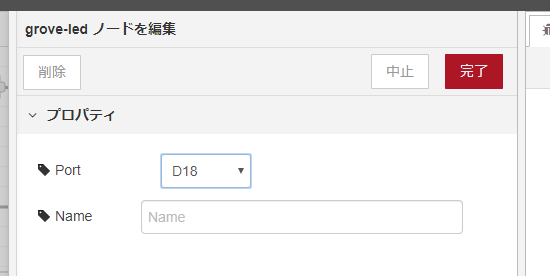
Look Grove LED node setting. Check port number in node setting and connecting port number.
Generally the sample flow default port setting is D18. If your setting port is defferent from sample flow D18. Fit port your connecting port and node setting port number.
Click Node-RED inject nodes written 1 and 0. When inject nodes as 1, Grove LED will turn on. When inject nodes as 0, it will
turn off.
## Grove working to each node
See [available grove page](https://github.com/1ft-seabass/node-red-contrib-grove-base-hat/blob/master/available_grove.md).