node-red-contrib-dotnsf-gpt
Version:
68 lines (31 loc) • 2.76 kB
Markdown
# GPT(3.5) based query Node for Node-RED
## Overview
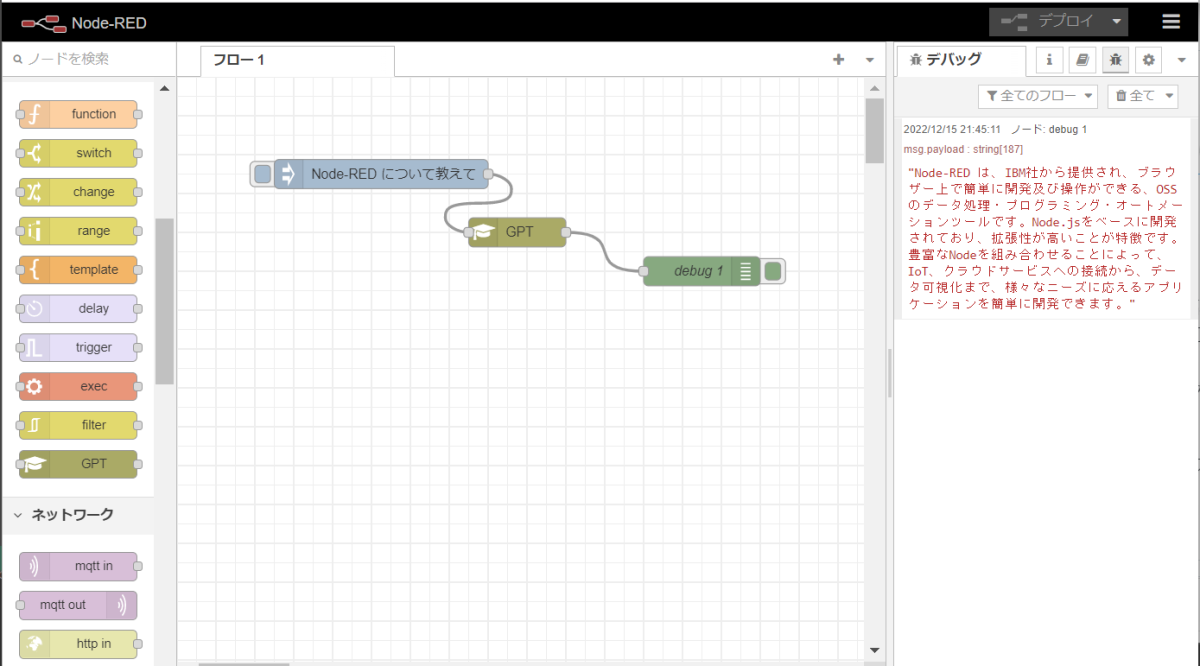
Query-able node based on GPT(3.5)
## Pre-requisite
You need to get (free)account in [Open AI API beta](https://beta.openai.com/) first.
You also have to prepare API Key [here](https://beta.openai.com/account/api-keys).
At last, you would prepare [Node-RED](https://nodered.org/).
## How to use
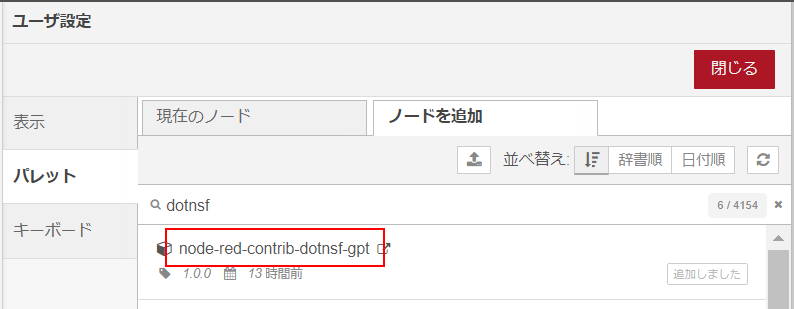
1. In Node-RED, you can search [node-red-contrib-dotnsf-gpt](https://www.npmjs.com/package/node-red-contrib-dotnsf-gpt) node. You need to install this node in your Node-RED.
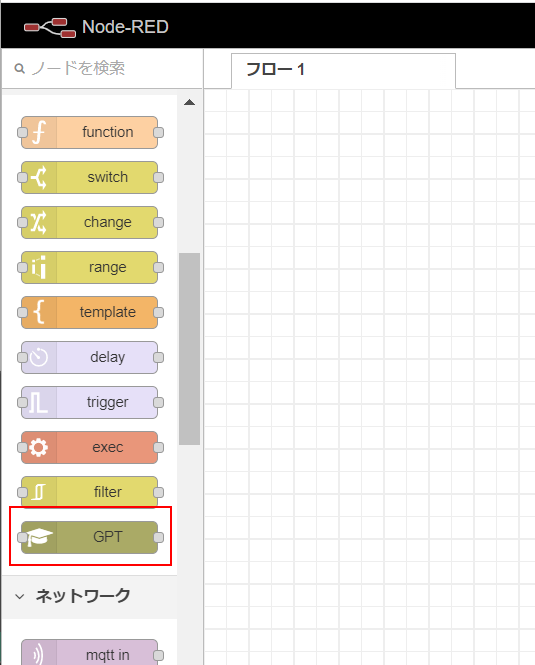
2. You will see **GPT** node under `function` category. Drag & Drop this node into Node-RED's canvas.
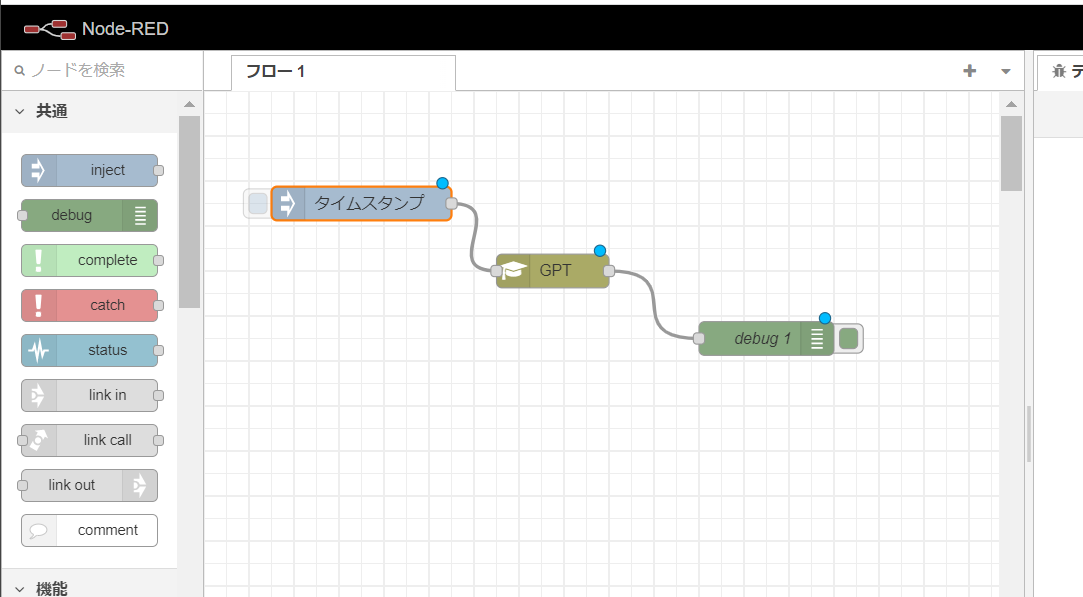
3. In Node-RED canvas, setup input node(**Injection**), output node(**Debug**), and **GPT** node between them. You need to wire them.
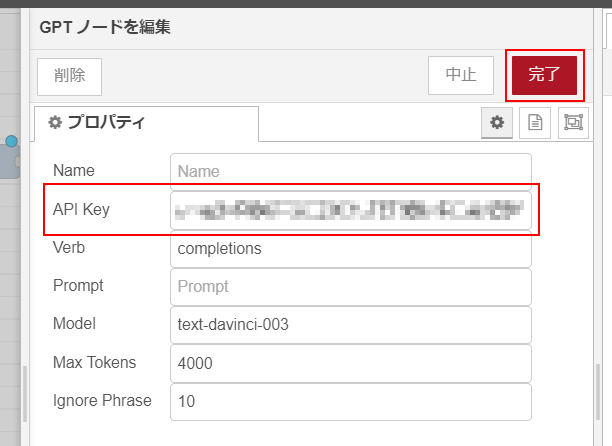
4. Open properties box. You need to edit **API Key** field with your API Key. You can change other properties, but leave them as default now.
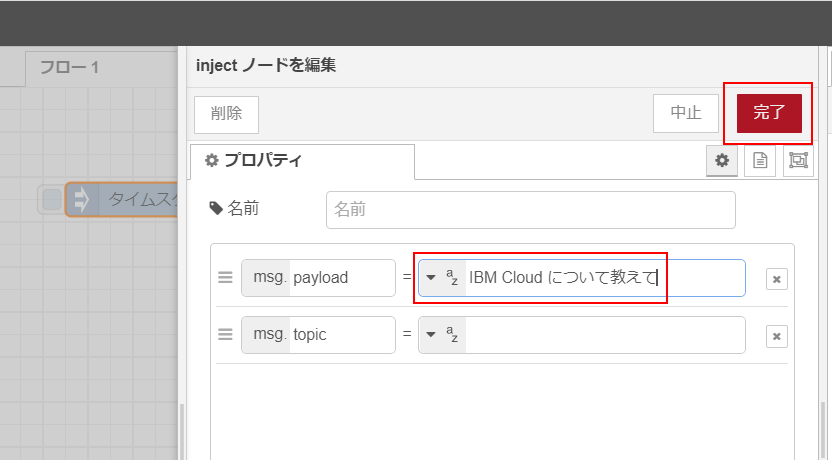
5. You also need to input query text in **Injection** node. For example, "IBM Cloud について教えて". In **Injection** node, this text would be send in **msg.payload**.
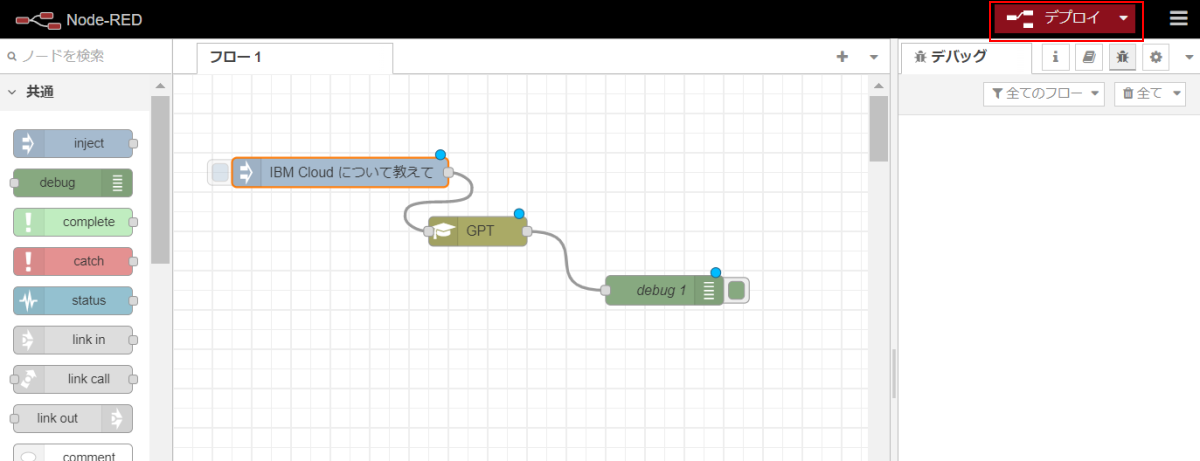
6. Now you can **deploy** this flow with upper-right button.
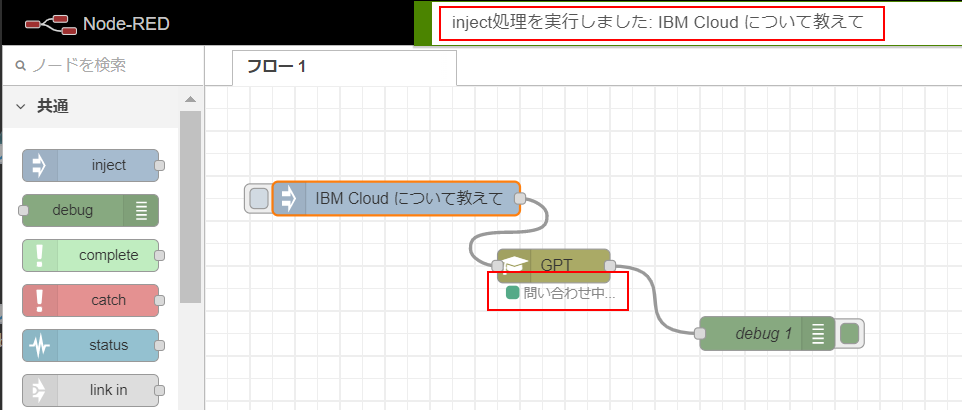
7. After deployment, you can click left-side button in **Injection** node to send query text into **GPT** node.
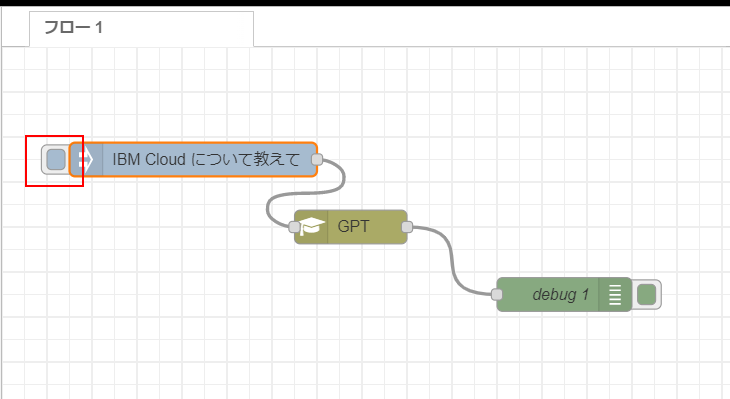
8. **GPT** node needs about 5-10 seconds to query. While waiting for reply, **GPT** node shows green status indicator.
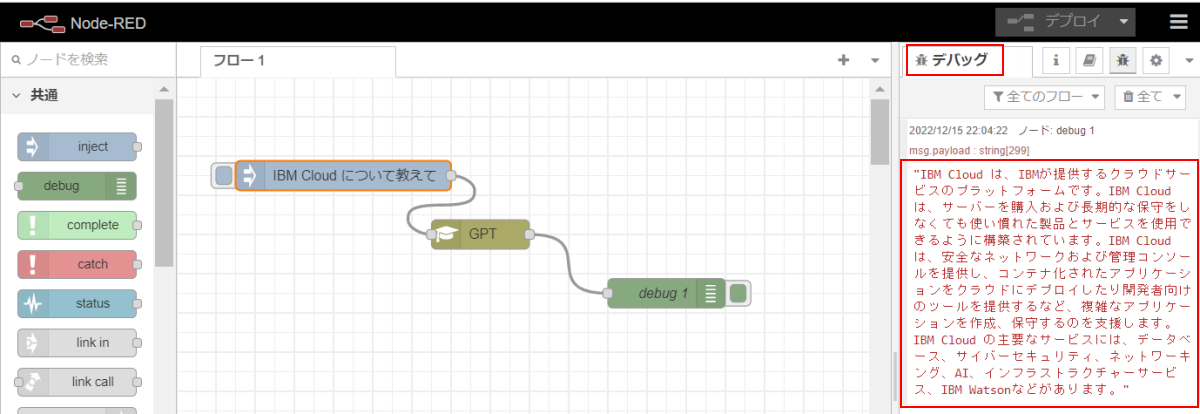
9. After replied, **GPT** node send result in **msg.payload**. In this flow, **Debug** node would output query result in debug window.
## Licensing
This code is licensed under MIT.
## Copyright
2022 K.Kimura @ Juge.Me all rights reserved.