node-red-contrib-cron-plus
Version:
A flexible scheduler (cron, solar events, fixed dates) node for Node-RED with full dynamic control and time zone support
100 lines (79 loc) • 6.08 kB
Markdown
node-red-contrib-cron-plus
============================
_A flexible timer/scheduler (cron, solar events, simple dates) node for Node-RED with full dynamic control and time zone support_
QUICK DEMO...
-------------
FEATURES
--------
* Schedule by CRON, date sequences and solar events (with offset)
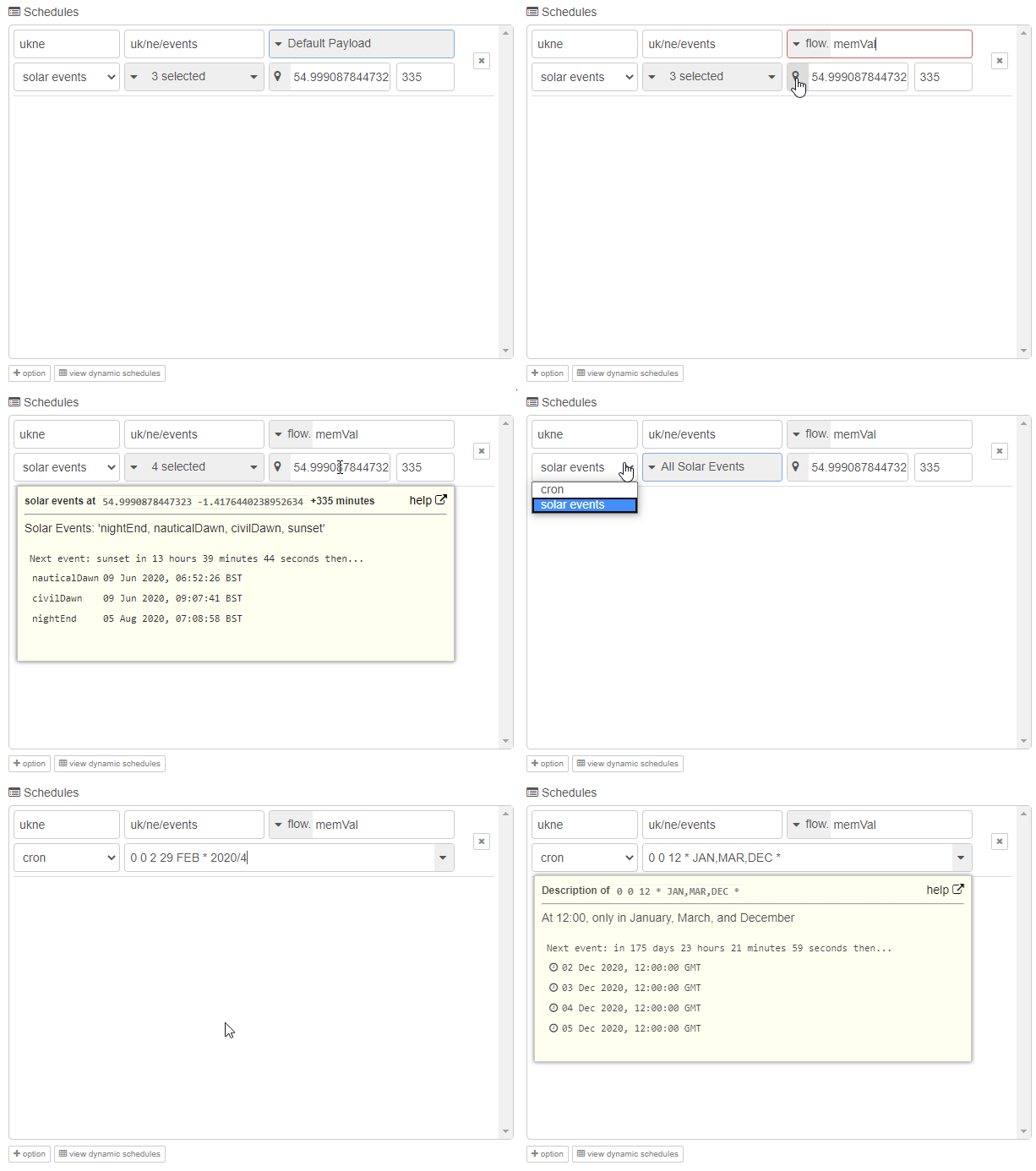
* A human readable description of your expression is provided as you type.
* 
* An Easy Expression Builder to aid cron novices
* 
* Multiple schedules can be entered by the node editor UI or dynamically at runtime
* Send a default payload or any of the following: timestamp, string, number, boolean, flow variable, global variable, JSON, JSONata, Buffer or Env variable as the output.
* Example CRON expressions provided in the dropdown to get you started
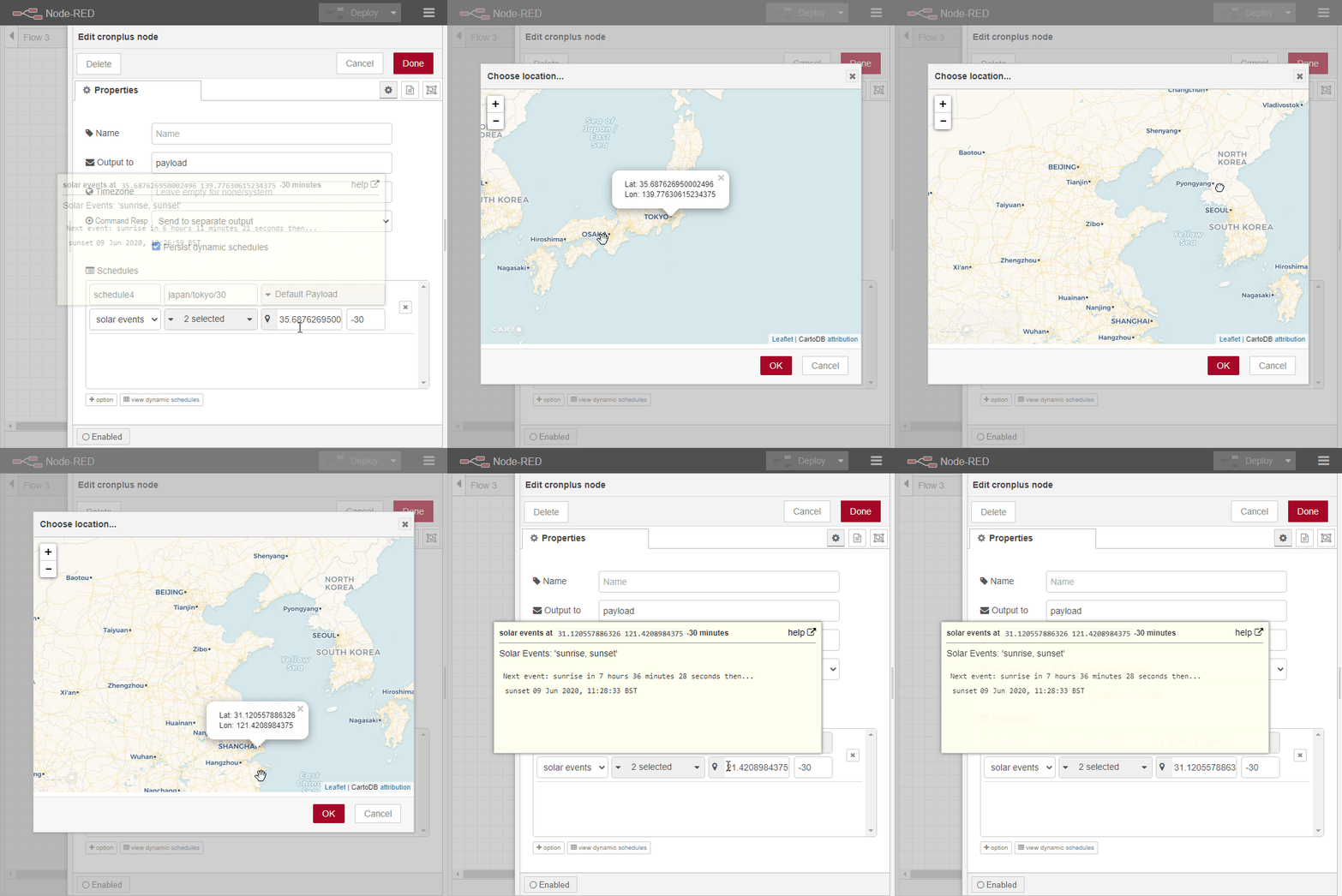
* Map popup to help you enter coordinates for solar events
* Location coordinates can be per schedule, per cron node or set by an environment variable (as of V2.0.0)
* NOTE: Map is 100% CDN dynamic and requires and internet connection. If there is no internet, the popup will provide information to help you get location coordinates from another source
* 
* Option to separate command responses from output 1 to separate 2nd output
* Fan out option to separate each static schedule to its own output (dynamic and command responses are sent on last 2 output pins) (as of V1.4.0)
* Settable output variable (normally `msg.payload` but it is up to you)
* Inject-like button to fire the node (available when only one schedule is added)
* View dynamically created schedules in the node editor UI (updated in V2.0.0)
* Additional info about the triggered schedule is always sent in the output message in `msg.cronplus`
* NOTE: if the payload is to "Default Payload", then the content of `msg.cronplus` is moved to `msg.payload`
* Node status updates to show the next event
* NOTE: the status indicator will be shown as a "ring" for dynamic schedules or shown as a "dot" for static schedules
* Full flexibility & dynamic control.
* Ability to control via simple topic commands. Examples include...
* remove, remove-all, remove-all-dynamic, remove-all-static, remove-active, remove-active-dynamic, remove-active-static, remove-inactive, remove-inactive-dynamic, remove-inactive-static
* export, export-all, export-all-dynamic, export-all-static, export-active, export-active-dynamic, export-active-static, export-inactive, export-inactive-dynamic, export-inactive-static
* list, list-all, list-all-dynamic, list-all-static, list-active, list-active-dynamic, list-active-static, list-inactive, list-inactive-dynamic, list-inactive-static
* status, status-all, status-all-dynamic, status-all-static, status-active, status-active-dynamic, status-active-static, status-inactive, status-inactive-dynamic, status-inactive-static
* status is an alias for list
* stop, stop-all, stop-all-dynamic, stop-all-static
* start, start-all, start-all-dynamic, start-all-static
* pause, pause-all, pause-all-dynamic, pause-all-static
* next (as of v2.0.0)
* Ability to add, remove, list, export, stop, start, pause schedules by a command payload input. Examples include...
* add - add one or more dynamic schedules
* describe - describe solar events or cron expression (without the need to add a schedule)
* useful for creating a [dynamic dashboard like this](https://flows.nodered.org/flow/79a66966a6cc655a827872a4af794b94)
* Persist schedules and state
* In local file system (default)
* In memory or persistent context (as of V2.0.0)
* Persist state of schedules (as of V2.0.0) (i.e. if a schedule is paused, it will remain paused after a restart)
* Recognises system clock changes and recalculates schedules
* change detection can now be customised by adding an entry in `settings.js` or an environment variable named `CRONPLUS_MAX_CLOCK_DIFF` (as of V2.0.0)
* Demo flows demonstrating many of the capabilities. Import via node-red menu > import > examples.
* Optional time zone setting supporting UTC and Region/Area (e.g. Europe/London)
Install
-------
* Easiest...
Use the Manage Palette > Install option from the menu inside node-red
* Harder...
Alternatively in your Node-RED user directory, typically ~/.node-red, run
Run the following command in the root directory of your Node-RED install.
(Usually this is `~/.node-red` or `%userprofile%\.node-red`).
Install from NPM
npm install node-red-contrib-cron-plus
Install from GIT
npm install Steve-Mcl/node-red-contrib-cron-plus
Alternatively, install from a folder
npm install c:/tempfolder/node-red-contrib-cron-plus
Or simply copy the folder `node-red-contrib-cron-plus` into a folder named `nodes` inside your node-red folder then `cd` into `nodes/node-red-contrib-cron-plus` and execute `npm install`
Acknowledgements
---------------
* Inspired by [node-red-contrib-cron](https://github.com/chameleonbr/node-red-contrib-cron)
* Cron expression builder adapted for cron-plus from https://github.com/juliacscai/jquery-cron-quartz (not on NPM)
* Big thanks for continued support by [@jaclark](https://github.com/jaclarke) for the excellent [cronosjs](https://github.com/jaclarke/cronosjs)
Dependencies
------------
* [cronosjs](https://github.com/jaclarke/cronosjs)
* [cronstrue](https://github.com/bradymholt/cRonstrue)
* [pretty-ms](https://github.com/sindresorhus/pretty-ms)
* [suncalc2](https://github.com/andiling/suncalc2)
* [coord-parser](https://github.com/naturalatlas/coord-parser)