nocodb-mcp-server
Version:
Model Context Protocol server for nocodb
154 lines (107 loc) • 3.87 kB
Markdown
[](https://mseep.ai/app/edwinbernadus-nocodb-mcp-server)
# Nocodb MCP Server
[](https://smithery.ai/server/@edwinbernadus/nocodb-mcp-server)
## Introduction
The Nocodb MCP Server enables seamless interaction with a Nocodb database using the Model Context Protocol (MCP). It
facilitates CRUD (Create, Read, Update, Delete) operations on Nocodb tables.
## Example Prompt
```
[Get Records]
get data from nocodb, table: Shinobi
[Create Record]
add new row, with name: sasuke-2
add other row, with name: naruto-2
[Update Record]
update all rows, remove suffix -
[Delete Record]
delete all rows with name naruto
[Add Column]
add column with name: Age
update all rows, set Age to 18
[Delete Column]
delete column with name: Age
```
## Example Prompt - Upload File
```
[Create table]
from the json files
put on nocodb database
table name is TableShinobi
```
json location file in: example_upload.json
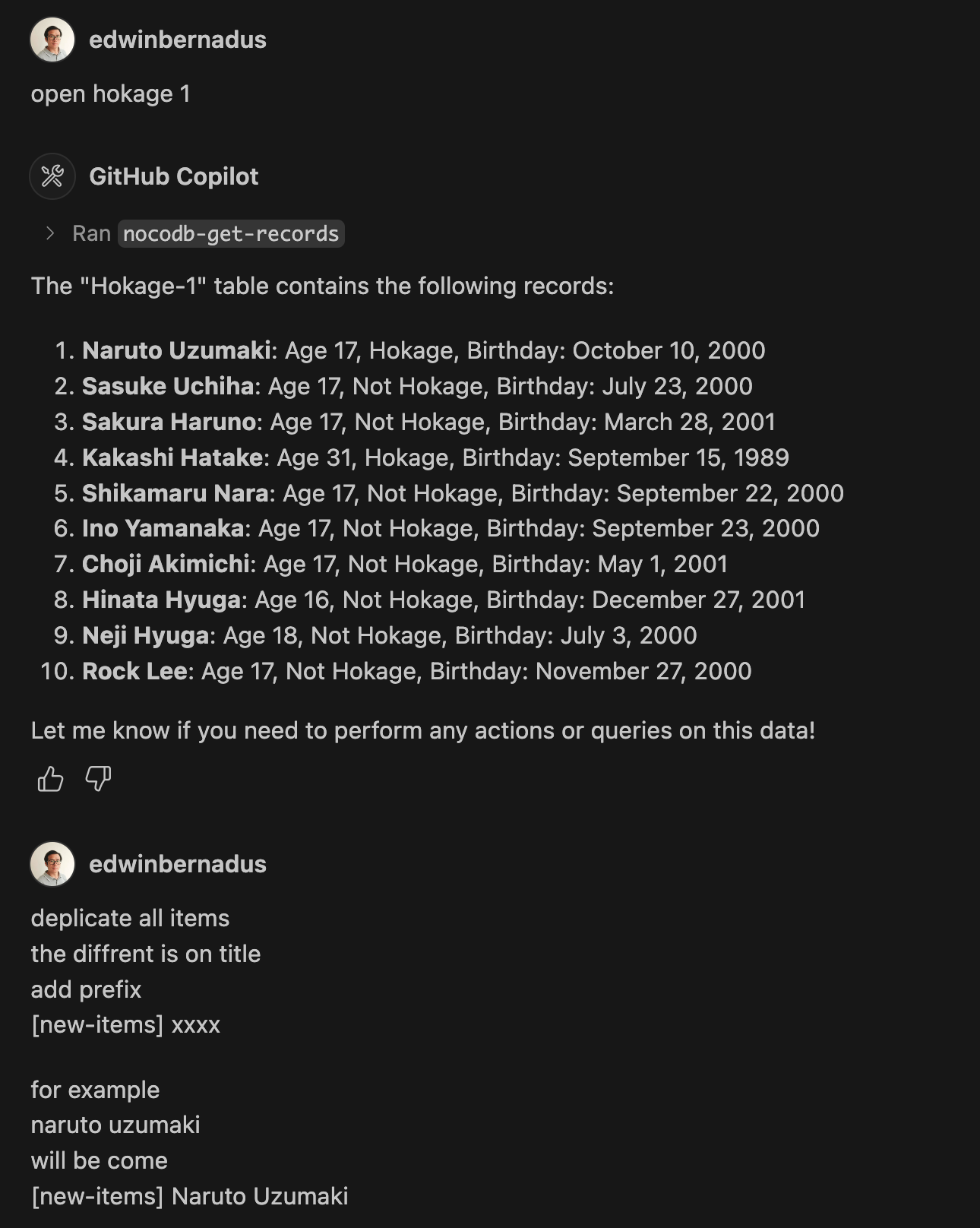
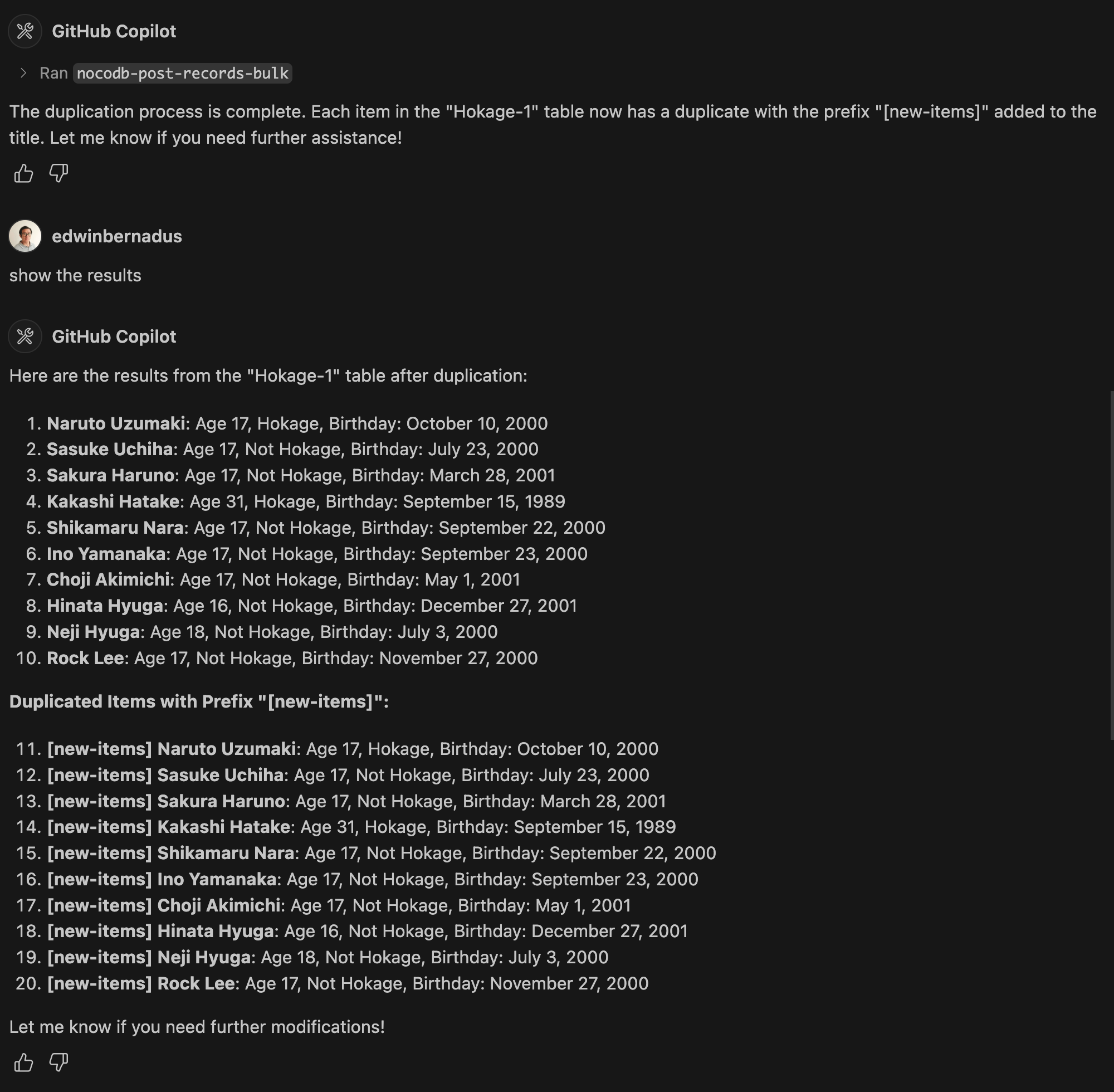
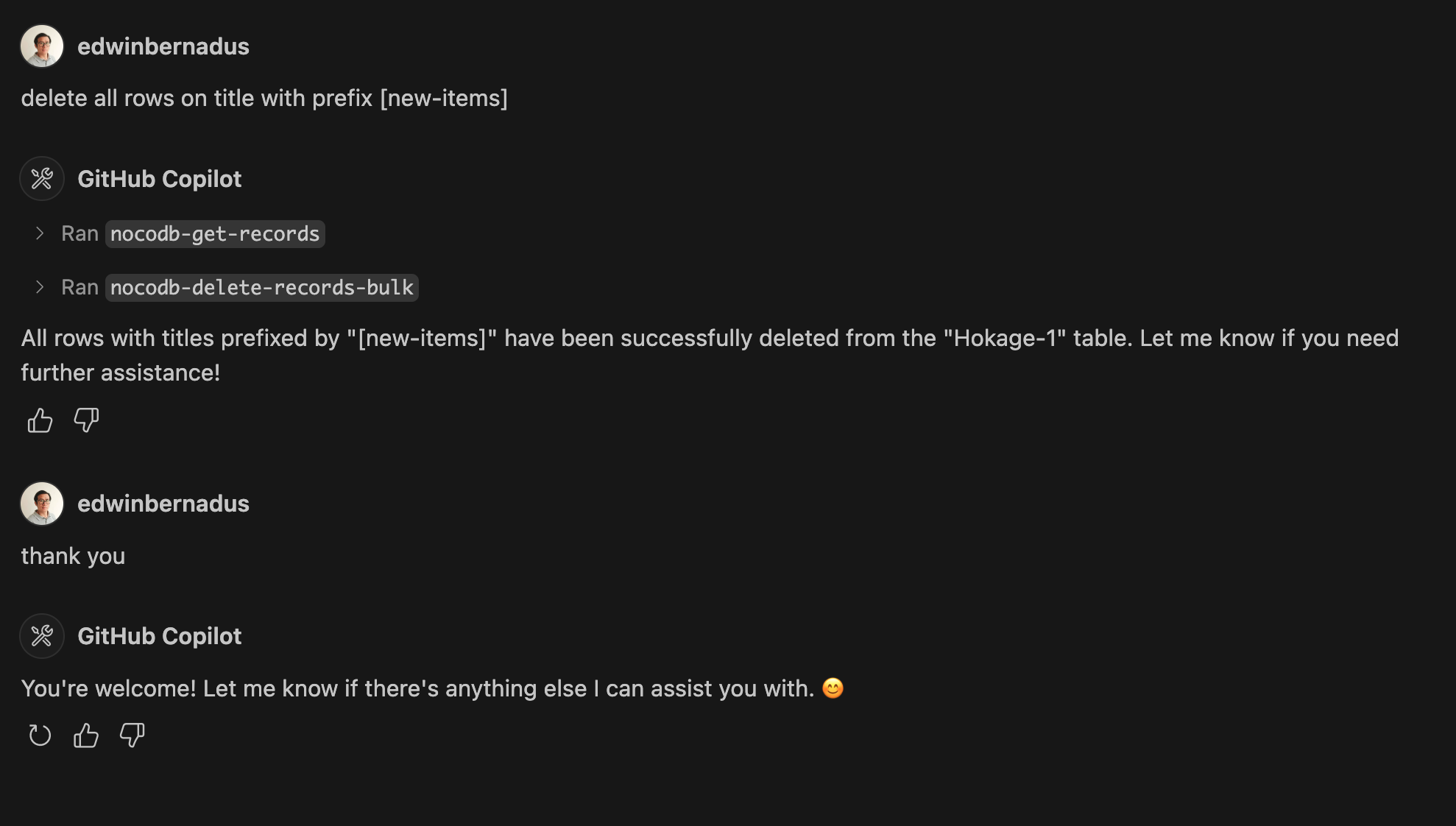
## Example Prompt - Bulk Create Records and Bulk Delete Records
## About This Fork
This repository is a TypeScript-based fork of [Nocodb-MCP-Server](https://github.com/granthooks/Nocodb-MCP-Server). It
retains the core functionality while improving maintainability and compatibility with modern TypeScript development
practices.
## Setup
Ensure that Node.js and TypeScript are installed, then execute:
```sh
npm install
npm run build
```
## Configuration
Define the required environment variables in a `.env` file:
```env
NOCODB_URL=https://your-nocodb-instance.com
NOCODB_API_TOKEN=your_api_token_here
NOCODB_BASE_ID=your_base_id_here
```
_tips: duplicate from file env.example_
### How to Obtain NOCODB_BASE_ID
To find your `NOCODB_BASE_ID`, check the URL of your Nocodb instance.
For example:
https://app.nocodb.com/#/wi6evls6/pqmob3ammcknma5/maty9c5xkmf4012
In this URL format:
```
https://app.nocodb.com/#/{USERNAME}/{NOCODB_BASE_ID}/{TABLE_ID}
```
## Integration with Claude Desktop
Modify `claude_desktop_config.json` to include:
```json
{
"mcpServers": {
"nocodb": {
"command": "node",
"args": ["{working_folder}/dist/start.js"],
"env": {
"NOCODB_URL": "https://your-nocodb-instance.com",
"NOCODB_BASE_ID": "your_base_id_here",
"NOCODB_API_TOKEN": "your_api_token_here"
}
}
}
}
```
## Direct call from CLI
You can directly call the MCP server from the command line:
NOCODB_URL, NOCOBD_API_TOKEN, and NOCODB_BASE_ID are required parameters.
`NOCODB_URL= https://app.nocodb.com` if you are using nocodb cloud.
```sh
npx -y nocodb-mcp-server {NOCODB_URL} {NOCODB_BASE_ID} {NOCODB_API_TOKEN}
```
## Testing CLI
To run the tests, execute:
```sh
npx -y @wong2/mcp-cli npx nocodb-mcp-server {NOCODB_URL} {NOCODB_BASE_ID} {NOCODB_API_TOKEN}
```
## API Functions
```
read file API_FUNCTION.md for API functions
```
## Project Structure
```
/project-root
├── src/ # TypeScript source files
├── dist/ # Compiled JavaScript output
├── .env # Environment variable configurations
├── package.json # Project dependencies and scripts
├── tsconfig.json # TypeScript settings
```
## Contribution Guidelines
Contributions are encouraged! Feel free to open issues or submit pull requests.
## License
This project is distributed under MIT.