ngx-vcard
Version:
Generate an RFC compliant vCard and download it.
140 lines (110 loc) • 4.89 kB
Markdown
[](https://badge.fury.io/js/ngx-vcard)
[](https://dev.azure.com/DanielHabenicht/ngx-vcard/_build/latest?definitionId=2&branchName=master)
[](http://commitizen.github.io/cz-cli/)
[](https://renovatebot.com/)
[](https://codecov.io/gh/DanielHabenicht/ngx-vcard)
[](https://app.fossa.io/projects/git%2Bgithub.com%2FDanielHabenicht%2Fngx-vcard?ref=badge_shield)
Almost fully [RFC](https://tools.ietf.org/html/rfc6350) compliant vCard
Formatter, that also can download the generated vCard. Outputs VCard version 4.
Maybe other version will be supported.
If you want to have another Property, please open up an issue or even better
provide a PR. ;)
1. Install from npm
```bash
$ npm install ngx-vcard --save
```
2. Import in app.module.ts:
```typescript
import { NgxVcardModule } from "ngx-vcard";
@NgModule({
imports: [NgxVcardModule],
})
export class AppModule {}
```
[](https://stackblitz.com/github/DanielHabenicht/ngx-vcard?template=node&title=ngx-vcard%20Example)
```typescript
/* example.component.ts */
import { Component } from "@angular/core";
import { VCard } from "ngx-vcard";
@Component({
selector: "app-root",
templateUrl: "./app.component.html",
styleUrls: ["./app.component.css"],
})
export class AppComponent {
public vCard: VCard = {
name: {
firstNames: "John",
lastNames: "Doe",
},
};
public generateVCardOnTheFly = (): VCard => {
// TODO: Generate the VCard before Download
return {
name: { firstNames: "John", lastNames: "Doe", addtionalNames: "Auto" },
};
};
}
```
```html
<!-- example.component.html -->
<div>
<!-- Normal -->
<button id="downloadButtonNormal" [vcdDownloadVCard]="vCard">Download VCard!</button>
<!-- Generate VCard only on Click -->
<button id="downloadButtonFunction" vcdDownloadVCard [generateVCardFunction]="generateVCardOnTheFly">Download generated VCard!</button>
</div>
```
[](https://stackblitz.com/github/DanielHabenicht/ngx-vcard?template=node&title=ngx-vcard%20Example)
```typescript
/* example.component.ts */
import { Component } from "@angular/core";
import { VCardFormatter, VCard } from "ngx-vcard";
@Component({
selector: "app-root",
templateUrl: "./app.component.html",
styleUrls: ["./app.component.css"],
})
export class AppComponent {
public vCard: VCard = {
name: {
firstNames: "John",
lastNames: "Doe",
},
};
public vCardString = VCardFormatter.getVCardAsString(this.vCard);
public ngOnInit() {
console.log(this.vCardString);
}
}
```
```html
<!-- example.component.html -->
<p>VCard String:</p>
<p>{{vCardString}}</p>
```
This project is heavily inspired from the
[](https://github.com/enesser/vCards-js) Package from Eric J Nesser.
- VCard Version 4 - https://tools.ietf.org/html/rfc6350
- VCard Version 3 - https://www.ietf.org/rfc/rfc2426.txt A Story about
everything:
https://alessandrorossini.org/the-sad-story-of-the-vcard-format-and-its-lack-of-interoperability/
[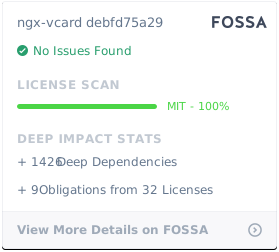](https://app.fossa.io/projects/git%2Bgithub.com%2FDanielHabenicht%2Fngx-vcard?ref=badge_large)
> There is already a newer Angular Version than listed here?
> Install the latest version of this package with `npm install ngx-vcard --legacy-peer-deps` or add it via [overrides](https://docs.npmjs.com/cli/v9/configuring-npm/package-json#overrides).
> Report your findings as an [issue](https://github.com/DanielHabenicht/ngx-vcard/issues/new/choose) so I can add support or fix a problem.
| Angular Version | Package Version | Comment |
| --------------- | --------------- | -------------------------- |
| 17.x - 18.x | 5.x | drops IE support |
| <=18.x | <=4.x | supports Internet Explorer |
| <=10.x | <=3.x | supports Internet Explorer |
| <=9.x | <=2.x | supports Internet Explorer |