ngx-nested-data-table
Version:
angular master-detail table angular material style
82 lines (73 loc) • 1.58 kB
Markdown
# Master Detail table
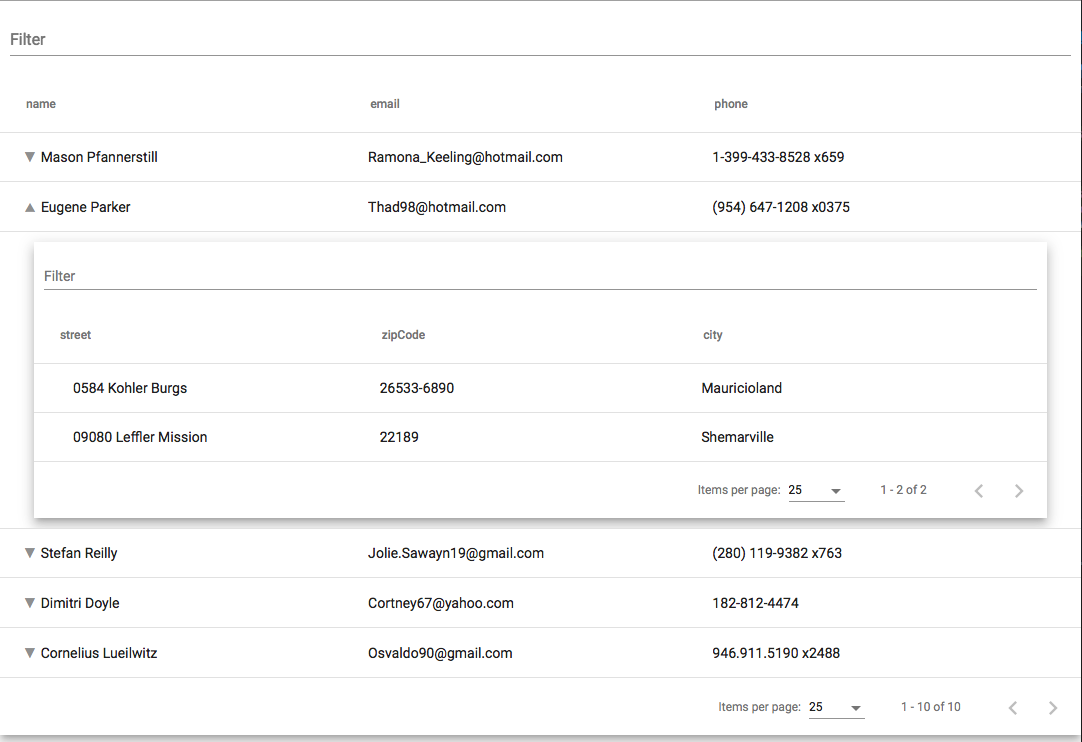
Master detail table built on top of angular material. It allows to nested as much as table you want.
To Have a nested table your object need to contain a an array with the name `details` (see the example if you not sure).
# Features:
- master detail table
- search
- paginator (visible if you've more then 25 items)
- order
# dependencies
This packages require:
```
"@angular/common": "^6.0.0-rc.0 || ^6.0.0",
"@angular/core": "^6.0.0-rc.0 || ^6.0.0",
"@angular/material": "^6.1.0",
"@angular/cdk": "^6.1.0"
```
# Usage:
```
npm install --save npm install @angular/material @angular/cdk ngx-nested-data-table
```
In your module:
```
imports: [
...
BrowserAnimationsModule,
NgxDataTableModule
],
```
in your template:
```
<ngx-data-table [data]="data"></ngx-data-table>
```
If you like the material style in your angular.json add in the style section:
```
"styles": [
{
"input": "node_modules/@angular/material/prebuilt-themes/indigo-pink.css"
},
...
]
```
Where data is something like that:
```
data: any[] = [
{
name: 'daniele',
surname: 'zurico',
sex: 'male'
},
{
name: 'Emma',
surname: 'Smith',
sex: 'female',
details: [
{
phone: '+44234323456',
address: 'Oxford Street',
city: 'London',
details: [
{
country: 'UK'
}
]
},
{
a: 'Charlotte',
b: 'Taylor'
},
]
}
];
```