ngx-material-drawer
Version:
[npm_img]: https://img.shields.io/npm/v/ngx-material-drawer.svg?colorB=0E7FBF [npm_url]: https://www.npmjs.com/package/ngx-material-drawer
376 lines (314 loc) • 12.3 kB
Markdown
## AngularMaterialDrawer [![npm][npm_img]][npm_url]
[npm_img]: https://img.shields.io/npm/v/ngx-material-drawer.svg?colorB=0E7FBF
[npm_url]: https://www.npmjs.com/package/ngx-material-drawer
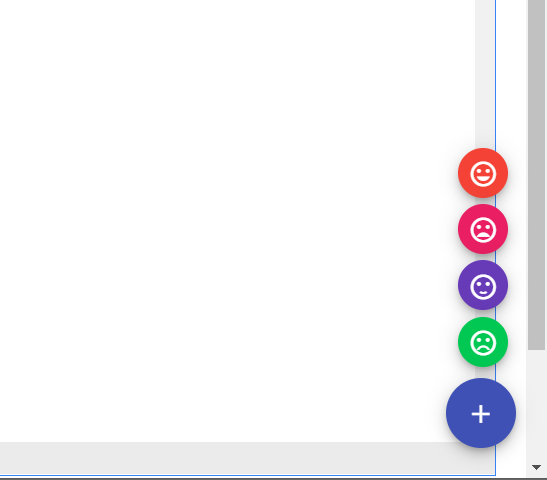
> Does your application **contain a Drawer, Toolbar, Global search, Fab Buttons**? Do you want to have it
> **up and running in less than 5 minutes**? Do you want your drawer to follow the **Angular Material Design Guidelines**? Do you have
> **profiles**? Do you need **flexibility**? Do you want a **simple and easy** to understand api?
If any (or all) of these questions seem familiar, the **NgxMaterialDrawer** is the perfect library for you all.
**Never** waste your time again. It provides you with the easiest possible implementation of a Material drawer for your web application. There is a Toolbar with Configurable (**Heirarchical Menu Buttons **), a **MiniVarient** for Tablets (like Gmail), provide **custom DrawerItems**, **custom colors**, **custom themes**, ... **No limits** for customizations.
### A quick overview of what's in it
- **the easiest possible integration**
- integrate in less than **5 minutes**
- depends on Material Library and SASS
- compatible down to **Material 7.0.0**
- includes an **Heirarchical Toolbar Menu and Navigation Menu**
- quick and simple JSON structure
- follows the **Angular Material Design Guidelines**
- use **Material** icons and **icon fonts** via the [Material-Icons](https://material.io/tools/icons/?style=baseline) integration
- **Google Material Design Icons**, Google **Material Community** Design Icons
- comes with various **themes** which help to get your own themes clean
- modify the colors on the go from the JSON data
- **uses the Material and rxjs support libraries for design and events respectively**
- comes with multiple Heirarchical menu items
- Gmail like **MiniDrawer**
- expandable items
- define custom drawer items
- tested and **stable**
- **absolutely NO limits**
# Preview
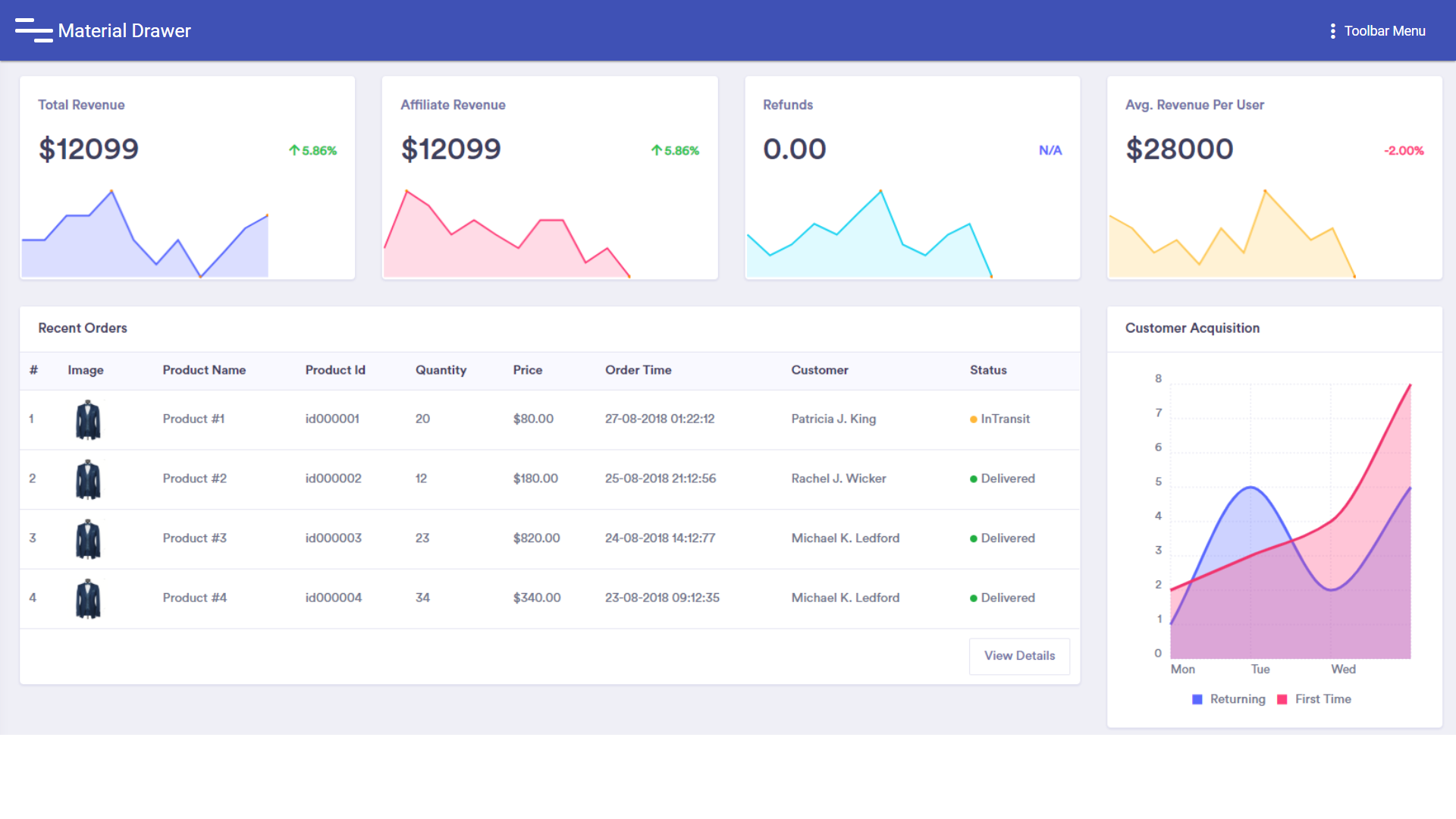
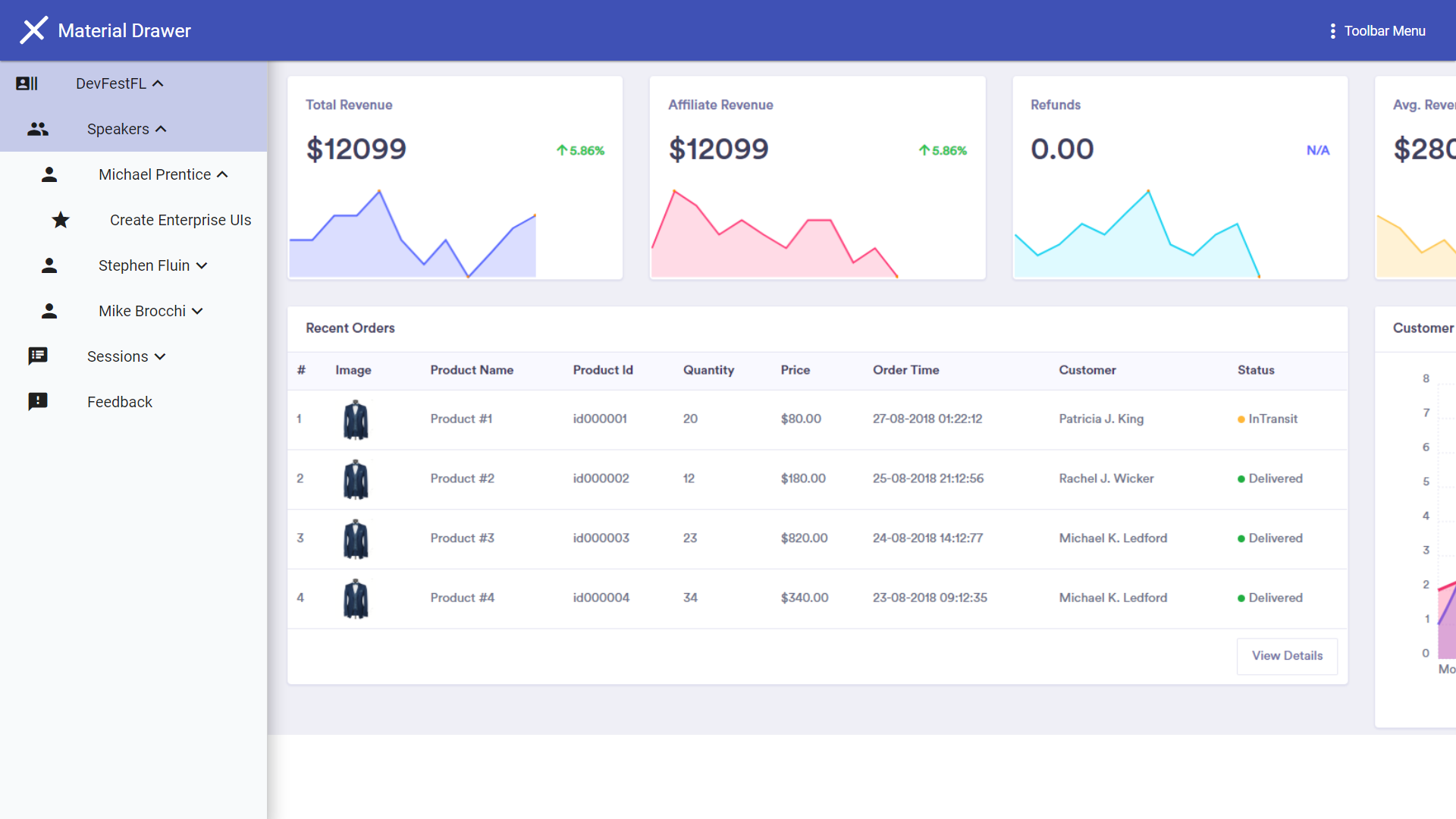
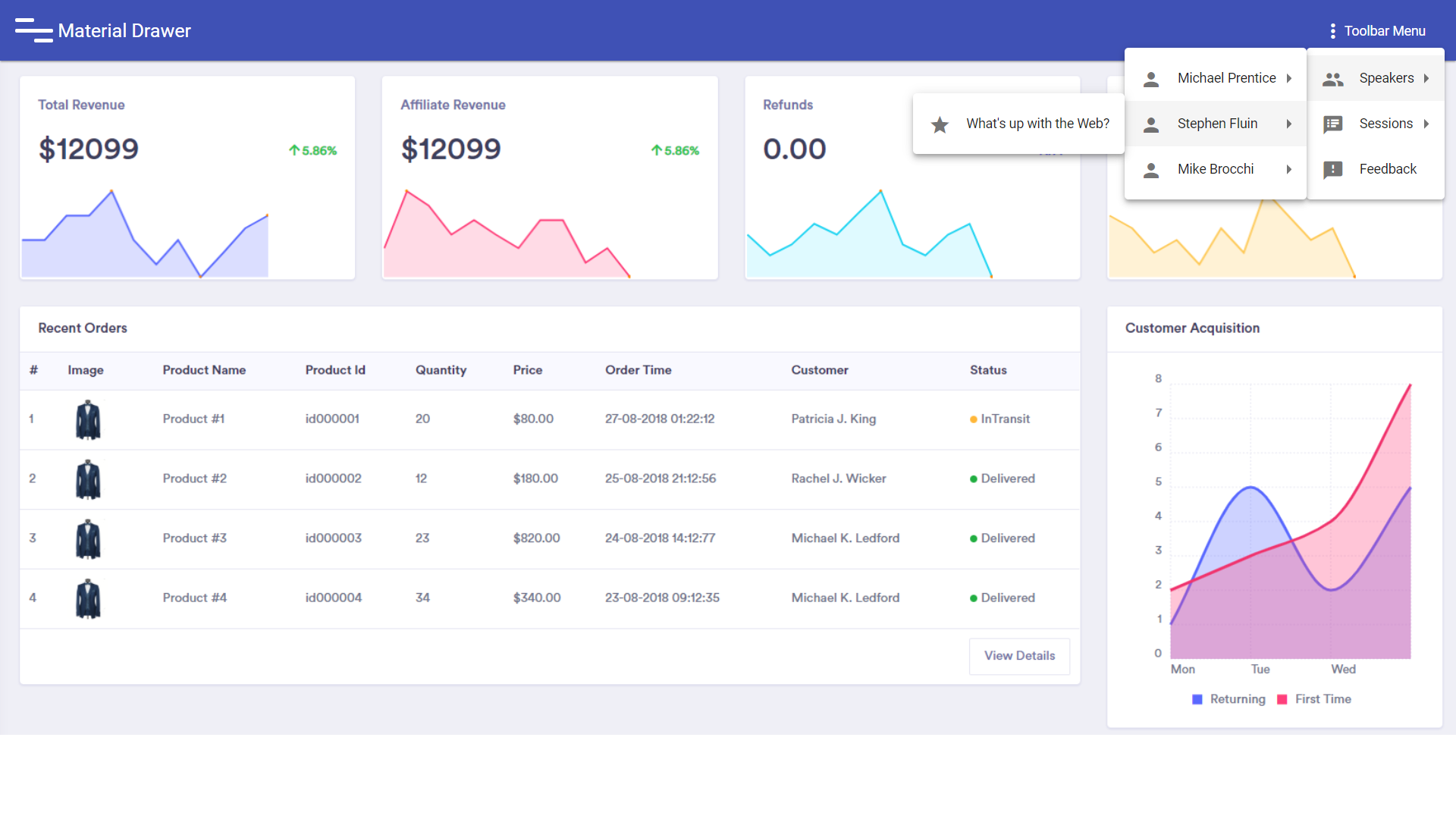
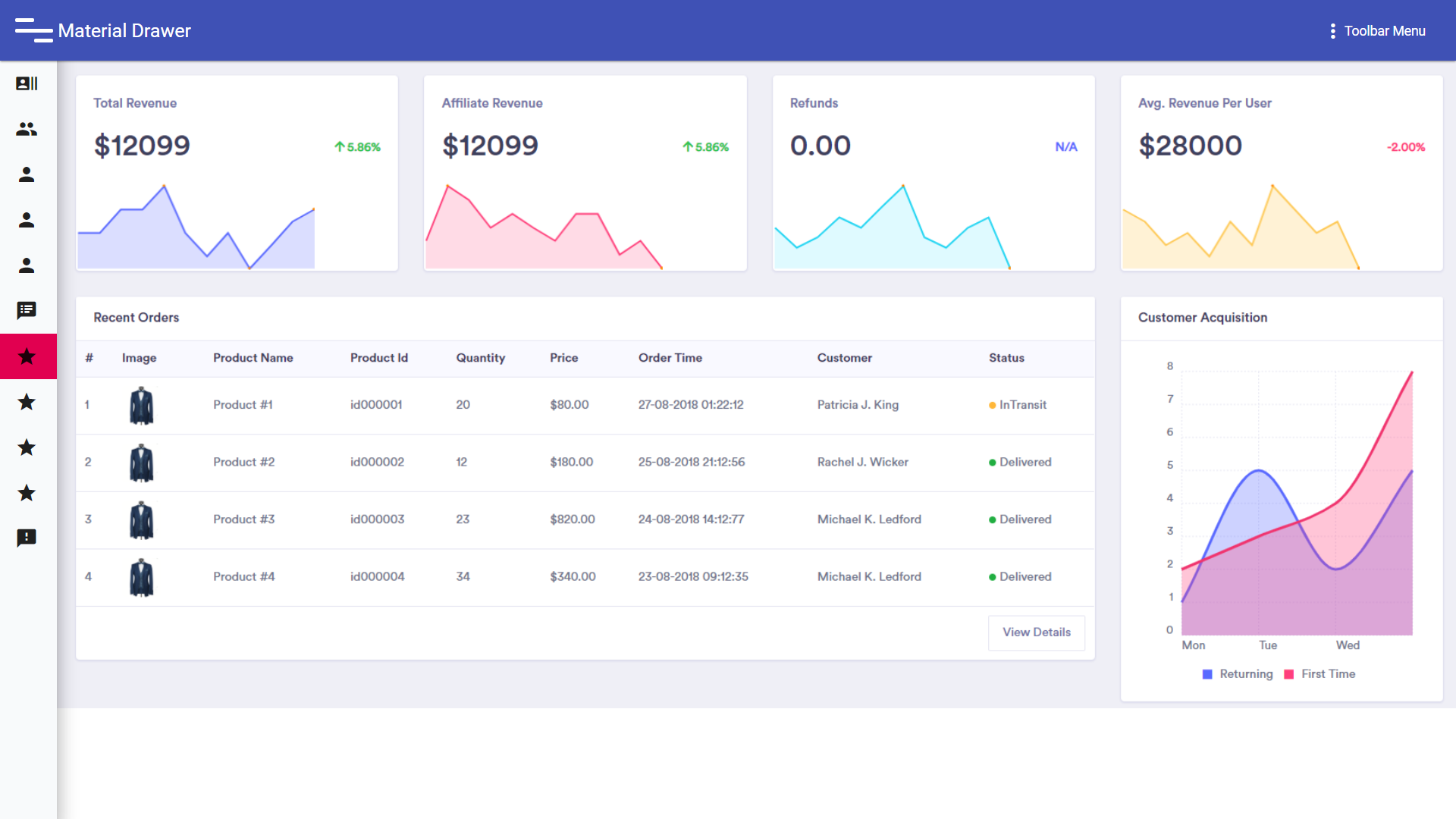

## [Demo](https://ansarisufiyan777.github.io/ngx-material-drawer/)
## Screen Shots
# Setup
ng new SampleMaterialProject --style=scss
## 1. Provide the NPM dependency
npm i ngx-material-drawer
## 2. Install Peer Dependencies
npm i -S @angular/animations @angular/flex-layout @angular/material @angular/cdk
## 3. Create a *styles.scss* in *src/* (If not exist)
**Place the below code inside styles.scss file**
### Code:
``` css
/**********************Theme**********************/
@import '~@angular/material/theming';
$app-primary: mat-palette($mat-indigo);
$app-accent: mat-palette($mat-green);
$app-warn: mat-palette($mat-red);
$app-theme: mat-light-theme($app-primary, $app-accent, $app-warn);
/**********************break Points**********************/
$handset: 360px;
$large-handset: 480px;
$tablet: 640px;
$large-tablet: 840px;
$desktop: 960px;
$large-desktop: 1280px;
$x-large-desktop: 1440px;
$xx-large-desktop: 1920px;
@mixin breakpoint($point) {
@media (min-width: $point) { @content ; }
}
@mixin breakpoint-max($point) {
@media (max-width: $point) { @content ; }
}
@mixin height-breakpoint($point) {
@media (min-height: $point) { @content ; }
}
@mixin height-breakpoint-max($point) {
@media (min-height: $point) { @content ; }
}
/**********************Main CSS**********************/
@include mat-core();
@include angular-material-theme($app-theme);
body {
margin: 0;
height: 100vh;
font-family: Roboto, Arial, sans-serif;
font-size: 16px;
color: #292a1d;
}
a {
text-decoration-color: mat-color($app-primary);
color: mat-color($app-primary);
}
@import url( 'https://fonts.googleapis.com/css?family=Roboto:400,700|Material+Icons');
```
## 4. Add the below styles json snippet to *angular.json* file (If not exists)
### Code:
``` javascript
{
"$schema": "./node_modules/@angular/cli/lib/config/schema.json",
"version": 1,
"newProjectRoot": "projects",
"projects": {
"Your_Project_Name": {
...
"architect": {
"build": {
...
"options": {
...
//This Snippet
"styles": [
"src/styles.scss"
]
//This Snippet
...
}
}
}
}
}
}
```
## 5. Add the following code inside *app.modules.ts*
### code:
```javascript
import { BrowserModule } from '@angular/platform-browser';
import { NgModule } from '@angular/core';
//Important
import {NgxMaterialDrawerModule} from 'ngx-material-drawer'
import { AppComponent } from './app.component';
@NgModule({
declarations: [
AppComponent
],
imports: [
BrowserModule,
NgxMaterialDrawerModule //Important
],
providers: [],
bootstrap: [AppComponent]
})
export class AppModule { }
```
## 6. Add below Code in the main app component html eg: *app.component.html*
### code:
``` javascript
<ngx-material-drawer
(onMatDrawerInit)="onMatDrawerInit($event)"
(onMatDrawerAfterViewInit)="onMatDrawerAfterViewInit($event)"
(onNavStateChange)="onNavStateChange($event)"
(onDataChange)="onDataChange($event)"
(onSideNavOpen)="onSideNavOpen($event)"
(onSideNavClosed)="onSideNavClosed($event)"
(onMinVarientChange)="onMinVarientChange($event)"
(onSideNavItemClick)="onSideNavItemClick($event)"
(onSideNavItemExpanded)="onSideNavItemExpanded($event)"
(onSideNavItemCollapsed)="onSideNavItemCollapsed($event)"
(onMenuItemClick)="onMenuItemClick($event)"
(onSerachValueChange)="onSerachValueChange($event)"
(onSerachFocusIn)="onSerachFocusIn($event)"
(onSerachFocusOut)="onSerachFocusOut($event)"
(onFabExpanded)="onFabExpanded($event)"
(onFabCollapsed)="onFabCollapsed($event)"
(onMainFabButtonClick)="onMainFabButtonClick($event)"
(onFabButtonClick)="onFabButtonClick($event)"
(onSerachInputOpen)="onSerachInputOpen($event)"
(onSerachInputClosed)="onSerachInputClosed($event)"
[data]="jsonData"
>
<app-first></app-first>
</ngx-material-drawer>
```
## 7. Provide an input JSON to the *ngx-material-drawer*
**Sample json [Link](https://raw.githubusercontent.com/ansarisufiyan777/ngx-material-drawer/master/src/drawer-config.json)**
### code:
``` javascript
import { Component, ViewChild, ElementRef, ViewEncapsulation, AfterViewInit, Input, Output, OnInit } from '@angular/core';
let content = require('../drawer-config.json');
@Component({
selector: 'angular-material-drawer',
templateUrl: 'app.component.html',
encapsulation: ViewEncapsulation.None
})
export class AppComponent implements OnInit {
public jsonData: any;
constructor() {
}
ngOnInit() {
this.jsonData = content;
}
public onMatDrawerInit(event) {
console.log("onMatDrawerInit", event);
}
public onMatDrawerAfterViewInit(event) {
console.log("onMatDrawerAfterViewInit", event);
}
public onNavStateChange(event) {
console.log("onNavStateChange", event);
}
public onDataChange(event) {
console.log("onDataChange", event);
}
public onSideNavOpen(event) {
console.log("onSideNavOpen", event);
}
public onSideNavClosed(event) {
console.log("onSideNavClosed", event);
}
public onMinVarientChange(event) {
console.log("onMinVarientChange", event);
}
public onSideNavItemClick(event) {
console.log("onSideNavItemClick", event);
}
public onSideNavItemExpanded(event) {
console.log("onSideNavItemExpanded", event);
}
public onSideNavItemCollapsed(event) {
console.log("onSideNavItemCollapsed", event);
}
public onMenuItemClick(event) {
console.log("onMenuItemClick", event);
}
public onSerachValueChange(event) {
console.log("onSerachValueChange", event);
}
public onSerachFocusIn(event) {
console.log("onSerachFocusin", event);
}
public onSerachFocusOut(event) {
console.log("onSerachFocusOut", event);
}
public onFabExpanded(event) {
console.log("onFabExpanded", event);
}
public onFabCollapsed(event) {
console.log("onFabCollapsed", event);
}
public onMainFabButtonClick(event) {
console.log("onMainFabButtonClick", event);
}
public onFabButtonClick(event) {
console.log("onFabButtonClick", event);
}
public onSerachInputOpen(event) {
console.log("onSerachInputOpen", event);
}
public onSerachInputClosed(event) {
console.log("onSerachInputClosed", event);
}
}
```
## Sample package.json for reference
``` javascript
{
"name": "drawer-sample",
"version": "0.0.0",
"scripts": {
"ng": "ng",
"start": "ng serve",
"build": "ng build",
"test": "ng test",
"lint": "ng lint",
"e2e": "ng e2e"
},
"private": true,
"dependencies": {
"@angular/animations": "^7.0.4",
"@angular/cdk": "^7.2.0",
"@angular/common": "~7.0.0",
"@angular/compiler": "~7.0.0",
"@angular/core": "~7.0.0",
"@angular/flex-layout": "^7.0.0-beta.22",
"@angular/forms": "~7.0.0",
"@angular/http": "~7.0.0",
"@angular/material": "^7.2.0",
"@angular/platform-browser": "~7.0.0",
"@angular/platform-browser-dynamic": "~7.0.0",
"@angular/router": "~7.0.0",
"ang-jsoneditor": "^1.7.2",
"core-js": "^2.5.4",
"jsoneditor": "^5.28.2",
"ngx-material-drawer": "2.0.12",
"rxjs": "6.3.3",
"terser": "^3.14.1",
"zone.js": "~0.8.26"
},
"devDependencies": {
"@angular-devkit/build-angular": "~0.7.0",
"@angular/cli": "~6.1.4",
"@angular/compiler-cli": "^7.2.5",
"@angular/language-service": "^6.1.0",
"@types/jasmine": "~2.8.6",
"@types/jasminewd2": "~2.0.3",
"@types/node": "^8.9.5",
"codelyzer": "~4.2.1",
"jasmine-core": "~2.99.1",
"jasmine-spec-reporter": "~4.2.1",
"karma": "^4.0.0",
"karma-chrome-launcher": "~2.2.0",
"karma-coverage-istanbul-reporter": "~2.0.0",
"karma-jasmine": "~1.1.1",
"karma-jasmine-html-reporter": "^0.2.2",
"protractor": "~5.4.0",
"ts-node": "~5.0.1",
"tslint": "~5.9.1",
"typescript": "^3.1.6"
}
}
```
## Thats it
### Run
ng serve --o
# The MIT License
Further resources on the **MIT License**
Copyright **2019** **Sufiyan Ansari**
Permission is hereby granted, free of charge, to any person obtaining a copy of this software and associated documentation files (the "Software"), to deal in the Software without restriction, including without limitation the rights to use, copy, modify, merge, publish, distribute, sublicense, and/or sell copies of the Software, and to permit persons to whom the Software is furnished to do so, subject to the following conditions:
The above copyright notice and this permission notice shall be included in all copies or substantial portions of the Software.
THE SOFTWARE IS PROVIDED "AS IS", WITHOUT WARRANTY OF ANY KIND, EXPRESS OR IMPLIED, INCLUDING BUT NOT LIMITED TO THE WARRANTIES OF MERCHANTABILITY, FITNESS FOR A PARTICULAR PURPOSE AND NONINFRINGEMENT. IN NO EVENT SHALL THE AUTHORS OR COPYRIGHT HOLDERS BE LIABLE FOR ANY CLAIM, DAMAGES OR OTHER LIABILITY, WHETHER IN AN ACTION OF CONTRACT, TORT OR OTHERWISE, ARISING FROM, OUT OF OR IN CONNECTION WITH THE SOFTWARE OR THE USE OR OTHER DEALINGS IN THE SOFTWARE.