nelson-cloud
Version:
nelson on the cloud
113 lines (74 loc) • 2.81 kB
Markdown
# ☁️ Nelson Cloud
[](https://github.com/nelson-lang/nelson-cloud/actions)
[](https://badge.fury.io/js/nelson-cloud)
[](https://github.com/prettier/prettier)
[](https://github.com/nelson-lang/nelson-cloud/blob/master/COPYING.md)
[](https://cla-assistant.io/nelson-lang/nelson-cloud)
[](https://snyk.io/test/github/nelson-lang/nelson-cloud?targetFile=package.json)
## 🌐 Overview
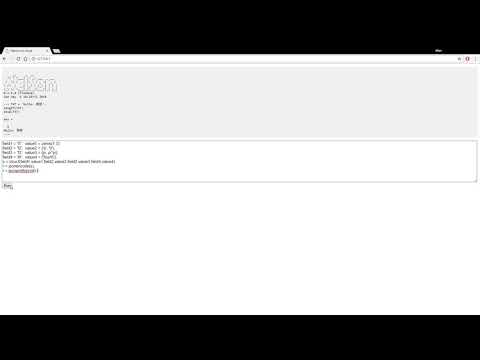
Nelson Cloud brings the power of Nelson numerical computation software to your web browser, making scientific computing and numerical analysis more accessible and convenient than ever before.
### 🎥 Demo
[](https://www.youtube.com/watch?v=0FTcWsZx_04)
## 🚀 Features
- 💻 Browser-based Nelson command execution
- ⚡ Real-time computation results
- 🖥️ Interactive command-line interface
- 🔧 Custom server deployment options
- 🔌 Socket.IO v4.0 integration
## 📋 Prerequisites
Before installation, ensure you have:
- Node.js 22.14.0 or higher
- Docker installed and running
- A modern web browser
## 🔧 Installation
### Global Installation
1. Pull the Nelson Docker image:
```bash
docker pull nelsonsoftware/nelson-sio-cli:latest
```
2. Install Nelson Cloud globally:
```bash
npm install -g nelson-cloud
```
3. Start the application:
```bash
nelson-cloud
```
4. Open your web browser and navigate to:
```
http://localhost:9090
```
### Local Development Setup
1. Clone the repository:
```bash
git clone https://github.com/nelson-lang/nelson-cloud.git
cd nelson-cloud
```
2. Install Docker dependencies:
```bash
npm run dockerInstall
```
3. Install project dependencies:
```bash
npm install
```
4. Start the application:
```bash
npm start
```
5. Run tests:
```bash
npm test
```
## 🤝 Contributing
Contributions are welcome! Please follow these steps:
1. Fork the repository
2. Create your feature branch (`git checkout -b feature/AmazingFeature`)
3. Commit your changes (`git commit -m 'Add some AmazingFeature'`)
4. Push to the branch (`git push origin feature/AmazingFeature`)
5. Open a Pull Request
## 📧 Contact
Project Maintainer: Allan CORNET
Email: nelson.numerical.computation@gmail.com
## 📄 License
Distributed under the GPL-2.0 License. See `COPYING.md` for more information.