nativescript-sectioned-list-view
Version:
A native script listview plugin that can display sections
99 lines (80 loc) • 3.19 kB
Markdown
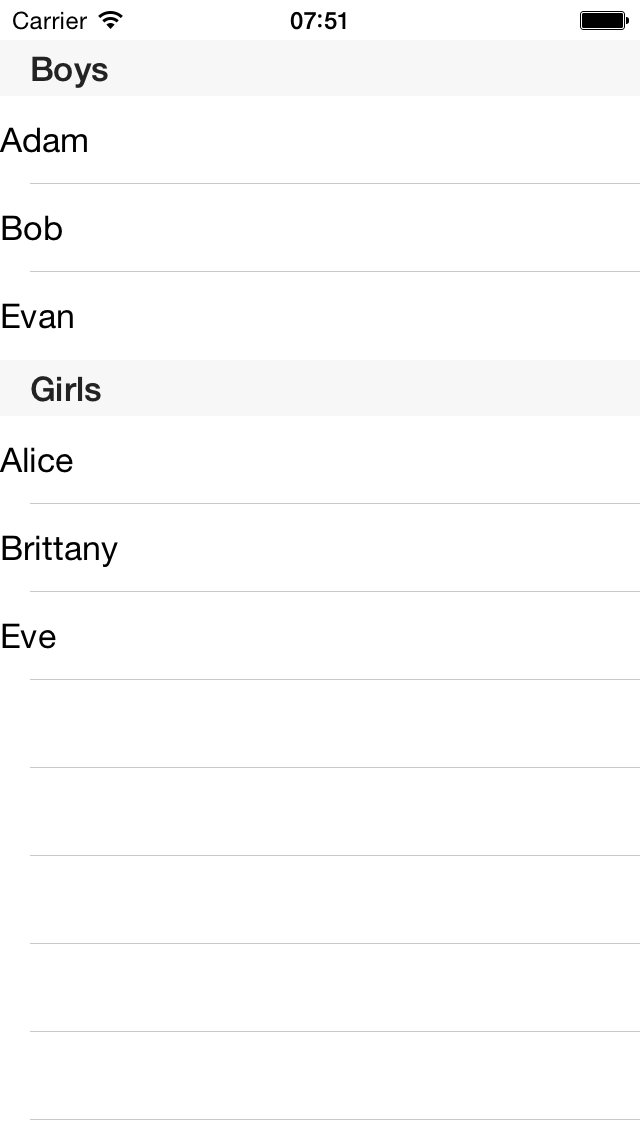
This is a drop in component to support sections in ios. It works with your existing code with a simple array of items.
However, use a [Sectioned Array](https://www.npmjs.com/package/observable-sectioned-array) to add sections and bind data.
```
$ tns plugin add nativescript-sectioned-list-view
```
There is also support to template the headers, height of the header etc.
In xml
```xml
<Page xmlns="http://schemas.nativescript.org/tns.xsd" loaded="pageLoaded"
xmlns:tools="nativescript-sectioned-list-view">
<tools:SectionedListView items="{{items}}" rowHeight="44">
<tools:SectionedListView.itemTemplate>
<Label text="{{name}}" />
</tools:SectionedListView.itemTemplate>
</tools:SectionedListView>
</Page>
```
Make the section header blue.
```xml
<tools:SectionedListView items="{{items}}" rowHeight="44" headerHeight="44">
<tools:SectionedListView.itemTemplate>
<Label text="{{name}}" />
</tools:SectionedListView.itemTemplate>
<tools:SectionedListView.headerTemplate>
<Label text="{{$value}}" style="color: blue"/>
</tools:SectionedListView.headerTemplate>
</tools:SectionedListView>
```
Use a static array in your javascript
```js
var students = [
{"name" : "Alice", gender:"female"},
{"name": "Adam", gender: "male"},
{"name": "Bob", gender: "male"},
{"name": "Brittany", gender: "female"},
{"name": "Evan", gender: "male"}
];
page.bindingContext = { items : students }
```
Use a GroupedArray
```js
page.bindingContext = { items:{
getTitle: function(section) { return "Section "+section;},
getNoOfSections: function() { return 2;},
getNoOfItemsInSection: function(section) {return 3;},
getItem: function(row, section) { return "Item {"+row+", "+section+"}";}
}};
```
Or, use a observable sectioned array
```js
var sectionedListViewModule = require("nativescript-sectioned-list-view");
var observableSectionArrayModule = require("observable-sectioned-array");
function pageLoaded(args) {
var page = args.object;
var students = [
{"name" : "Alice", gender:"female"},
{"name": "Adam", gender: "male"},
{"name": "Bob", gender: "male"},
{"name": "Brittany", gender: "female"},
{"name": "Evan", gender: "male"}
];
var boys = students.filter(function(student) { return student.gender ==="male";});
var girls = students.filter(function(student) { return student.gender ==="female";});
var sectionedArray = new observableSectionArrayModule.ObservableSectionArray();
sectionedArray.addSection("Boys", boys);
sectionedArray.addSection("Girls", girls);
//Now add a new student "Eve" to girls after some delay.
setTimeout(function() {
//Notice how pushing new item to section array reloads the view and adds Eve as a new row.
sectionedArray.push([{"name": "Eve", gender:"female"}], 1);
}, 3000);
page.bindingContext = {items: sectionedArray};
}
```