native-forms
Version:
Build your own forms, surveys and polls for React Native apps.
99 lines (72 loc) • 3.75 kB
Markdown
## [NativeForms](https://nativeforms.com)
### Build **forms, surveys & polls** for React Native apps.
### Why this product was created?
We created NativeForms to save you countless hours of boring development of forms. Create forms without coding and control them from the [dashboard](https://app.nativeforms.com). Bring all the logic outside your app, so you can control forms even when your app is live.
- [Installation](#installation)
- [Basic Usage](#basic-usage)
- [Modal Example](#modal-example)
- [Demo](#demo)
- [Props](#props)
- [Support](#support)
### Installation
```js
npm install native-forms --save
// or
yarn add native-forms
```
### Basic Usage
1. Import component.
```js
import NativeForms from 'native-forms';
```
2. Render form on the screen.
```js
<NativeForms form="https://form.nativeforms.com/I2Z5xWPmZic4JlRvpmNy0Db" />
```
Form is displayed **natively** and **is not a webview**. You can create your own forms [here](https://app.nativeforms.com).
### Modal Example
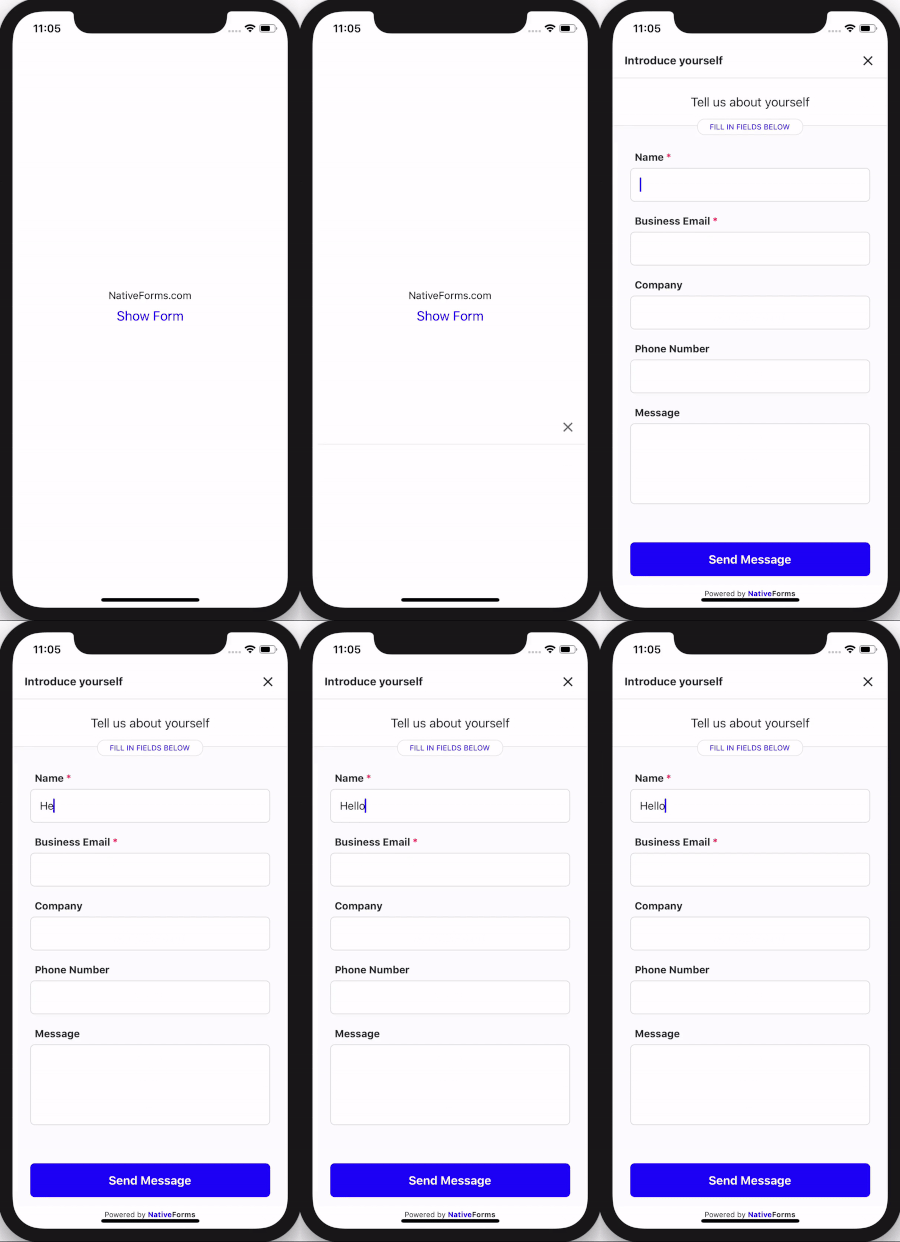
Basic flow of displaying **NativeForms** as Modal in your application.
```js
import React, { useState } from 'react';
import { Button, StyleSheet, Text, View } from 'react-native';
import { NativeFormsModal } from 'native-forms';
const App = () => {
const [hasForm, showForm] = useState(false);
return (
<View style={styles.container}>
<Button title="Show Form" onPress={() => showForm(true)} color="#20f" />
<NativeFormsModal
visible={hasForm}
form="https://form.nativeforms.com/I2Z5xWPmZic4JlRvpmNy0Db"
onClose={() => showForm(false)}
/>
</View>
);
};
const styles = StyleSheet.create({
container: {
flex: 1,
backgroundColor: '#fff',
alignItems: 'center',
justifyContent: 'center',
},
});
export default App;
```
Replace **form prop** with your form's address. You can create your own forms [here](https://app.nativeforms.com).
### Demo
### Props
| Name | Type | Required | Note |
| ------------- | -------- | -------- | ------------------------------------------------------------------------------------------------------------------------------------ |
| **form** | String | **Yes** | URL of **form** to display. |
| **formJSON** | Object | No | You can use JSON format of the form instead of _form URL_. You can get this format by clicking **Export Form to JSON** in dashboard. |
| **onClose** | Function | No | Called when user decides to close the form. |
| **onSend** | Function | No | Called when user **completes** form. | |
| **email** | String | No | Email of person that will complete form (it will be displayed in the admin panel). |
| **name** | String | No | Name of person that will complete form. |
| **extraData** | Object | No | Extra data fields that will be sent along with the completed form. This data will not be visible by users. |
### Support
In case of any questions or problems, please contact me at:
[hello@nativeforms.com](mailto:hello@nativeforms.com)
### Happy Coding 💖