namillum
Version:
Bubble Protocol SDK
65 lines (47 loc) • 2.51 kB
Markdown
# React Webpack Example
This example will demonstrate how to use the **webpack variant** of ZilliqaJS in a React project. This react project is created using `create-react-app`.
The webpack variant comes in a `zilliqa.min.js` file and is meant for users who wishes to use ZilliqaJS functions in traditional HTML. Users need to build the webpack variant and import the js file in the HTML.
## Note: Frontend Framework Users
If you are using a frontend framework such as React, Vue, AngularJS, etc, we **strongly recommend you to use our node version** instead of the webpack variant as the schematic is easier to work with. Skip to the [Zilliqa-Javascript-Library README](https://github.com/Zilliqa/Zilliqa-JavaScript-Library#installation) for the NodeJS approach examples. If you are still interested in using the webpack variant, continue below.
## How to get started
1. Build the webpack variant to generate a `zilliqa.min.js` located under `Zilliqa-JavaScript-Library/dist`.
```
git clone https://github.com/Zilliqa/Zilliqa-JavaScript-Library
cd Zilliqa-JavaScript-Library
yarn install
yarn build:web
```
2. Copy `zilliqa.min.js` into the react examples folder.
```
cp Zilliqa-JavaScript-Library/dist/zilliqa.min.js examples/webpack/react/public
cd examples/webpack/react
yarn
yarn start
```
You should see a sample project that looks like this:
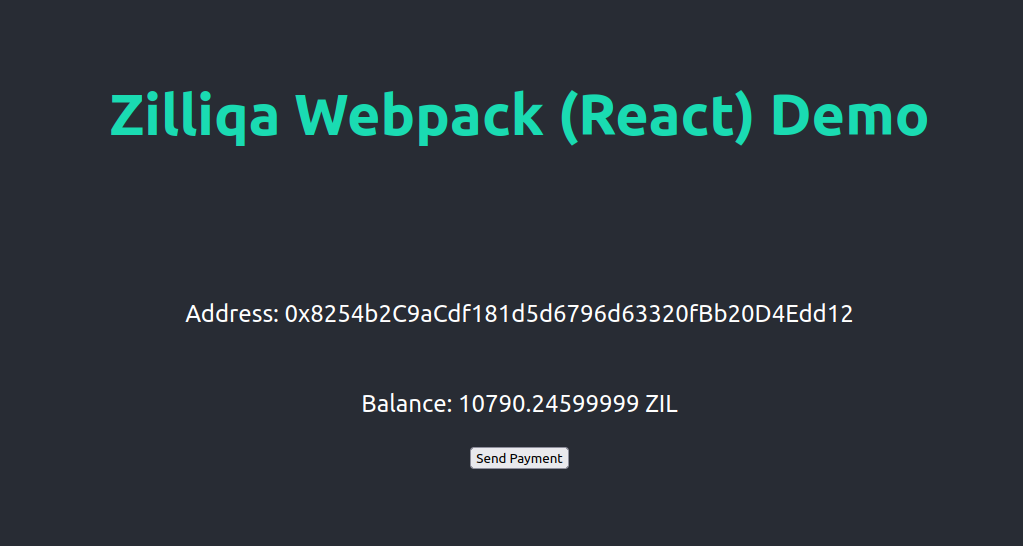
Try it by clicking on the 'Send Payment' button!
The sample project would perform the following:
- add a default wallet to a Zilliqa object
- query the wallet and its balance
- send a transaction of 1 ZIL from the wallet to another wallet
### How it works
In the `examples/webpack/react`, open `index.html`:
```
<html lang="en">
<head>
<meta charset="UTF-8">
<meta name="viewport" content="width=device-width, initial-scale=1.0">
<title>Document</title>
<!-- Please generate zilliqa-min.js using yarn build:web-->>
<script src="zilliqa.min.js"></script>
<script src="index.js"></script>
<script src="load-keystore-demo.js"></script>
</head>
<body>
</body>
</html>
```
In the above HTML, we import our minified `zilliqa.min.js`. This must be imported first before other Javascript files so that the other Javascript files can access ZilliqaJS sdk functions.
Next, we import `index.js` and `load-keystore-demo.js`. These two files contain example of acessing the `zilliqa.min.js` functions.