mulika
Version:
Lightiest & tiniest javascript test tool
90 lines (63 loc) • 1.94 kB
Markdown
```bash
npm i mulika
```
Minimal in-browser UI add-on to your pages! Google Chrome, MS Edge recommended anf Firefox.
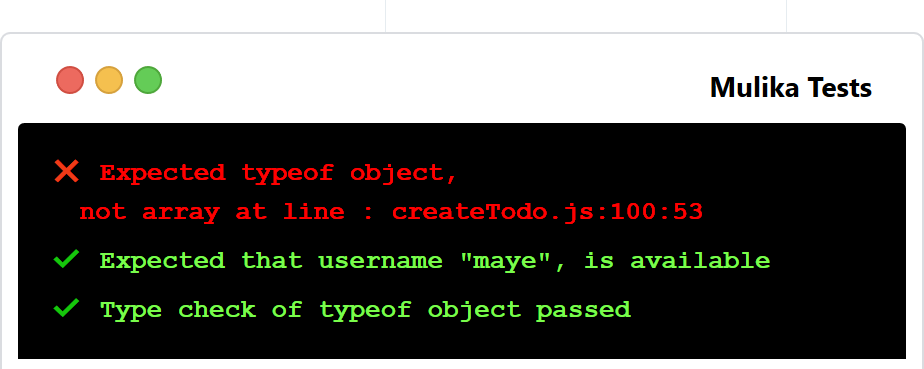
```js
<script src="https://pwafire.org/code/mulika/@latest.js"></script>
```
```html
<link rel="stylesheet" href="https://pwafire.org/code/mulika/@latest.css" />
```
```html
<section id="mulika" class="mulika">
<div class="top">
<div class="btns">
<span class="circle red"></span>
<span class="circle yellow"></span>
<span class="circle green"></span>
<span class="mulika-title">Mulika Tests</span>
</div>
</div>
<pre class="tests" id="tests"></pre>
</section>
```
In your test js file, you need to enable **debug/dev mode** and **start mulika** first as shown below,
all at the top of the test file.
```js
// Mulika...
mulika.debug = true;
mulika.start();
//...
```
All variables must be provided, all are required!
```js
// Type check...
mulika.typeCheck({ type: type, value: value });
// Other tests...
mulika.expect(message, func, expected_value);
```
Launch Playground [Here](https://npm.runkit.com/mulika)
```js
// Require mulika...
const mulika = require("mulika");
const registered = true;
// 1. Type check...
mulika.typeCheck({ type: "boolean", value: registered });
// 2. All tests...
mulika.expect("Sum to be 1", add(1, 9), 1);
// Function to test...
function add(a, b) {
return a + b;
}
```
Enjoy!