mrz4nodejs
Version:
Node.js bindings to Dynamsoft MRZ C/C++ SDK.
77 lines (56 loc) • 2.06 kB
Markdown
# Node.js MRZ Scanner SDK
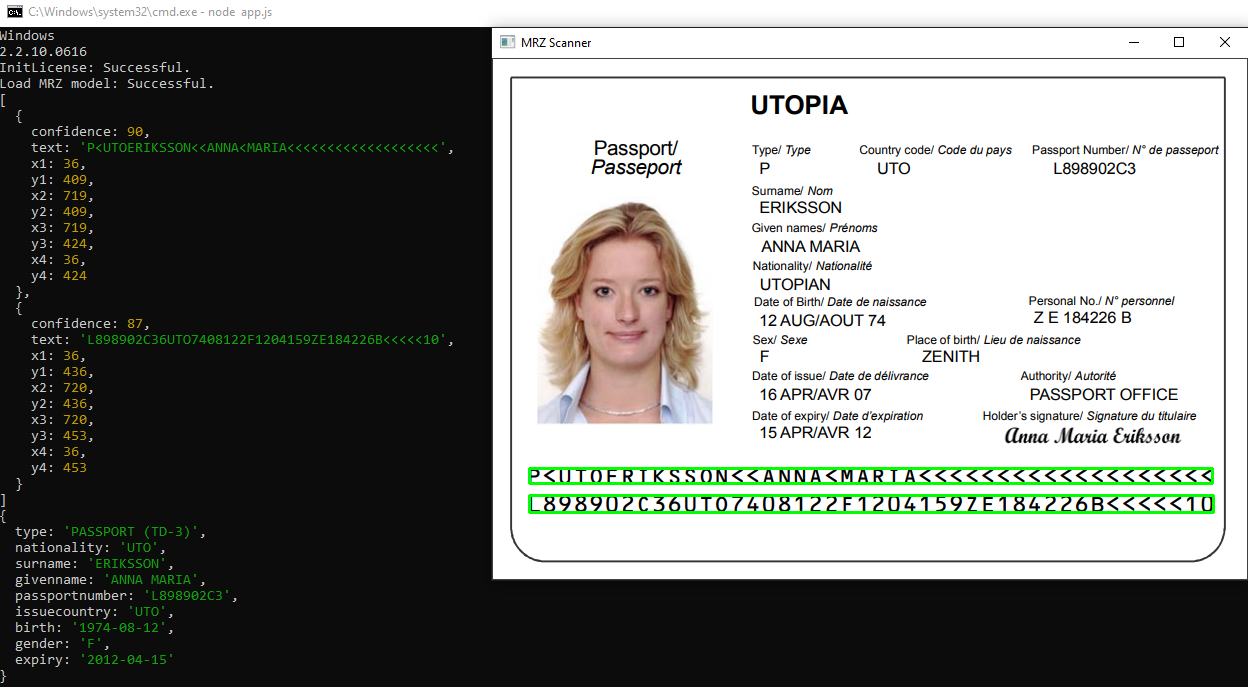
The Node.js MRZ (Machine Readable Zone) Scanner SDK is Node binding to [Dynamsoft MRZ C++ SDK](https://www.dynamsoft.com/label-recognition/overview/). It helps developers to build Node.js applications for scanning passport, Visa, ID card and travel documents on Windows and Linux.
## License Key
Get a [30-day FREE trial license](https://www.dynamsoft.com/customer/license/trialLicense/?product=dlr) to activate the SDK.
## Pre-requisites
- [Node.js](https://nodejs.org/en/download/)
- Platform-specific C/C++ compiler
- TypeScript
```bash
npm install -g typescript
npm install --save @types/node
```
- node-gyp
```
npm i node-gyp -g
```
## Supported Platforms
- **Windows**
- **Linux**
## Usage
Basic steps:
1. Set the license key.
```js
MrzScanner.initLicense('DLS2eyJoYW5kc2hha2VDb2RlIjoiMjAwMDAxLTE2NDk4Mjk3OTI2MzUiLCJvcmdhbml6YXRpb25JRCI6IjIwMDAwMSIsInNlc3Npb25QYXNzd29yZCI6IndTcGR6Vm05WDJrcEQ5YUoifQ==');
```
2. Create an MRZ scanner object.
```js
var obj = new MrzScanner();
```
3. Load the MRZ model via the `mrz4nodejs` module path.
```js
var ret = obj.loadModel(path.dirname(require.resolve('mrz4nodejs')));
```
4. Call `decodeFileAsync()` method to recognize MRZ from an image file.
```js
(async function () {
try {
var result = await obj.decodeFileAsync('<image-file-path>');
console.log(result);
} catch (error) {
console.log(error);
}
})();
```
5. Parse the MRZ information:
```js
if (result.length == 2) {
console.log(obj.parseTwoLines(result[0].text, result[1].text));
}
else if (result.length == 3) {
console.log(obj.parseThreeLines(result[0].text, result[1].text, result[2].text));
}
```
## Sample Code
[https://github.com/yushulx/mrz4nodejs/tree/main/examples](https://github.com/yushulx/mrz4nodejs/tree/main/examples)