meteor-shower-webcomponent
Version:
Beautiful meteor shower animation as a Web Component. Perfect for backgrounds in landing pages, portfolios, and interactive websites.
178 lines (138 loc) • 4.65 kB
Markdown
# 🌟 Meteor Shower Web Component
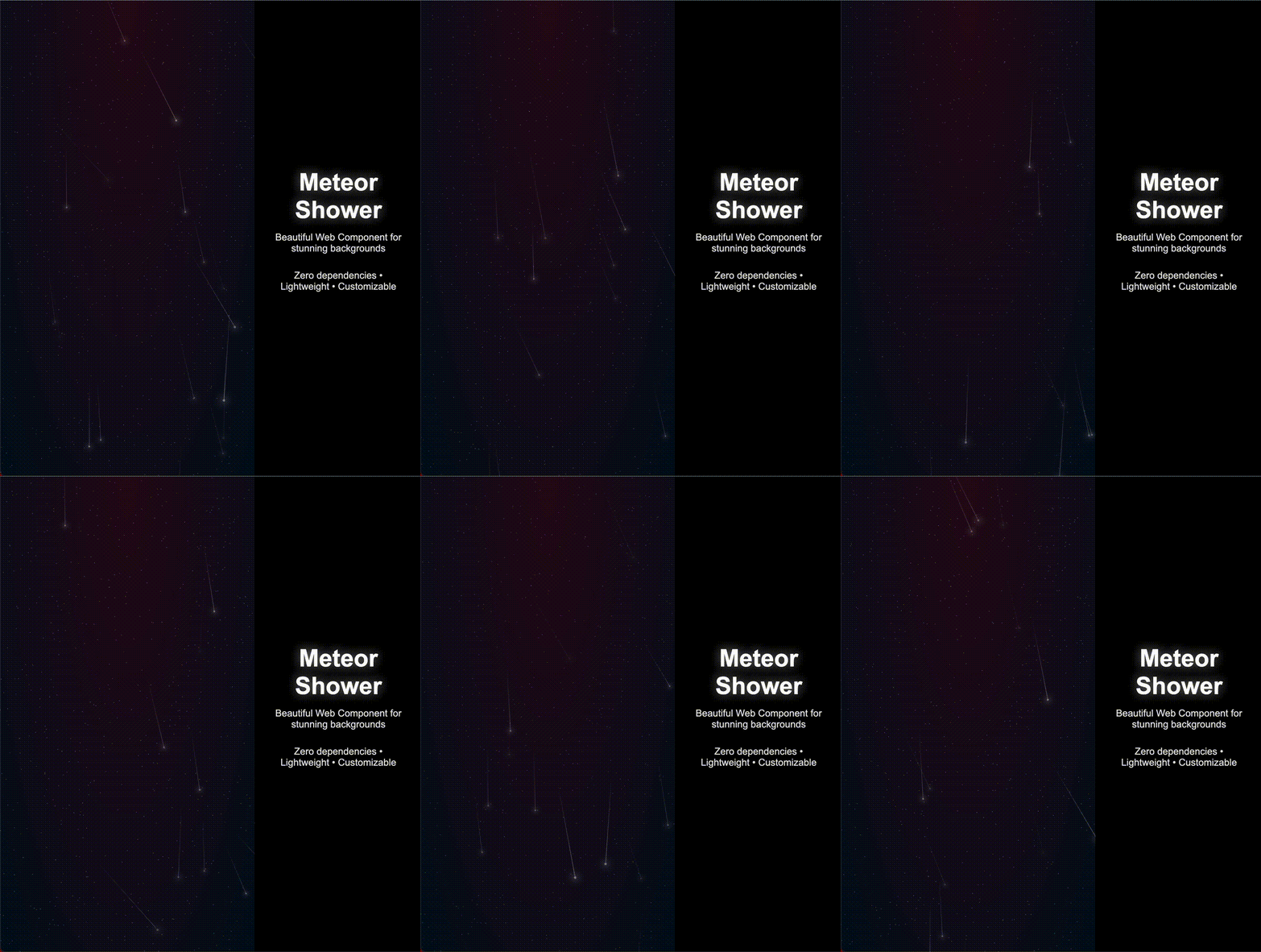
A beautiful, lightweight meteor shower animation as a Web Component. Perfect for creating stunning backgrounds in landing pages, portfolios, and interactive websites.
## ✨ Features
- 🚀 **Zero dependencies** - Pure vanilla JavaScript
- 📦 **Lightweight** - Less than 15KB minified
- 🎨 **Highly Customizable** - Control meteors count, stars count, sizes, colors and black hole
- 🌈 **Custom colors** - Personalize gradient background colors
- 📏 **Size control** - Adjust stars, meteors and tail sizes independently
- 🔧 **Easy to use** - Just one HTML tag
- 📱 **Responsive** - Adapts to any container size
- 🌐 **Universal** - Works in all modern browsers
- 🎭 **Isolated** - Uses Shadow DOM, no style conflicts
## 🎮 Try it Live
### 🔗 Interactive Demo
**[View Live Demo](https://r00rss.github.io/meteor-shower-webcomponent/demo/)** - See all examples and interactive playground
### ⚡ Quick Try on StackBlitz
[](https://stackblitz.com/edit/meteor-shower-example)
## 🚀 Installation
### Via NPM
```bash
npm install meteor-shower-webcomponent
```
```javascript
// In your JavaScript file
import 'meteor-shower-webcomponent';
```
### Via CDN
```html
<script src="https://unpkg.com/meteor-shower-webcomponent@latest/dist/meteor-shower.min.js"></script>
```
<!-- if using NPM add import -->
## 📖 Usage
### Basic Usage
```html
<meteor-shower></meteor-shower>
```
### High Intensity with Black Hole
```html
<meteor-shower
meteors="80"
stars="600"
show_black_hole="true"
>
</meteor-shower>
```
### With Custom Styling
```html
<meteor-shower
meteors="15"
stars="300"
style="height: 60vh; border-radius: 15px;">
</meteor-shower>
```
### Fully Customized
```html
<meteor-shower
meteors="50"
stars="400"
show_black_hole="true"
style="
--primary: #ff0066;
--secondary: #0066ff;
--size-star: 2px;
--size-meteor: 8px;
--size-tail-meteor: 150px;
">
</meteor-shower>
```
### Using as Background
```html
<div style="position: relative; height: 100vh;">
<meteor-shower style="position: absolute; top: 0; left: 0; width: 100%; height: 100%;"></meteor-shower>
<div style="position: relative; z-index: 1;">
<h1 style="font-size: 30px; color: blue;">Your content here</h1>
</div>
</div>
```
## ⚙️ Attributes
| Attribute | Type | Default | Description |
|-----------|------|---------|-------------|
| `meteors` | Number | `10` | Number of meteors to display |
| `stars` | Number | `300` | Number of background stars |
| `show_black_hole` | Boolean | `false` | Enable black hole |
## 🎨 Customization
The component uses CSS custom properties that you can override:
```css
meteor-shower {
--primary: #2a0919; /* Primary gradient color */
--secondary: #030d1b; /* Secondary gradient color */
--size-star: 1px; /* Size of background stars */
--size-meteor: 5px; /* Size of meteor heads */
--size-tail-meteor: 100px; /* Length of meteor tails */
}
```
## 🌐 Browser Support
- Chrome 54+
- Firefox 63+
- Safari 10.1+
- Edge 79+
## 📝 Examples
### Landing Page Background
```html
<html>
<head>
<script src="https://unpkg.com/meteor-shower-webcomponent@latest/dist/meteor-shower.min.js"></script>
<style>
body { margin: 0; font-family: Arial, sans-serif; }
.hero { position: relative; height: 100vh; display: flex; align-items: center; justify-content: center; }
.content { position: relative; z-index: 1; text-align: center; color: white; }
</style>
</head>
<body>
<div class="hero">
<meteor-shower meteors="15" stars="400"></meteor-shower>
<div class="content">
<h1>Welcome to the Future</h1>
<p>Experience the magic of meteor showers</p>
</div>
</div>
</body>
</html>
```
## 🤝 Contributing
1. Fork the repository
2. Create your feature branch (`git checkout -b feature/amazing-feature`)
3. Commit your changes (`git commit -m 'Add some amazing feature'`)
4. Push to the branch (`git push origin feature/amazing-feature`)
5. Open a Pull Request
## 📄 License
MIT License - feel free to use this in your projects!
## 🐛 Issues
Found a bug? Please [open an issue](https://github.com/R00rss/meteor-shower-webcomponent/issues) on GitHub.
## 🌟 Show Your Support
If you like this project, please give it a ⭐ on GitHub!
---
Made with ❤️ by [Ronny García](https://github.com/R00rss)