mediasfu-reactnative
Version:
MediaSFU Prebuilt React Native SDK
1,457 lines (1,224 loc) • 144 kB
Markdown
<p align="center">
<img src="https://www.mediasfu.com/logo192.png" width="100" alt="MediaSFU Logo">
</p>
<p align="center">
<a href="https://twitter.com/media_sfu">
<img src="https://img.icons8.com/color/48/000000/twitter--v1.png" alt="Twitter" style="margin-right: 10px;">
</a>
<a href="https://www.mediasfu.com/forums">
<img src="https://img.icons8.com/color/48/000000/communication--v1.png" alt="Community Forum" style="margin-right: 10px;">
</a>
<a href="https://github.com/MediaSFU">
<img src="https://img.icons8.com/fluent/48/000000/github.png" alt="Github" style="margin-right: 10px;">
</a>
<a href="https://www.mediasfu.com/">
<img src="https://img.icons8.com/color/48/000000/domain--v1.png" alt="Website" style="margin-right: 10px;">
</a>
<a href="https://www.youtube.com/channel/UCELghZRPKMgjih5qrmXLtqw">
<img src="https://img.icons8.com/color/48/000000/youtube--v1.png" alt="Youtube" style="margin-right: 10px;">
</a>
</p>
MediaSFU offers a cutting-edge streaming experience that empowers users to customize their recordings and engage their audience with high-quality streams. Whether you're a content creator, educator, or business professional, MediaSFU provides the tools you need to elevate your streaming game.
<div style="text-align: center;">
<img src="https://mediasfu.com/images/header_1.jpg" alt="Preview Page" title="Preview Page" style="max-height: 600px;">
</div>
---
# MediaSFU React Native Module Documentation
## Unlock the Power of MediaSFU Community Edition
**MediaSFU Community Edition is free and open-source**—perfect for developers who want to run their own media server without upfront costs. With robust features and simple setup, you can launch your media solution in minutes. **Ready to scale?** Upgrade seamlessly to **MediaSFU Cloud** for enterprise-grade performance and global scalability.
**[Get started now on GitHub!](https://github.com/MediaSFU/MediaSFUOpen)**
### ✅ React Native SDK Setup Guide
[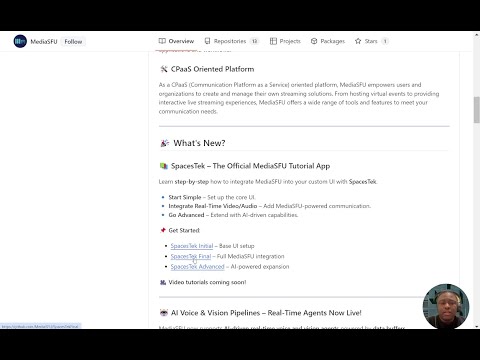](https://www.youtube.com/watch?v=uJkI7H26jq4)
🎥 [**Watch the React Native SDK Setup Guide**](https://youtu.be/uJkI7H26jq4)
---
## Table of Contents
- [Features](#features)
- [Getting Started](#getting-started)
- [Basic Usage Guide](#basic-usage-guide)
- [Intermediate Usage Guide](#intermediate-usage-guide)
- [Advanced Usage Guide](#advanced-usage-guide)
- [API Reference](#api-reference)
- [Troubleshooting](#troubleshooting)
- [Contributing](#contributing)
# Features <a name="features"></a>
MediaSFU's React Native SDK comes with a host of powerful features out of the box:
1. **Breakout Rooms**: Create multiple sub-meetings within a single session to enhance collaboration and focus.
2. **Pagination**: Efficiently handle large participant lists with seamless pagination.
3. **Polls**: Conduct real-time polls to gather instant feedback from participants.
4. **Media Access Requests Management**: Manage media access requests with ease to ensure smooth operations.
5. **Video Effects**: Apply various video effects, including virtual backgrounds, to enhance the visual experience.
6. **Chat (Direct & Group)**: Facilitate communication with direct and group chat options.
7. **Cloud Recording (track-based)**: Customize recordings with track-based options, including watermarks, name tags, background colors, and more.
8. **Managed Events**: Manage events with features to handle abandoned and inactive participants, as well as enforce time and capacity limits.
# Getting Started <a name="getting-started"></a>
This section will guide users through the initial setup and installation of the npm module.
> **Note:** this is specifically for **React-Native-CLI.**
If you are integrating into a **React Native Expo** app, the best option is to use the core `mediasfu-reactnative-expo` package, which you can find on npm at [mediasfu-reactnative-expo](https://www.npmjs.com/package/mediasfu-reactnative-expo).
### Documentation Reference
For comprehensive documentation on the available methods, components, and functions, please visit [mediasfu.com](https://www.mediasfu.com/reactnative/). This resource provides detailed information for this guide and additional documentation.
## Installation
Instructions on how to install the module using npm for a standard React Native (non-Expo) project.
### 1. Add the Package to Your Project
```bash
npm install mediasfu-reactnative
```
### **1.1 Important Installation Notes for React Native**
#### 🚫 **Avoid Using `--force` or `--legacy-peer-deps`**
Using these flags can override important dependency checks, potentially causing **unstable builds** or **unexpected behavior**.
- **Why Avoid Them?**
They bypass compatibility checks, which can introduce **bugs** or **conflicts** within your project.
---
#### ⚙️ **Use Package Overrides (Recommended)**
If you encounter **peer dependency conflicts**, use the `overrides` field in your `package.json` instead of forcing installations.
##### ✅ **Example of Safe Overrides:**
```json
{
"overrides": {
"some-package": {
"dependency-name": "^1.2.3"
}
}
}
```
- **Why This Works:**
Overrides let you resolve conflicts **safely** without compromising the integrity of your project.
---
#### 🚩 **If You Absolutely Need to Use `--force` or `--legacy-peer-deps`**
- Some peer dependencies **might be skipped**.
- You’ll need to **manually install** them to avoid runtime errors.
##### 🔑 **Install the Required Peer Dependencies:**
```bash
npm install \
"@react-native-async-storage/async-storage@^2.0.0" \
"@react-native-clipboard/clipboard@^1.14.3" \
"@react-native-community/slider@^4.5.5" \
"@react-native-picker/picker@^2.9.0" \
"@react-navigation/native@^6.1.18" \
"@react-navigation/native-stack@^6.11.0" \
"mediasoup-client@^3.7.17" \
"react@^18.3.1" \
"react-color@^2.19.3" \
"react-native@^0.76.0" \
"react-native-gesture-handler@^2.20.2" \
"react-native-orientation-locker@^1.7.0" \
"react-native-permissions@^5.0.2" \
"react-native-picker-select@^9.3.1" \
"react-native-reanimated@^3.16.1" \
"react-native-safe-area-context@^4.12.0" \
"react-native-screens@^3.35.0" \
"react-native-sound@^0.11.2" \
"react-native-status-bar-height@^2.6.0" \
"react-native-vector-icons@^10.2.0" \
"react-native-video@^6.7.0" \
"react-native-webrtc@^124.0.4" \
"react-native-webrtc-web-shim@^1.0.7" \
"reanimated-color-picker@^3.0.4" \
"socket.io-client@^4.8.1"
```
- **Why This Is Important:**
These peer dependencies are critical for `mediasfu-reactjs` to function correctly within React Native.
---
#### 🔍 **How to Check for Peer Dependencies**
1. **Open your `package.json`.**
2. Look for the `peerDependencies` section:
```json
"peerDependencies": {
"@react-native-async-storage/async-storage": "^2.0.0",
"@react-native-clipboard/clipboard": "^1.14.3",
"@react-native-community/slider": "^4.5.5",
"@react-native-picker/picker": "^2.9.0",
"@react-navigation/native": "^6.1.18",
"@react-navigation/native-stack": "^6.11.0",
"mediasoup-client": "^3.7.17",
"react": "^18.3.1",
"react-color": "^2.19.3",
"react-native": "^0.76.0",
"react-native-gesture-handler": "^2.20.2",
"react-native-orientation-locker": "^1.7.0",
"react-native-permissions": "^5.0.2",
"react-native-picker-select": "^9.3.1",
"react-native-reanimated": "^3.16.1",
"react-native-safe-area-context": "^4.12.0",
"react-native-screens": "^3.35.0",
"react-native-sound": "^0.11.2",
"react-native-status-bar-height": "^2.6.0",
"react-native-vector-icons": "^10.2.0",
"react-native-video": "^6.7.0",
"react-native-webrtc": "^124.0.4",
"react-native-webrtc-web-shim": "^1.0.7",
"reanimated-color-picker": "^3.0.4",
"socket.io-client": "^4.8.1"
}
```
3. **Ensure all are installed.** If not, run the install command above.
---
#### ✅ **Final Recommendations**
- Always try to resolve conflicts using **overrides** first.
- Only use `--force` or `--legacy-peer-deps` as a **last resort**.
---
### 2.1 Obtain an API Key (If Required)
You can get your API key by signing up or logging into your account at [mediasfu.com](https://www.mediasfu.com/).
<div style="background-color:#f0f0f0; padding: 10px; border-radius: 5px;">
<h4 style="color:#d9534f;">Important:</h4>
<p style="font-size: 1.2em; color: black;">You must obtain an API key from <a href="https://www.mediasfu.com/">mediasfu.com</a> to use this package with MediaSFU Cloud. You do not need the API Key if self-hosting.</p>
</div>
### 2.2 **Self-Hosting MediaSFU**
If you plan to self-host MediaSFU or use it without MediaSFU Cloud services, you don't need an API key. You can access the open-source version of MediaSFU from the [MediaSFU Open Repository](https://github.com/MediaSFU/MediaSFUOpen).
This setup allows full flexibility and customization while bypassing the need for cloud-dependent credentials.
### 3. Configure Your Project
Before proceeding, ensure that your project is properly configured to work with `mediasfu-reactnative`. Follow the steps below to set up the necessary configuration files.
#### a. Configure `metro.config.js`
Ensure your `metro.config.js` file includes the correct settings:
```javascript
const { getDefaultConfig, mergeConfig } = require('@react-native/metro-config');
/**
* Metro configuration
* https://reactnative.dev/docs/metro
*
* @type {import('metro-config').MetroConfig}
*/
const config = {};
module.exports = mergeConfig(getDefaultConfig(__dirname), config);
```
#### b. Configure `babel.config.js`
Your `babel.config.js` should include the necessary presets and plugins for React Native Reanimated. Here is an example configuration:
```javascript
module.exports = {
presets: ['module:@react-native/babel-preset'],
plugins: [
'@babel/plugin-transform-block-scoping',
'react-native-reanimated/plugin',
],
};
```
#### c. Add Permissions
To support WebRTC video, audio, and Bluetooth functionalities, you need to add the following permissions to your project.
##### **Android**
Add the following permissions and features to your `AndroidManifest.xml`:
```bash
<!-- Permissions -->
<uses-permission android:name="android.permission.INTERNET" />
<uses-permission android:name="android.permission.CAMERA" />
<uses-permission android:name="android.permission.RECORD_AUDIO" />
<uses-permission android:name="android.permission.ACCESS_NETWORK_STATE" />
<uses-permission android:name="android.permission.CHANGE_NETWORK_STATE" />
<uses-permission android:name="android.permission.MODIFY_AUDIO_SETTINGS" />
<uses-permission android:name="android.permission.BLUETOOTH" android:maxSdkVersion="30" />
<uses-permission android:name="android.permission.BLUETOOTH_ADMIN" android:maxSdkVersion="30" />
<uses-permission android:name="android.permission.BLUETOOTH_CONNECT" />
<!-- Features -->
<uses-feature android:name="android.hardware.camera" />
<uses-feature android:name="android.hardware.camera.autofocus" />
<uses-feature android:name="android.hardware.audio.output" />
<uses-feature android:name="android.hardware.microphone" />
```
##### **iOS**
Add the following permissions to your `Info.plist`:
```xml
<!-- Permissions -->
<key>NSCameraUsageDescription</key>
<string>Your message to the user about why the app needs camera access</string>
<key>NSMicrophoneUsageDescription</key>
<string>Your message to the user about why the app needs microphone access</string>
<key>NSBluetoothAlwaysUsageDescription</key>
<string>Your message to the user about why the app needs Bluetooth access</string>
```
**Note:** Ensure to customize the permission descriptions to inform users why these permissions are required.
##### **Other Platforms**
If you are targeting other platforms, make sure to add the relevant permissions and configurations as needed.
### 4. Install Required Dependencies
The following dependencies should be automatically installed with `mediasfu-reactnative`. However, if they are not, you can install them manually:
```bash
npm install @react-native-clipboard/clipboard @react-native-async-storage/async-storage react-native-webrtc react-native-safe-area-context react-native-orientation-locker react-native-picker-select @react-native-picker/picker react-native-reanimated react-native-gesture-handler react-native-sound
```
### 5. Configure Vector Icons
To ensure that `react-native-vector-icons` work correctly, you need to link the fonts.
#### **Android**
In your `android/app/build.gradle` file, add the following line:
```gradle
apply from: "../../node_modules/react-native-vector-icons/fonts.gradle"
```
#### **iOS**
1. Open your project in Xcode.
2. Drag the `react-native-vector-icons` folder from `node_modules` into your project.
3. Ensure that the fonts are included in your project’s **Build Phases** under **Copy Bundle Resources**.
For detailed instructions, refer to the [react-native-vector-icons documentation](https://github.com/oblador/react-native-vector-icons#installation).
### 6. Complete the Setup
After completing the above steps, you can proceed to set up and run your project.
- **Start the Metro Bundler:**
```bash
npx react-native start
```
- **Run the Application:**
For Android:
```bash
npx react-native run-android
```
For iOS:
```bash
npx react-native run-ios
```
### Additional Configuration (Optional)
If you encounter any issues during setup, refer to the [Troubleshooting](#troubleshooting) section for common solutions.
For more detailed information, visit the [mediasfu-reactnative GitHub Repository](https://github.com/MediaSFU/MediaSFU-ReactNative) and the [React Native Documentation](https://reactnative.dev/docs/getting-started).
# Basic Usage Guide <a name="basic-usage-guide"></a>
A basic guide on how to use the module for common tasks.
This section will guide users through the initial setup and installation of the npm module.
This guide provides a basic overview of how to set up and use the `mediasfu-reactnative` module for common tasks across platforms.
### Initial Setup and Installation
To get started with `mediasfu-reactnative`, follow the instructions below. This module is optimized for use with Non-Expo dependencies, making it ideal for projects that require seamless deployment across web and mobile platforms.
> **Note:** If you are integrating into a **React Native Expo** app, the best option is to use the core `mediasfu-reactnative-expo` package, which you can find on npm at [mediasfu-reactnative-expo](https://www.npmjs.com/package/mediasfu-reactnative-expo).
## Introduction
MediaSFU is a 2-page application consisting of a prejoin/welcome page and the main events room page. This guide will walk you through the basic usage of the module for setting up these pages.
### Documentation Reference
For comprehensive documentation on the available methods, components, and functions, please visit [mediasfu.com](https://www.mediasfu.com/reactnative/). This resource provides detailed information for this guide and additional documentation.
## Prebuilt Event Rooms
MediaSFU provides prebuilt event rooms for various purposes. These rooms are rendered as full pages and can be easily imported and used in your application. Here are the available prebuilt event rooms:
1. **MediasfuGeneric**: A generic event room suitable for various types of events.
2. **MediasfuBroadcast**: A room optimized for broadcasting events.
3. **MediasfuWebinar**: Specifically designed for hosting webinars.
4. **MediasfuConference**: Ideal for hosting conferences.
5. **MediasfuChat**: A room tailored for interactive chat sessions.
Users can easily pick an interface and render it in their app.
If no API credentials are provided, a default home page will be displayed where users can scan or manually enter the event details.
To use these prebuilt event rooms, simply import them into your application:
```javascript
import { MediasfuGeneric, MediasfuBroadcast, MediasfuWebinar, MediasfuConference, MediasfuChat } from 'mediasfu-reactnative';
```
## Simplest Usage
The simplest way to use MediaSFU is by directly rendering a prebuilt event room component, such as MediasfuGeneric:
```javascript
import { MediasfuGeneric } from 'mediasfu-reactnative';
const App = () => {
return (
<MediasfuGeneric />
);
}
export default App;
```
## Programmatically Fetching Tokens
If you prefer to fetch the required tokens programmatically without visiting MediaSFU's website, you can use the PreJoinPage component and pass your credentials as props:
```javascript
import { MediasfuGeneric, PreJoinPage } from 'mediasfu-reactnative';
const App = () => {
const credentials = { apiUserName: "yourAPIUserName", apiKey: "yourAPIKey" };
return (
<MediasfuGeneric PrejoinPage={PreJoinPage} credentials={credentials} />
);
}
export default App;
```
<div style="text-align: center;">
### Preview of Welcome Page
<img src="https://mediasfu.com/images/prejoin.png" alt="Preview of Welcome Page" title="Welcome Page" style="max-height: 500px;">
<!-- Add a blank line for spacing -->
### Preview of Prejoin Page
<img src="https://mediasfu.com/images/prejoin3.png" alt="Preview of Prejoin Page" title="Prejoin Page" style="max-height: 500px;">
</div>
## Custom Welcome/Prejoin Page
Alternatively, you can design your own welcome/prejoin page. The core function of this page is to fetch user tokens from MediaSFU's API and establish a connection with the returned link if valid.
### Parameters Passed to Custom Page
MediaSFU passes relevant parameters to the custom welcome/prejoin page:
```javascript
let { showAlert, updateIsLoadingModalVisible, connectSocket, updateSocket, updateValidated,
updateApiUserName, updateApiToken, updateLink, updateRoomName, updateMember } = parameters;
```
Ensure that your custom page implements the following updates:
```javascript
updateSocket(socket);
updateApiUserName(apiUserName);
updateApiToken(apiToken);
updateLink(link);
updateRoomName(apiUserName);
updateMember(userName);
updateValidated(true);
```
See the following code for the PreJoinPage page logic:
```javascript
import React, { useState, useEffect, useRef } from 'react';
import {
View,
Text,
TextInput,
Pressable,
Image,
StyleSheet,
ScrollView,
KeyboardAvoidingView,
Platform,
} from 'react-native';
import Orientation from 'react-native-orientation-locker';
import { Socket } from 'socket.io-client';
import {
ConnectSocketType,
ShowAlert,
ConnectLocalSocketType,
ResponseLocalConnection,
ResponseLocalConnectionData,
RecordingParams,
MeetingRoomParams,
CreateMediaSFURoomOptions,
JoinMediaSFURoomOptions,
} from '../../@types/types';
import RNPickerSelect from 'react-native-picker-select';
import { checkLimitsAndMakeRequest } from '../../methods/utils/checkLimitsAndMakeRequest';
import { createRoomOnMediaSFU } from '../../methods/utils/createRoomOnMediaSFU';
import { CreateRoomOnMediaSFUType, JoinRoomOnMediaSFUType, joinRoomOnMediaSFU } from '../../methods/utils/joinRoomOnMediaSFU';
/**
* Interface defining the parameters for joining a local event room.
*/
export interface JoinLocalEventRoomParameters {
eventID: string;
userName: string;
secureCode?: string;
videoPreference?: string | null;
audioPreference?: string | null;
audioOutputPreference?: string | null;
}
/**
* Interface defining the options for joining a local event room.
*/
export interface JoinLocalEventRoomOptions {
joinData: JoinLocalEventRoomParameters;
link?: string;
}
/**
* Interface defining the response structure when creating or joining a local room.
*/
export interface CreateLocalRoomParameters {
eventID: string;
duration: number;
capacity: number;
userName: string;
scheduledDate: Date;
secureCode: string;
waitRoom?: boolean;
recordingParams?: RecordingParams;
eventRoomParams?: MeetingRoomParams;
videoPreference?: string | null;
audioPreference?: string | null;
audioOutputPreference?: string | null;
mediasfuURL?: string;
}
/**
* Interface defining the response structure when joining a local room.
*/
export interface CreateLocalRoomOptions {
createData: CreateLocalRoomParameters;
link?: string;
}
/**
* Interface defining the response structure when creating or joining a local room.
*/
export interface CreateJoinLocalRoomResponse {
success: boolean;
secret: string;
reason?: string;
url?: string;
}
/**
* Interface defining the parameters for the PreJoinPage component.
*/
export interface PreJoinPageParameters {
/**
* Source URL for the logo image.
* Defaults to 'https://mediasfu.com/images/logo192.png' if not provided.
*/
imgSrc?: string;
/**
* Function to display alert messages.
*/
showAlert?: ShowAlert;
/**
* Function to toggle the visibility of the loading modal.
*/
updateIsLoadingModalVisible: (visible: boolean) => void;
/**
* Function to establish a socket connection.
*/
connectSocket: ConnectSocketType;
/**
* Function to establish a socket connection to a local server.
*/
connectLocalSocket?: ConnectLocalSocketType;
/**
* Function to update the socket instance in the parent state.
*/
updateSocket: (socket: Socket) => void;
/**
* Function to update the socket instance in the parent state.
*/
updateLocalSocket?: (socket: Socket) => void;
/**
* Function to update the validation state in the parent.
*/
updateValidated: (validated: boolean) => void;
/**
* Function to update the API username in the parent state.
*/
updateApiUserName: (apiUserName: string) => void;
/**
* Function to update the API token in the parent state.
*/
updateApiToken: (apiToken: string) => void;
/**
* Function to update the event link in the parent state.
*/
updateLink: (link: string) => void;
/**
* Function to update the room name in the parent state.
*/
updateRoomName: (roomName: string) => void;
/**
* Function to update the member name in the parent state.
*/
updateMember: (member: string) => void;
}
/**
* Interface defining the credentials.
*/
export interface Credentials {
apiUserName: string;
apiKey: string;
}
/**
* Interface defining the options for the PreJoinPage component.
*/
export interface PreJoinPageOptions {
/**
* link to the local server (Community Edition)
*/
localLink?: string;
/**
* Determines if the user is allowed to connect to the MediaSFU server.
*/
connectMediaSFU?: boolean;
/**
* Parameters required by the PreJoinPage component.
*/
parameters: PreJoinPageParameters;
/**
* Optional user credentials. Defaults to predefined credentials if not provided.
*/
credentials?: Credentials;
/**
* Flag to determine if the component should return the UI.
*/
returnUI?: boolean;
/**
* Options for creating/joining a room without UI.
*/
noUIPreJoinOptions?: CreateMediaSFURoomOptions | JoinMediaSFURoomOptions;
/**
* Function to create a room on MediaSFU.
*/
createMediaSFURoom?: CreateRoomOnMediaSFUType;
/**
* Function to join a room on MediaSFU.
*/
joinMediaSFURoom?: JoinRoomOnMediaSFUType;
}
export type PreJoinPageType = (options: PreJoinPageOptions) => JSX.Element;
/**
* PreJoinPage component allows users to either create a new room or join an existing one.
*
* @component
* @param {PreJoinPageOptions} props - The properties for the PreJoinPage component.
* @param {PreJoinPageParameters} props.parameters - Various parameters required for the component.
* @param {ShowAlert} [props.parameters.showAlert] - Function to show alert messages.
* @param {() => void} props.parameters.updateIsLoadingModalVisible - Function to update the loading modal visibility.
* @param {ConnectSocketType} props.parameters.connectSocket - Function to connect to the socket.
* @param {ConnectSocketType} props.parameters.connectLocalSocket - Function to connect to the local socket.
* @param {Socket} props.parameters.updateSocket - Function to update the socket.
* @param {Socket} props.parameters.updateLocalSocket - Function to update the local socket.
* @param {() => void} props.parameters.updateValidated - Function to update the validation status.
* @param {string} [props.parameters.imgSrc] - The source URL for the logo image.
* @param {Credentials} [props.credentials=user_credentials] - The user credentials containing the API username and API key.
* @param {boolean} [props.returnUI=false] - Flag to determine if the component should return the UI.
* @param {CreateMediaSFURoomOptions | JoinMediaSFURoomOptions} [props.noUIPreJoinOptions] - The options for creating/joining a room without UI.
* @param {string} [props.localLink=''] - The link to the local server.
* @param {boolean} [props.connectMediaSFU=true] - Flag to determine if the component should connect to MediaSFU.
* @param {CreateRoomOnMediaSFUType} [props.createMediaSFURoom] - Function to create a room on MediaSFU.
* @param {JoinRoomOnMediaSFUType} [props.joinMediaSFURoom] - Function to join a room on MediaSFU.
*
* @returns {JSX.Element} The rendered PreJoinPage component.
*
* @example
* ```tsx
* import React from 'react';
* import { PreJoinPage } from 'mediasfu-reactnative';
* import { JoinLocalRoomOptions } from 'mediasfu-reactnative';
*
* function App() {
* * const showAlertFunction = (message: string) => console.log(message);
* const updateLoadingFunction = (visible: boolean) => console.log(`Loading: ${visible}`);
* const connectSocketFunction = () => {}; // Connect socket function
* const updateSocketFunction = (socket: Socket) => {}; // Update socket function
* const updateValidatedFunction = (validated: boolean) => {}; // Update validated function
* const updateApiUserNameFunction = (userName: string) => {}; // Update API username function
* const updateApiTokenFunction = (token: string) => {}; // Update API token function
* const updateLinkFunction = (link: string) => {}; // Update link function
* const updateRoomNameFunction = (roomName: string) => {}; // Update room name function
* const updateMemberFunction = (member: string) => {}; // Update member function
*
* return (
* <PreJoinPage
* parameters={{
* showAlert: showAlertFunction,
* updateIsLoadingModalVisible: updateLoadingFunction,
* connectSocket: connectSocketFunction,
* updateSocket: updateSocketFunction,
* updateValidated: updateValidatedFunction,
* updateApiUserName: updateApiUserNameFunction,
* updateApiToken: updateApiTokenFunction,
* updateLink: updateLinkFunction,
* updateRoomName: updateRoomNameFunction,
* updateMember: updateMemberFunction,
* imgSrc: 'https://example.com/logo.png'
* }}
* credentials={{
* apiUserName: 'user123',
* apiKey: 'apikey123'
* }}
* returnUI={true}
* noUIPreJoinOptions={{
* action: 'create',
* capacity: 10,
* duration: 15,
* eventType: 'broadcast',
* userName: 'Prince',
* }}
* connectMediaSFU={true}
* localLink='http://localhost:3000'
* />
* );
* };
*
*
* export default App;
* ```
*/
const PreJoinPage: React.FC<PreJoinPageOptions> = ({
localLink = '',
connectMediaSFU = true,
parameters,
credentials,
returnUI = false,
noUIPreJoinOptions,
createMediaSFURoom = createRoomOnMediaSFU,
joinMediaSFURoom = joinRoomOnMediaSFU,
}) => {
// State variables
const [isCreateMode, setIsCreateMode] = useState<boolean>(false);
const [name, setName] = useState<string>('');
const [duration, setDuration] = useState<string>('');
const [eventType, setEventType] = useState<string>('');
const [capacity, setCapacity] = useState<string>('');
const [eventID, setEventID] = useState<string>('');
const [error, setError] = useState<string>('');
const pending = useRef(false);
const localConnected = useRef(false);
const localData = useRef<ResponseLocalConnectionData | undefined>(undefined);
const initSocket = useRef<Socket | undefined>(undefined);
const {
showAlert,
updateIsLoadingModalVisible,
connectLocalSocket,
updateSocket,
updateValidated,
updateApiUserName,
updateApiToken,
updateLink,
updateRoomName,
updateMember,
} = parameters;
const handleCreateRoom = async () => {
if (pending.current) {
return;
}
pending.current = true;
let payload = {} as CreateMediaSFURoomOptions;
if (returnUI) {
if (!name || !duration || !eventType || !capacity) {
setError('Please fill all the fields.');
return;
}
payload = {
action: 'create',
duration: parseInt(duration, 10),
capacity: parseInt(capacity, 10),
eventType: eventType as 'chat' | 'broadcast' | 'webinar' | 'conference',
userName: name,
recordOnly: false,
};
} else {
if (
noUIPreJoinOptions &&
'action' in noUIPreJoinOptions &&
noUIPreJoinOptions.action === 'create'
) {
payload = noUIPreJoinOptions as CreateMediaSFURoomOptions;
} else {
pending.current = false;
throw new Error(
'Invalid options provided for creating a room without UI.',
);
}
}
updateIsLoadingModalVisible(true);
if (localLink.length > 0) {
const secureCode =
Math.random().toString(30).substring(2, 14) +
Math.random().toString(30).substring(2, 14);
let eventID =
new Date().getTime().toString(30) +
new Date().getUTCMilliseconds() +
Math.floor(10 + Math.random() * 99).toString();
eventID = 'm' + eventID;
const eventRoomParams = localData.current?.meetingRoomParams_;
eventRoomParams!.type = eventType as
| 'chat'
| 'broadcast'
| 'webinar'
| 'conference';
const createData: CreateLocalRoomParameters = {
eventID: eventID,
duration: parseInt(duration, 10),
capacity: parseInt(capacity, 10),
userName: payload.userName,
scheduledDate: new Date(),
secureCode: secureCode,
waitRoom: false,
recordingParams: localData.current?.recordingParams_,
eventRoomParams: eventRoomParams,
videoPreference: null,
audioPreference: null,
audioOutputPreference: null,
mediasfuURL: '',
};
// socket in main window is required and for no local room, no use of initSocket
// for local room, initSocket becomes the local socket, and localSocket is the connection to MediaSFU (if connectMediaSFU is true)
// else localSocket is the same as initSocket
if (
connectMediaSFU &&
initSocket.current &&
localData.current &&
localData.current.apiUserName &&
localData.current.apiKey
) {
payload.recordOnly = true; // allow production to mediasfu only; no consumption
const response = await roomCreator({
payload,
apiUserName: localData.current.apiUserName,
apiKey: localData.current.apiKey,
validate: false,
});
if (
response &&
response.success &&
response.data &&
'roomName' in response.data
) {
createData.eventID = response.data.roomName;
createData.secureCode = response.data.secureCode || '';
createData.mediasfuURL = response.data.publicURL;
await createLocalRoom({
createData: createData,
link: response.data.link,
});
} else {
pending.current = false;
updateIsLoadingModalVisible(false);
setError('Unable to create room on MediaSFU.');
try {
updateSocket(initSocket.current);
await createLocalRoom({ createData: createData });
pending.current = false;
} catch (error) {
pending.current = false;
updateIsLoadingModalVisible(false);
setError(`Unable to create room. ${error}`);
}
}
} else {
try {
updateSocket(initSocket.current!);
await createLocalRoom({ createData: createData });
pending.current = false;
} catch (error) {
pending.current = false;
updateIsLoadingModalVisible(false);
setError(`Unable to create room. ${error}`);
}
}
} else {
await roomCreator({
payload,
apiUserName: credentials.apiUserName,
apiKey: credentials.apiKey,
validate: true,
});
pending.current = false;
}
};
const handleJoinRoom = async () => {
if (pending.current) {
return;
}
pending.current = true;
let payload = {} as JoinMediaSFURoomOptions;
if (returnUI) {
if (!name || !eventID) {
setError('Please fill all the fields.');
return;
}
payload = {
action: 'join',
meetingID: eventID,
userName: name,
};
} else {
if (
noUIPreJoinOptions &&
'action' in noUIPreJoinOptions &&
noUIPreJoinOptions.action === 'join'
) {
payload = noUIPreJoinOptions as JoinMediaSFURoomOptions;
} else {
throw new Error(
'Invalid options provided for joining a room without UI.',
);
}
}
if (localLink.length > 0 && !localLink.includes('mediasfu.com')) {
const joinData: JoinLocalEventRoomParameters = {
eventID: eventID,
userName: payload.userName,
secureCode: '',
videoPreference: null,
audioPreference: null,
audioOutputPreference: null,
};
await joinLocalRoom({ joinData: joinData });
pending.current = false;
return;
}
updateIsLoadingModalVisible(true);
const response = await joinMediaSFURoom({
payload,
apiUserName: credentials.apiUserName,
apiKey: credentials.apiKey,
localLink: localLink,
});
if (response.success && response.data && 'roomName' in response.data) {
await checkLimitsAndMakeRequest({
apiUserName: response.data.roomName,
apiToken: response.data.secret,
link: response.data.link,
userName: payload.userName,
parameters: parameters,
});
setError('');
pending.current = false;
} else {
pending.current = false;
updateIsLoadingModalVisible(false);
setError(
`Unable to join room. ${
response.data
? 'error' in response.data
? response.data.error
: ''
: ''
}`,
);
}
};
const joinLocalRoom = async ({
joinData,
link = localLink,
}: JoinLocalEventRoomOptions) => {
initSocket.current?.emit(
'joinEventRoom',
joinData,
(response: CreateJoinLocalRoomResponse) => {
if (response.success) {
updateSocket(initSocket.current!);
updateApiUserName(localData.current?.apiUserName || '');
updateApiToken(response.secret);
updateLink(link);
updateRoomName(joinData.eventID);
updateMember(joinData.userName);
updateIsLoadingModalVisible(false);
updateValidated(true);
} else {
updateIsLoadingModalVisible(false);
setError(`Unable to join room. ${response.reason}`);
}
},
);
};
const createLocalRoom = async ({
createData,
link = localLink,
}: CreateLocalRoomOptions) => {
initSocket.current?.emit(
'createRoom',
createData,
(response: CreateJoinLocalRoomResponse) => {
if (response.success) {
updateSocket(initSocket.current!);
updateApiUserName(localData.current?.apiUserName || '');
updateApiToken(response.secret);
updateLink(link);
updateRoomName(createData.eventID);
// local needs islevel updated from here
// we update member as `userName` + '_2' and split it in the room
updateMember(createData.userName + '_2');
updateIsLoadingModalVisible(false);
updateValidated(true);
} else {
updateIsLoadingModalVisible(false);
setError(`Unable to create room. ${response.reason}`);
}
},
);
};
const roomCreator = async ({
payload,
apiUserName,
apiKey,
validate = true,
}: {
payload: any;
apiUserName: string;
apiKey: string;
validate?: boolean;
}) => {
const response = await createMediaSFURoom({
payload,
apiUserName: apiUserName,
apiKey: apiKey,
localLink: localLink,
});
if (response.success && response.data && 'roomName' in response.data) {
await checkLimitsAndMakeRequest({
apiUserName: response.data.roomName,
apiToken: response.data.secret,
link: response!.data.link,
userName: payload.userName,
parameters: parameters,
validate: validate,
});
return response;
} else {
updateIsLoadingModalVisible(false);
setError(
`Unable to create room. ${
response.data
? 'error' in response.data
? response.data.error
: ''
: ''
}`,
);
}
};
const checkProceed = async ({
returnUI,
noUIPreJoinOptions,
}: {
returnUI: boolean;
noUIPreJoinOptions: CreateMediaSFURoomOptions | JoinMediaSFURoomOptions;
}) => {
if (!returnUI && noUIPreJoinOptions) {
if (
'action' in noUIPreJoinOptions &&
noUIPreJoinOptions.action === 'create'
) {
// update all the required parameters and call
const createOptions: CreateMediaSFURoomOptions =
noUIPreJoinOptions as CreateMediaSFURoomOptions;
if (
!createOptions.userName ||
!createOptions.duration ||
!createOptions.eventType ||
!createOptions.capacity
) {
throw new Error(
'Please provide all the required parameters: userName, duration, eventType, capacity',
);
}
await handleCreateRoom();
} else if (
'action' in noUIPreJoinOptions &&
noUIPreJoinOptions.action === 'join'
) {
// update all the required parameters and call
const joinOptions: JoinMediaSFURoomOptions =
noUIPreJoinOptions as JoinMediaSFURoomOptions;
if (!joinOptions.userName || !joinOptions.meetingID) {
throw new Error(
'Please provide all the required parameters: userName, meetingID',
);
}
await handleJoinRoom();
} else {
throw new Error(
'Invalid options provided for creating/joining a room without UI.',
);
}
}
};
useEffect(() => {
if (
localLink.length > 0 &&
!localConnected.current &&
!initSocket.current
) {
try {
connectLocalSocket?.({ link: localLink })
.then((response: ResponseLocalConnection | undefined) => {
localData.current = response!.data;
initSocket.current = response!.socket;
localConnected.current = true;
if (!returnUI && noUIPreJoinOptions) {
checkProceed({ returnUI, noUIPreJoinOptions });
}
})
.catch((error) => {
showAlert?.({
message: `Unable to connect to ${localLink}. ${error}`,
type: 'danger',
duration: 3000,
});
});
} catch {
showAlert?.({
message: `Unable to connect to ${localLink}. Something went wrong.`,
type: 'danger',
duration: 3000,
});
}
} else if (localLink.length === 0 && !initSocket.current) {
if (!returnUI && noUIPreJoinOptions) {
checkProceed({ returnUI, noUIPreJoinOptions });
}
}
}, []);
const handleToggleMode = () => {
setIsCreateMode(!isCreateMode);
setError('');
};
return (
// your element
)
};
export default PreJoinPage;
```
### IP Blockage Warning And Local UI Development
**Note:** Local UI Development Mode is deprecated. Rather use your own Community Edition (CE) server for UI development and testing. You can later switch to MediaSFU Cloud for production. Nothing changes in the codebase, and you can use the same code for both environments.
Entering the event room without the correct credentials may result in IP blockage, as the page automatically attempts to connect with MediaSFU servers, which rate limit bad requests based on IP address.
If users attempt to enter the event room without valid credentials or tokens, it may lead to IP blockage due to MediaSFU servers' rate limiting mechanism. To avoid unintentional connections to MediaSFU servers during UI development, users can pass the `useLocalUIMode` parameter as `true`.
In this mode, the module will operate locally without making requests to MediaSFU servers. However, to render certain UI elements such as messages, participants, requests, etc., users may need to provide seed data. They can achieve this by importing random data generators and passing the generated data to the event room component.
### Example for Broadcast Room
```typescript
import { MediasfuBroadcast, generateRandomParticipants, generateRandomMessages } from 'mediasfu-reactnative';
/**
* App Component
*
* This component demonstrates how to:
* - Configure credentials for MediaSFU Cloud and/or Community Edition (CE).
* - Use MediaSFU with or without a custom server.
* - Integrate a pre-join page.
* - Return no UI and manage state through sourceParameters, allowing a fully custom frontend.
*
* Basic instructions:
* 1. Set `localLink` to your CE server if you have one, or leave it blank to use MediaSFU Cloud.
* 2. Set `connectMediaSFU` to determine whether you're connecting to MediaSFU Cloud services.
* 3. Provide credentials if using MediaSFU Cloud (dummy credentials are acceptable in certain scenarios).
* 4. If you prefer a custom UI, set `returnUI` to false and handle all interactions via `sourceParameters` and `updateSourceParameters`.
* 5. For secure production usage, consider using custom `createMediaSFURoom` and `joinMediaSFURoom` functions to forward requests through your backend.
*/
const App = () => {
// =========================================================
// API CREDENTIALS CONFIGURATION
// =========================================================
//
// Scenario A: Not using MediaSFU Cloud at all.
// - No credentials needed. Just set localLink to your CE server.
// Example:
/*
const credentials = {};
const localLink = 'http://your-ce-server.com'; // http://localhost:3000 for local testing
const connectMediaSFU = localLink.trim() !== '';
*/
// Scenario B: Using MediaSFU CE + MediaSFU Cloud for Egress only.
// - Use dummy credentials (8 chars for userName, 64 chars for apiKey).
// - Your CE backend will forward requests with your real credentials.
/*
const credentials = {
apiUserName: 'dummyUsr',
apiKey: '1234567890abcdef1234567890abcdef1234567890abcdef1234567890abcdef',
};
const localLink = 'http://your-ce-server.com'; // http://localhost:3000 for local testing
const connectMediaSFU = localLink.trim() !== '';
*/
// Scenario C: Using MediaSFU Cloud without your own server.
// - For development, use your actual or dummy credentials.
// - In production, securely handle credentials server-side and use custom room functions.
const credentials = {
apiUserName: 'yourDevUser', // 8 chars recommended for dummy
apiKey: 'yourDevApiKey1234567890abcdef1234567890abcdef1234567890abcdef1234567890abcdef', // 64 chars
};
const localLink = ''; // Leave empty if not using your own server
const connectMediaSFU = true; // Set to true if using MediaSFU Cloud since localLink is empty
// =========================================================
// UI RENDERING OPTIONS
// =========================================================
//
// If you want a fully custom UI (e.g., a custom layout inspired by WhatsApp):
// 1. Set `returnUI = false` to prevent the default MediaSFU UI from rendering.
// 2. Provide `noUIPreJoinOptions` to simulate what would have been entered on a pre-join page.
// 3. Use `sourceParameters` and `updateSourceParameters` to access and update state/actions.
// 4. No need for any of the above if you're using the default MediaSFU UI.
//
// Example noUIPreJoinOptions:
const noUIPreJoinOptions: CreateMediaSFURoomOptions | JoinMediaSFURoomOptions = {
action: 'create',
capacity: 10,
duration: 15,
eventType: 'broadcast',
userName: 'Prince',
};
// Example for joining a room:
// const noUIPreJoinOptions: CreateMediaSFURoomOptions | JoinMediaSFURoomOptions = {
// action: 'join',
// userName: 'Prince',
// meetingID: 'yourMeetingID'
// };
const [sourceParameters, setSourceParameters] = useState<{ [key: string]: any }>({});
const updateSourceParameters = (data: { [key: string]: any }) => {
setSourceParameters(data);
};
// =========================================================
// CUSTOM ROOM FUNCTIONS (OPTIONAL)
// =========================================================
//
// To securely forward requests to MediaSFU:
// - Implement custom `createMediaSFURoom` and `joinMediaSFURoom` functions.
// - These functions send requests to your server, which then communicates with MediaSFU Cloud.
//
// Already imported `createRoomOnMediaSFU` and `joinRoomOnMediaSFU` are examples.
//
// If using MediaSFU CE backend, ensure your server endpoints:
// - Validate dummy credentials.
// - Forward requests to mediasfu.com with real credentials.
// =========================================================
// DEPRECATED FEATURES (SEED DATA)
// =========================================================
//
// Deprecated Feature: useLocalUIMode
// This feature is deprecated due to updates for strong typing.
// It is no longer required and should not be used in new implementations.
//
// Uncomment and configure the following section if you intend to use seed data
// for generating random participants and messages.
//
// Note: This is deprecated and maintained only for legacy purposes.
/*
const useSeed = false;
let seedData = {};
if (useSeed) {
const memberName = 'Prince';
const hostName = 'Fred';
const participants_ = generateRandomParticipants({
member: memberName,
coHost: '',
host: hostName,
forChatBroadcast: eventType === 'broadcast' || eventType === 'chat',
});
const messages_ = generateRandomMessages({
participants: participants_,
member: memberName,
host: hostName,
forChatBroadcast: eventType === 'broadcast' || eventType === 'chat',
});
const requests_ = generateRandomRequestList({
participants: participants_,
hostName: memberName,
coHostName: '',
numberOfRequests: 3,
});
const waitingList_ = generateRandomWaitingRoomList();
seedData = {
participants: participants_,
messages: messages_,
requests: requests_,
waitingList: waitingList_,
member: memberName,
host: hostName,
eventType: eventType,
};
}
*/
// =========================================================
// CHOOSE A USE CASE / COMPONENT
// =========================================================
//
// Multiple components are available depending on your event type:
// MediasfuBroadcast, MediasfuChat, MediasfuWebinar, MediasfuConference
//
// By default, we'll use MediasfuBroadcast with custom settings.
/**
* **MediasfuBroadcast Component**
*
* Uncomment to use the broadcast event type.
*/
/*
return (
<MediasfuBroadcast
credentials={credentials}
localLink={localLink}
connectMediaSFU={connectMediaSFU}
// seedData={useSeed ? seedData : {}}
/>
);
*/
// =========================================================
// RENDER COMPONENT
// =========================================================
//
// The MediasfuBroadcast component is used by default.
// You can replace it with any other component based on your event type.
// Example: <MediasfuBroadcast ... />
//
// The PreJoinPage component is displayed if `returnUI` is true.
// If `returnUI` is false, `noUIPreJoinOptions` is used as a substitute.
// You can also use `sourceParameters` to interact with MediaSFU functionalities directly.
// Avoid using `useLocalUIMode` or `useSeed` in new implementations.
// Ensure that real credentials are not exposed in the frontend.
// Use HTTPS and secure backend endpoints for production.
return (
<MediasfuBroadcast
// This pre-join page can be displayed if `returnUI` is true.
// If `returnUI` is false, `noUIPreJoinOptions` is used as a substitute.
PrejoinPage={PreJoinPage}
credentials={credentials}
localLink={localLink}
connectMediaSFU={connectMediaSFU}
returnUI={false}
noUIPreJoinOptions={noUIPreJoinOptions}
sourceParameters={sourceParameters}
updateSourceParameters={updateSourceParameters}
createMediaSFURoom={createRoomOnMediaSFU}
joinMediaSFURoom={joinRoomOnMediaSFU}
/>
);
};
export default App;
```
### Example for Generic View
```typescript
// Import specific Mediasfu vi