mcswap-shop
Version:
McSwap Shop Module
127 lines (116 loc) • 7.67 kB
Markdown
# mcswap-shop
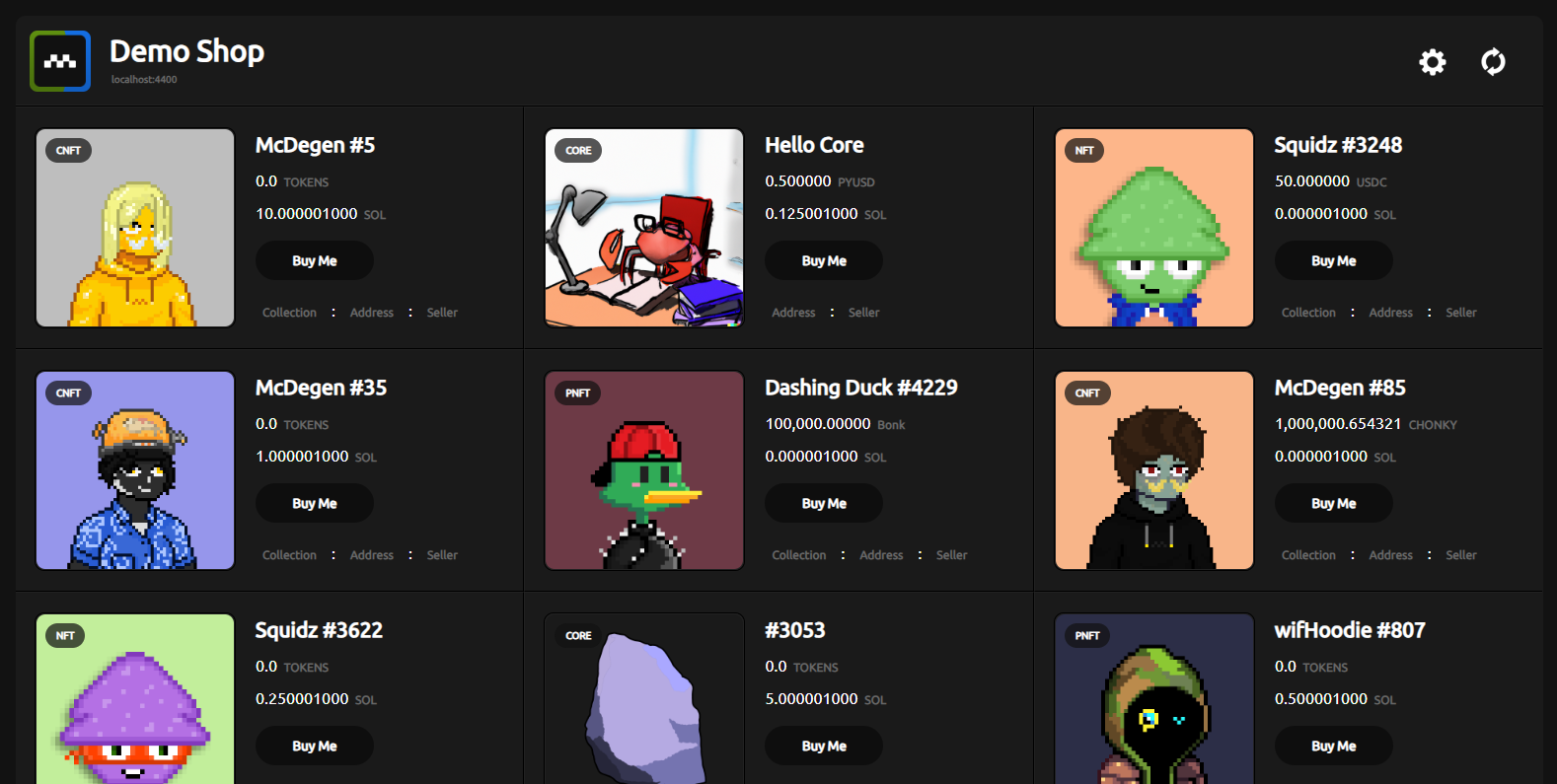
This module will embed a Solana NFT storefront into your existing application. Listings are powered by the native Solana programs of the McSwap Trustless Escrow Protocol. If you're looking for for a turn-key web app, the [mcswap-app](https://github.com/SolDapper/mcswap-app) package is an exact copy of the mcswap.xyz website.

## install
```javascript
npm i mcswap-shop
```
## html
```html
<div id="my-shop"></div>
```
## usage
```javascript
import shop from "mcswap-shop";
const myshop = new shop(process.env.RPC);
myshop.init({
id: "my-shop",
name: "McSwap Shop",
logo: "",
logo_link: "",
priority: "Low",
default_sort: "Newest First",
default_display: "All Listings",
text_intro: "Initializing Demo",
text_buy: "Buy Me",
master_settings: true,
enable_new_listings: true,
enable_edit_sort: true,
enable_edit_display: true,
fee_create: 0,
fee_execute: 0,
treasury: "",
enable_edit_core: true,
enable_edit_nft: true,
enable_edit_pnft: true,
enable_edit_cnft: true,
core_display: true,
nft_display: true,
pnft_display: true,
cnft_display: true,
collections_display: true,
enable_edit_collections: true,
collections: "6Gfz6beNCcP8P7vrMyN2AFtsuv8rkVszSJ8xoP4zQyaR,ACy3ZVXcch8mZXUtRVqsJfa2DhFHxnUJpBb4oeN9tZsX,BL8ocmGmaEiM73JYjAAhgAmHPbtuY3CThYem9g4N5PqQ,BTJPWLW7DLQWpm2TNNEByAM5a1E1AGJp4h43czo9YBLc,Cq2BNRoE5RqyqSmACDQLx4ivp3MgmePwd2mdroZ5hmom,H3mnaqNFFNwqRfEiWFsRTgprCvG4tYFfmNezGEVnaMuQ",
sellers_display: true,
enable_edit_sellers: true,
sellers: "7Z3LJB2rxV4LiRBwgwTcufAWxnFTVJpcoCMiCo8Z5Ere,2jcih7dUFmEQfMUXQQnL2Fkq9zMqj4jwpHqvRVe3gGLL",
});
```
## notes
If you're using a wallet connector other than [mcswap-connector](https://github.com/SolDapper/mcswap-connector)...
To allow your shop to update it's display to include the "Delist" button on assets listed by the connected wallet, and disabling the Buy button for those assets be sure to set:
```javascript
window.mcswap = provider; // after your wallet connects
```
```javascript
window.mcswap = false; // after your wallet disconnects
```
If you're already using the `mcswap-connector` then `window.mcswap` is set for you. And you can also access the current provider object from any scope with:
```javascript
const provider = window.mcswap;
```
## config options
| **Parameter** | **Type** | **Default** | **Description** |
| :-----------------------|----------------:|:----------------------|:--------------------------------------------------------- |
| id | string | false | id of the html element that will be your shop |
| name | string | McSwap Shop | the display name for this shop |
| logo | url | false | relative or full path to your logo |
| logo_link | url | # | url to open when the logo is clicked |
| priority | string | Low | default priority fee level for transactions |
| default_sort | string | Newest First | default ordering for listings |
| default_display | string | All Listings | default listings filter |
| text_intro | string | Initializing Shop | displayed when the shop element is loading |
| text_buy | string | Buy Me | the text of the "Buy Me" buttons for listings |
| master_settings | bool | true | show the settings gear icon button (recommended) |
| enable_new_listings | bool | true | allow users to create new listings (recommended) |
| enable_edit_sort | bool | true | allow users to sort listings (recommended) |
| enable_edit_display | bool | true | allow users to filter listings (recommended) |
| fee_create | float | 0 | optional sol fee for creating listings here |
| fee_execute | float | 0 | optional sol fee for buying listings here |
| treasury | string | false | wallet address for optional fee collection |
| enable_edit_core | bool | true | allow user to use core asset checkbox |
| enable_edit_nft | bool | true | allow user to use nft asset checkbox |
| enable_edit_pnft | bool | true | allow user to use pnft asset checkbox |
| enable_edit_cnft | bool | true | allow user to use cnft asset checkbox |
| core_display | bool | true | default state of core checkbox |
| nft_display | bool | true | default state of nft checkbox |
| pnft_display | bool | true | default state of pnft checkbox |
| cnft_display | bool | true | default state of cnft checkbox |
| collections_display | bool | true | display "Collections" module in the settings |
| enable_edit_collections | bool | true | allow users to add collection addresses |
| collections | csv | "" | comma seperated collection addresses to support |
| sellers_display | bool | true | display "Sellers" module in the settings |
| enable_edit_sellers | bool | true | allow users to add seller wallets |
| sellers | csv | "" | comma seperated seller wallets support |
| solana_pay | url | false | your solana pay api host: https://www.mcswap-pay.xyz |
| kiosk | bool/obj | false | see below |
| shipping | bool | false | collect shipping details - requires mcswap-api |
| enable_edit_physical | bool | true | allow users to id phygitals when creating listing |
| default_physical | int | 0 | default item from array below |
| physicals | array | [] | array of phygital support options |
### kiosk
```javascript
{
touch: true // true or false
}
```
### physicals
```javascript
[
"Digital Asset",
"Phygital + Shipping",
"Phygital Pick-Up",
"Stationary Asset",
]
```