mandelbrot-set
Version:
Web components and a web worker for painting Julia and Mandelbrot sets on a web page.
255 lines (186 loc) • 11 kB
Markdown
[](http://badge.fury.io/js/mandelbrot-set)
[](https://travis-ci.org/prantlf/mandelbrot-set)
[](https://codeclimate.com/github/prantlf/mandelbrot-set/maintainability)
[](https://david-dm.org/prantlf/mandelbrot-set#info=devDependencies)
[](https://standardjs.com)
Web components and a web worker for painting [Julia] and [Mandelbrot] sets on a web page, [including interactive controls](https://prantlf.github.io/mandelbrot-set/public/demo.html). See the [sources](//github.com/prantlf/mandelbrot-set/blob/master/public/mandelbrot.html) too.
- [Synopsis](
- [Common](
- [Mandelbrot and Julia Sets](
- [Configuration Form](
- [Manipulation Toolbar](
- [All-In-One](
- [Development](
- [Examples](
Place elements of your choice to your web page and load their script at the end of the `body` element. You can use either a global stylesheet to style the custom elements, or an element-specific one to turn them to isolated web components.
```html
<mandelbrot-set
stylesheet="https://unpkg.com/mandelbrot-set@2.2.0/public/assets/mini-default.min.css"
palette="jewels" iteration-threshold="150" scale="50"
width="600" height="300" offset-x="0.465" offset-y="1.980"></mandelbrot-set>
<script
src="https://unpkg.com/mandelbrot-set@2.2.0/public/scripts/mandelbrot-all.min.js"
type="module"></script>
```
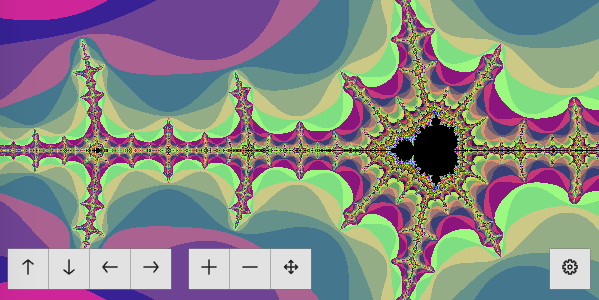
You can import single components as written below, or you can use the single minified JavaScript bundle with all of them:
```html
<script
src="https://unpkg.com/mandelbrot-set@2.2.0/public/scripts/mandelbrot-all.min.js"
type="module"></script>
```
Before you insert any other custom element, you may need to set the URL to the web worker for performing the computations. The URL may be either absolute or relative to the path of the current page. The following is the default:
```html
<mandelbrot-set-computer
src="https://unpkg.com/mandelbrot-set@2.2.0/public/scripts/computer.js"
></mandelbrot-set-computer>
```
If you use a stylesheet, which normalizes and styles plain HTML elements, like [mini.css], it will apply to the configuration form and manipulation toolbar too:
```html
<link
href="https://cdnjs.cloudflare.com/ajax/libs/mini.css/3.0.1/mini-default.min.css"
rel="stylesheet">
```
Import the web component with Julia or Mandelbrot set graphs by including its module at the end of the `body` element on your HTML page.:
```html
<script
src="https://unpkg.com/mandelbrot-set@2.2.0/public/scripts/mandelbrot-set-graph.js"
type="module"></script>
<script
src="https://unpkg.com/mandelbrot-set@2.2.0/public/scripts/julia-set-graph.js"
type="module"></script>
```
Place the web component where you want to see it and set its attributes. The following ones are the defaults:
```html
<mandelbrot-set-graph
palette="grayscale" iteration-threshold="20" scale="1"
width="400" height="400" offset-x="0" offset-y="0"
id="graph"></mandelbrot-set-graph>
<julia-set-graph
palette="grayscale" iteration-threshold="20" scale="1"
width="400" height="400" offset-x="0" offset-y="0"
kr="0.4" ki="0.4" id="graph"></julia-set-graph>
```
Possible colour palettes are "grayscale", "jewels", "fiety", "rainbow", "sharp", "onion", "poison", "garden", and "sky".
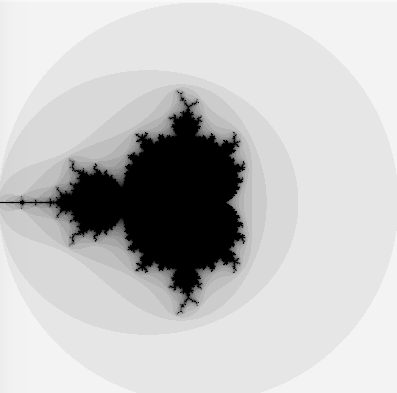 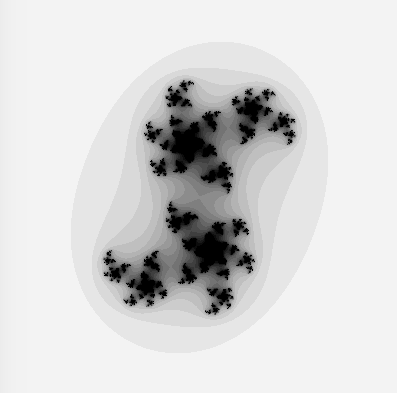
In addition to Julia or Mandelbrot set graphs described above, import the web component with the configuration form by including its module at the end of the `body` element on your HTML page:
```html
<script
src="https://unpkg.com/mandelbrot-set@2.2.0/public/scripts/mandelbrot-set-form.js"
type="module"></script>
```
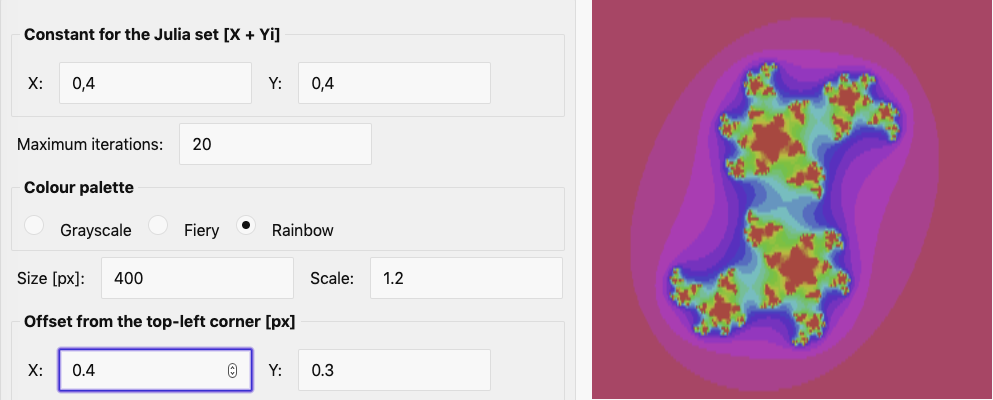
Place the web component where you want to see it and set its attributes. The attribute `for` may to point to a graph element by its ID, if you want to wire them automatically:
```html
<mandelbrot-set-form id="settings" for="graph"></mandelbrot-set-form>
<julia-set-form id="settings" for="graph"></julia-set-form>
```
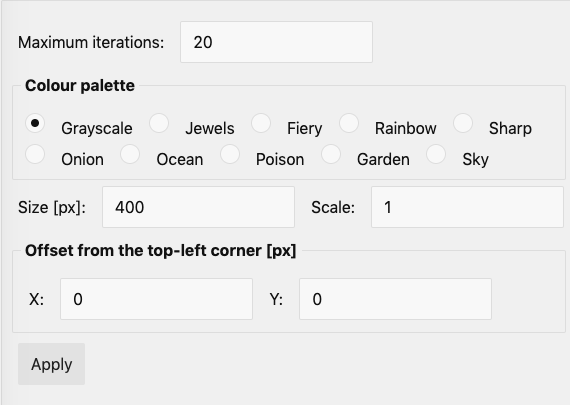 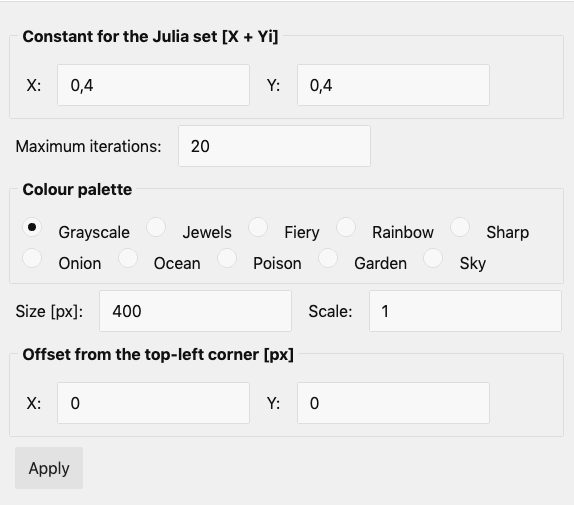
If you point the `for` attribute to the element with the graph, the form will be wired with it automatically, so that changes of field values will result in updating the graph. If you do not, you will be able to reuse the form for multiple graphs, but you will have to wire it to them manually:
```js
addEventListener('DOMContentLoaded', function () {
const form = document.getElementById('settings')
const graph = document.getElementById('graph')
form.addEventListener('submit', refreshGraph)
function refreshGraph () {
graph.suppressUpdates()
graph.setParameters(form.getParameters())
graph.resumeUpdates()
}
})
```
If you want to isolate the styling of the form, set the stylesheet URL to the `stylesheet` attribute:
```html
<mandelbrot-set-form
stylesheet="https://cdnjs.cloudflare.com/ajax/libs/mini.css/3.0.1/mini-default.min.css"
id="settings"></mandelbrot-set-form>
```
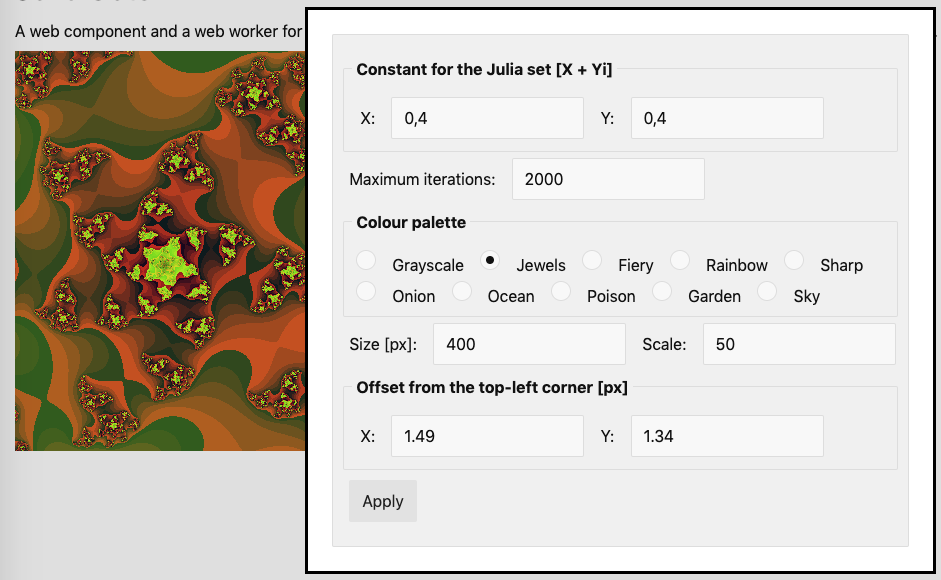
The page [mandelbrot.html](//github.com/prantlf/mandelbrot-set/blob/master/public/mandelbrot.html) integrates the form in-place on the page. The page [julia.html](//github.com/prantlf/mandelbrot-set/blob/master/public/julia.html) opens the form in a modal dialog when clicking on the button with the settings icon.
If you want to make panning and zoomin in Julia or Mandelbrot set graphs easier, import the web component with the manipulation toolbar by including its module at the end of the `body` element on your HTML page:
```html
<script
src="https://unpkg.com/mandelbrot-set@2.2.0/public/scripts/mandelbrot-set-toolbar.js"
type="module"></script>
```
Place the web component where you want to see it and set its attributes. The attribute `for` has to point to a graph element by its ID. The following attribute values are defaults:
```html
<mandelbrot-set-toolbar
panning="true" zooming="true" settings="true"
id="toolbar" for="graph"></mandelbrot-set-toolbar>
```

Panning and zooming will be wired to the graph automatically. Opening the configuration form has to be done manually depending on how you integrate the form. For example, if you use a modal dialog:
```js
addEventListener('DOMContentLoaded', function () {
const toolbar = document.getElementById('toolbar')
const dialog = document.getElementById('settings-dialog')
const form = document.getElementById('settings')
toolbar.addEventListener('open-settings', openSettingsDialog)
form.addEventListener('submitted', closeSettingsDialog)
function openSettingsDialog () {
dialog.showModal()
}
function closeSettingsDialog () {
dialog.close()
}
})
```
If you want to isolate the styling of the form, set the stylesheet URL to the `stylesheet` attribute:
```html
<mandelbrot-set-toolbar
stylesheet="https://cdnjs.cloudflare.com/ajax/libs/mini.css/3.0.1/mini-default.min.css"
id="toolbar"></mandelbrot-set-toolbar>
```
The page [julia.html](//github.com/prantlf/mandelbrot-set/blob/master/public/julia.html) demonstrates the usage of the toolbar including opening the configuration form in a modal dialog.
Import the web component with Julia or Mandelbrot set demonstration by including its module at the end of the `body` element on your HTML page.:
```html
<script
src="https://unpkg.com/mandelbrot-set@2.2.0/public/scripts/mandelbrot-set.js"
type="module"></script>
```
Place the web component where you want to see it and set its attributes. The attribute`type` can be set only once with the initial HTML markup. The following attribute values are the defaults:
```html
<mandelbrot-set
palette="grayscale" iteration-threshold="20" scale="1"
width="400" height="400" offset-x="0" offset-y="0"
panning="true" zooming="true" settings="true"
type="mandelbrot"></mandelbrot-set>
```
Possible types are "mandelbrot" and "julia". Possible colour palettes are "grayscale", "jewels", "fiety", "rainbow", "sharp", "onion", "poison", "garden", and "sky". This element includes controls for panning, zooming and configuring the graph.
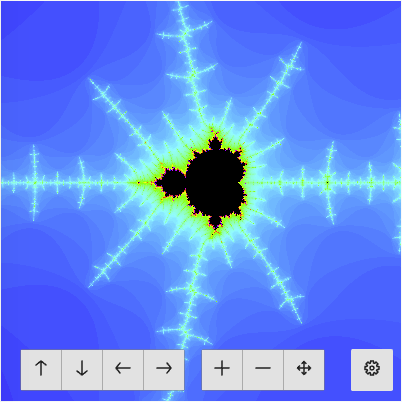
If you want to isolate the styling of the form, set the stylesheet URL to the `stylesheet` attribute:
```html
<mandelbrot-set
stylesheet="https://cdnjs.cloudflare.com/ajax/libs/mini.css/3.0.1/mini-default.min.css"
></mandelbrot-set-toolbar>
```
The page [demo.html](//github.com/prantlf/mandelbrot-set/blob/master/public/demo.html) demonstrates the usage of this element.
This project installs support for a local web server, code validation and build output using [NPM]. Make sure, that you use [Node.js] version 8 or newer.
```sh
npm ci
npm start
open http://localhost:8008/mandelbrot.html
```
```html
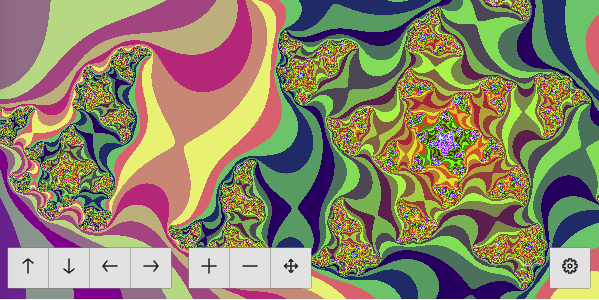
<mandelbrot-set
type="julia" kr="0.4" ki="0.4" palette="jewels" iteration-threshold="135" scale="40"
width="600" height="300" offset-x="1.798" offset-y="1.439"></mandelbrot-set>
```
[]: https://nodejs.org/
[]: https://www.npmjs.com/
[]: https://prantlf.github.io/mandelbrot-set/public/julia.html
[]: https://prantlf.github.io/mandelbrot-set/public/mandelbrot.html
[]: https://minicss.org/