linkerline
Version:
An extension to the LeaderLine project: adding parent element,scroll position, absolute parent positioning and more
161 lines (135 loc) • 7.12 kB
Markdown
## What is this ?
This project is an extension to the original leader-line project https://github.com/anseki/leader-line v1.0.7.
## Why using it ?
The original LeaderLine class lacks:
|Feature|Description|
|--|--|
|parent option|The original leaderline class always inserts the line svg element in body. In some cases, inserting the line in a specific element is required.|
|element property|The LeaderLine instance lacks the element property, that points to the line's svg element in the DOM|
|scroll positioning|If you create a line using the original class and then drag one of its connected elements (start/end) to the end of its parent's offset, causing the parent to become scrollable, the positioning of the line becomes incorrect|
|absolute positioning|When you create a line and append it to a draggable element, making the draggable element the parent node of the line SVG element in the DOM, the positioning of the line becomes incorrect if you subsequently drag that element|
## What's new ?
This library tackles all the issues mentioned above and provides more options and properties to the LeaderLine instance :
|New Options|Description|
|--|--|
|parent|where to insert the line element, default to document.body in **<1.2.0** and to the line's end element parentNode in **>=1.2.0** |
|minGridLength|The minimun line length (default to ***40***). Only applied to grid-pathed lines **[>=1.6.0]**|
|New Properties|Type|Description|
|--------------|----|-----------|
|element|SVG Element|The line svg element|
|removed|boolean|Indicates whether the line was removed (line.remove was called) or not [>=1.5.0]
|standalone|boolean|Indicates whether the line is directly instantiated or not (ex: belongs to a LinkerLineChain instance) [>=1.5.0]|
Changes :
1. pointAnchor, areaAnchor, mouseHoverAnchor are renamed to PointAnchor, AreaAnchor, MouseHoverAnchor.
2. CaptionLabel and PathLabel are merged into Label. The Label has an option named "on" that takes as a value either "path" or "element".
3. animation object "timing" property is renamed to "easing".
4. dash "len" property is renamed to "length".
## Illustration
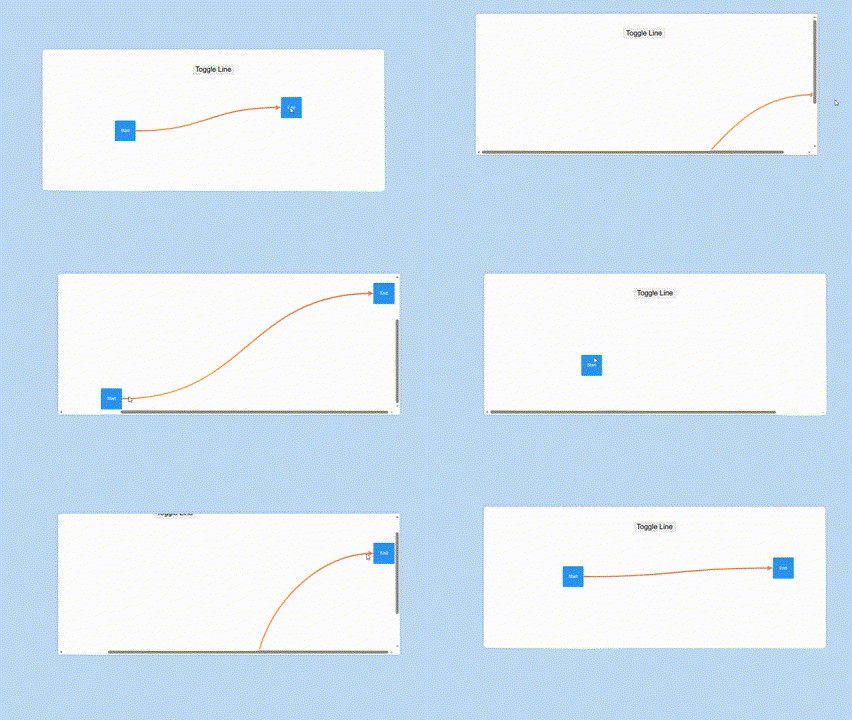
Check [source code](https://github.com/AhmedAyachi/VritraExamples).
## How to use it ?
Just install the package using npm or any package manager of your choice :
npm install --save linkerline
And then use it in your code as follows :
import LinkerLine from "linkerline";
const line=new LinkerLine({
//...OriginalClassProps,
parent:HTMLElement,// this is the new parent option
start:HTMLElement,
end:HTMLElement,
});
//line.element => returns the line svg element
## Version 1.5.0 add-ons
|Static Method Name|Return Value|Description|
|-----------|------------|-----------|
|removeAll()|void|removes all standalone lines at once|
|getLineChain(line:LinkerLine)|LinkerLineChain \| null|returns the LinkerLineChain instance the line belongs to if any|
## LinkerLine Chain [1.3.0]
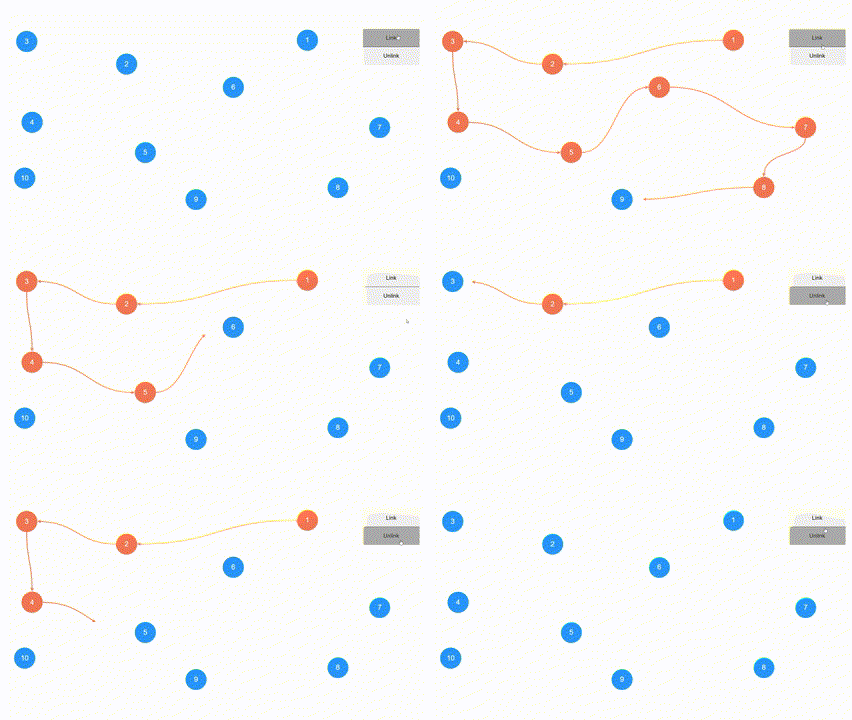
```
new LinKerLine.Chain(nodes,options):LinkerLineChain;
```
|Param Name|Type|Description|
|----------|----|-----------|
|nodes|HTMLElement[]|The chain nodes|
|options|object|The chain options|
### Chain Options :
|Option Name|Type|Description|
|-----------|----|-----------|
|linkingDuration|number|The line draw animation duration, default to 500|
|linked|boolean|specifies if the chain is initially linked or not, default to false|
|lineOptions|LinkerLineOptions|The line options|
|onLinkChange|(context : object) : void|Called on each node-to-node connection change|
### onLinkChange Context :
|Property Name|Type|Description|
|-------------|----|-----------|
|line|LinkerLine|The connection line|
|startNode|HTMLElement|Same as line.start|
|endNode|HTMLElement|Same as line.end|
|nodesLinked|boolean|Indicates whether the nodes are linked or unlinked|
|hopIndex|number|The hop index [>=1.4.0]|
### LinkerLineChain:
|Name|Type|Description|
|-------|-----|-------|
|nodes|HTMLElement[]|gets the chain target nodes|
|lines|LinkerLine[]|gets the chain lines|
|linked|boolean|true if all nodes are fully linked, false otherwise|
|partiallyLinked|boolean|true if at least one line is visible, false otherwise|
|link|() : void|links the chain nodes|
|unlink|() : void|unlinks the chain nodes|
|pushNode|(node:HTMLElement) : void|appends a new node to the end of the chain|
|unshiftNode|(node:HTMLElement) : void|adds a new node at the start of the chain
**Additional properties are added to nodes:**
|Property Name|Type|Description|
|-------------|----|-----------|
|outLine|LinkerLine \| undefined|The linkerline instance exiting the node|
|inLine|LinkerLine \| undefined|The linkerline instance entering the node|
### Illustration code :
```
const chain=new LinkerLine.Chain(nodes,{
onLinkChange:({line,startNode,endNode,nodesLinked})=>{
const color=nodesLinked?line.color:null;
startNode.style.backgroundColor=color;
endNode.style.backgroundColor=color;
},
});
linkbtn.onclick=()=>{
chain.link();
};
unlinkbtn.onclick=()=>{
chain.unlink();
}
```
## positionAll [1.2.0]
A new static method ***LinkerLine.positionAll() : void*** that updates all the lines'positions at once.
## Custom Plugs [1.1.0]
It allows defining custom plugs via the static method LinkerLine.**definePlug( options : *object* )**.
|Option Name|Type|Description|
|-----------|----|-----------|
|name|string (required)|plug name|
|shape|enum "rect","ellipse"|defines a plug via a shape|
|svg|string \| (color:string,weight:string)=>string|defines a plug via an svg string|
|src|string|defines a plug via an url or base64 string|
|width|number|sets the plug base width|
|height|number|sets the plug base height|
|margin|number|margin between the plug and the start/end element|
|rotatable|boolean|indicates whether the plug should have a fixed orientation or rotate accordingly|
LinkerLine.definePlug({
name:"star",
svg:(color,weight)=>`
<svg xmlns="http://www.w3.org/2000/svg" width="24" height="24" viewBox="0 0 24 24" fill="${color}" stroke-width="${weight}" stroke-linecap="round" stroke-linejoin="round">
<path d="M8.243 7.34l-6.38 .925l-.113 .023a1 1 0 0 0 -.44 1.684l4.622 4.499l-1.09 6.355l-.013 .11a1 1 0 0 0 1.464 .944l5.706 -3l5.693 3l.1 .046a1 1 0 0 0 1.352 -1.1l-1.091 -6.355l4.624 -4.5l.078 -.085a1 1 0 0 0 -.633 -1.62l-6.38 -.926l-2.852 -5.78a1 1 0 0 0 -1.794 0l-2.853 5.78z"/>
</svg>
`,
width:20,
height:20,
rotatable:false,
});
const line=new LinkerLine({
parent:linkerlineview,
color:"#73f5fa",
size:3,
startPlug:"star",
endPlug:"star",
});
For svgs, when a function is specified, the **color** and the **weight** params will respectively make sure that the plug will match the line color (or start/endPlugColor if specified) and thickness.