leaflet-makimarkers
Version:
Leaflet plugin to create map icons using Maki Icons from Mapbox
35 lines (22 loc) • 1.71 kB
Markdown
# Leaflet.MakiMarkers
[Leaflet](http://www.leafletjs.com) plugin to create map icons using [Maki Icons](https://www.mapbox.com/maki/) from Mapbox. Markers are retrieved from Mapbox's [Static Marker API](https://www.mapbox.com/api-documentation/#retrieve-a-standalone-marker).
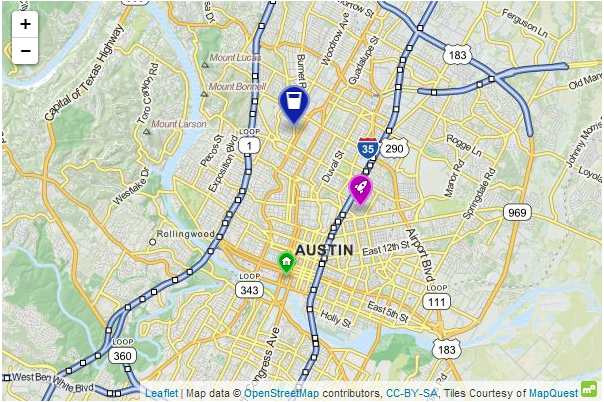
## Usage
Include `Leaflet.MakiMarkers.js` in your page after you include `Leaflet.js`: `<script src="Leaflet.MakiMarkers.js"></script>`
The most recent version of Mapbox's static API (v4) requires that a valid access token be specified with every request. Please see https://www.mapbox.com/api-documentation/?language=CLI#access-tokens for more information.
```js
//First, specify your Mapbox API access token
L.MakiMarkers.accessToken = "<YOUR_ACCESS_TOKEN>";
// Specify a Maki icon name, hex color, and size (s, m, or l).
// A list of available icon names can be found at
// https://raw.githubusercontent.com/mapbox/maki/master/layouts/all.json
// Lowercase letters a-z and digits 0-9 can also be used. A value of null will result in no icon.
// Color may also be set to null, which will result in a gray marker.
var icon = L.MakiMarkers.icon({icon: "rocket", color: "#b0b", size: "m"});
L.marker([30.287, -97.72], {icon: icon}).addTo(map);
```
See [index.html](https://github.com/jseppi/Leaflet.MakiMarkers/blob/master/index.html) for a more complete example of how to use this plugin.
## Requirements
[Leaflet](http://www.leafletjs.com) 0.5+
## Thanks
Thanks to [Mapbox](http://www.mapbox.com) for making their Marker API available and for the Maki icon set.