jupyterlab_sparkmonitor
Version:
Jupyter Lab extension to monitor Apache Spark Jobs
119 lines (89 loc) • 6.62 kB
Markdown
# Spark Monitor - An extension for Jupyter Lab
This project was originally written by krishnan-r as a Google Summer of Code project for Jupyter Notebook. [Check his website out here.](https://krishnan-r.github.io/sparkmonitor/)
As a part of my internship as a Software Engineer at Yelp, I created this fork to update the extension to be compatible with JupyterLab - Yelp's choice for sharing and collaborating on notebooks.
## About
<table>
<tr>
<td><a href="http://jupyter.org/"><img src="https://user-images.githubusercontent.com/6822941/29750386-872556fe-8b5c-11e7-95e1-42b12d709017.png" height="50"/></a></td>
<td><b>+</b></td>
<td><a href="https://spark.apache.org/"><img src="https://user-images.githubusercontent.com/6822941/29750352-e9807b36-8b5b-11e7-929a-249f56c7cf79.png" height="80"/></a></td>
<td><b>=</b></td>
<td><a href="https://user-images.githubusercontent.com/6822941/29601568-d5e42934-87f9-11e7-9780-3cd3a0d8d86b.png" title="The SparkMonitor Extension."><img src="https://user-images.githubusercontent.com/6822941/29601568-d5e42934-87f9-11e7-9780-3cd3a0d8d86b.png" height="80"/></a></td>
</tr>
</table>
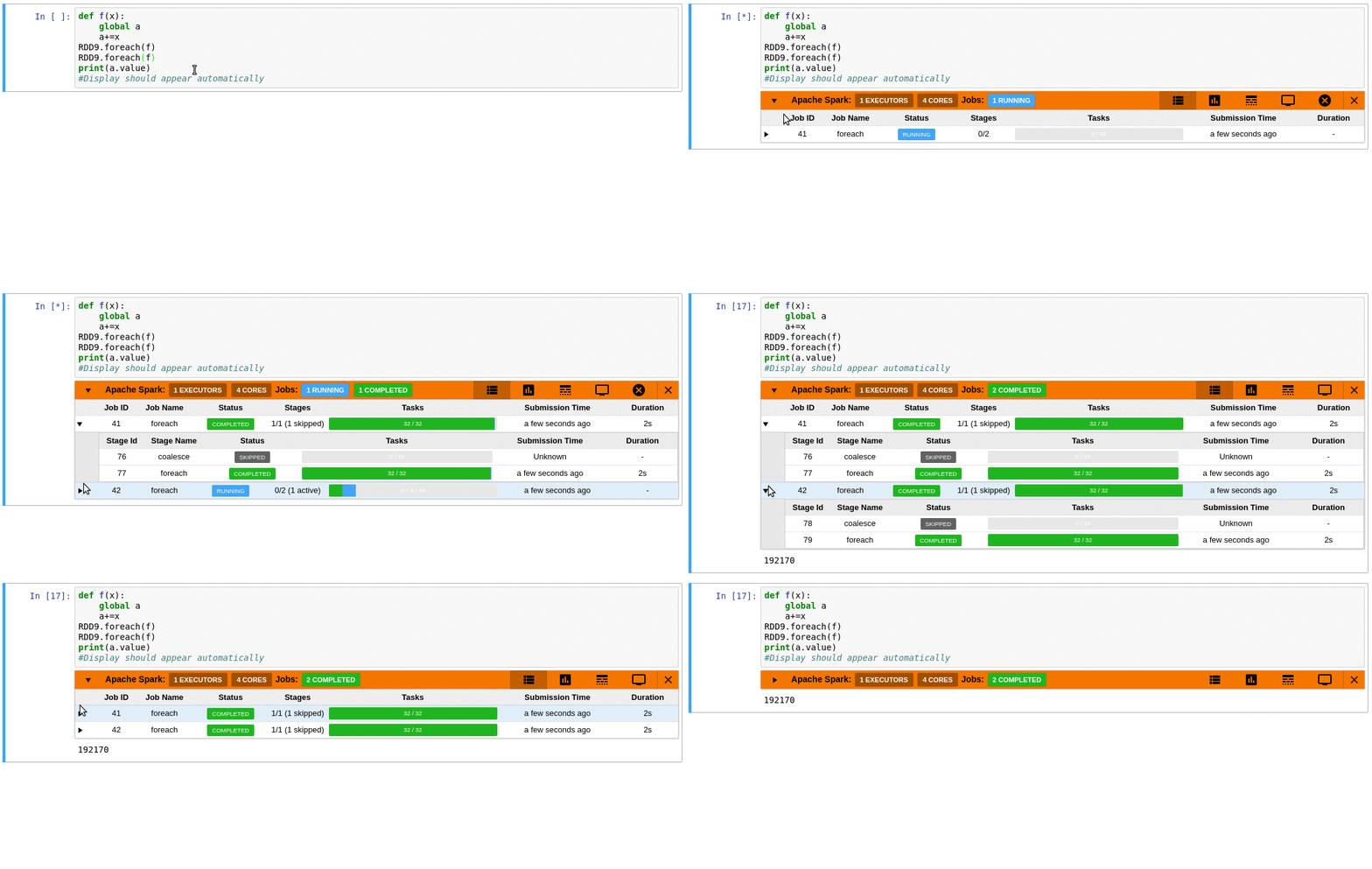
SparkMonitor is an extension for Jupyter Lab that enables the live monitoring of Apache Spark Jobs spawned from a notebook. The extension provides several features to monitor and debug a Spark job from within the notebook interface itself. <br>
---
### Requirements
- At least JupyterLab 2.0.0 (necessary to get cell execution metadata)
- pyspark 2.X.X or older (pyspark 3.X is currently not supported)
## Features
- Automatically displays a live monitoring tool below cells that run Spark jobs in a Jupyter notebook
- A table of jobs and stages with progressbars
- A timeline which shows jobs, stages, and tasks
- A graph showing number of active tasks & executor cores vs time
- A notebook server extension that proxies the Spark UI and displays it in an iframe popup for more details
- For a detailed list of features see the use case [notebooks](https://krishnan-r.github.io/sparkmonitor/#common-use-cases-and-tests)
- Support for multiple SparkSessions (default port is 4040)
- [How it Works](https://krishnan-r.github.io/sparkmonitor/how.html)
<table>
<tr>
<td><a href="https://user-images.githubusercontent.com/6822941/29601990-d6256a1e-87fb-11e7-94cb-b4418c61d221.png" title="Jobs and stages started from a cell."><img src="https://user-images.githubusercontent.com/6822941/29601990-d6256a1e-87fb-11e7-94cb-b4418c61d221.png"></a></td>
<td><a href="https://user-images.githubusercontent.com/6822941/29601769-d8e82a26-87fa-11e7-9b0e-91b1414e7821.png" title="A graph of the number of active tasks and available executor cores."><img src="https://user-images.githubusercontent.com/6822941/29601769-d8e82a26-87fa-11e7-9b0e-91b1414e7821.png" ></a></td>
<td><a href="https://user-images.githubusercontent.com/6822941/29601776-d919dae4-87fa-11e7-8939-a6c0d0072d90.png" title="An event timeline with jobs, stages and tasks across various executors. The tasks are split into various coloured phases, providing insight into the nature of computation."><img src="https://user-images.githubusercontent.com/6822941/29601776-d919dae4-87fa-11e7-8939-a6c0d0072d90.png"></a></td>
</tr>
<tr>
<td><a href="https://user-images.githubusercontent.com/6822941/29750236-be1f6b0c-8b59-11e7-9a36-92e04e3bf05b.png" title="The Spark web UI as a popup within the notebook interface."><img src="https://user-images.githubusercontent.com/6822941/29750236-be1f6b0c-8b59-11e7-9a36-92e04e3bf05b.png" ></a></td>
<td><a href="https://user-images.githubusercontent.com/6822941/29750177-ea2c18b8-8b58-11e7-955e-69ecf33a6284.png" title="Details of a task."><img src="https://user-images.githubusercontent.com/6822941/29750177-ea2c18b8-8b58-11e7-955e-69ecf33a6284.png" ></a></td>
<td><a href="https://user-images.githubusercontent.com/6822941/29601997-d6533840-87fb-11e7-90ce-daa0fe73b9e5.png" title="An event timeline."><img src="https://user-images.githubusercontent.com/6822941/29601997-d6533840-87fb-11e7-90ce-daa0fe73b9e5.png"></a></td>
</tr>
</table>
## Quick Start
### To do a quick test of the extension
This docker image has pyspark and several other related packages installed alongside the sparkmonitor extension.
```bash
docker run -it -p 8888:8888 itsjafer/sparkmonitor
```
### Setting up the extension
```bash
jupyter labextension install jupyterlab_sparkmonitor # install the jupyterlab extension
pip install jupyterlab-sparkmonitor # install the server/kernel extension
jupyter serverextension enable --py sparkmonitor
# set up ipython profile and add our kernel extension to it
ipython profile create --ipython-dir=.ipython
echo "c.InteractiveShellApp.extensions.append('sparkmonitor.kernelextension')" >> .ipython/profile_default/ipython_config.py
# run jupyter lab
IPYTHONDIR=.ipython jupyter lab --watch
```
With the extension installed, a SparkConf object called `conf` will be usable from your notebooks. You can use it as follows:
```python
from pyspark import SparkContext
# start the spark context using the SparkConf the extension inserted
sc=SparkContext.getOrCreate(conf=conf) #Start the spark context
# Monitor should spawn under the cell with 4 jobs
sc.parallelize(range(0,100)).count()
sc.parallelize(range(0,100)).count()
sc.parallelize(range(0,100)).count()
sc.parallelize(range(0,100)).count()
```
If you already have your own spark configuration, you will need to set `spark.extraListeners` to `sparkmonitor.listener.JupyterSparkMonitorListener` and `spark.driver.extraClassPath` to the path to the sparkmonitor python package `path/to/package/sparkmonitor/listener.jar`
```python
from pyspark.sql import SparkSession
spark = SparkSession.builder\
.config('spark.extraListeners', 'sparkmonitor.listener.JupyterSparkMonitorListener')\
.config('spark.driver.extraClassPath', 'venv/lib/python3.7/site-packages/sparkmonitor/listener.jar')\
.getOrCreate()
# should spawn 4 jobs in a monitor bnelow the cell
spark.sparkContext.parallelize(range(0,100)).count()
spark.sparkContext.parallelize(range(0,100)).count()
spark.sparkContext.parallelize(range(0,100)).count()
spark.sparkContext.parallelize(range(0,100)).count()
```
## Development
If you'd like to develop the extension:
```bash
make venv # Creates a virtual environment using tox
source venv/bin/activate # Make sure we're using the virtual environment
make build # Build the extension
make develop # Run a local jupyterlab with the extension installed
```