jspanel3
Version:
A jQuery Plugin to create highly configurable multifunctional floating panels
583 lines (379 loc) • 24.8 kB
Markdown
## CHANGELOG
### Version 3.11.3
+ Use of panel controls and built-in dragit/resizeit interactions are limited to the left mouse button (if a mouse is used).
### Version 3.11.2
+ This release fixes a small CSS issue concerning only IE10/11 (controls are pushed out when title text is to long). Script files have a new version number but are otherwise unchanged.
### Version 3.11.1
+ options **dragit/resizeit** on touch devices now work with touch AND mouse
+ the header logo now is also a default drag handle
### Version 3.11.0
+ **option.position** extended with parameters **minLeft**, **maxLeft**, **minTop** and **maxTop**
+ **bugfix** in options **dragit** and **resizeit** when panel content includes one or more iframes
+ various minor bugfixes
### Version 3.10.0
+ **Added** options **dragit** and **resizeit** callbacks start, drag/resize and stop receive second argument with position/size object
+ **Added** parameter **disableOnMaximized** for option.**dragit**
+ **Improved** compatibility of options **dragit** and **resizeit** on mobile devices
### Version 3.9.3
+ **Fixed** panel did not front on click in header section on some browsers
### Version 3.9.2
+ **Fixed** issue with **option.dragit** in combination with **option.onwindowresize**
+ **Fixed** issue with options **dragit/resizeit** (panel is now properly fronted when starting a drag or resize operstion or when clicking the header section)
+ **Fixed** issue in optio.resizeit (panel "glued" to mouse in some situations)
### Version 3.9.1
+ **Fixed:** When the content section of a jsPanel contains another document complete with DTD, HTML tag etc. the panel sometimes "glued" to the mousecursor after draging/resizing the panel with the built-in **dragit/resizeit** interactions
### Version 3.9.0
+ jsPanel script now works also after calling **[$.noConflict()](http://api.jquery.com/jQuery.noConflict/)**
+ **Added:** new **grid** option for options **[dragit](http://jspanel.de/api/#option/dragit)** and **[resizeit](http://jspanel.de/api/#option/resizeit)**
+ improved handling of options object passed to $.jsPanel()
+ minified js files created via **[butternut](https://github.com/Rich-Harris/butternut)**
### Version 3.8.1
+ **Bugfix** in **option.dragit and option.resizeit** when using **option.position.of**
### Version 3.8.0
+ **Added: option.panelSize** to set the dimensions of the complete panel (option.contentSize sets only the dimensions of the content section)
+ **Added:** method **jsPanel.contextmenu(elmt, config)** to easily use jsPanel as context menu
+ **Added:** methods **.dragit()** and **.resizeit()** to disable/reenable dragit/resizeit interactions of existing panels
+ **Added:** parameter **'disable'** to options **dragit** and **resizeit** to create panels with the interactions dragit and/or resizeit initialized but disabled until reenabled again
+ **Added:** positioning can be completely turned off with setting **option.position** to a value evaluating to *false*
+ **Added:** parameters **autoresize** and **autoposition** to **option.contentAjax**
+ **Fixed:** option.**maximizedMargin** properties now accept `0` values when using an object
+ **Improved support of mobile devices** (especially Android) concerning the built-in draggable and resizable interactions (option.dragit and option.resizeit)
+ **Improved support of option.contentSize.width/height** set to **"auto"** when used together with **option.contentAjax**
+ **Improvements** in CSS and some internal methods
### Version 3.7.0
+ small adjustment of css colors when hovering controls of built-in themes
+ **option.headerControls:** added option to use custom iconset for the controls
+ **css:** added flexbox vendor prefixes
+ removed the following polyfills from the js:
+ Array.prototype.includes()
+ Array.prototype.find()
+ Array.prototype.findIndex()
+ String.prototype.includes()
### Version 3.6.1
**bugfix** in internal function building header/footer toolbar when using a space seperated list of classnames to add
### Version 3.6.0
+ **css** various minor tweaks
+ **js** various minor tweaks
+ **bugfix** in internal functions responsible for applying a theme
+ **bugfix** in option.show
+ **new option.closeOneEscape** to enable *closeOnEscape* for individual panels instead of the global *jsPanel.closeOnEscape*
### Version 3.5.0
The most important changes to v3.5.0 are the new options **dragit** and **resizeit** which implement a
**built-in draggable/resizable capability** with pointerEvent and touch support independent from jQuery ui.
Therefore as of version 3.5.0 jsPanel no longer requires jQuery ui and jQuery ui touch punch.
But in order not to break existing code the jQuery ui daggable/resizable interactions are still
supported and used by default if available.
Further changes:
+ **css fix** affecting only childpanels (panels that are appended to content section of other panel)
+ **css tweaks** for minimized replacements, panels without header/footer section
+ **css/js tweaks** for header logos
+ **option.template** now works also within a predefined configuration used with option.config
+ **option.maximizedMargin** now also accepts a configuration passed as array
+ **option.maximizedMargin** array can be used to synchronize maximizedMargin, option.dragit.containment and option.resizeit.containment
+ **new:** option.position parameter `false` to skip positioning completely
+ **jsPanel.closeOnEscape** now also accepts a string "closeparent" to directly close a parentpanel
### Version 3.4.1
+ **bugfix in option.border**
+ **new** added parameter **resize** to method .resize() in order to allow passing values for content section size instead of panel size
+ a few internal code improvements
### Version 3.4.0
+ **.setTheme()** and **option.theme** can now be used with a value of *none*. Creates an all white panel without any theme related classes/styles applied
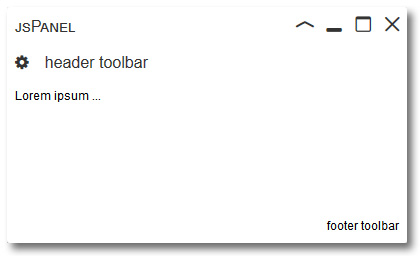
+ **.setTheme()** and **option.theme** added support for Material Design for Bootstrap themes
+ **.close()** added parameters *skipOnbeforeClose* and *skipOnclosed*
+ **new option.minimizeTo** allows to specify a container a minimized panel is appended to or prevents a minimized replacement from being created at all
+ **new option.delayClose** allows to set a delay when closing a panel (useful when you want apply an animation before the panel is actually removed)
+ **new** option.border now supports passing a border-color overriding the theme color which would otherwise be used as border-color
+ **new:** support for **Material icons** for the controls
+ various internal code changes and minor **bugfixes**
### Version 3.3.1
+ **Bugfix:** With version 3.3.0 some tooltip connectors had no background color depending on configuration
+ **Code:** In the js development file (jquery.jspanel.js) most occurrences of standard string concatenations are replaced with template literals
### Version 3.3.0
+ **CSS** for header section (including header toolbar) and footer toolbar is modified. **In case you use header and/or footer toolbars you might have to change custom css you applied.**
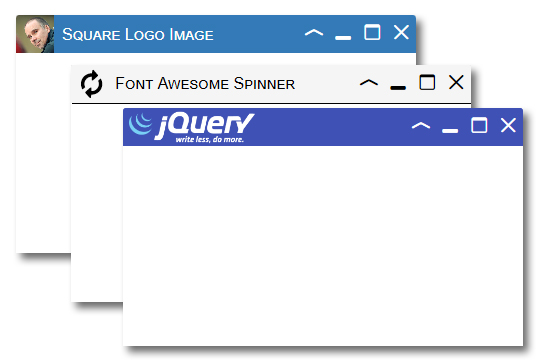
+ **new option.headerLogo** to add a logo to the top left corner of the panel - [jspanel.de/api/#option/headerLogo](http://jspanel.de/api/#option/headerLogo)
### Version 3.2.0
+ **new option.onwindowresize** allows to enable panel responsivenes to a window resize event
+ method **.reposition()** now supports repositioning of tooltips (including the connector)
+ a lot of internal code improvements
### Version 3.1.1
**Bugfix:** Controls did not work on some mobile browsers.
### Version 3.1.0
Changes in version 3.1.0 are all about the **.resize()** method:
+ better support of using **"auto"** for width/height values
+ .resize() now optionally accepts a **config object** with the props:
+ width
+ height
+ minwidth
+ maxwidth
+ minheight
+ maxheight
+ callback
+ calling .resize() without any argument is the same as calling .resize( config ) where all config parameters are set to their defaults
### Version 3.0.1
+ method **maximize()**
+ method can now be called even if a panel is already maximized
+ better support in IE11 and EDGE
+ method **close()** improved
+ **option.onmaximized callback** removed from method **smallify()**
+ **option.onnormalized callback** removed from method **smallify()** and after a resize with mouse
+ **bugfix** for smallified panels that are resized only horizontally
+ **bugfix** for minimized panels in IE11
+ new properties of the **global jsPanel object**
+ **jsPanel.isIE** is true if browser is MS IE11
+ **jsPanel.isEdge** is true if browser is MS EDGE
### Version 3.0.0
**jsPanel version 3 is a complete rewrite of the plugin.**
Major changes compared to version 2 are:
+ use of some **ES2015/ES2016** features. The download package includes a JavaScript file transpiled to ES5 using Babel.
+ use of **CSS flex** for header and footer sections
+ completely new positioning function with other syntax
+ completely new event handling
+ no more support for IE <= 10
The changes are to numerous to list them all in detail here.
**Please take a look at the jsPanel homepage and API docs for more details and some notes on migrating from version 2 to version 3**
##### Home: [http://jspanel.de](http://jspanel.de/)
##### API and examples: [http://jspanel.de/api.html](http://jspanel.de/api.html)
### Version 2.6.2
+ **fix in jsPanel.exportPanels()** when exporting minimized jsPanels
### Version 2.6.1
+ **bugfix in option.position** when using the number **0** as value for either left or top
### Version 2.6.0
+ **new option.onbeforeclose** takes a function to execute before the jsPanel closes. If function returns *false* panel will not close.
+ **new option.onbeforemaximize** takes a function to execute before the jsPanel maximizes. If function returns *false* panel will not maximize.
+ **new option.onbeforeminimize** takes a function to execute before the jsPanel minimizes. If function returns *false* panel will not minimize.
+ **new option.onbeforenormalize** takes a function to execute before the jsPanel normalizes. If function returns *false* panel will not normalize.
+ **new option.onclosed** takes a function to execute after the jsPanel closed.
+ **new option.onmaximized** takes a function to execute after the jsPanel maximized.
+ **new option.onminimized** takes a function to execute after the jsPanel minimized.
+ **new option.onnormalized** takes a function to execute after the jsPanel normalized.
### Version 2.5.5
+ bugfix **option.ajax** (causing unnecesary get requests whenever a jsPanel is created)
### Version 2.5.4
+ bugfix **option.position** when using **{ top: 'auto', left: 'auto' }**
### Version 2.5.3
+ **toolbars** now get the same font-family as the title
+ css/styling for **hints** changed
+ **option.load:** inside the complete callback **this** refers to the content property of the panel
+ **option.ajax:** inside the callback functions **this** refers to the content property of the panel
+ **option.ajax:** new parameter **autoload** (if set to *false* returned data is NOT appended to content section by default)
+ **option.callback:** inside the callback functions **this** refers to the jsPanel
+ **tooltips** don't have a drag cursor anymore
+ various internal changes/improvements
### Version 2.5.2
+ **fix** of positioning issue with IE
### Version 2.5.1
+ correction of a minor css issue with footer toolbars
+ draggable cursor removed from footer toolbar when option.draggable is "disabled"
+ **option.toolbarFooter** modified
### Version 2.5.0
+ new **option.controls.confirmClose**. If set to a text value this text will be used for a **window.confirm()** and panel will only be closed if true is returned (only for close button of panel)
### Version 2.4.1
+ **fix** issue with some links/events not working properly inside a jsPanel
### Version 2.4.0
+ **new option.maximizedMargin** allows to maximize panels with a configurable "margin" on each side
+ **new method reposition(position)** to reposition an already exsisting jsPanel. Accepts the same parameters as option.position
+ **new method reloadContent()** to reload content that was loaded with either option.load, option.ajax or option.iframe
+ **new option.panelstatus** to create a panel in minimized, maximized or smallified status
+ **new option.config** allows to preconfigure panel configurations for later use
+ **new option.template** supports custom templates for the jsPanel to a certain degree
+ **new events** *jspanelbeforeclose, jspanelbeforenormalize, jspanelbeforeminimize, jspanelbeforemaximize*
+ **new property option** gives access to the complete options object
+ **new methods jsPanel.exportPanels()/importPanels()** to export/save/import panel layout
+ a lot of internal code modifications/improvements
For more details please refer to the API [http://jspanel.de/api.html](http://jspanel.de/api.html)
and documentation pages [http://jspanel.de/documentation](http://jspanel.de/documentation/)
### Version 2.3.0
+ **new** method **resize(width, height)** to resize an exsisting jsPanel by code
+ this version adds some "responsiveness" to **tooltips**. Tooltips check whether they overflow the boundaries of the browser viewport and will shift either left/right or up/down. Optionally a new tooltip parameter **shiftwithin** sets another container as reference to check against concerning overflow.
+ the global object **jsPanel** has a new property **device**, an object with the keys **mobile**, **tablet**, **phone**, **os** and **userAgent**. **jsPanel.device** is available when [mobile-detect.js](https://github.com/hgoebl/mobile-detect.js) is loaded.
### Version 2.2.2
+ solved issue with z-index values when using zurb foundation
+ improved css for disabled controls
+ slightly changed themes light, medium and dark
### Version 2.2.1
+ bugfix: configuration of controls (affected only controls of childpanels)
+ bugfix: handling of jsPanel events
### Version 2.2.0
+ new **option.iframe** to ease the use of iframes as content
+ new **option.dblclicks** to add doubleclick handlers for title, content and footer sections
+ new method **jsPanel.control(action, ctrl)** to disable/enable individual controls of existing panel
+ added **jsGlyph iconfont** included to get rid of the icon sprite image
+ **option.controls** extended to disable individual controls on panel creation
+ improved: title width now automatically adjust not to exceed jsPanel width
+ various bugfixes
### Version 2.1.0
+ HTML & CSS for hints improved
+ try/catch block added to catch errors when element chosen by option.selector doesn't exsist
+ method **closeChildpanels** improved
+ added class **jsPanel-tt** to tooltips
+ **added option.paneltype.solo** for tooltips (if true will close all other tooltips)
+ added function **closeallTooltips()** (used only internally)
+ body click handler removes all tooltips on click in body except click is inside tooltip
+ **fix:** reset controls of smallified panel on resize with mouse (within resizestop handler)
+ extended **option.paneltype** to add arrowlike corners/pointers to tooltips
### Version 2.0
Version 2 is a complete rewrite of the jsPanel jQuery Plugin.
Major changes in version 2 are:
+ Compared to version 1.x version 2.x is a **jQuery function** rather than a jQuery method. So basically a jsPanel is created with <code>$.jsPanel([config]);</code>
+ The seperate bootstrap version is obsolete. Version 2 can be used in both bootstrap and non-bootstrap environments.
All in all, the new features, improvements and changes are too numerous to list them all here. Please refer to the API documentation:
[http://jspanel.de/api.html](http://jspanel.de/api.html)
### Version 1.11.0
Version 1.11 implements a number of changes and improvements. Most of them are just internal issues. But there are some other changes as well. See details below:
+ **option.size** has a changed functionality now: **option.size** now sets width and height of the content area of the jsPanel. Not width and height of the jsPanel as a whole!
+ The **header section** now takes only the vertical space needed to accommodate title and controls. It will expand to the formerly used height when a toolbarHeader is set.
+ **New property <code>content</code>** of the jsPanel representing all DOM within the content area of the jsPanel.
+ I removed **option.contentBG**.
+ For **childpanels** (meaning jsPanels that are appended to the content area of another jsPanel) dragging is limited to the containing element by default. This can be overruled using the draggable configuration object.
+ improved functionality of the events **onjspanelloaded** and **onjspanelclosed** including a bugfix: **onjspanelclosed** was fired twice in certain situations.
+ Some more code is now put in functions for better reusability and to avoid code repetitions.
+ internal improvements in the options: **autoclose, id, modal, rtl, size, theme, tooltip**
+ internal improvements in the methods: **addToolbar(), close(), closeChildpanels(), maximize(), storeData()**
### Version 1.10.0
+ **New option.rtl** adds support for RTL text direction on individual jsPanels.
+ **Bugfix in option.modal** when a modal jsPanel is appended directly to the <body> element
+ internal improvements in the code base
### Version 1.9.1
Maintainance Release with internal code improvements
### Version 1.9.0
+ new **option.tooltip** implements a basic tooltip functionality. Tooltips can be positioned either top, right, left or bottom of the element the tooltip is applied to and offers almost all options a normal jsPanel has.
+ **jsPanel.css** integrates some css rules that provide the possibility to generate text only tooltips using only css3
See the [API](http://jspanel.de/api.html) for more details
### Version 1.8.1
+ changed **option.toolbarFooter**: footer will be removed when not used instead of display:none
+ some internal adaptions
### Version 1.8.0
+ added **option.header** allows to remove the header section of a jsPanel completely
### Version 1.7.1
+ primarily a **maintanance release** where I replaced duplicate code with functions
+ **option.position** and **option.size** are modified slightly. Refer to the api for details please
### Version 1.7.0
+ added **option.restoreTo** to change default behaviour of minimized jsPanels when maximized again
+ removed option.toolbarContent - use option.toolbarHeader
+ removed method .movetoFront() - use .front()
### Version 1.6.2
+ **option.modal:** Added option to add custom css classes to <code><button></code> elements in the footer toolbar when using one of the modal presets
+ general improvements in the js-script
### Version 1.6.1
+ **Bugfix when using option.toolbarHeader** instead of option.toolbarContent
+ added option in **option.controls**
+ **option.show** extended to add basic support of css animations
For details about the changes please go to http://jspanel.de/api.html
### Version 1.6.0
+ most important new feature is an **optional footer toolbar**. Each individual item appended to the toolbar can be configured with its own event type and callback
+ the header toolbar now has the same functionality as the footer toolbar
+ **option.modal** now has a few predefined setups for a few standard situations
+ implementation of events **onjspanelloaded** and **onjspanelclosed**
+ new **option.show** to choose between two animation types when blending in a jsPanel
+ css and themes are refined a bit
+ overall improvements in the code
### Version 1.5.0
+ Added option to create a **modal jsPanel**
+ Added basic support for **themes** including various themes
+ Updated **maximize** function. jsPanels appended to the body element will maximize fullscreen within the window
+ Updated **option.id**: No more fallback if jQuery.fn.uniqueId() is missing since jQuery UI >= version 1.9 is a dependency anyhow
+ Updated **option.position** for jsPanels that are appended to the body element
+ API documentation now has a section about the defaults and how to change them
### Version 1.4.0
**CSS**
In this version I fixed some css issues and changed the design of the jsPanel to meet a more modern or rather neutral style.
**option.controls**
Added support for icon fonts in the title/header of the jsPanel. Built in is the support for bootstrap glyphicons and font-awesome and can be activated in option.controls.
**Bugfix** in the minimize functionality when resizable and/or draggable is disabled.
**Bugfix** in the maximize functionality..
### Version 1.3.1
**Bugfix** in the resize behaviour when using option.position with bottom and/or right
### Version 1.3.0
**Bugfix** in option.size.width / option.size.height when using a function returning 0
**Changes:**
+ option.size.width < 150 will result in default width
+ option.size.height < 93 will result in default height
**Added functionality**
+ When using functions to calculate option.size.width/height or option.position.top/left/bottom/right the functions receive the jsPanel as argument
+ Start event of draggable feature has a function attached by default in order to make the draggable feature properly usable when using option.position.bottom/right in combination with option.size.width/height 'auto'
+ New method .front() - will replace .movetoFront() which is deprecated
### Version 1.2.0
**Added options**
+ **option.autoclose** allows the jsPanel to close automatically after a specified time
+ **option.controls** allows to configure the buttons in the header
**Improved options:**
+ **size: { width: 'auto', height: 'auto' }** can now be abbreviated with **size: 'auto'**
+ **position: { top: 'auto', left: 'auto' }** can now be abbreviated with **position: 'auto'**
+ **position: { top: 'center', left: 'center' }** can now be abbreviated with **position: 'center'**
+ **position** now additionally accepts values for bottom and right **{ bottom: 0, right: 0 }**
+ **automatic centering** now also works when width and/or height are set to 'auto', unless loading content is delayed because of using an asynchronous ajax request or the callback function to load the content
+ **additional shortcuts for option.position:**<br>
'top left' | 'top center' | 'top right' | 'center right' | 'bottom right' | 'bottom center' | 'bottom left' | 'center left'
+ **overflow** now alternatively accepts a string to set the css property overflow
+ **resizable and draggable** can be disabled
### Version 1.1.1
+ **Bugfix** Content area of the jsPanel did not resize when resizing a maximized jsPanel with the jQuery-UI resize handle.
+ **Change** For z-index management the script internally now uses the jQuery-UI method zIndex()
+ **Change** New clearfix css definition in _jsPanel.css_
### Version 1.1.0
+ **Improvement:** Removed the settings for **_containment_** in the default settings objects for **_option.resizable_** and **_option.draggable_**.
The default settings are unnecessary and caused problems when the jsPanel was bigger in size than the containing parent element.
+ **Improvement:** Code for **_option.load_** improved. See the documentation for details.
+ **Improvement:** Correction in _jsPanel.css_
+ **Added functionality:** The settings object for **_option.ajax_** now optionally accepts functions that will be passed to _$.ajax().done()_, _$.ajax().fail()_, _$.ajax().always()_ and _$.ajax().then()_.
See the documentation for details on how to use this settings.
### Version 1.0.1
+ **Bugfix:** Error when using **_option.id_** with a user defined function to generate an id for the jsPanel.