js-easy-clock
Version:
A jquery plugin for an analog clock
235 lines (221 loc) • 6.83 kB
Markdown
# Analog Clock Widget
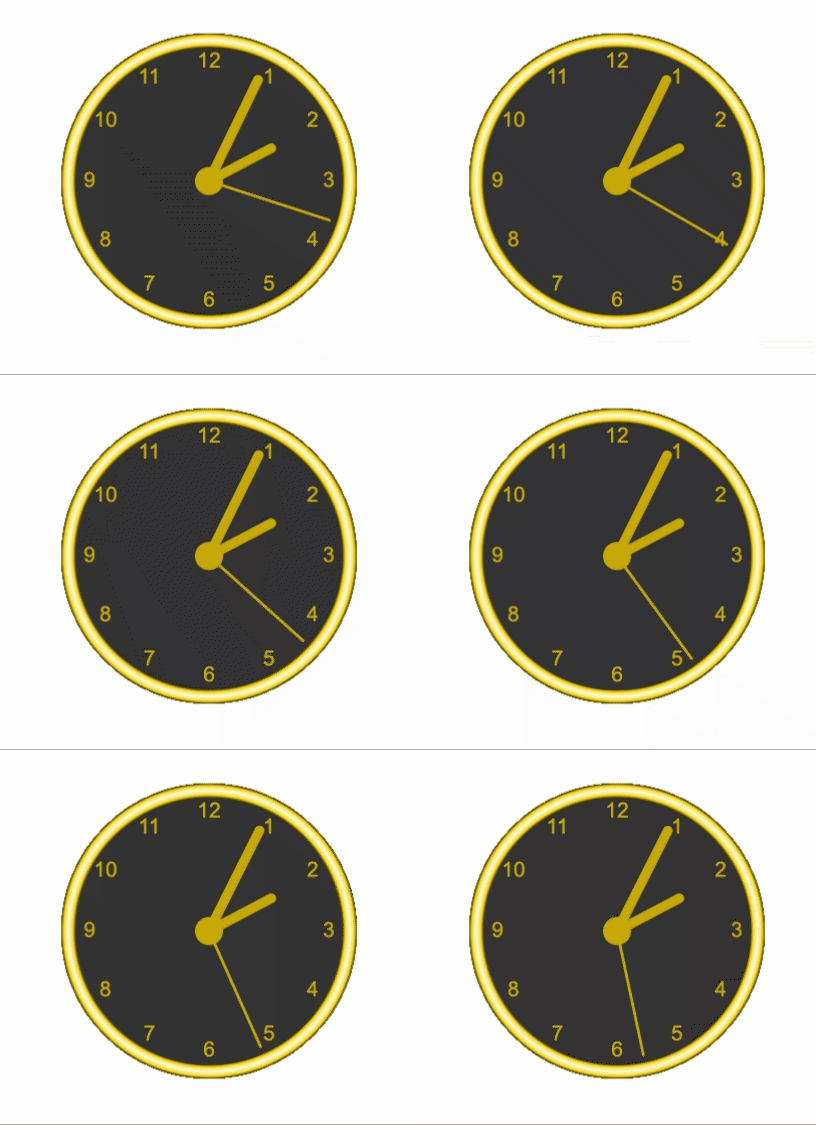
An Analog Clock Plugin Widget<br/>
## Getting Started
1. Download the file - https://github.com/harshit-sinha-developer/jq-clock/blob/master/dist/bundle.min.js
2. Include it in your scripts
```
<script src="dist/bundle.min.js"></script>
```
Using ES2015 modules along with webpack
```
npm install js-easy-clock --save
```
Import
```
import * as ClockWidget from "js-easy-clock";
```
3. Make a div in html
```
<div id="myClock"></div>
```
4. Pass the div to ClockWidget initialisation
```
const config = {
width: 500,
height: 500,
radius: 200,
watchFace: 'FACE_3'
}
let clock = new ClockWidget.ClockApp(document.getElementById('myClock'), config);
```
## Usage
### Configuration
Pass configurations to the widget while initialization
```
const config = { width: 500, height: 500, radius: 200, watchFace: 'FACE_3' };
let clock = new ClockWidget.ClockApp(document.getElementById('myClock'), config);
```
Alternatively configuration can also be done using configure function
```
const config = { width: 500, height: 500, radius: 200, watchFace: 'FACE_3' };
let clock = new ClockWidget.ClockApp(document.getElementById('myClock'));
clock.configure(config);
```
#### Suported Properties
<table>
<thead>
<tr>
<th>Property Name</th>
<th>Description</th>
<th>Default</th>
<th>Supported Values</th>
</tr>
</thead>
<tbody>
<tr>
<td>width</td>
<td>Width of the clock canvas in pixel</td>
<td>300</td>
<td>Number</td>
</tr>
<tr>
<td>height</td>
<td>Height of the clock canvas in pixel</td>
<td>300</td>
<td>Number</td>
</tr>
<tr>
<td>radius</td>
<td>Clock Radius</td>
<td>Math.min(this._canvasWidth, this._canvasHeight) / 2 - 10</td>
<td>Number</td>
</tr>
<tr>
<td>watchFace</td>
<td>Watch Face selected from a list of predefined watchFaces</td>
<td>FACE_1</td>
<td>Mentioned below</td>
</tr>
<tr>
<td>faceConfig</td>
<td>Custom Watch faceconfig</td>
<td>Empty</td>
<td>Mentioned below</td>
</tr>
<tr>
<td>displayTime</td>
<td>Time to display on the clock initially</td>
<td>Current time</td>
<td>Date Object</td>
</tr>
<tr>
<td>displayConstantTime</td>
<td>When set to true displays a constant time on the watch (displayTime)</td>
<td>false</td>
<td>boolean</td>
</tr>
</tbody>
</table>
#### Watch Faces
The watch can be configured using the config property - faceConfg
Sample Face Config -
```
const faceConfig = {
"isFrameGradient": true,
"frameGradientColorList": ['#333', '#FFFFFF', '#333'],
"hingeColor": '#333',
"handColor": "#333"
}
let clock = new ClockWidget.ClockApp(document.getElementById('myClock'), { width: 500, height: 500, radius: 200, faceConfig: faceConfig });
```
Additionally there are some predefined watch faces as which can be used using property - watchFace
```
const config = {
width: 500,
height: 500,
radius: 200,
watchFace: 'FACE_3' // supported values ['FACE_0', 'FACE_1', 'FACE_2', 'FACE_3', 'FACE_4']
}
let clock = new ClockWidget.ClockApp(document.getElementById('myClock'), config);
```
##### Supported Predefined faces
1. FACE_0
<img src="https://raw.githubusercontent.com/harshit-sinha-developer/js-clock/master/resources/FACE_0.png" width="140" height="140" />
2. FACE_1
<img src="https://raw.githubusercontent.com/harshit-sinha-developer/js-clock/master/resources/FACE_1.png" width="140" height="140" />
3. FACE_2
<img src="https://raw.githubusercontent.com/harshit-sinha-developer/js-clock/master/resources/FACE_2.png" width="140" height="140" />
4. FACE_3
<img src="https://raw.githubusercontent.com/harshit-sinha-developer/js-clock/master/resources/FACE_3.png" width="140" height="140" />
5. FACE_4
<img src="https://raw.githubusercontent.com/harshit-sinha-developer/js-clock/master/resources/FACE_4.png" width="140" height="140" />
Examples - [Refer](https://github.com/harshit-sinha-developer/jq-clock/blob/master/src/faces/config.js)
##### Supported Face Config Properties
<table>
<thead>
<tr>
<th>Property Name</th>
<th>Description</th>
<th>Default</th>
<th>Supported Values</th>
</tr>
</thead>
<tbody>
<tr>
<td>fillColor</td>
<td>Clock Background color</td>
<td>#FFFFFF</td>
<td>color hexcode</td>
</tr>
<tr>
<td>isFrameGradient</td>
<td>Specifies if clock's frame should have a color gradient pattern</td>
<td>false</td>
<td>boolean</td>
</tr>
<tr>
<td>frameGradientColorList</td>
<td>Specifies gradient color points list, this list is used to generate gradient</td>
<td>['#333', '#FFFFFF', '#333']</td>
<td>list of color hexcodes</td>
</tr>
<tr>
<td>hingeColor</td>
<td>color of central hinge of the clock</td>
<td>#333</td>
<td>color hexcode</td>
</tr>
<tr>
<td>handColor</td>
<td>color of hands of the clock</td>
<td>#333</td>
<td>color hexcode</td>
</tr>
<tr>
<td>frameColor</td>
<td>color of frame of the clock</td>
<td>#333</td>
<td>color hexcode</td>
</tr>
<tr>
<td>isBorderFilled</td>
<td>specifies if the frame of the clock is filled with frame color or empty</td>
<td>true</td>
<td>boolean</td>
</tr>
<tr>
<td>numberColors</td>
<td>a map where key is the number displayed on the clock and value is color of the that number</td>
<td>empty - all colors set to #333</td>
<td>map</td>
</tr>
</tbody>
</table>
## Contributing
### Prerequisites
1. Node.js is a prerequisite [refer](https://nodejs.org/en/)
2. Make sure webpack is installed
```
npm install webpack -g
```
## Built With
* [npm](https://docs.npmjs.com/misc/registry) - The package manager user
* Local Build -
```
npm start
```
* Production Build
```
npm run build
```
* Run Local Server
```
npm run start:server
```
## Versioning
We use [SemVer](http://semver.org/) for versioning. For the versions available, see the [tags on this repository](https://github.com/harshit-sinha-developer/jq-clock/releases).
## Authors
* **Harshit Sinha** - *Initial work* - [Github](https://github.com/harshit-sinha-developer)
## License
This project is licensed under the MIT License