jquery-i18next
Version:
jQuery-i18next is a jQuery based Javascript internationalization library on top of i18next. It helps you to easily internationalize your web applications.
193 lines (144 loc) • 5.54 kB
Markdown
# Introduction
Source can be loaded via [npm](https://www.npmjs.com/package/jquery-i18next) or [downloaded](https://github.com/i18next/jquery-i18next/blob/master/jquery-i18next.min.js) from this repo or from a CDN like [CDNJS](https://cdnjs.com/libraries/jquery-i18next).
--------------
**NEWS: localization as a service - locize.com**
Needing a translation management? Want to edit your translations with an InContext Editor? Use the orginal provided to you by the maintainers of i18next!
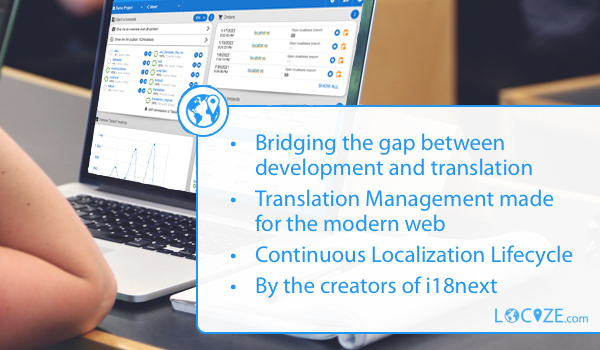
With using [Locize](https://www.locize.com/?utm_source=jquery_i18next_readme&utm_medium=github&utm_campaign=readme) you directly support the future of i18next.
--------------
## Advice:
To see jquery-i18next in a working app example, check out [this blog post](https://www.locize.com/blog/jquery-i18next/?utm_source=jquery_i18next_readme&utm_medium=github&utm_campaign=readme) and [this example](https://github.com/i18next/jquery-i18next/tree/master/example/landing).
--------------
If you don't use a module loader it will be added to window.jqueryI18next
```
# npm package
$ npm install jquery-i18next
```
Simplifies i18next usage in projects built based on jquery, like:
page source:
```html
<ul class="nav">
<li><a href="#" data-i18n="nav.home"></a></li>
<li><a href="#" data-i18n="nav.page1"></a></li>
<li><a href="#" data-i18n="nav.page2"></a></li>
</ul>
```
loaded resource file (locales/en/translation.json):
```json
{
"nav": {
"home": "Home",
"page1": "Page One",
"page2": "Page Two"
}
}
```
javascript code:
```js
$(".nav").localize();
// results in
// <ul class="nav">
// <li><a href="#" data-i18n="nav.home">Home</a></li>
// <li><a href="#" data-i18n="nav.page1">Page One</a></li>
// <li><a href="#" data-i18n="nav.page2">Page Two</a></li>
// </ul>
```
## Initialize the plugin
```js
jqueryI18next.init(i18nextInstance, $, {
tName: 't', // --> appends $.t = i18next.t
i18nName: 'i18n', // --> appends $.i18n = i18next
handleName: 'localize', // --> appends $(selector).localize(opts);
selectorAttr: 'data-i18n', // selector for translating elements
targetAttr: 'i18n-target', // data-() attribute to grab target element to translate (if different than itself)
optionsAttr: 'i18n-options', // data-() attribute that contains options, will load/set if useOptionsAttr = true
useOptionsAttr: false, // see optionsAttr
parseDefaultValueFromContent: true // parses default values from content ele.val or ele.text
});
```
## TypeScript
jquery-i18next ships with type definitions. The `init` options are fully typed, and (when you keep the default handle names) `$.t`, `$.i18n` and `$(selector).localize(opts)` are added to the jQuery types via [`/jquery`](https://www.npmjs.com/package/@types/jquery).
```ts
import i18next from 'i18next';
import jqueryI18next from 'jquery-i18next';
jqueryI18next.init(i18next, $, {
useOptionsAttr: true, // typed, autocompleted and checked
});
$('.nav').localize();
$('#btn1').localize({ count: 2 });
const home: string = $.t('nav.home');
```
> If you rename the handles (`tName` / `i18nName` / `handleName`), the bundled jQuery augmentation still reflects the default names — type those custom members yourself via module augmentation.
## using options in translation function
```js
<a id="btn1" href="#" data-i18n="myKey"></a>
$("#btn1").localize(options);
```
or
```js
<a id="btn1" href="#" data-i18n="myKey" data-i18n-options='{ "a": "b" }'></a>
$("#btn1").localize();
// make sure you set the useOptionsAttr option to true if you want to pass the i18n options via data-i18n-options attribute.
```
`data-i18n-options` attribute must be a valid JSON object.
## usage of selector function
### translate an element
```js
<a id="btn1" href="#" data-i18n="myKey"></a>
$("#btn1").localize(options);
```
myKey: same key as used in i18next (optionally with namespaces)
options: same options as supported in i18next.t
### translate children of an element
```js
<ul class="nav">
<li><a href="#" data-i18n="nav.home"></a></li>
<li><a href="#" data-i18n="nav.page1"></a></li>
<li><a href="#" data-i18n="nav.page2"></a></li>
</ul>
$(".nav").localize();
```
### translate some inner element
```js
<div class="outer" data-i18n="ns:key" data-i18n-target=".inner">
<input class="inner" type="text"></input>
</div>
$(".outer").localize();
```
### set different attribute
```js
<a id="btn1" href="#" data-i18n="[title]key.for.title"></a>
$("#btn1").localize();
```
### set multiple attributes
```js
<a id="btn1" href="#" data-i18n="[title]key.for.title;myNamespace:key.for.text"></a>
$("#btn1").localize();
```
### set innerHtml attributes
```js
<a id="btn1" href="#" data-i18n="[html]key.for.title"></a>
$("#btn1").localize();
```
### prepend content
```js
<a id="btn1" href="#" data-i18n="[prepend]key.for.title">insert before me, please!</a>
$("#btn1").localize();
```
### append content
```js
<a id="btn1" href="#" data-i18n="[append]key.for.title">append after me, please!</a>
$("#btn1").localize();
```
### set data
```js
<a id="btn1" href="#" data-i18n="[data-someDataAttribute]key.for.content"></a>
$("#btn1").localize();
```
--------------
<h3 align="center">Gold Sponsors</h3>
<p align="center">
<a href="https://www.locize.com/?utm_source=jquery_i18next_readme&utm_medium=github&utm_campaign=readme" target="_blank">
<img src="https://raw.githubusercontent.com/i18next/i18next/master/assets/locize_sponsor_240.gif" width="240px">
</a>
</p>