jquery-autolist
Version:
Enable autocomplete suggestions for inputs using a JSON-based API as the datasource.
52 lines (44 loc) • 2.09 kB
Markdown
## About
Simple jQuery 3 plugin to enable autocomplete suggestions for inputs. Uses a JSON-based API as the datasource. Works with either plain HTML or Bootstrap form controls.
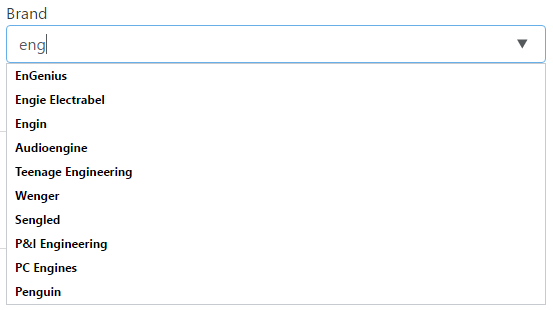
[DEMO](https://tihauan.github.io/jquery-autolist/demo/demo.html)
## Usage example
``` html
<label>GitHub repository search
<input type="text" list="projects" name="project" value="">
<datalist id="projects"></datalist>
</label>
<script>
/* global $ */
$(document).ready(function() {
$("input[name='project']").autolist("https://api.github.com/search/repositories", {
getItems: function (response) { return response.items; },
getName: function (item) { return item.full_name; }
});
});
</script>
```
The datalist must exist and must be linked to the input field.
## Options
``` javascript
$("input[name='project']").autolist("https://api.github.com/search/repositories", {
query: "q",
minLength: 3,
delay: 500,
trimValue: true,
getItems: function (response) { return response.items; },
getName: function (item) { return item.full_name; }
})
```
Name | Required | Default | Description
---- | -------- | ------- | -----------
url | X | | JSON API endpoint (without the query).
q | | "q" | The query part of the JSON API call (ex. example.com/list?q=test).
minLength | | 3 | Minimum length of the query (no suggestions will be provided if the input text is shorter).
delay | | 500 | How long to wait between input change and autocomplete list refresh. Shorter intervals mean quicker response but more API calls.
trimValue | | true | Trim the input value (don't query with start/end spaces).
getItems | | (r) ⇒ r | Function to get the autocomplete items from the API result object.
getName | | (i) ⇒ i | Function to get the name that will be displayed from an item.
## Changelog
### Version 1.0.0/1.0.1 - 2016/11/16
* initial release