jest-teamcity-reporter
Version:
Teamcity Reporter for Jest Test Results
52 lines (31 loc) • 2.15 kB
Markdown
> Integrate Jest test results into your Teamcity CI builds


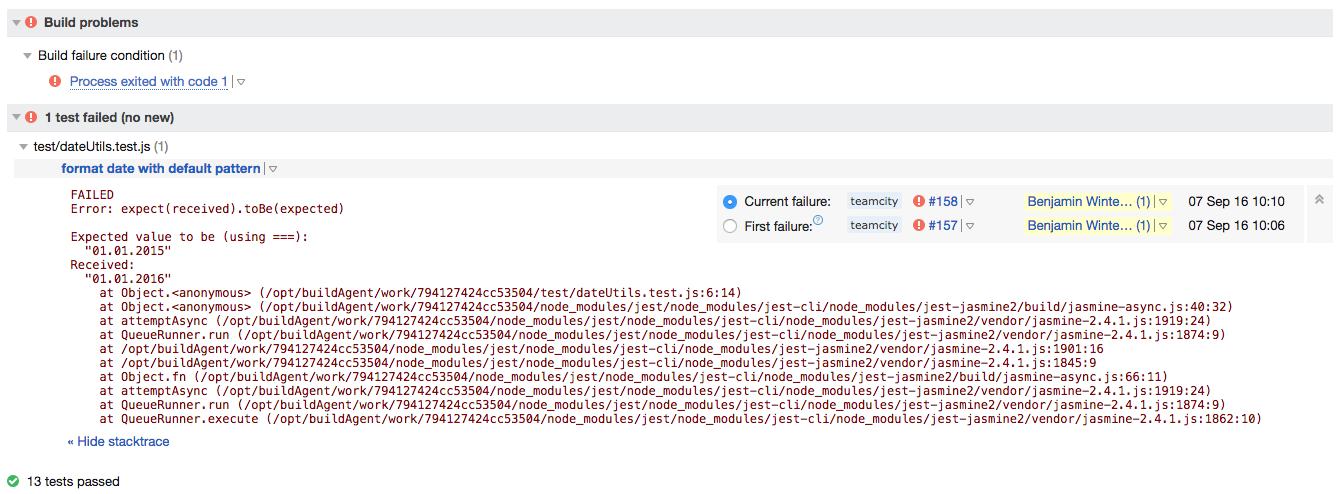
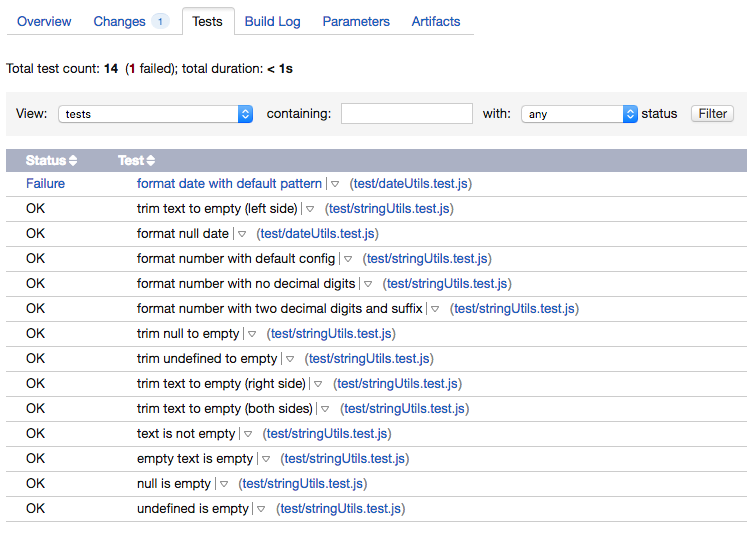
This package will report your JavaScript Jest test results to your Teamcity CI server, so you can see the number of executed tests, test failures and the tests tab right from your Teamcity UI.
---
<p align="center">
<strong>★★★ Like this project? <a href="https://github.com/winterbe/jest-teamcity-reporter/stargazers">Leave a star</a>, <a href="https://twitter.com/winterbe_">follow on Twitter</a> or <a href="https://www.paypal.me/winterbe">donate</a> to support my work! Thanks. ★★★</strong>
</p>
First, install the package from NPM: `npm install --save-dev jest-teamcity-reporter`
The reporter integrates with Jest in form of a [testResultsProcessor](https://facebook.github.io/jest/docs/api.html#testresultsprocessor-string). Put this into your projects `package.json`:
```
"jest": {
"testResultsProcessor": "jest-teamcity-reporter"
}
```
The reporter is only active when the environment variable `TEAMCITY_VERSION` is present which should be the case for most common Teamcity server installations. So on your local machine the reporter should be disabled by default. You can test the reporter by temporarily setting the environment variable:
`export TEAMCITY_VERSION="your_version"`
Then, just use Jest as usual, e.g. put this in your `package.json`
```
"scripts": {
"test": "jest"
}
```
Then, simply run `npm test` locally and from Teamcity.
> Versions < 0.5.0 also supported activation via cli option `--teamcity` but Jest no longer supports custom options, so this option is no longer available.
MIT © [Benjamin Winterberg](https://twitter.com/winterbe_)