ja
Version:
A simple CLI to read files from git repositories
142 lines (95 loc) • 5.89 kB
Markdown
[](https://github.com/userpixel/ja/issues)
[](https://github.com/userpixel/ja/network)
[](https://github.com/userpixel/ja/stargazers)
[](https://github.com/userpixel/ja)
# Introduction
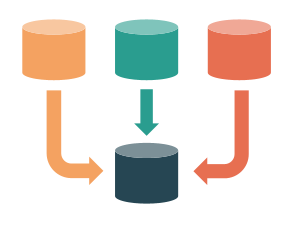
A tiny utility for copying a file from a remote repo into the current one.
Think of it as `curl` for Github.
* Supports public/private Github as well as Github Enterprise
* Lightweight
* Descriptive error messages
## Use case
Every repo has a few boilerplate files that can be recycled in other repos as is.
For example:
* `.editorconfig`
* `.gitignore`
* `.github/issue_template.md`
* `.github/pull_request_template.md`
* `.eslintrc`
* `.eslintignore`
* `jest.config.js`
* `...`
Usually these are copy/pasted as needed but then if the source file changes, all these copies need to be updated as well.
**Bugs reproduce by copy/paste and take shelter in human errors. So if you have to copy/paste, at least automate it.**
- `curl` does the job for public Github repos, but what about the private/enterprise ones?
Besides, if there is more than one file that needs to be copied, that knowledge needs to live somewhere.
- some people use a monorepo to avoid this duplication and deal with `lerna` or other tools
- some even use git submodules
Say hello to **ja**: it stands for **just add**!
## Usage
```
# You can install it globally
$ npm i -g ja
# Then run it in the destination repo
$ ja
# You can also run it with npx
$ npx ja
```
It reads its config from a text file named `.ja` in the root of the destination repo.
Each line states the source and optionally the destination.
Example:
```
# Copy the .gitignore from a remote folder to this one
https://github.com/userpixel/micromustache/blob/master/.gitignore
# Copy the issue template to the .github folder
https://github.com/userpixel/micromustache/blob/master/.github/ISSUE_TEMPLATE.md > .github/ISSUE_TEMPLATE.md
```
When you run `ja`:
* It'll look for its config file (`.ja`) in the same directory (it'll exit with an error if it cannot find it).
* It parses the config, and validates it.
* It tries to figure out the "raw" address for each source URL. For example if the source URL looks like `https://github.com/userpixel/ja/blob/master/README.md`, it'll try to fetch it from `https://raw.githubusercontent.com/userpixel/ja/master/README.md`
* If there was no problem fetching the file, it write the file.
- If the destination folder doesn't exist, it creates it
- If you already have the destination file, it'll rewrite it. No file permission will be changed. You can see the diff using `git diff` or `git status`. If the overwritten file has exactly the same content, git doesn't consider them to be changed
- Obviously if the fetch step fails, it will not write any files.
- Currently `ja` only supports **utf-8** format
**Commit all your changes before running `ja` because it'll overwrite the local files.**
## Config file
The config file is named `.ja`:
* Each line simply contains a URL and a optionally a relative local file path (separated by `>`).
* Currently you need to specify each file explicitly. It's not possible to fetch a whole directory like `.github`.
* The local file path is relative to the current directory where the `.ja` file is located and cannot point to a parent directory.
* For security reasons no absolute path is allowed.
* For security reasons the local file name *cannot* point to any directory that is the parent of the directory where the `.ja` file is located.
* Empty lines and lines beginning with `#` will be ignored.
# Token
If the source is a **Github Enterprise** or a **private repository**, you'll need a token.
`ja` expects the token in an environment variable named after the host name of the source URL.
For example the token for fetching a file from a private repo on `github.com`, should be in the `GITHUB_COM_TOKEN` environment variable.
If your Github Enterprise is hosted under `github.companyname.io`, the env var is `GITHUB_COMPANYNAME_IO_TOKEN`.
There are many ways to pass an environment variable to an application:
* You can put the token in an `.env` file next to your `.ja` file (`ja` reads `./.env`). This is the smoothest method, plus is localizes the knowledge about the token to the repo that uses it.
* You can put the token in your `~/.bashrc` (Linux) or `~/.bash_profile` (Mac)
* You can pass the token directly when running `ja` like this: `GITHUB_COM_TOKEN=328948kksjkafhdskjf ja` (note that this will leave a trace in your terminal history. In Bash you can start the command with one space to skip adding it to the history)
### Generating a token
This is a one-time process:
1. Click on your github profile and go to [**Settings > Developer settings > Personal access tokens** and click **Generate new token**](https://github.com/settings/tokens/new)
1. Give your token a name and for the scope, only choose **public_repo** (that's all that is needed)
1. Press the **Generate token** button. Put this token where `ja` can find it. _Make sure to copy your token to a safe place because it's the last time you see it (don't worry you can always go there and make a new one)_
## Test
We use [Jest](https://jestjs.io/).
```
# Install dependencies and run all tests
$ npm it
```
## Debug
We use [Debug](https://www.npmjs.com/package/debug).
Run the CLI showing debug info:
```
$ DEBUG=* node cli/ja.js
```
## License
MIT
---
_Made in Sweden 🇸🇪 by [@alexewerlof](https://mobile.twitter.com/alexewerlof)_