it
Version:
A testing framework for node
537 lines (367 loc) • 12.9 kB
Markdown
[](https://travis-ci.org/doug-martin/it)
[](https://ci.testling.com/doug-martin/it)
It is a testing framework for node.js and the browser.
**Features**
* Supports Promises, and the mocha `done(err)` style of async tests.
* Browser Support
* AMD support
* Node.js Support
* Proper exit codes for ci
* Multiple reporters, including TAP for testling ci
* Does not export global variables, you can run your tests individually with node or with the it executable.
* Support for filtering tests.
npm install it
To use the it executable
npm install -g it
In the browser
```html
<!DOCTYPE html>
<html>
<head>
<meta http-equiv="X-UA-Compatible" content="IE=edge">
<meta charset="utf-8">
<title>It Tests</title>
<link rel="stylesheet" type="text/css" href="it.css">
</head>
<body>
<div id="it"></div>
<script src="it.js"></script>
<script>
//optionally export assert as a global
assert = it.assert;
</script>
<!--Import your scripts-->
<script>
it.run();
</script>
</body>
</html>
```
With requirejs
```html
<!DOCTYPE html>
<html>
<head>
<meta http-equiv="X-UA-Compatible" content="IE=edge">
<meta charset="utf-8">
<title>It Tests Requirejs</title>
<link rel="stylesheet" type="text/css" href="it.css">
</head>
<body>
<div id="it"></div>
<script data-main="scripts/main" src="scripts/require.js"></script>
<script>
require([
'it',
//require your tests
], function (it) {
it.run();
});
</script>
</body>
</html>
```
The basic structure of a test in `it` looks like the following.
```javascript
var it = require("it"),
assert = require("assert");
it.describe("an it test", function(it){
//the should method is a conveience over writing it("should").
it.should("have a should method", function(){
assert.isFunction(it.should);
});
//it can also be used as a function
it("should be able to be called as a function", function(){
assert.isFunction(it);
});
it.describe("#describe", function(it){
//now we can write some more tests!
});
});
```
Writing synchronous tests in **It** is extremely simple. So lets start off with an example.
Lets assume we have a Person Object
```javascript
var Person = function (name, age) {
this.name = name;
this.age = age;
this.getOlder = function (years) {
if (years > 0) {
this.age = this.age + years;
}
};
};
```
The first tests we could run on person could be testing the setting of name and age.
```javascript
var it = require("../index"),
assert = require("assert");
it.describe("Person", function (it) {
it.should("set set name", function () {
var person = new Person("bob", 1);
assert.equal(person.name, "bob");
});
it.should("set set age", function () {
var person = new Person("bob", 1);
assert.equal(person.age, 1);
});
});
```
Notice we use the **it** passed back to the describe callback.
Next we could test different scenarios of Person
```javascript
var it = require("../index"),
assert = require("assert");
it.describe("Person", function (it) {
it.describe("#getOlder", function (it) {
it.should("accept positive numbers", function () {
var person = new Person("bob", 1);
person.getOlder(2);
assert.equal(person.age, 3);
});
it.should("not apply negative numbers", function () {
var person = new Person("bob", 1);
person.getOlder(-2);
assert.equal(person.age, 1);
});
});
});
```
In this example we are describing the **getOlder** method and run different tests against it.
Notice the **it** passed back is used again.
You may nest tests as deep as you like as long as you remember to use the proper **it**.
```javascript
it.describe("#getOlder nested", function (it) {
it.describe("with positive numbers", function (it) {
it.should("work", function () {
var person = new Person("bob", 1);
person.getOlder(2);
assert.equal(person.age, 3);
});
});
it.describe("with negative numbers", function () {
//uh oh wrong it
it.should("not work", function () {
var person = new Person("bob", 1);
person.getOlder(-2);
assert.equal(person.age, 1);
});
});
});
```
Writing asynchronous tests in **It** is just as easy as writing synchronous tests.
Lets modify Person to make get older async
```javascript
var Person = function (name, age) {
this.name = name;
this.age = age;
this.getOlder = function (years, next) {
setTimeout(function () {
this.age = this.age + years;
next(null, this);
}.bind(this), years * 500);
};
};
```
Now that **getOlder** is async lets test it
In this example a promise is the return value. If you have used `comb`, `Q`, `promises-extedned` or any other framework that uses
**Promises** then this will feel pretty natural to you. The test will wait for the promise to resolve before continuing any other tests.
```javascript
var p = require("promise-extended");
it.describe("#getOlder", function (it) {
//return promise
it.should("not apply negative numbers", function () {
var ret = new p.promise();
var person = new Person("bob", 1);
person.getOlder(-2, function (err, person) {
assert.equal(person.age, 1);
ret.callback();
});
return ret.promise();
});
});
```
In this example the should callback accepts a `next(err)` argument which is a function that should be called when the current test is done. So if next is invoked with a first argument other than null or undefined then
it is assumed that the test errored.
```javascript
it.describe("#getOlder", function (it) {
//Call with next
it.should("accept positive numbers", function (next) {
var person = new Person("bob", 1);
person.getOlder(2, function (err, person) {
assert.equal(person.age, 3);
next();
});
});
});
```
`it` also supports the concept of a context, which is a set of functionality that should belong to the current `describe` or `suite` tests but needs something extra like extra setup or tear down functionality.
In fact anything you can do withing the `describe` callback you can do in a `context`.
```
it.describe("contexts", function(it){
it.context(function(it){
var called;
it.beforeAll(function(){
called = true;
});
it("should allow custom beforeAll", function(){
assert.isTrue(called);
});
});
it.context(function(it){
var called
it.beforeEach(function(){
called = true;
});
it("should allow custom beforeEach", function(){
assert.isTrue(called);
});
});
})
```
To set a duration limit on each test within a suite use the `timeout(duration)` method.
```
it.describe("#timeouts", function(){
it.timeout(100);
//this spec will fail
it.should("fail it action duration is > 100", function(next){
setTimeout(function(){
next();
}, 200);
});
//this spec will pass!
it.should("not fail it action duration < 100", function(){
assert.isTrue(true);
});
});
```
If you wish to skip an action you can use the `skip` method which will put the action into a `pending` state, and not run it.
```javascript
it.describe("#timeouts", function(){
it.timeout(100);
//this spec be skipped
it.skip("fail it action duration is > 100", function(next){
setTimeout(function(){
next();
}, 200);
});
//this spec will not
it("not fail it action duration < 100", function(){
assert.isTrue(true);
});
});
```
`it` also supports tdd style tests.
```javascript
it.suite("Person", function (it) {
it.suite("#getOlder", function (it) {
it.test("accept positive numbers", function () {
var person = new Person("bob", 1);
person.getOlder(2);
assert.equal(person.age, 3);
});
it.test("not apply negative numbers", function () {
var person = new Person("bob", 1);
person.getOlder(-2);
assert.equal(person.age, 1);
});
});
});
```
To run tests there are two options the **it** executable
Options
* -d, --directory : The root directory of your tests
* -f --filter : A filter to apply to run certain behaviors/suites/tests
* -r, --reporter : The reporter to use when running the tests
* --cov-html : create coverage output in html, if an output path is included then the file will be written to that file otherwise it will defalt to `./coverage.html`
* --reporters : Display a list of reporters that are available
* -h, --help : Displays help.
To run an entire suite
it -d ./mytests -r dotmatrix
To run an individual test
it ./mytests/person.test.js
Or
it -f "Person"
To run the
it -f "Person:#getOlder"
You can alternatively run the test directly.
**Note** When running tests using the `it.run()` method, `it` will not automatically exit the program on completion, therefore if you still have items like DB connections still open your program will not exit.
```javascript
it.describe("A Person", function(it){
it.should("set set name", function () {
var person = new Person("bob", 1);
assert.equal(person.name, "bob");
});
it.should("set set age", function () {
var person = new Person("bob", 1);
assert.equal(person.age, 1);
});
});
it.run();
```
You can also filter the tests to run from within the test
```javascript
it.describe("A Person", function(it){
it.should("set name", function () {
var person = new Person("bob", 1);
assert.equal(person.name, "bob");
});
it.should("set age", function () {
var person = new Person("bob", 1);
assert.equal(person.age, 1);
});
});
it.run("A Person:should set name");
```
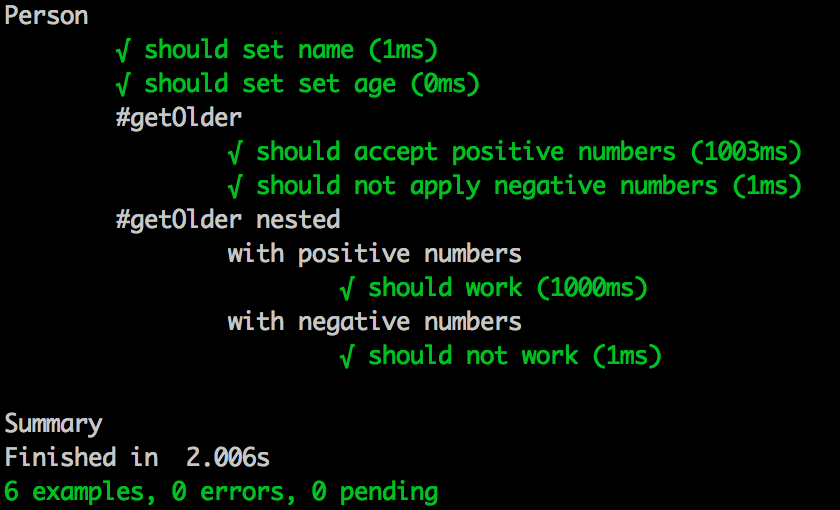
**`spec`**
**`dot`**

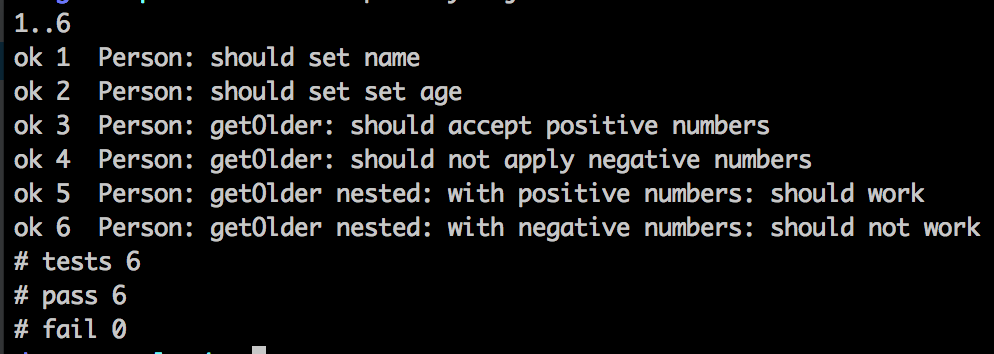
**`tap`**
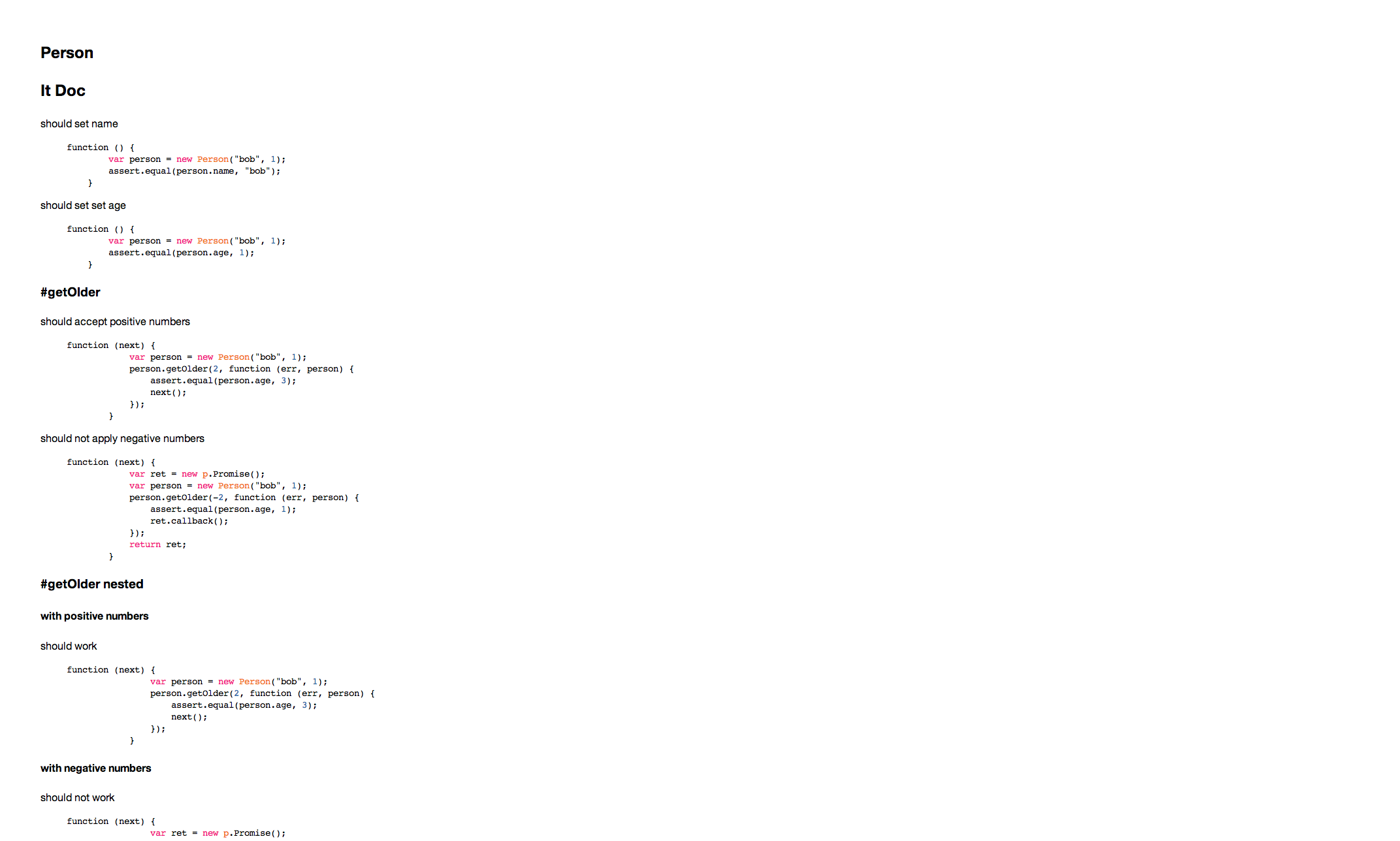
**`doc`**
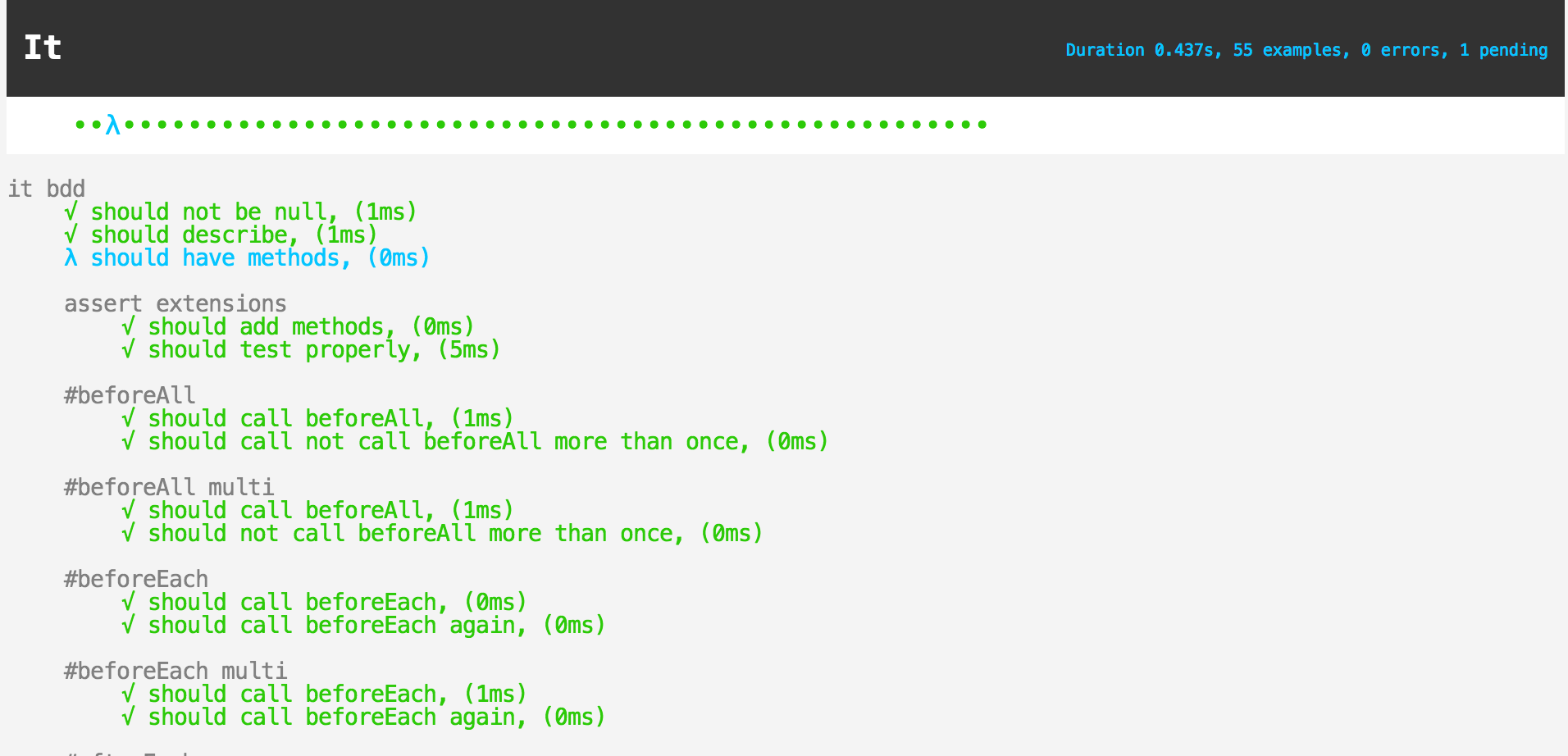
**`html`**
If you use [node-jscoverage](https://github.com/visionmedia/node-jscoverage) to generate coverage then by default `it` will output a coverage report. You may also output coverage to an `HTML` file by passing in the `--cov-html` flag to the executable.
For example out put see [patio test coverage](http://c2fo.github.com/patio/coverage.html).
The following methods are added to assert for convenience
* `lengthOf` - assert the length of an array
* `isTrue` - assert that a value is true
* `isFalse` - assert that a value is false
* `isRegExp` - assert that a value is a Regular Expression
* `isArray` - assert that a value is an Array
* `isHash` - assert that a value is a plain object
* `isObject` - assert that a value is a object
* `isNumber` - assert that a value is a Number
* `isDate` - assert that a value is a Date
* `isBoolean` - assert that a value is a Boolean
* `isString` - assert that a value is a String
* `isUndefined` - assert that a value is undefined
* `isUndefinedOrNull` - assert that a value is undefined or null
* `isPromiseLike` - assert that a value is Promise like (contains the funtions "then", "addErrback", and "addCallback")
* `isFunction` - assert that a value is a function
* `isNull` - assert that a value is null
* `isNotNull` - assert that a value is not null
* `instanceOf` - assert that a value is an instanceof a particular object
* `truthy` - assert that the value is truthy.
* `falsy` - assert that the value is falsy.
### License
MIT <https://github.com/doug-martin/it/raw/master/LICENSE>
### Meta
* Code: `git clone git://github.com/doug-martin/it.git`