ipfs-api
Version:
A client library for the IPFS HTTP API
35 lines (21 loc) • 1.29 kB
Markdown
# Upload file to IPFS via browser using js-ipfs-api
> In this example, you will find a simple React app to upload a file to IPFS via the browser using js-ipfs-api and Webpack.
## Setup
As for any js-ipfs-api example, **you need a running IPFS daemon**, you learn how to do that here:
- [Spawn a go-ipfs daemon](https://ipfs.io/docs/getting-started/)
- [Spawn a js-ipfs daemon](https://github.com/ipfs/js-ipfs#usage)
**Note:** If you load your app from a different domain than the one the daemon is running (most probably), you will need to set up CORS, see https://github.com/ipfs/js-ipfs-api#cors to learn how to do that.
A quick (and dirty way to get it done) is:
```bash
> ipfs config --json API.HTTPHeaders.Access-Control-Allow-Origin "[\"*\"]"
> ipfs config --json API.HTTPHeaders.Access-Control-Allow-Credentials "[\"true\"]"
```
## Run this example
Once the daemon is on, run the following commands within this folder:
```bash
> npm install
> npm start
```
Now open your browser at `http://localhost:3000`
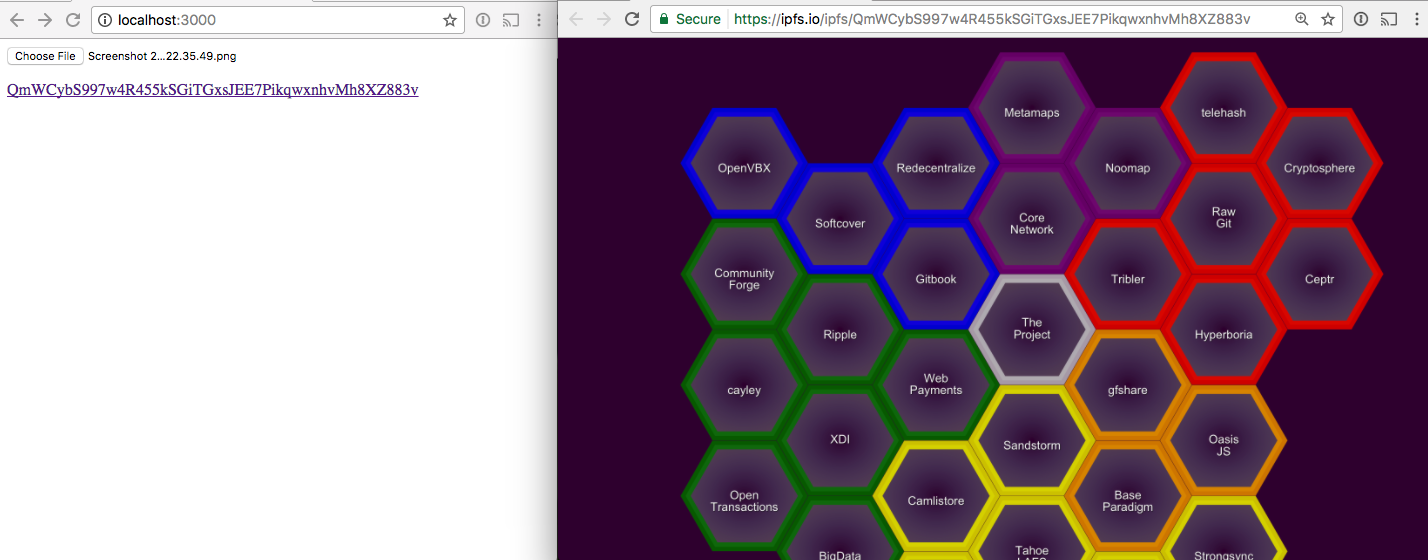
After uploading a file (left screen), and opening the uploaded file (right screen), you should see something like: