ionicx-wechat-like-album
Version:
a album is like the wechat for ionic
103 lines (73 loc) • 2.74 kB
Markdown
[git](https://github.com/Garyhjj/ionicx-wechat-like-album);
## 类似微信朋友圈添加图片的ionc组件(可滑动浏览,可缩放)
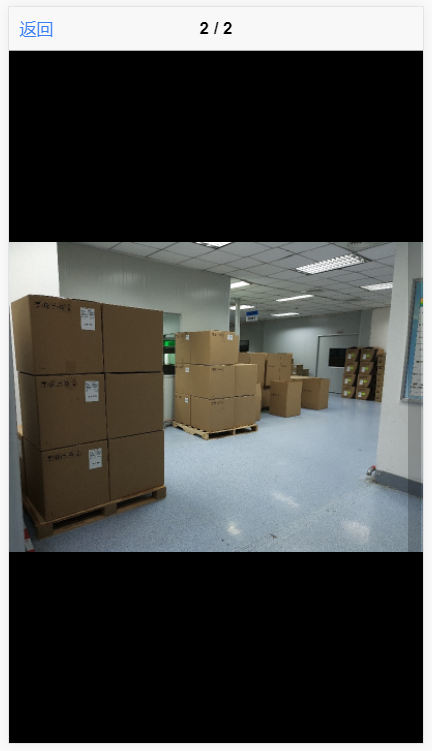
#### 图片所示是限制了权限,不能添加,不能删除,所以小图后面看不到‘+’,大图右上角没有删除标记垃圾桶。
### 使用前配置
```
npm i ionicx-wechat-like-album --save;
import { PhotoViewComponentModule } from 'ionicx-wechat-like-album';
```
##### 把 PhotoViewComponentModule 放到你的的顶级shareModule里,因为这是在每个次级模块都会导入的,比较方便
```
import { PhotoViewComponentModule } from 'ionicx-wechat-like-albume';
import { NgModule } from '@angular/core';
import { CommonModule } from '@angular/common';
import { IonicModule } from 'ionic-angular';
import { FormsModule } from '@angular/forms';
@NgModule({
imports: [CommonModule, IonicModule, FormsModule],
declarations: [],
exports: [CommonModule, IonicModule, FormsModule, PipesModule, PhotoViewComponentModule,DirectivesModule],
entryComponents: [],
providers: []
})
export class SharedModule { }
```
##### 对于懒加载的页面,需要再次导入PhotoViewComponentModule;
```
import { NgModule } from '@angular/core';
import { MeComponent } from './me.component';
import { IonicPageModule } from 'ionic-angular';
import { PhotoViewComponentModule } from 'ionicx-wechat-like-albume';
@NgModule({
declarations: [MeComponent],
imports: [IonicPageModule.forChild(MeComponent), PhotoViewComponentModule],
entryComponents: [
MeComponent
],
providers: []
})
export class MeComponentModule { }
```
### 使用
#### html
```
<sg-photo-view></sg-photo-view>
```
#### 页面控制
```
myOpts = {
addable: true,//是否能添加图片
scanable: true,//是否进入能浏览图片
removeable: true,//是否能移除图片
}
```
以上是默认值,可通入```[opts]```传入去修改,如
```
<sg-photo-view [opts]="{addable:false,removeable:false}"></sg-photo-view>
```
#### 添加图片
当按```+```正方按钮去时会emit方法```addOnePicture```;第一个参数是一个方法,传入url或base64就可以。如:
```
<sg-photo-view (addOnePicture)="add($event)"></sg-photo-view>
ts里
add(a:any){
let picture = youGetPicture();
a(picture);
}
```
#### 如何获得组件的图片数组,有两种方法
1. 每次修改会emit方法imgsChange,参数一就是了
2. 使用angular的Form,绑定```[(ngModel)]="binding"```,或```formControlName="binding"```
### Done,thanks