insomnia-plugin-thanos-theme
Version:
A theme made by a Titan to conquer the universe
33 lines (20 loc) • 1.29 kB
Markdown
## [Insomnia](https://insomnia.rest)
### Install using Git
If you are a git user, you can install the theme and keep up to date by cloning the repo:
```bash
git clone https://github.com/thanos-theme/insomnia.git
```
### Install manually
Download using the [GitHub .zip download](https://github.com/thanos-theme/insomnia/archive/master.zip) option and unzip them.
## Extract plugin
In order for Insomnia to recognize your plugin as an Insomnia plugin, your files must live in the following locations:
- MacOS: `~/Library/Application Support/Insomnia/plugins/` (escaped version: `~/Library/Application\ Support/Insomnia/plugins/`)
- Windows: `%APPDATA%\Insomnia\plugins\`
- Linux: `$XDG_CONFIG_HOME/Insomnia/plugins/` or `~/.config/Insomnia/plugins/`
To learn more, see the documentation at [Plugin File Location](https://docs.insomnia.rest/insomnia/introduction-to-plugins#plugin-file-location)
### Install using **Insomnia**
- Open **Preferences > Plugins**, search for `insomnia-plugin-thanos-theme` and click **Install Plugin**;
### Activating theme
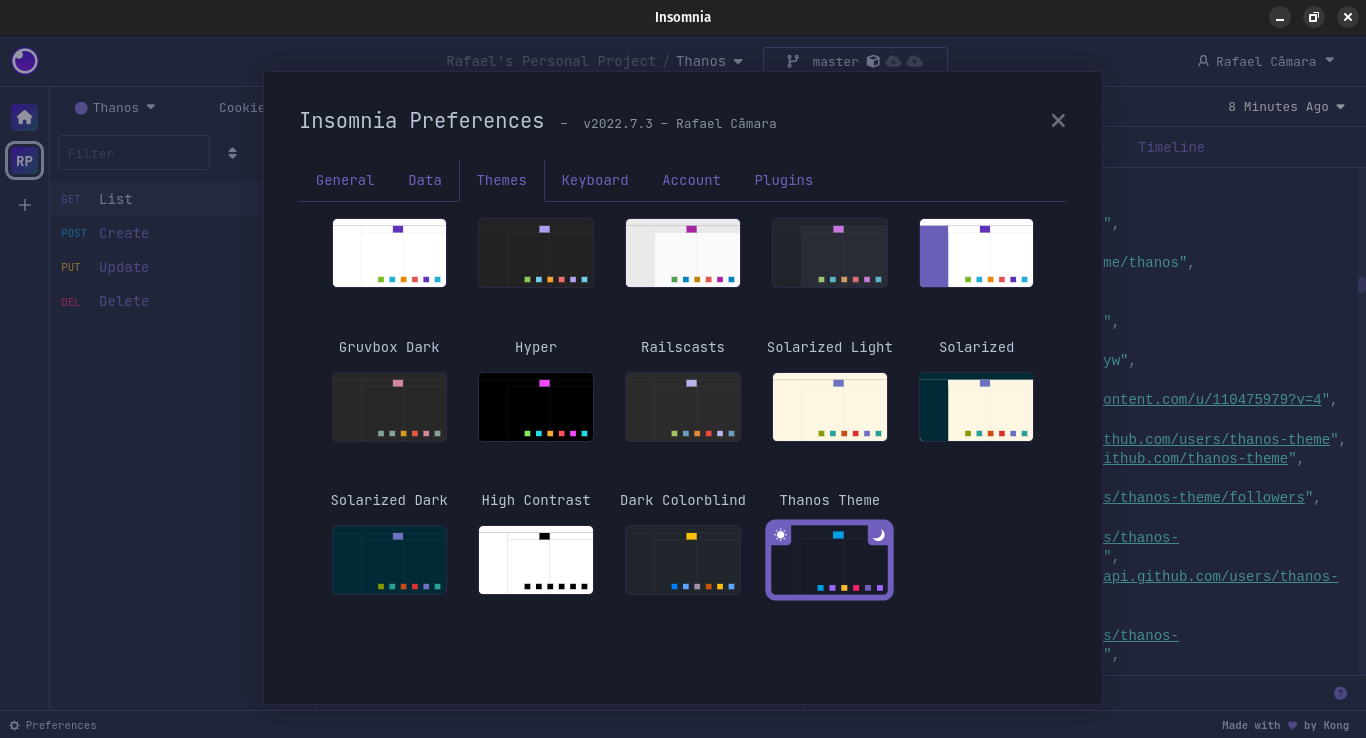
- After that, go to **Themes** (also under preferences) and apply the **Thanos** theme.
- **Preview:**