increments
Version:
Create polls and manage votes with a MongoDB or MySQL database.
242 lines (193 loc) • 8.98 kB
Markdown
# Increments
Increments is a **database-driven** for creating **polls** and taking **votes** for various options, candidates, or parties. Using MongoJS collections as a storage framework, Increments offers in-depth statistical data on generated polls.
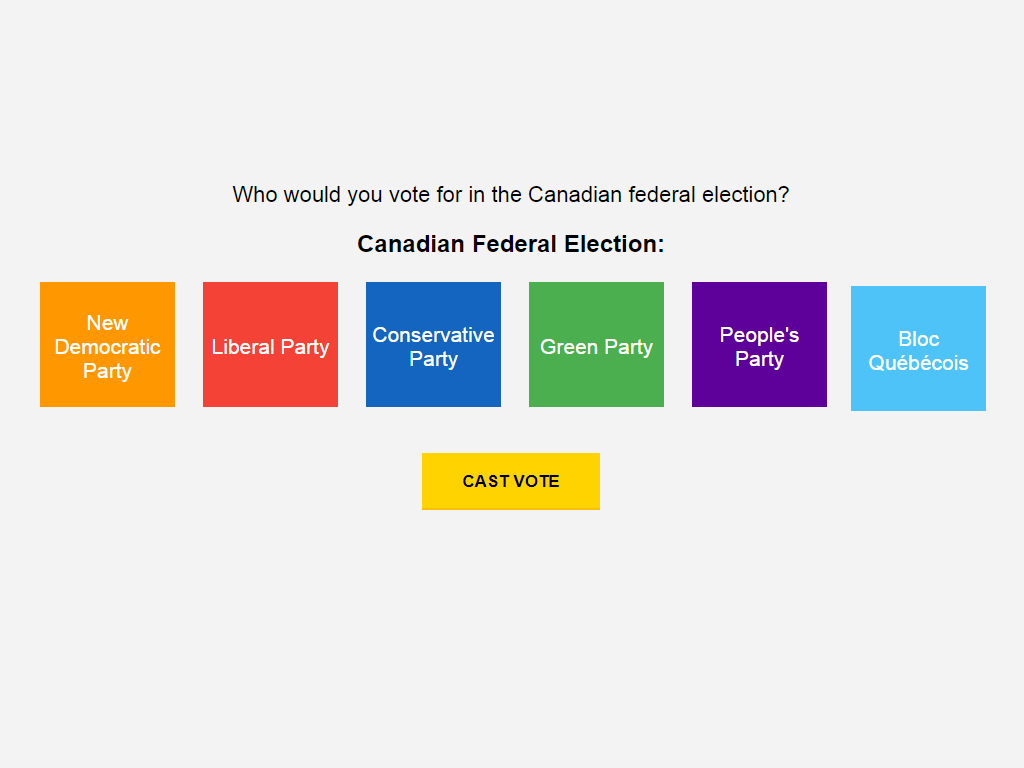
***Fig 1.** A screen-shot of the voting options listed in an example [Canadian elections](https://github.com/bentbot/Canada-Votes-2019) poll.*
## Instant Gratification
```js
$ npm install
$ node index.js
```
Modify the _index_ file for a quick & easy web-based poll that's nearly ready to deploy.
## Usage
Install the **increments** module with NPM...
```js
$ npm install increments
```
Add Increments to your code and specify a database. Increments can create polls with options, vote on polls, require unique keys & cookies, generate statistics, and calculate a winner.
```js
let increments = require('increments');
increments.setup({ db: 'mongodb://increment:inc@localhost/increment' });
increments.setup('mysql://increments:increment@localhost:3306/polls');
increments.poll('fruits', ['Apples','Bananas','Oranges','Pears']);
increments.vote('fruits', 'Oranges');
increments.statistics('fruits', function(e, f) { console.log( f.projectedWinner ); });
```
### Features
- Poll & voting mechanics
- Database driven statistics with ([MySQL](https://www.mysql.com/)) / ([MongoDB](https://www.mongodb.com/))
- Unique browser session keys and cookie protection
### You can also:
- Create and interact with different polls
- Add as many political parties as need
- Test voting with an automated script
- Log votes to a file
- Turn cookies and session keys on or off
- Submit or discard spoiled ballots
## Installation
Node.JS is required. Please install [Node.js](https://nodejs.org/) v4+ to run _Increments_ on your system.
Next, download or clone [the latest release](https://github.com/bentbot/increments) from GitHub.
Use NPM to install the required dependences. **Warning: Dependences may not be secure and safe to use in a production environment.**
```js
npm install increments --save
```
or install it from GitHub repository
```js
$ git clone https://github.com/bentbot/increments
$ cd ./increment
$ npm install
$ node index.js
```
### Database
#### MongoDB
1. Create a user with the name `increment` which has `readWrite` access to a database.
2. Modify the databse line in `./increment.js` to **reflect your local or remote MongoDB** server.
- The first segment is your database username and password: `mongodb://<username>:<password>`
- The second part is your database IP address and port: `@<address>:<port>`
- Finally, add the title of the collecton to the MongoDB URL: `/<collection name>`
```js
let increments = require('increments');
increments.setup('mongodb://increments:<password>@localhost/polls');
```
or
#### MySQL
1. Create a user with the name `increment` and add it to a database called `polls`
2. Grant the following privileges to the user: Alter, Create, Insert, Select
3. Setup Increments using your MySQL username and password in a JDBC URL.
```js
let increments = require('increments');
increments.setup('mysql://increments:<password>@localhost:3306/polls');
```
### Modifying Candidates
The first few lines of `index.js` define the **candidates** and basic security settings.
Candidates are encoded using the __JSON__ data standard. Make sure the structure remains intact and programmicly correct. Remember to omit the ending comma from the last candidate.
```js
let candidates = [
{ name: 'Red Team', color: 'red' },
{ name: 'Blue Team', color: 'blue' }
];
increments.poll('election', candidates);
```
### Voting
A vote can be formed in multiple ways. The most simple is to reference a poll and provide a name.
```js
increments.vote('election', 'Red Team');
```
A vote may be passed as an object with the poll and name defined within it.
```js
var ballot = { poll: 'election', name: 'Red Team', data: '123' };
increments.vote(ballot, function(err, res) {
if (err) throw(err);
console.log(res);
});
/* Output:
{ __v: 0,
unique: '90699e2...',
name: 'Red Team',
poll: 'election',
data: '123',
_id: 58bb40f79477c58065acc950,
time: 2017-03-04T22:34:31.929Z }
*/
```
### Statistics
[
](https://github.com/bentbot/Canada-Votes-2019)
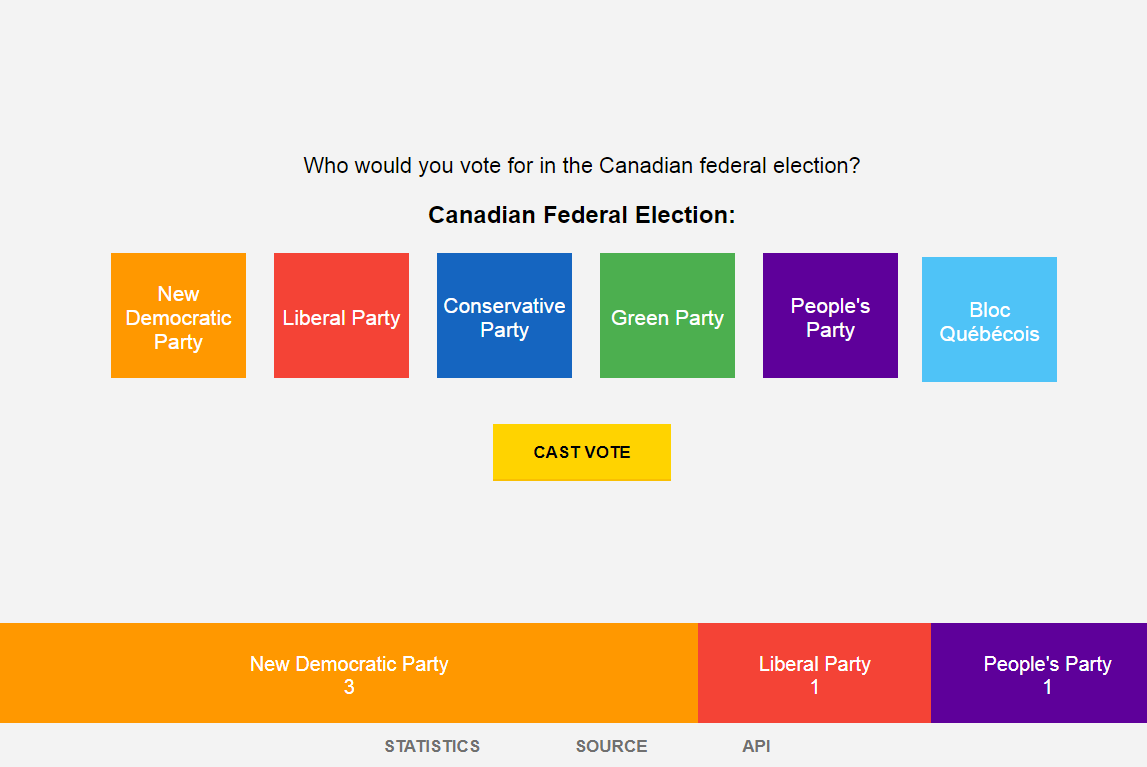
***Fig 2.** Canadian elections poll example: [view this project's source code.](https://github.com/bentbot/Canada-Votes-2019)*
Generating basic statistics can be accomplished by specifying the poll to count.
```js
increments.statistics('election', function (err, statistics) {
console.log(statistics);
});
/* Statistics Output:
{ poll: 'election',
candidates:
[ { name: 'Red Team',
color: 'red',
count: 1,
id: 'red_team',
percentage: '100.0' },
{ name: 'Blue Team',
color: 'blue',
count: 0,
id: 'blue_team',
percentage: 0 } ],
total: 1,
projectedWinner:
{ name: 'Red Team',
color: 'red',
count: 1,
id: 'red_team',
percentage: '100.0' }
}
*/
```
### Security
Expremental security features are available. It is suggusted to log a user's **IP addresses** in the __data__ mutiable when submitting a vote.
- Also Consider
- Comparing ISP information by resolving the IP Address of each vote.
- Uniqueness of geolocation provided by a third-party or the client itself.
- Automatically checking voting machine software for files that were modified.
- Client specific info ( Gecko Versions, System OS, time, window size / position )
- The time between each vote submitted. Votes in fast succession may suggest fraud.
- Reverse-hashing each vote data to help detect database modifications.
- Creating HTTPS layers for **POST** and **Socket.IO** routes with a [webserver proxy](http://nginx.com/blog/nginx-nodejs-websockets-socketio/).
- Forwarding Ports: _8080_, _3000_ ( ex. _443, 3030_ )
- Enable/disable **browser cookies** to prevent double-voting:
```js
increments.setup({ cookies: true });
```
- Enable/disable **browser instance keys** to prevent double-voting:
```js
increments.setup({ instance: true });
```
## Testing
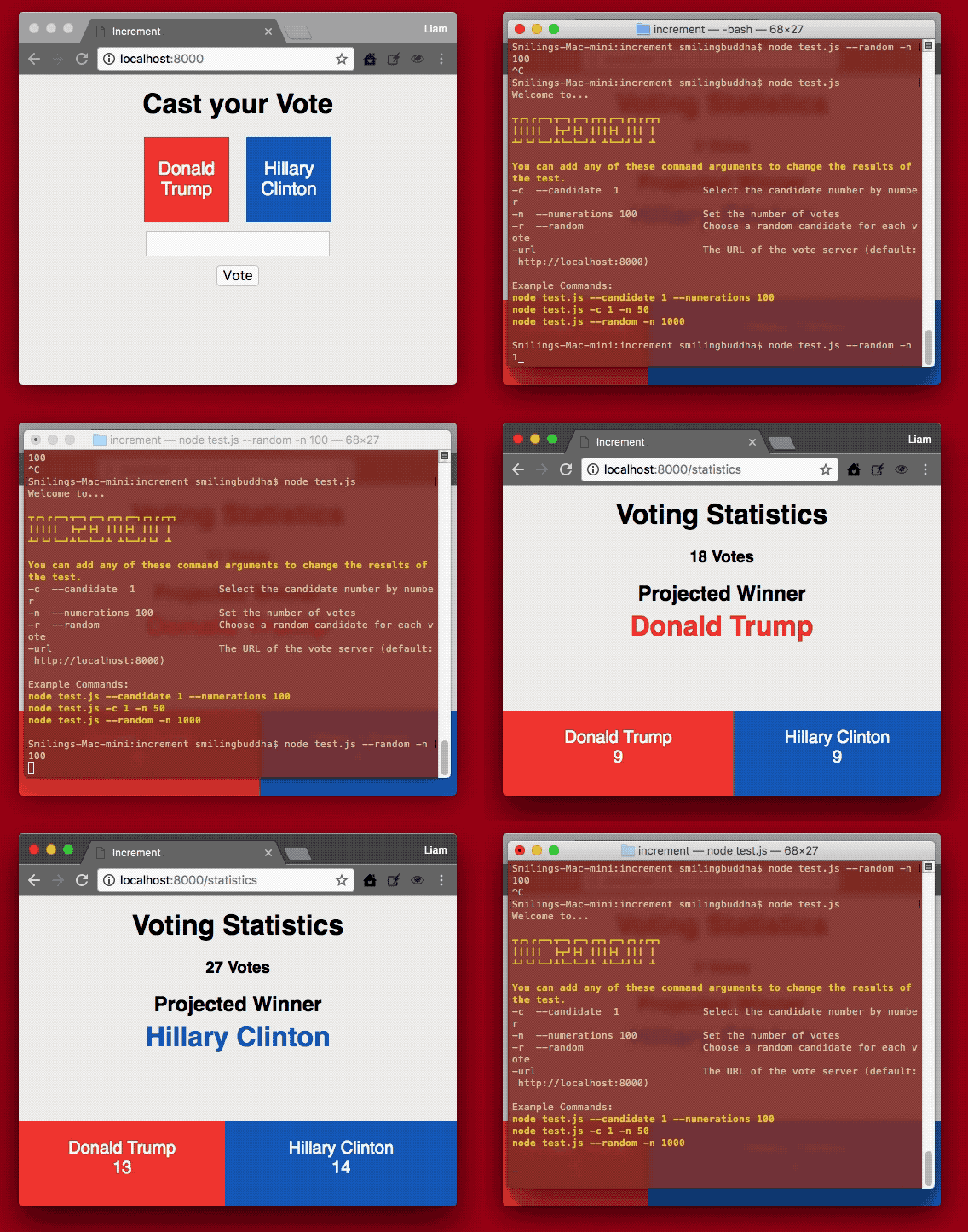
***Fig 3.** The Increments testing program adds votes to a local environment using Seleium Webdriver.*
The _Increments_ package includes application to automatically test the voting procedure. Increment uses **Selenium Webdriver** to preform rapid-fire testing by replicating how a user would cast a vote.
### Setup WebDriver
The **webdriver-service** should only take only a moment to install. It can be installed to your system with **NPM** or downloaded directly: http://www.seleniumhq.org/projects/webdriver/
`npm install webdriver-service -g`
### Incremental Testing
- Start the vote server so it is accessable from your web browser at http://localhost:8000/.
- In a new terminal window or _screen_, start the **webdriver-manager** by running:
`$ webdriver-manager start`
In the terminal, if run the test.js file with the help argument you will see a list of options.
- -c --candidate 1 Select the candidate number by number
- -n --numerations 100 Set the number of votes
- -k --thousands Set the number of votes (multiplied my a thousand)
- -m --millions Set the number of votes (multiplied my a million)
- -r --random Choose a random candidate for each vote
`$ node test.js --help`
```ssh
$ node test.js -c 1 -n 65
Running 65 votes for candidate 1
```
If the test runs correctly, you should see a web browser pop-up and repeatedly cast a vote for the selected candidate. The results will are tabulated on the statistics page: http://localhost:8000/statistics
## Example Screenshots
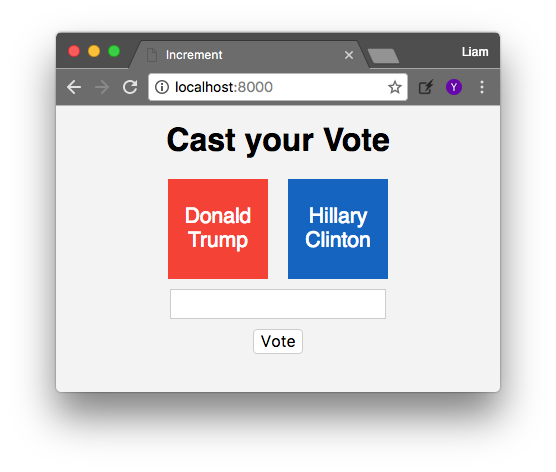
#### **Fig 4.** The voting screen:
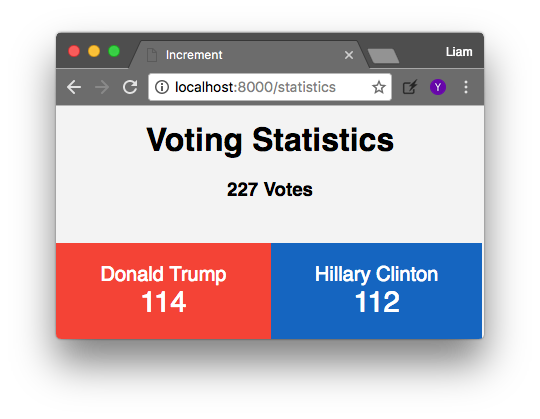
#### **Fig 5.** Statistics View (with 1 spoiled ballot):
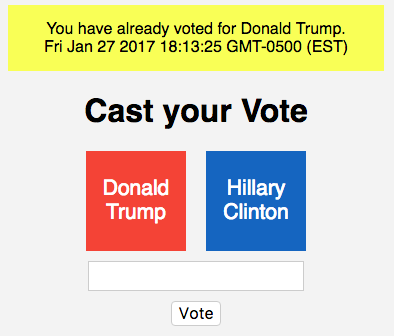
#### **Fig 6.** This error message is seen when trying to re-vote:
### Frameworks
Increment uses a number of open source projects to work properly:
* [MySQL] - MySQL database driver
* [Crypto] - Unique key generation
* [node.js] - A self-contained server
* [ExpressJS] - HTTP service for web pages
* [Mongoose] - Mongo database driver
* [MongoDB] - Local or remote database server
* [Webdriver] - Automated browser testing
* [jQuery] - Frontend scripting