imba-shell
Version:
Interactive debugger and REPL for Imba.
291 lines (190 loc) • 4.76 kB
Markdown
# Imba Shell



Interactive debugger and REPL for Imba.
## Install
npm:
```bash
npm i -g imba-shell
```
yarn:
```bash
yarn global add imba-shell
```
## Usage
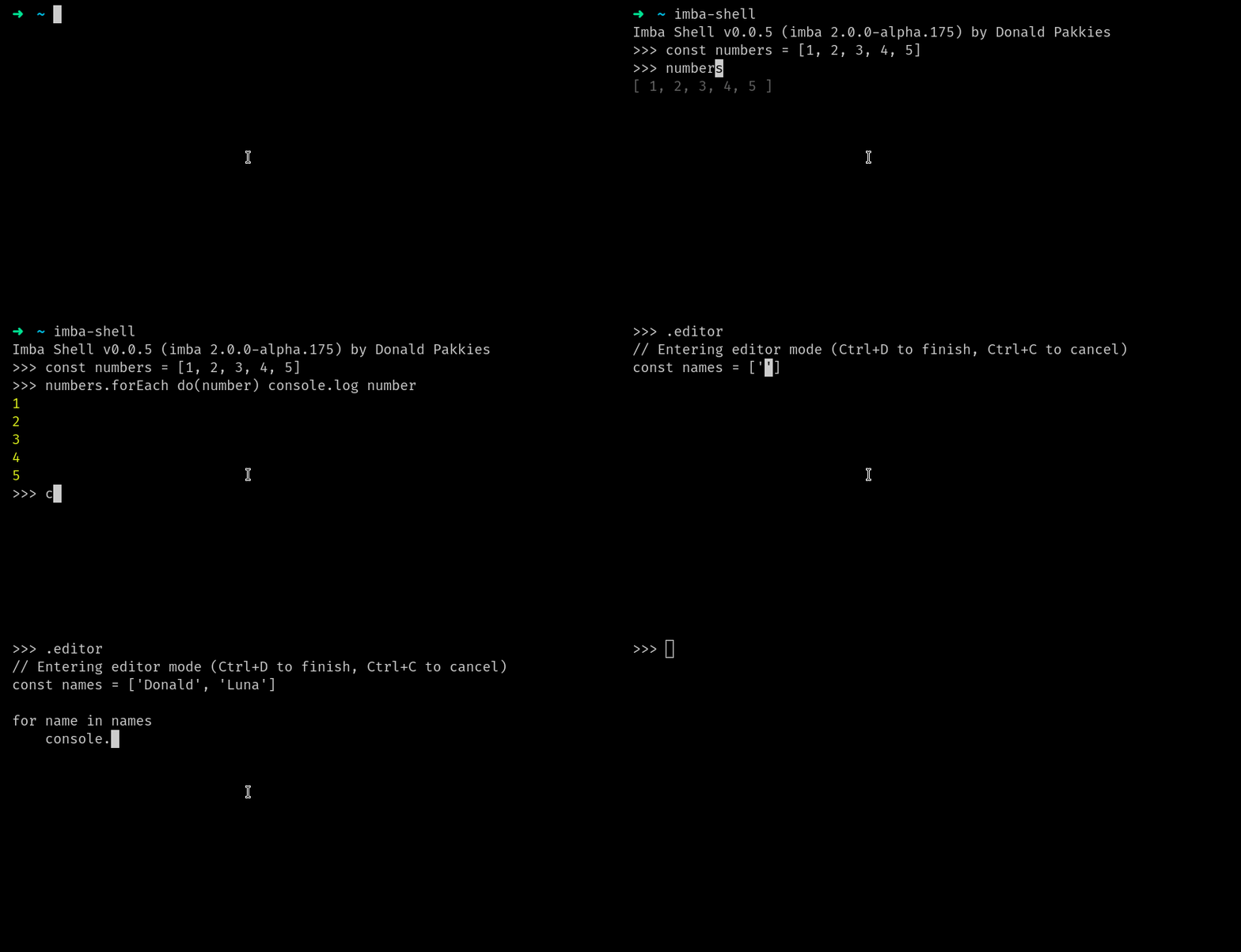
To start using `imba-shell`, run the following command:
```bash
imba-shell
```
To enable TypeScript, you can pass the `--ts` flag:
```bash
imba-shell --ts
```
> Note, you can also use `imbas` instead of `imba-shell`.
### Multiline
To use multi-line mode, use the .editor command:
```bash
>>> .editor
```
This will open a multi-line editor.
#### Indentation
When using multi-line mode, you can use the `Shift+Tab` key combination to indent the current line.
To remove a tab, use the `Backspace` key.
### Clear
To clear the `imba-shell`, use the `clear` helper:
```bash
>>> clear!
```
> You can also use the `.clear` command.
### Exit
To exit out of `imba-shell`, use the `exit` helper:
```bash
>>> exit!
```
> You can also use the `.exit` command.
### Imba Runtime
You may use `imba-shell` as a runtime:
```bash
imbar file.imba
```
> `imbar` aliases: `imba-r`, `imba-runtime`, `ir` .
Passing arguments to your script:
```bash
imbar craftsman.imba mail:send --help
```
Continously build and watch project (development purposes):
```bash
imbar --watch server.imba
```
> flag: `--watch`
> alias: `-w`
Creating a self executing script:
#### **`hello`**
```py
#!/usr/bin/env imbar
const name = process.argv.slice(2)[0] ?? 'stranger'
console.log "Hello {name}"
```
If you're using `Linux`, `FreeBSD` or `MacOS`, you can make your script executable:
```bash
chmod u+x hello
```
> Note: when creating a script that doesn't end with `".imba"`, the Imba Runtime will clone your script into a hidden file that ends with `.imba` and execute it instead of your original script. When done executing, the hidden file will be removed.
Running the script:
```bash
./hello Donald # Hello Donald
./hello # Hello stranger
```
## API
`imba-shell` can also be used as a module. Here's an example:
Imba:
```py
import { ImbaRepl } from 'imba-shell'
# you can also pass "typescript" instead of "imba"
const repl = new ImbaRepl 'imba', 'imba> '
repl.run!
```
JavaScript:
```js
const { ImbaRepl } = require('imba-shell');
/** you can also pass "typescript" instead of "imba" */
const repl = new ImbaRepl('imba', 'imba> ');
repl.run();
```
> Note, you can pass an object of [Node.js repl](https://nodejs.org/api/repl.html#repl_repl_start_options) options in the `run` function.
### History
Here's an example of how to enable the history feature:
Imba:
```py
import { ImbaRepl } from 'imba-shell'
import os from 'os'
import path from 'path'
const repl = new ImbaRepl 'imba', 'imba> ', path.join(os.homedir!, '.my_repl_history')
repl.run!
```
JavaScript:
```js
const { ImbaRepl } = require('imba-shell');
const os = require('os');
const path = require('path');
const repl = new ImbaRepl('imba', 'imba> ', path.join(os.homedir(), '.my_repl_history'));
repl.run();
```
> You can set any valid path as your history file.
### Commands
You can register commands with the `registerCommand` function:
Imba:
```py
repl.registerCommand 'goodbye', do
console.log 'Goodbye!'
this.close!
```
JavaScript:
```py
repl.registerCommand('goodbye', () => {
console.log('Goodbye!');
this.close();
});
```
### Context
You may register functions and properties to be available in the REPL using the `registerCallback` function:
Imba:
```py
const repl = new ImbaRepl
repl.registerCallback do(ctx)
ctx.foo = 'bar'
```
JavaScript:
```js
const repl = new ImbaRepl();
repl.registerCallback((ctx) => {
ctx.foo = 'bar'
})
```
When calling `foo` in the REPL, it will return `bar`.
Todo
-------
- [x] Language Support.
- [x] Imba.
- [x] TypeScript.
- [x] Code completion.
- [x] Imba.
- [x] TypeScript.
- [x] Multiline Editor.
- [x] Imba.
- [x] TypeScript.
- [x] Async/Await.
- [x] Imba.
- [x] TypeScript.
- [x] Extensible API.
- [ ] Syntax highlighting.
- [ ] Imba.
- [ ] TypeScript.
- [ ] Compile Errors.
- [ ] Imba.
- [x] TypeScript.
Development
-----
### Install
Install dependencies:
```bash
$ npm i
```
### Build
Build from source:
```bash
$ npm run build
```
### Test
Test `Imba-Shell`:
```bash
$ npm run test
```
Security
-------
If you discover any security related issues, please email donaldpakkies@gmail.com instead of using the issue tracker.
License
-------
The MIT License (MIT). Please see [License File](LICENSE) for more information.