images-set-to-webp-converter
Version:
Powerful util for images (.png | .jpeg | .jpg) set conversion to .webp, generated by Abobe Images Processor Pro plugin
61 lines (43 loc) • 3.46 kB
Markdown
# Images Set To WebP Converter [](https://twitter.com/intent/tweet?text=See&url=https://github.com/BiosBoy/images-set-to-webp-converter&via=svyat770&hashtags=js,jsx,webp,checker,images-set-to-webp-converter,webp,html,css)
[](https://www.npmjs.com/package/images-set-to-webp-converter) [](https://github.com/BiosBoy/images-set-to-webp-converter/blob/master/LICENSE) [](https://github.com/BiosBoy/images-set-to-webp-converter/blob/master/LICENSE) [](https://github.com/BiosBoy/images-set-to-webp-converter) 
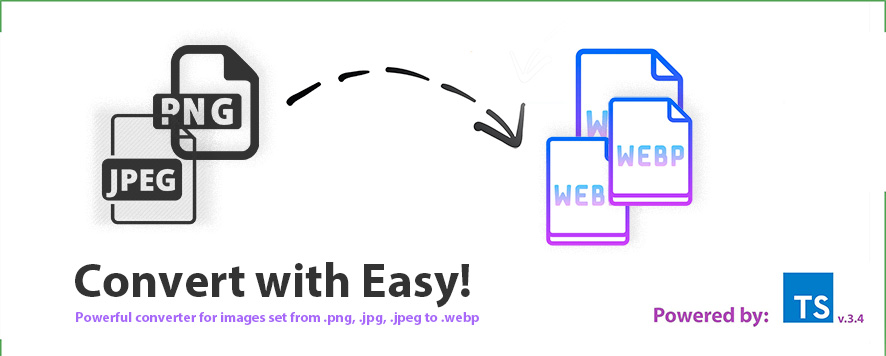
### The easist way to convert a bunch of .jpg, .png, etc images to webp!
Builded on top of the well versed webp util https://www.npmjs.com/package/cwebp!
**Quick Start:**
1. Install the plugin globally or inside your working dir by:
`npm install -g images-set-to-webp-converter`
or
`yarn add images-set-to-webp-converter -g`
2. Prepare some images set inside particular folder, generated previously by Abode Images Processor Pro plugin, like:
Desktop --- |
|
| --- IMGSet --- |
|
| --- image@1x.png
| --- image@2x.png
| --- Touchscreen --- |
|
| --- img@4x.png
| --- img@2x.jpg `
3. Run `images-set-to-webp-converter` util in a way like:
`yarn images-set-to-webp-converter path=/Desktop/IMGSet`
4. Grab your **.webp** right on here:
Desktop --- |
|
| --- IMGSet --- |
|
| --- image@1x.png
| --- image@2x.png
| --- image@1x.webp <--
| --- image@2x.webp <--
| --- Touchscreen --- |
|
| --- img@4x.png
| --- img@2x.jpg `
| --- img@4x.webp <--
| --- img@2x.webp <--
**And that's all! See how it's easy? So we can convert various images produced by Adobe IPP in the .WEBP format without any tears or routine!**
# FAQ:
1. **How can I tune the quality/compression of produced image?**
- Well, it's a bit easy. Just add a number value right after you add the path of the folder to proccess.
Example: `yarn images-set-to-webp-converter path=/Desktop/IMGSet quality=65`.