image-access
Version:
A class for teaching image processing programming at the pixel level.
53 lines (39 loc) • 3.91 kB
Markdown
# ImageAccess
A class for the didactic implementation of image-processing algorithms in JavaScript.
## Overview
The `ImageAccess` class has been developed to teach image-processing programming at the pixel level in engineering university courses. The class is written in JavaScript and is intended to be used in [Jupyter Notebook](https://jupyter.org/) laboratories run by the [IJavascript](http://n-riesco.github.io/ijavascript/) kernel. However, it can also be used in a native JavaScript environment.
The aim of the `ImageAccess` class is to facilitate the creation and modification of images in JavaScript. As such, it provides an easy-to-use representation of graylevel images, offering methods for pixel, neighborgood and subimage access automatically taking care of boundary conditions.
The [ImageAccess example notebook.ipynb](https://nbviewer.jupyter.org/github/Biomedical-Imaging-Group/image-access/blob/master/ImageAccess%20example%20notebook.ipynb) showcases the basic functionalities of the `ImageAccess` class. Students and employees at the [École polytechnique fédérale de Lausanne (EPFL)](https://epfl.ch/en) can click [here](https://bit.ly/2FGVRzn) to run it on the EPFL's JupyterLab instance, [Noto](https://www.epfl.ch/education/educational-initiatives/cede/digitaltools/noto/). Others may click on the Binder tag for this repository above and run it there instead.
## Main Features
With the purpose of simplifying image-processing programming in JavaScript, the `ImageAccess` class implements, among others, the following key features
* dedicated verbose error handling and image comparison,
* simple read and write access to single pixels, rows, and columns,
* simple read access to pixel neighborhoods, supporting the simplified implementation of IP workflows using the neighborhood concept,
* simple write access to subimages, simplifying the creation of composite images,
* and automatic handling of boundary conditions in all of the above.
## Installation
### npm
The `ImageAccess` class can easily be installed from [npm](https://www.npmjs.com/) with
```
npm install image-access
```
and then be imported using
```javascript
var ImageAccess = require('image-access')
```
### GitHub
Alternatively, the [github repository](https://github.com/Biomedical-Imaging-Group/image-access) can be cloned and the `ImageAccess` class can be imported with
```javascript
var ImageAccess = require('./ImageAccess.js')
```
## Contributors
The class was developed at the [EPFL's Biomedical Imaging Group](http://bigwww.epfl.ch), mainly by
* Kay Lächler (kay.lachler@epfl.ch, [TheUser0571](https://github.com/TheUser0571))
with contributions from
* Alejandro Noguerón Aramburu (alejandro.nogueronaramburu@epfl.ch, [Alejandro-1996](https://github.com/Alejandro-1996)),
* [Pol del Aguila Pla](https://poldap.github.io), (pol.delaguilapla@epfl.ch, [poldap](https://github.com/poldap)),
* [Daniel Sage](http://bigwww.epfl.ch/sage/index.html), (daniel.sage@epfl.ch, [dasv74](https://github.com/dasv74)).
The development of this class was supported by the [Digital Resources for Instruction and Learning (DRIL) Fund](https://www.epfl.ch/education/educational-initiatives/cede/digitaltools/dril/) at EPFL, which supported the projects _IPLAB – Image Processing Laboratories on Noto_ and _FeedbackNow – Automatic grading and formative feedback for image processing laboratories_ by Pol del Aguila Pla and Daniel Sage in the sprint and fall semesters of 2020, respectively. See the video below for more information.
[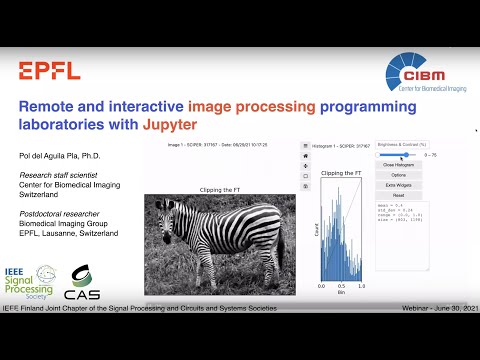](http://www.youtube.com/watch?v=AF18wN37B6Q "Image Processing Labs with Jupyter")
## Documentation
A detailed documentation can be found in the [wiki](https://github.com/Biomedical-Imaging-Group/image-access/wiki).