i18n-helper-babel
Version:
i18n 命令行工具。一键包裹,提取,翻译,统计。支持网页截图,翻译词条检测
232 lines (178 loc) • 10.4 kB
Markdown
# i18n-helper-cli
   [](http://makeapullrequest.com)
Read this in other languages: English | [简体中文](./README.md)
- [i18n-helper-cli](#i18n-helper-cli)
- [What is i18n-helper-cli](#what-is-i18n-helper-cli)
- [Why do we need i18n-helper-cli](#why-do-we-need-i18n-helper-cli)
- [Web internationalization process](#web-internationalization-process)
- [problem](#problem)
- [Solution & Principle](#solution--principle)
- [How to use i18n-helper-cli](#how-to-use-i18n-helper-cli)
- [Examples](#examples)
- [Install](#install)
- [Quick use](#quick-use)
- [Command details](#command-details)
- [Configuration details](#configuration-details)
- [Roadmap](#roadmap)
- [Other](#other)
## What is i18n-helper-cli
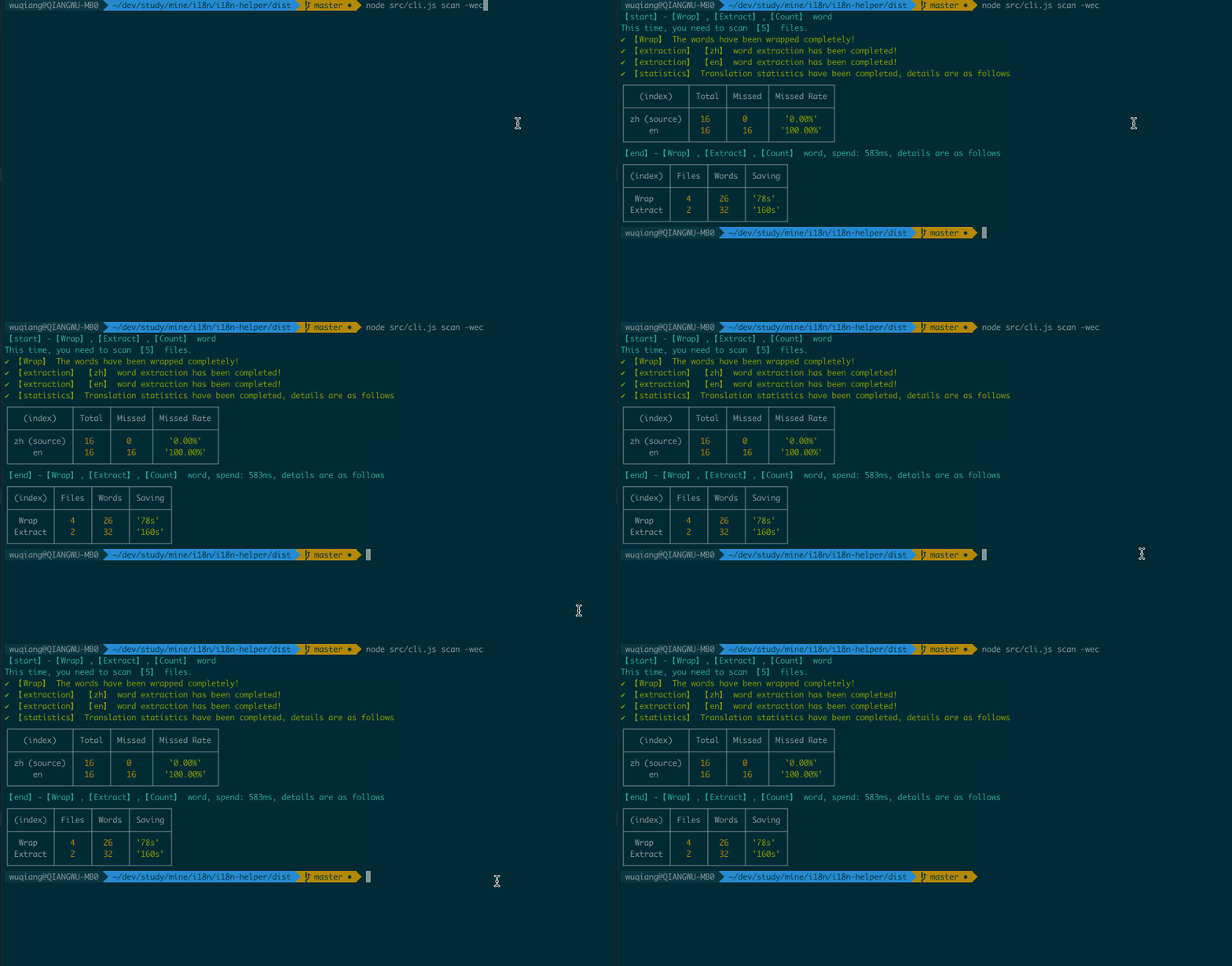
i18n-helper-cli is an overall solution for Web internationalization, including automatic `Wrap word`, `Extract word`, `Translate word`, `Translation statistics`, `Man-hour saving estimation statistics`, `Multi-language display of the webpage anomaly detection`(Coming soon) and other functions. It can greatly reduce the cost of development, testing, and translation for each role, and reduce duplication of work and low-level errors.
## Why do we need i18n-helper-cli
### Web internationalization process
During the businesses going overseas, web applications are facing more and more internationalized things. Simply, it can be divided into the following 5 steps
1. [Selection] Multi-language framework selection (It is not in the scope of this article), we choose [i18next](https://react.i18next.com/), 18n-helper-cli for multi-language framework dose not limit
2. [Development - Wrap word] From the above steps, we know that we need to wrap the word, such as `t('你好')`
3. [Development - Extract word] Copy the word wrapped in the previous step to the translation file
4. [Translation - Translation] Translate the word and fill in the translation file
5. [Test-Test Page] After the development submits the test, the multi-language page is tested
### problem
Through the above 5 steps, the internationalization of the site can be completed. This is what everyone does in most scenarios, but there is a lot of manual work here, and a lot of manual work means `repetitive inefficiency` and `increased error probability`. Let us analyze these issues from the following three stages
- 【Development stage】
1. Manually operating wrap and extract words takes a long time, but there is no personal growth. If it is a [newly developed] site, you can still be patient with `wrap word` and `extract word`, but if it is [stock modification] and internationalization of existing sites, and there are dozens of pages here Hundreds, or even more, the workload of `wrap word` and `extract word` here will collapse
2. Missing wrap, extract word
3. After extracting the word, you cannot see the effect when running the multi-language interface, you need to wait until the translation returns
- [Translation stage]
1. Translation takes a long time
2. Missing translation
- [Test Phase]
1. Multi-language page testing requires each test, which consumes a lot of time
2. Missing to test a multilingual page
So the biggest problem here is that all the above tasks need to be operated manually. The problem is clear, then what we have to do next is to hand over these manual operations to the machine to achieve automation, `improve efficiency`, and `reduce the chance of error` .
### Solution & Principle
**i18n-helper-cli can solve the above problems well.**
- [Word wrap] By compiling the code, get the `AST`, find the Node that meets the conditions (Chinese, or other languages, configurable), create a new Node according to the configuration, and replace the old Node
- [Word extraction] Same as above, also `AST`, the words found that meet the conditions and the words wrapped in the original code will be extracted together and written into the file according to the configuration
- [Word translation]
1. Translation from the source file: If there is a translation dictionary (there are common translations here), and the untranslated terms we extracted are available here, we can translate directly from here
2. Machine translation: untranslated terms call cloud services to achieve translation (here we use Tencent Cloud's translation service) -
- [Webpage multilingual display anomaly detection] Provide a list of page urls, use Cypress to take screenshots, call Tencent Cloud OCR service to extract image text, and compare them. Assuming we have an word called `hello` translated into en as `Hello`, if what we get through OCR is `Hel`, then we can think this page has a problem (Coming soon)
- [Statistics]
1. Statistics of translation words: According to the number of untranslated words in the current language / the total number of words
2. Reduce labor and time-consuming estimation: Estimate the number of words based on parcels, extractions, and translations
## How to use i18n-helper-cli
### Examples
[Please refer to example](./examples)
### Install
**Please make sure that the Nodejs version is greater than 14**
```shell
# npm install
npm install i18n-helper-cli -D
# yarn installation
yarn add i18n-helper-cli —dev
```
### Quick use
1. Generate the i18n.config.json file in the project root directory
```shell
# Interactive command line
i18n-helper init
# Generate the default configuration file, see [Configuration Instructions] for details
i18n-helper init -y
```
2. Wrap & Extract & Translate & Count
```shell
# Wrap & Extraction & Translation & Statistics Chinese words in the srcPath file in i18n.config.json
i18n-helper scan -wetc
```
3. Switch Cli language
```shell
# cli defaults to Chinese, supports language switching, currently supports zh & en
i18n-helper switch en
```
### Command details
```shell
# Wrap & Extraction & Translation & Statistics Chinese words in the srcPath file in i18n.config.json
# w:wrap e:extract t:translate tm: translate machine c:count
# l:language
# These 5 operations can be combined at will e.g. i18n-helper scan -we will only translate & extract
i18n-helper scan -wetc
i18n-helper scan -we -tm -c
# Wrap & Extraction & Translation & Statistics Specify the path, specify the terms that meet the rules in the language
# e.g i18n-helper scan -wetc -l en ./src/test/index.js
i18n-helper scan -wetc -l [language] [filepath]
i18n-helper scan -we -tm -c -l [language] [filepath]
# Wrap the Chinese words in the srcPath file in i18n.config.json
i18n-helper wrap
i18n-helper scan -w
# Wrap the Chinese word in the specified file
i18n-helper wrap [filepath]
i18n-helper scan -w [filepath]
# Extract the Chinese words in the srcPath file in i18n.config.json to all configuration language files
i18n-helper extract
i18n-helper scan -e
# Extract the Chinese word of the specified file to the specified language file
# e.g i18n-helper extract -l en ./src/test/index.js
i18n-helper extract -l [language] [filepath]
i18n-helper scan -e -l [language] [filepath]
# Translate i18n.config.json configure the translation file word, -m Tencent Translation Jun machine translation
# Translate from the translation source file
i18n-helper translate
i18n-helper scan -t
# Tencent Translation Jun automatic translation
i18n-helper translate -m
i18n-helper scan -tm
# Translate the specified language
# Translate from the translation source file
i18n-helper translate [language]
i18n-helper scan -t -l [language]
# Tencent Translator automatically translates specified language files
i18n-helper translate -m [language]
i18n-helper scan -tm -l [language]
# Count the translation status of translation files in i18n.config.json
i18n-helper count
i18n-helper scan -c
# Count the translation status of translation files in the specified language, separate for multiple languages
i18n-helper count [language]
i18n-helper scan -c -l [language]
```
### Configuration details
```javascript
module.exports = {
// cli language
cliLang: 'zh',
// Project type: react | vue | js
projectType: '[react]',
// Directory of default packages and extracted words
srcPath: './',
// Scan file format
fileExt: 'js,jsx,ts,tsx',
// The character set of the wrap, the following is Chinese
wrapCharacter: '[\u4e00-\u9fa5]',
// The name of the wrap word
wrapperFuncName: 't',
// Ignore the wrap method, multiple use, separate
excludeWrapperFuncName: 'console.log',
// The text wrapping method in jsx, true with <trans></trans>, false with the value of [wrapperFuncName]
jsx2Trans: false,
// File introduced when the file needs to be translated
importStr: `import {Trans, useTranslation, Translation, withTranslation} from'react-i18next';\n`,
// Exclude the directory, the wrap and extract word operations will not be performed under this directory
exclude: 'node_modules,dist,git',
// List of translation words
localeDir: './locales',
// Translation language
languages: 'zh,en',
// source language
sourceLanguage: 'zh',
// Translation word file name
transFileName: 'translation',
// Translation word file format: json, po
transFileExt: 'json',
// Translation thesaurus catalog (automatic translation catalog)
targetTransDir: './src/translations',
// Translation thesaurus file name
targetTransFile: 'transLib.json',
// Tencent Cloud secretId
secretId: '',
// Tencent Cloud secretKey
secretKey: '',
};
```
## Roadmap
- [ ] Webpage multilingual display anomaly detection
- [ ] Rich extraction files (po, csv, excel, etc.)
- [ ] Add git mode, only transfer the AST wrap and extract the files that are currently changed
- [ ] Word extraction cleanMode, currently if there is no word in the code, the extracted file will still have
## Other
It is still being improved, if you have any questions or suggestions, pls raise an issue.
If `i18n-help-cli` helps you to solve daily work problems and really improve efficiency, please Don't hesitate to give me a star, thank you in advance :)