hudada-cli
Version:
专为程序员准备的本地文档搜索,快捷开发工具
142 lines (102 loc) • 4.87 kB
Markdown
# Github actions 实现CI/CD
> Gitlab提供了内置的CI/CD工具,但由于Gitlab比较占内存,需要额外的服务器进行部署,所以一般都是公司用比较多,个人无脑Github
> GitHub Actions 是一种持续集成和持续交付 (CI/CD) 平台,可用于自动执行生成、测试和部署管道。
当Github提供了[Github Actions](https://docs.github.com/cn/actions) ,个人开发者也可以愉快的玩DevOps,而又不必强依赖于Jenkins、Travis CI、Gitlab CI等工具,特别是Github很大方的提供了以下配置的服务器作为runner,相当的豪
Hardware specification for Windows and Linux virtual machines:
* 2-core CPU (x86_64)
* 7 GB of RAM
* 14 GB of SSD space
Hardware specification for macOS virtual machines:
* 3-core CPU (x86_64)
* 14 GB of RAM
* 14 GB of SSD space
如果需要更强的配置,或者有网络、存储方面的特殊需求,它而且也支持[自建runner](https://docs.github.com/cn/actions/hosting-your-own-runners/about-self-hosted-runners)
## 快速开始
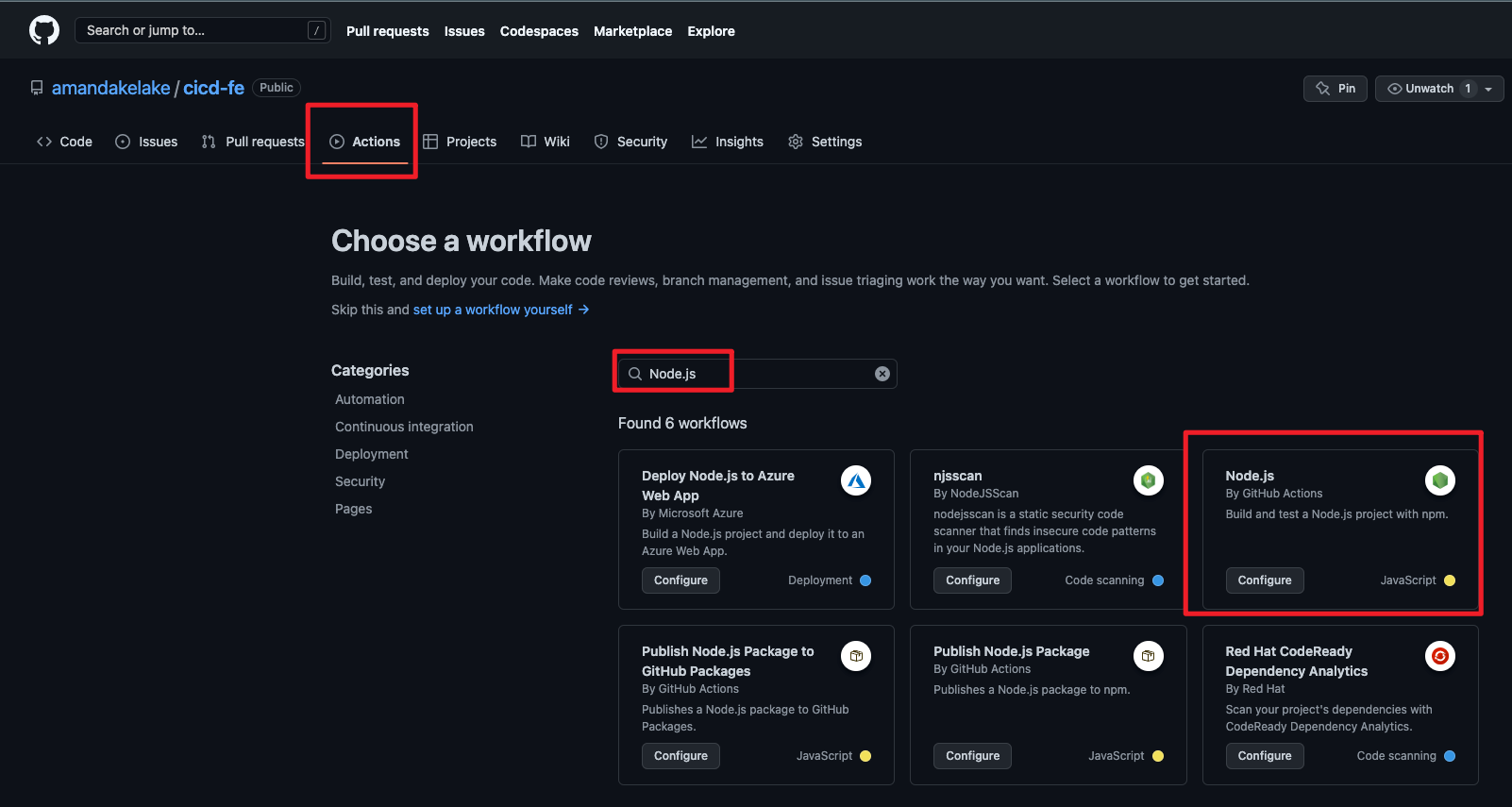
新建仓库,找到`Actions`标签页,然后搜索`Node.js`模板(前端项目),点击`Configure`
会生成一个文件`.github/workflows/node.js.yml`,已经初始化了一段脚本
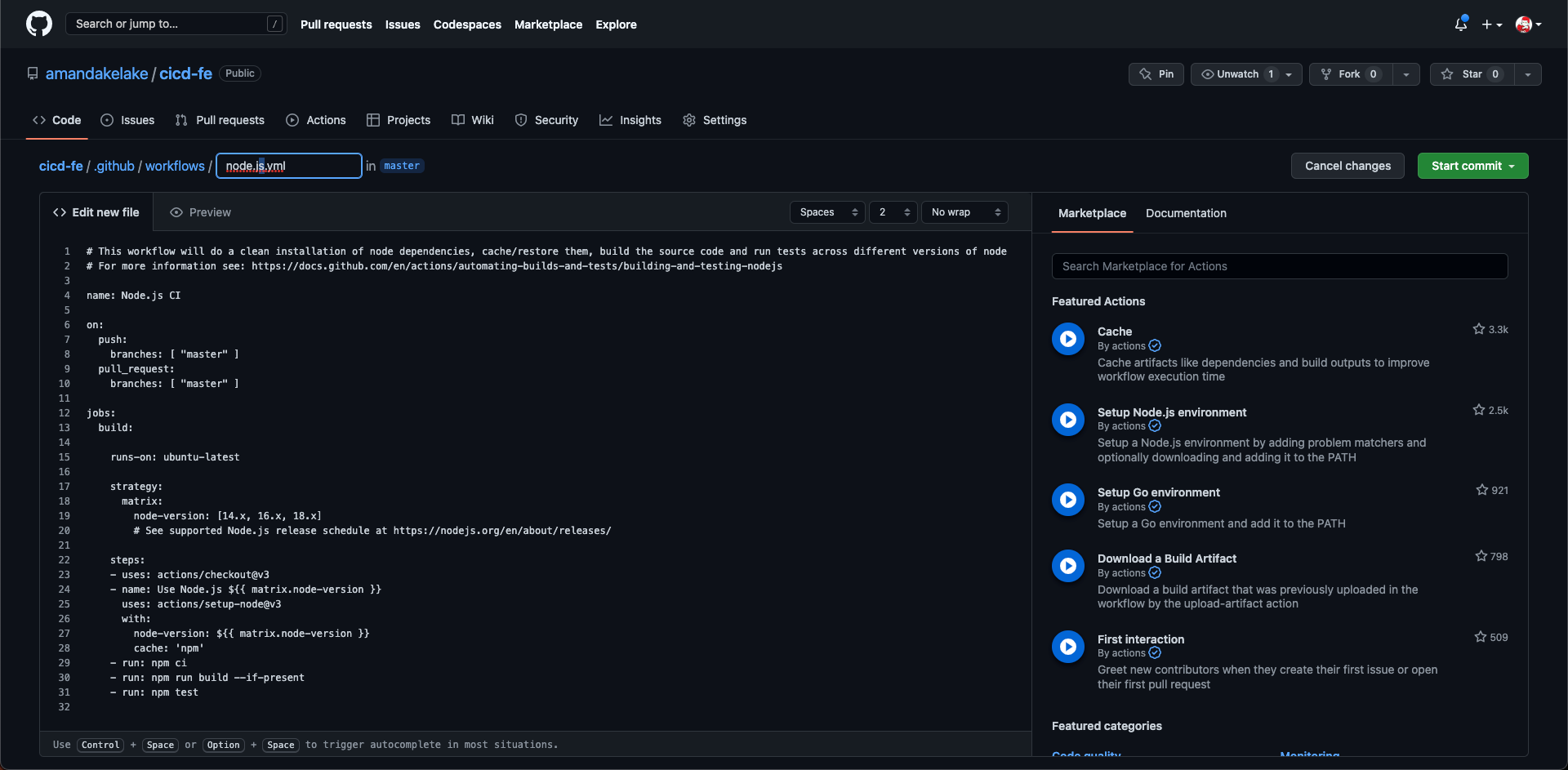
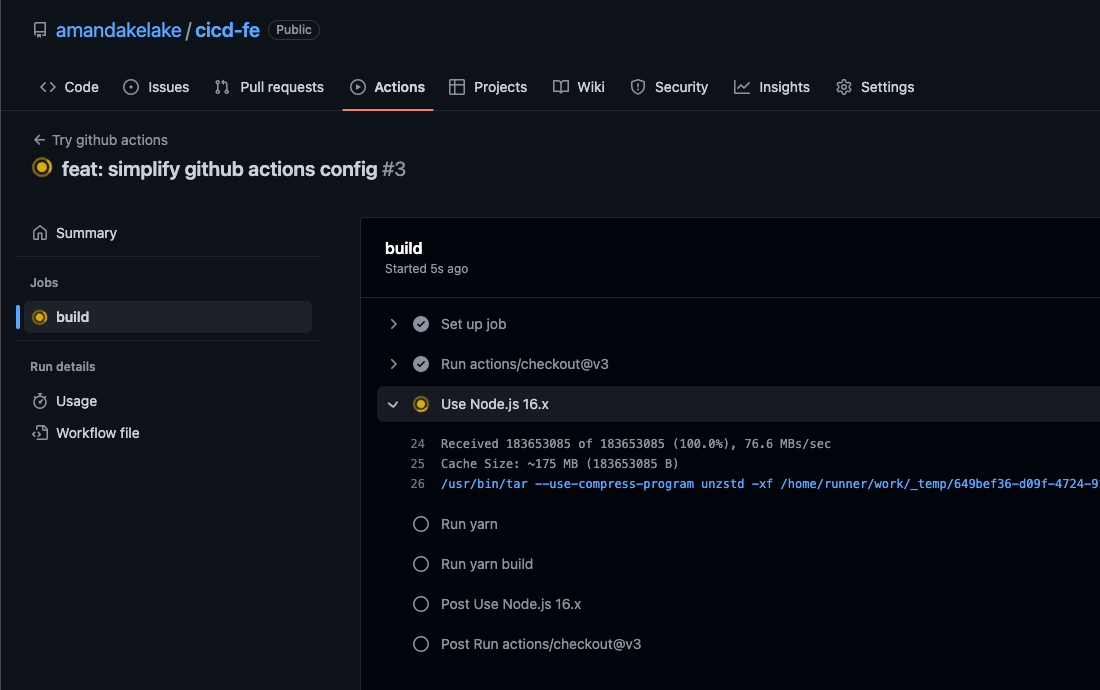
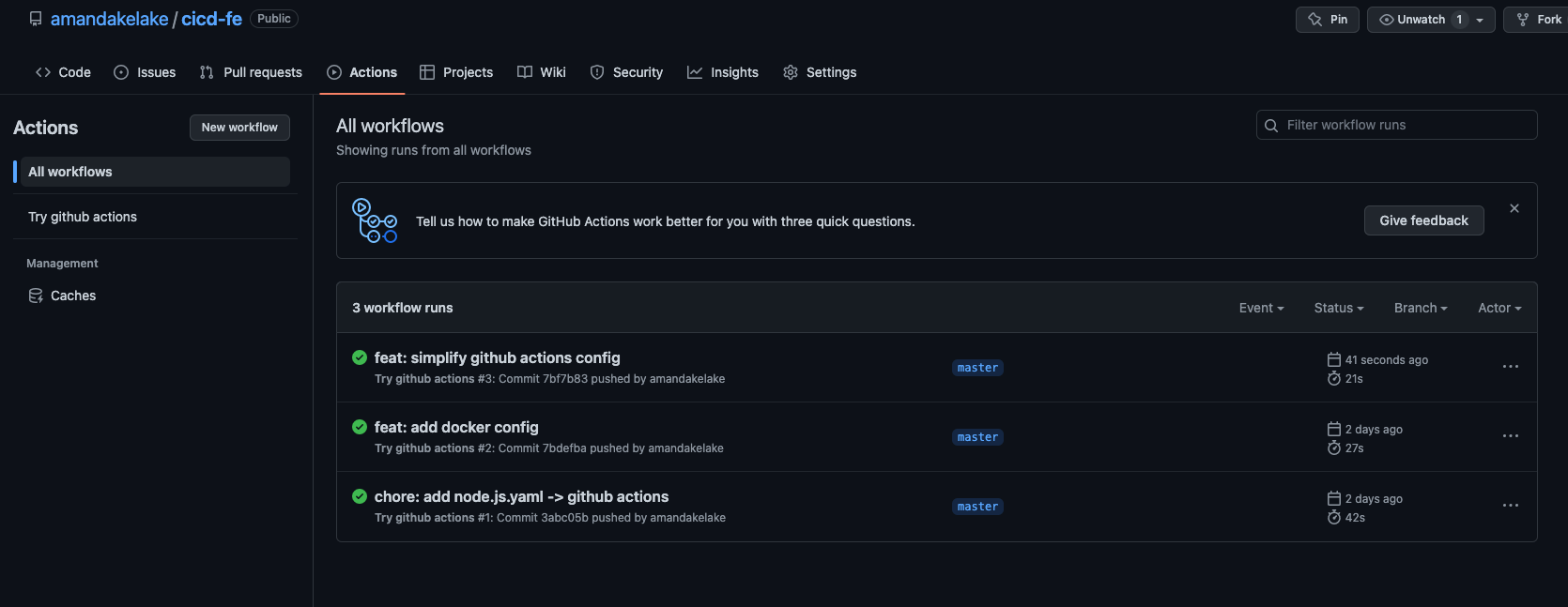
修改内容如下,并保存,然后执行`git push`操作,可以在`Actions` 标签页看到执行进度以及结果
```yaml
name: Try github actions
on: [push]
jobs:
build:
runs-on: ubuntu-latest
steps:
- uses: actions/checkout@v3
- name: Use Node.js 16.x
uses: actions/setup-node@v3
with:
node-version: 16.x
cache: 'yarn'
- run: yarn
- run: yarn build
```
## 概念与术语
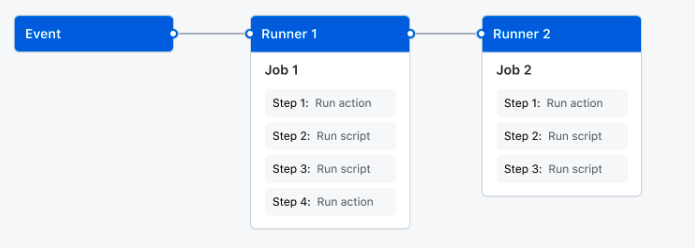
* runner:Github 分配的用来执行 CI/CD 的服务器 (也可以自建 runner)
* event:触发工作流的git仓库特定动作,比如`git push`、`pull request`等
* workflow:CI/CD工作流,一个工作流可运行多个作业job
* job:作业(任务),比如构建、部署,一个作业可运行多个step
* step:每个step通过run命令运行具体的指令/脚本
```yaml
name: Try github actions # 这个workflow的名称
on: [push] # Event,触发这个workflow的动作/条件
jobs: # 各种任务,比如下面的build就是其中一个job
build: # job的具体名称
runs-on: ubuntu-latest # 当前job运行在什么系统上
steps: # 每个name代表不同step
- uses: actions/checkout@v3
- name: Use Node.js 16.x
uses: actions/setup-node@v3
with:
node-version: 16.x
cache: 'yarn'
- run: yarn
- run: yarn build
```
## 配置
[Workflow syntax for GitHub Actions - GitHub Docs](https://docs.github.com/en/actions/using-workflows/workflow-syntax-for-github-actions)
#### jobs之间依赖关系
`jobs.<job_id>.needs`
```yaml
jobs:
test:
deploy:
needs: test
```
#### actions复用
`jobs.<job_id>.steps.uses`
选择一个`action`,等于写了很多的 `steps.run`,只要是写代码的地方,就有复用
可以在`github marketplace`浏览别人写的actions,然后复用
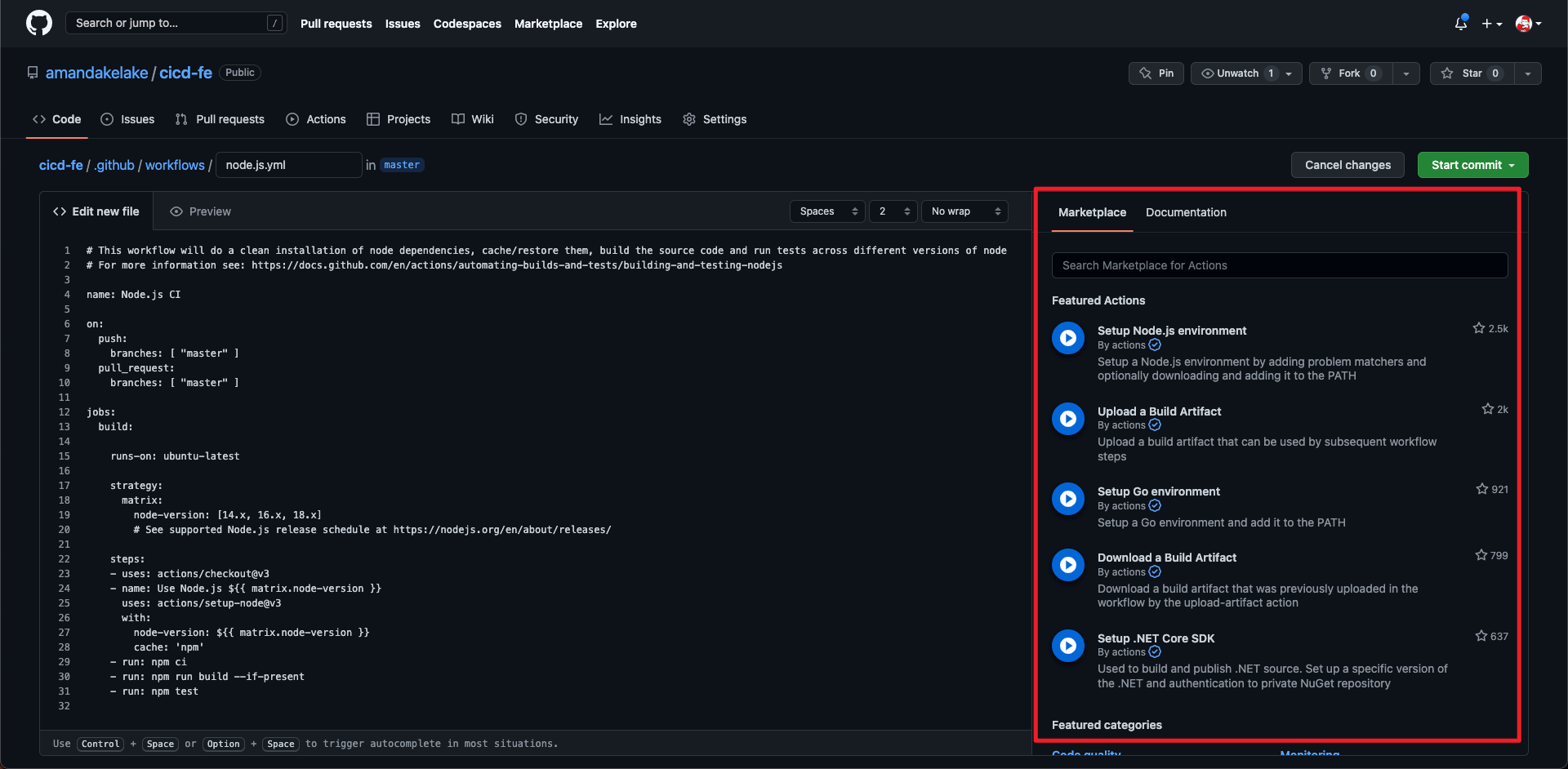
比如复用`在操作系统安装node`的实例
```yaml
- name: use Node.js 10.x
uses: actions/setup-node@v1
with:
node-version: 10.x
```
#### secret and context
如何配置敏感数据或环境变量呢?
在仓库设置`actions secret`
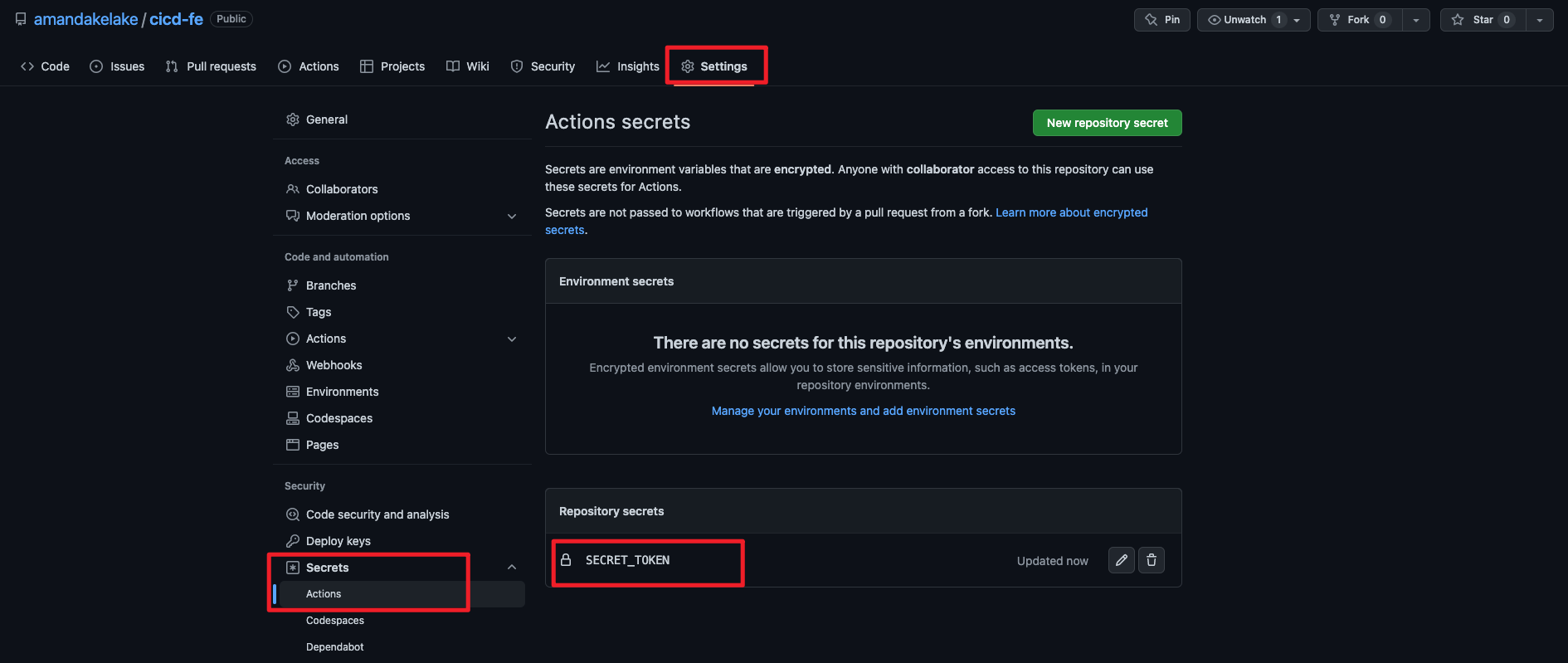
在配置中使用
```yaml
jobs:
triage:
runs-on: ubuntu-latest
steps:
- uses: actions/build
with:
repo-token: ${{ secrets.SECRET_TOKEN }}
```
`context`是属于workflow中的上下文信息,用`$`符合表示,除了上面的`secret`,还有几种context类型
* github:workflow的基础信息,比如`github.sha -> 当前commit SHA`,可以作为docker image的版本号
* env:环境变量
* job:当前执行 job 的信息,比如`job.status -> 当前job的执行状态`
* matrix:构建信息,比如系统版本、node版本
更多可参考[Contexts - GitHub Docs](https://docs.github.com/en/actions/learn-github-actions/contexts#job-context)