hexo-theme-maple
Version:
It is concise but not simple. 一款简约而不简单的Hexo主题
111 lines (81 loc) • 1.8 kB
Markdown
<p align='center'>
<img src='https://raw.githubusercontent.com/xbmlz/hexo-theme-maple/main/source/images/logo.svg' alt='Hexo-theme-maple' width='120'/>
</p>
<p align='center'>
一款简约而不简单的HEXO主题
</p>
<br>
<p align='center'>
<a href="https://xbmlz.github.io">演示站点</a>
</p>
<p align='center'>
<a href="https://github.com/xbmlz/hexo-theme-maple/blob/main/README.md">English</a> | <b>简体中文</b>
</p>
<br>
## 特性
- 📦 开箱即用,几乎零配置
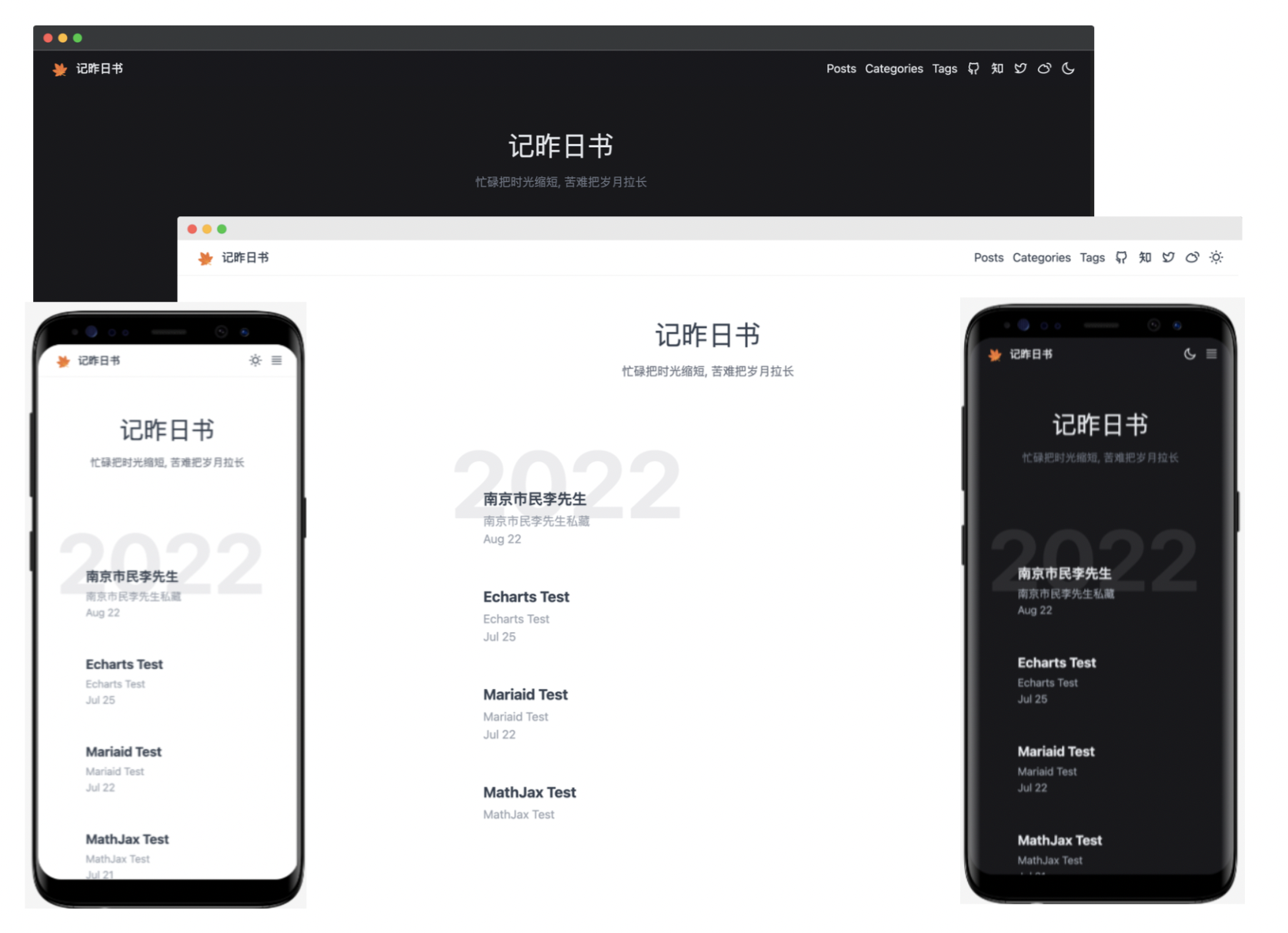
- 🎨 自动切换明/暗主题
- 💻 移动端自适应
- 💹 百度/谷歌分析统计
- ⚗️ [MathJax 支持](http://docs.mathjax.org/en/latest/)
- ⚡️ [Mermaid 支持](https://mermaid-js.github.io/mermaid)
- 🖼️ [Fancybox 支持](https://fancyapps.com/docs/ui/fancybox)
- 🦜 [Giscus Support](https://giscus.app/zh-CN)
- 📊 [ECharts 支持](https://echarts.apache.org/)
## 安装
Local git install:
```bash
cd your-blog/themes
git clone https://github.com/xbmlz/hexo-theme-maple.git themes/maple
```
## 开启
修改 `theme` setting in `_config.yml` to `maple`.
```diff
_config.yml
- theme: some-theme
+ theme: maple
```
## 更新
```bash
cd themes/maple
git pull
```
## 配置
```yaml
# Header
nav:
Posts: /archives
Categories: /category
Tags: /tag
# favicon
favicon: /favicon.ico
# logo
logo: /images/logo.svg
# links
links:
Github: https://github.com/xbmlz
# ZhiHu:
# Twitter:
# Weibo:
# analytics
google_analytics:
baidu_analytics:
# mathjax
fancybox: true
# mathjax
mathjax: true
# mermaid
mermaid:
enable: true
# Available themes: default | dark | forest | neutral
theme: default
# giscus
giscus:
enable: true
repo:
repo_id:
category:
category_id:
mapping:
```