hexo-theme-essence
Version:
A Simple Clean Theme for Hexo with user-friendly Navigation System.
158 lines (106 loc) • 3.96 kB
Markdown
# Essence
[](https://www.npmjs.com/package/hexo-theme-essence) [](https://app.fossa.com/projects/git%2Bgithub.com%2Fsshwy%2Fhexo-theme-essence?ref=badge_shield)
Essence is a functional and darkmode featured theme for Hexo.
Visit [Sshwy's Notes](https://notes.sshwy.name) for preview.
[TOC]
## Features Quick View :hammer:
- :first_quarter_moon: Dark mode.
- :lock: Encrypt tag for paragraphs of your post.
- :package: Iconfont instead of font awesome. So if you need more icons you have to collect them yourself.
- :open_file_folder: Folder categorized instead of manually writing it into frontmatter.
- :cloud: Leancloud storage project for Valine.
- :iphone: Responsive layout.
- :mag: Local search.
## Installation :inbox_tray:
You can simply install it as a node module:
```bash
npm install hexo-theme-essence --save
# or
yarn install hexo-theme-essence --save
```
On another hand, the traditional way is still working, which means you clone this repository under `<YourBlog>/themes/essence/`:
```bash
cd <YourBlog>
mkdir --parents themes
git clone --depth 1 https://github.com/sshwy/hexo-theme-essence.git themes/essence
```
Whatever way you choose, please install these peer dependencies as well:
```bash
npm install hexo-renderer-stylus hexo-renderer-ejs --save
# or
yarn install hexo-renderer-stylus hexo-renderer-ejs --save
```
It's worth reminding that `hexo-renderer-stylus` and `hexo-renderer-ejs` is hexo's default render engine.
## Configuration :gear:
First of all, create a copy of [default configuration](https://github.com/sshwy/hexo-theme-essence/blob/main/_config.yml) under `<YourBlog>/`, renaming it to `_config.essence.yml`.
Then you can follow the comments to modify it just as you want :smile:.
If you use traditional way to install, Modifying `<YourBlog>/themes/essence/_config.yml` directly is also a way, but not recommended.
## Builtin Tag Plugins
Essence prepared some useful hexo tag plugins for you.
### Codeforces User ID
Inserts a user handle with Codeforces-like color style.
```
{% codeforces rating_label @ username %}
{% cf rating_label @ username %}
```
`rating_label` insensitively can be:
- `lgm` for *legendary grand master*
- `igm` for *international grand master*
- `gm` for *grand master*
- `im` for *international master*
- `m` for *master*
- `cm` for *candidate master*
- `e` for *expert*
- `s` for *specialist*
- `p` for *pupil*
- `unr` for *unrated*
Examples:
```
{% codeforces im @ sshwyR %}
{% cf im @ sshwyR %}
```
### Details Block
Produce a HTML details block:
```
{% details [open] [@ title] %}
[content]
{% enddetails %}
```
Examples:
```
{% details open @ Default set to open %}
Details **Content**
{% enddetails %}
```
```
{% details @ Default set to close %}
Details **Content**
{% enddetails %}
```
```
{% details %}
No title
{% enddetails %}
```
### Post Content Encrypt
Encrypt part of your post with custom password.
```
{% enc password [hint] %}
[content]
{% endenc %}
```
Examples:
```
{% enc 123456 password: 123456 (space is not allowed in password but allowed in hint) %}
test
{% enc 123456 123456 %}
Hi, there!
{% endenc %}
{% endenc %}
```
**known issue**: Can't work with markdown code fence block inside. solution: [hexo code block tag plugin](https://hexo.io/docs/tag-plugins.html#Code-Block)
## Contributing :fountain_pen:
Pull requests are welcome. For major changes and feature requests, please open an issue first to discuss what you would like to change or request.
## License :page_facing_up:
View [LICENSE.md](./LICENSE.md) for detailed information.
[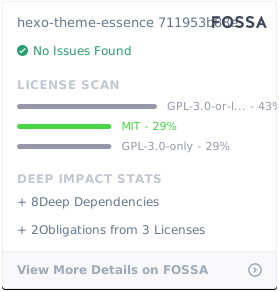](https://app.fossa.com/projects/git%2Bgithub.com%2Fsshwy%2Fhexo-theme-essence?ref=badge_large)