headless-mermaid
Version:
A mermaid.js handler for server-side rendering.
103 lines (72 loc) • 3.37 kB
Markdown
# headless-mermaid
A [mermaid.js](https://github.com/mermaid-js/mermaid) handler for server-side rendering for Node.js.
## Why and What
`mermaid.js` needs a browser to render the diagrams which makes it a challenge to render scalable vector graphics for server-side applications. `headless-mermaid` makes use of a headless-chromium to render the graphics and return the scalable vector graphic element.
## Usage
### Installation
Install using npm:
```sh
$ npm install headless-mermaid
```
### Calling the API
`headless-mermaid` uses async and await functionalities to handle interactions. The module can be implemented using `async/await` or by handling the returned `Promise <string>`.
#### execute(code \<string>, config? \<object>, script? \<string>)
The `execute` function takes mermaid code with optional configurations and version number as parameters and on success returns the scalable vector graphic rendered from the mermaid code.
#### Configuration
The configuration is the same as one you would use in normal `mermaid.initialize()` calls.
#### Script
The `script` parameter defaults to `mermaid.min@8.5.2`. `headless-mermaid` uses cdnjs to access mermaid API in the template. The script and version can be adjusted with a script identifier as `<filename[.js]>@<version>`. The `.js` in file name is optional. This parameter can only be changed to a version supported by cdnjs. You can see the supported file names and versions from [here](https://cdnjs.com/libraries/mermaid/).
### Example of usage
#### async/await
```js
const mermaid = require("headless-mermaid"),
fs = require("fs");
let config = {
theme: "forest",
sequence: {
showSequenceNumbers: true,
},
},
code = `
sequenceDiagram
Alice ->> Bob: Hello Bob, how are you?
Bob-->>John: How about you John?
Bob--x Alice: I am good thanks!
Bob-x John: I am good thanks!
Note right of John: Bob thinks a long<br/>long time, so long<br/>that the text does<br/>not fit on a row.
Bob-->Alice: Checking with John...
Alice->John: Yes... John, how are you?`;
// Use try...catch to handle error
(async () => {
let svg = await mermaid.execute(code, config); // execute(code, config, "mermaid@8.5.0"); to use mermaid.js from version 8.5.0.
fs.writeFileSync("output.svg", svg);
})();
```
#### Promise
```js
const mermaid = require("headless-mermaid"),
fs = require("fs");
let config = {
theme: "forest",
sequence: {
showSequenceNumbers: true,
},
},
code = `
sequenceDiagram
Alice ->> Bob: Hello Bob, how are you?
Bob-->>John: How about you John?
Bob--x Alice: I am good thanks!
Bob-x John: I am good thanks!
Note right of John: Bob thinks a long<br/>long time, so long<br/>that the text does<br/>not fit on a row.
Bob-->Alice: Checking with John...
Alice->John: Yes... John, how are you?`;
// Use catch/rejection for error handling
mermaid.execute(code, config).then((svg) => {
fs.writeFileSync("output.svg", svg);
});
```
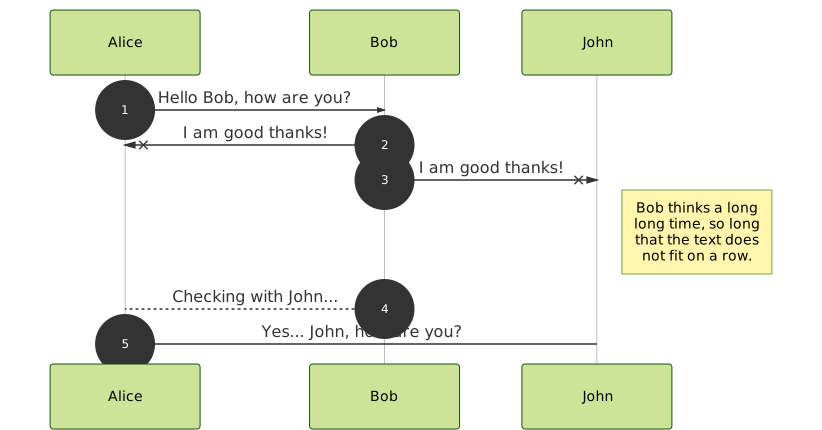
#### Output
## Contribution
Contributions are welcome but **please** don't make Pull Requests for typos, grammatical mistakes, _"sane way"_ of doing it, etc. Open an issue for it. Thanks!