hana-cli
Version:
HANA Developer Command Line Interface
1,047 lines (842 loc) • 119 kB
Markdown
# SAP HANA Developer Command Line Interface
[](https://api.reuse.software/info/github.com/SAP-samples/hana-developer-cli-tool-example)
The [change log](CHANGELOG.md) describes notable changes in this package.
## Description
This sample is intended to shown how one could build a developer-centric SAP HANA command line tool, particularly designed to be used when performing local SAP HANA development in non-SAP tooling (like VSCode). It utilizes the default-env.json that is often used in local development for connectivity to a remote SAP HANA DB (although it can of course be used with a local SAP HANA, express edition instance as well). There is no intention to replacing the hdbsql tool as a generic SQL console. Instead this sample will focus on simplifying and grouping common and complex commands that otherwise might a lot of separate scripts.
Introduction Video: [https://youtu.be/dvVQfi9Qgog](https://youtu.be/dvVQfi9Qgog)
However the tool isn't limited to only local development. It also works well when developing in the cloud. The hana-cli tool can also run well from a cloud shell in the SAP Business Application Studio, Google Cloud Shell, AWS Cloud9, etc. We can also run against a SAP HANA service for SAP BTP or SAP HANA Cloud instance. This demonstrates that the tool can run just about anywhere you can get a command line that has access to the Node.js Runtime. We can also connect to a remote HANA instance even if it isn't running in the same cloud environment in which we are performing our development tasks.
Running in Cloud Shells Video: [https://youtu.be/L7QyVLvAIIQ](https://youtu.be/L7QyVLvAIIQ)
## Requirements / Download and Installation
If you would rather just access the tool directly, it is now available in npm as well. You can install via:
```shell
npm install -g hana-cli
```
Otherwise you can also run it from the sources as described here:
* Install Node.js version 14.x or 16.x on your development machine [https://nodejs.org/en/download/](https://nodejs.org/en/download/)
* @sap Node.js packages have moved from https://npm.sap.com to the default registry https://registry.npmjs.org. As future versions of @sap modules are going to be published only there, please make sure to adjust your registry with:
```shell
npm config delete @sap:registry
```
* Clone the repository from [https://github.com/SAP-samples/hana-developer-cli-tool-example](https://github.com/SAP-samples/hana-developer-cli-tool-example)
```shell
git clone https://github.com/SAP-samples/hana-developer-cli-tool-example
```
* Run NPM install from the root of the hana-developer-cli-tool-example project you just cloned to download dependencies
```shell
npm install
```
* Run NPM link from the cloned project root to make the hana-cli command available from everywhere [https://docs.npmjs.com/cli/link](https://docs.npmjs.com/cli/link)
```shell
npm link
```
[](https://asciinema.org/a/301560)
## Security
This application primarily uses the default-env.json that is often used in local development for connectivity to a remote HANA DB (although it can of course be used with a local SAP HANA, express edition instance as well). For more details on how the default-env.json works, see the readme.md of the @sap/xsenv package or the @sap/hdi-deploy package.
The tool doesn't simply look for a default-env.json file in the current directory however. There are numerous options and places it will look for the connection parameters. Here is the order in which it checks:
- First we look for the Admin option and use a default-env-admin.json - this overrides all other parameters
- If no admin option or if there was an admin option but no default-env-admin.json could be found in this directory or 5 parent directories, then look for `.cdsrc-private.json` in this directory or 5 parent directories and use [`cds bind`](https://cap.cloud.sap/docs/advanced/hybrid-testing#bind-to-cloud-services) functionality to lookup the credentials securely. This is the most secure option, but please note: this will make each command take a few seconds longer as credentials are no longer stored locally but looked up from cf or k8s dynamically with each command
- If no `.cdsrc-private.json` found in this directory or 5 parent directories, then look for a .env file in this directory or up to 5 parent directories
- No .env file found or it doesn't contain a VCAP_SERVICES section, then check to see if the --conn parameter was specified. If so check for that file in the current directory or up to 5 parent directories
- If the file specified via the --conn parameter wasn't found locally then check for it in the ${homedir}/.hana-cli/ folder
- If no specific configuration file was was found then look for a file named default-env.json in the current directory or up to 5 parent directories
- Last resort if nothing has been found up to this point - look for a file named default.json in the ${homedir}/.hana-cli/ folder
## Examples
A lot of the functionality of this tool revolves around typical tasks you face while doing HANA database development.
For example you might want to get a list of all views in your current schema/container:
```shell
C:\github\hana-xsa-opensap-hana7\user_db>hana-cli views
Schema: OPENSAP_HANA_USER, View: *
SCHEMA_NAME VIEW_NAME VIEW_OID COMMENTS
----------------- ------------------------------------------- -------- ------------
OPENSAP_HANA_USER user.models::USER_DETAILS 171133 USER_DETAILS
OPENSAP_HANA_USER user.models::USER_DETAILS/hier/USER_DETAILS 171139 null
```
Then perhaps you want to inspect a view to see the columns and their data types:
```shell
C:\github\hana-xsa-opensap-hana7\user_db>hana-cli view * user.models::USER_DETAILS
Schema: %, View: user.models::USER_DETAILS
{ SCHEMA_NAME: 'OPENSAP_HANA_USER',
VIEW_NAME: 'user.models::USER_DETAILS',
VIEW_OID: 171133,
COMMENTS: 'USER_DETAILS',
IS_COLUMN_VIEW: 'TRUE',
VIEW_TYPE: 'CALC',
HAS_STRUCTURED_PRIVILEGE_CHECK: 'TRUE',
HAS_PARAMETERS: 'TRUE',
HAS_CACHE: 'NONE',
CREATE_TIME: '2019-07-30 13:14:15.594000000' }
SCHEMA_NAME VIEW_NAME VIEW_OID COLUMN_NAME POSITION DATA_TYPE_NAME OFFSET LENGTH SCALE IS_NULLABLE DEFAULT_VALUE CS_DATA_TYPE_NAME COLUMN_ID COMMENTS
----------------- ------------------------- -------- ----------- -------- -------------- ------ ------ ----- ----------- ------------- ----------------- --------- ---------
OPENSAP_HANA_USER user.models::USER_DETAILS 171133 EMAIL 1 NVARCHAR 0 255 null TRUE null STRING 171135 Email
OPENSAP_HANA_USER user.models::USER_DETAILS 171133 FIRSTNAME 2 NVARCHAR 0 40 null TRUE null STRING 171136 FirstName
OPENSAP_HANA_USER user.models::USER_DETAILS 171133 LASTNAME 3 NVARCHAR 0 40 null TRUE null STRING 171137 LastName
OPENSAP_HANA_USER user.models::USER_DETAILS 171133 USERID 4 INTEGER 0 10 0 TRUE null INT 171138 UserId
```
But there are multiple output options for inspection. Perhaps you are using Cloud Application Programming Model and need to create a proxy entity in CDS for a view. This tool will read the catalog metadata and convert it to CDS:
```shell
C:\github\hana-xsa-opensap-hana7\user_db>hana-cli view OPENSAP_HANA_USER user.models::USER_DETAILS -o cds
Schema: OPENSAP_HANA_USER, View: user.models::USER_DETAILS
@cds.persistence.exists
Entity user_modelsUSER_DETAILS {
key "EMAIL": String(255) null @title: 'EMAIL: Email' ;
key "FIRSTNAME": String(40) null @title: 'FIRSTNAME: FirstName' ;
key "LASTNAME": String(40) null @title: 'LASTNAME: LastName' ;
key "USERID": Integer null @title: 'USERID: UserId' ;
}
```
Or maybe you are service enabling this view and you want to see it converted to EDMX:
```shell
C:\github\hana-xsa-opensap-hana7\user_db>hana-cli view OPENSAP_HANA_USER user.models::USER_DETAILS -o edmx
Schema: OPENSAP_HANA_USER, View: user.models::USER_DETAILS
<?xml version="1.0" encoding="utf-8"?>
<edmx:Edmx Version="1.0" xmlns:edmx="http://schemas.microsoft.com/ado/2007/06/edmx" xmlns:m="http://schemas.microsoft.com/ado/2007/08/dataservices/metadata" xmlns:sap="http://www.sap.com/Protocols/SAPData">
<edmx:Reference Uri="https://wiki.scn.sap.com/wiki/download/attachments/448470974/Common.xml?api=v2" xmlns:edmx="http://docs.oasis-open.org/odata/ns/edmx">
<edmx:Include Alias="Common" Namespace="com.sap.vocabularies.Common.v1"/>
</edmx:Reference>
<edmx:DataServices m:DataServiceVersion="2.0">
<Schema Namespace="HanaCli" xmlns="http://schemas.microsoft.com/ado/2008/09/edm">
<EntityContainer Name="EntityContainer" m:IsDefaultEntityContainer="true">
<EntitySet Name="user_modelsUSER_DETAILS" EntityType="HanaCli.user_modelsUSER_DETAILS"/>
</EntityContainer>
<EntityType Name="user_modelsUSER_DETAILS">
<Key>
<PropertyRef Name="EMAIL"/>
<PropertyRef Name="FIRSTNAME"/>
<PropertyRef Name="LASTNAME"/>
<PropertyRef Name="USERID"/>
</Key>
<Property Name="EMAIL" Type="Edm.String" MaxLength="255"/>
<Property Name="FIRSTNAME" Type="Edm.String" MaxLength="40"/>
<Property Name="LASTNAME" Type="Edm.String" MaxLength="40"/>
<Property Name="USERID" Type="Edm.Int32"/>
</EntityType>
<Annotations Target="HanaCli.user_modelsUSER_DETAILS/EMAIL" xmlns="http://docs.oasis-open.org/odata/ns/edm">
<Annotation Term="Common.Label" String="EMAIL: Email"/>
</Annotations>
<Annotations Target="HanaCli.user_modelsUSER_DETAILS/FIRSTNAME" xmlns="http://docs.oasis-open.org/odata/ns/edm">
<Annotation Term="Common.Label" String="FIRSTNAME: FirstName"/>
</Annotations>
<Annotations Target="HanaCli.user_modelsUSER_DETAILS/LASTNAME" xmlns="http://docs.oasis-open.org/odata/ns/edm">
<Annotation Term="Common.Label" String="LASTNAME: LastName"/>
</Annotations>
<Annotations Target="HanaCli.user_modelsUSER_DETAILS/USERID" xmlns="http://docs.oasis-open.org/odata/ns/edm">
<Annotation Term="Common.Label" String="USERID: UserId"/>
</Annotations>
</Schema>
</edmx:DataServices>
</edmx:Edmx>
```
This tool will even create a temporary OData V4 service for any existing table, view or Calculation View and launch a test Fiori Ui locally.

## Commands
### activateHDI
```shell
hana-cli activateHDI [tenant]
[aliases: ahdi, ah]
Activate the HDI service in a particluar SAP HANA Tenant (Must be ran in the
SYSTEMDB)
Connection Parameters:
-a, --admin, --Admin Connect via admin (default-env-admin.json)
[boolean] [default: false]
--conn Connection Filename to override default-env.json
Troubleshooting:
--disableVerbose, --quiet Disable Verbose output - removes all extra
output that is only helpful to human readable
interface. Useful for scripting commands.
[boolean] [default: false]
--debug, --Debug Debug hana-cli itself by adding output of LOTS
of intermediate details
[boolean] [default: false]
Options:
-t, --tenant, --Tenant SAP HANA Tenant [string]
```
### adminHDI
```shell
hana-cli adminHDI [user] [password]
[aliases: adHDI, adhdi]
Create an Admin User for HDI or assign HDI admin privileges to an existing user
Connection Parameters:
-a, --admin, --Admin Connect via admin (default-env-admin.json)
[boolean] [default: false]
--conn Connection Filename to override default-env.json
Troubleshooting:
--disableVerbose, --quiet Disable Verbose output - removes all extra
output that is only helpful to human readable
interface. Useful for scripting commands.
[boolean] [default: false]
--debug, --Debug Debug hana-cli itself by adding output of LOTS
of intermediate details
[boolean] [default: false]
Options:
-u, --user, --User User
-p, --password, --Password Password
-c, --create, --Create Set this parameter to false to reuse an existing
database user and assign the HDI admin privileges
to this user. In this case a dummy password can
be given.
[boolean] [default: false]
```
### adminHDIGroup
```shell
hana-cli adminHDIGroup [user] [group]
[aliases: adHDIG, adhdig]
Add a User as an HDI Group Admin
Connection Parameters:
-a, --admin, --Admin Connect via admin (default-env-admin.json)
[boolean] [default: false]
--conn Connection Filename to override default-env.json
Troubleshooting:
--disableVerbose, --quiet Disable Verbose output - removes all extra
output that is only helpful to human readable
interface. Useful for scripting commands.
[boolean] [default: false]
--debug, --Debug Debug hana-cli itself by adding output of LOTS
of intermediate details
[boolean] [default: false]
Options:
-u, --user, --User User
-g, --group, --Group HDI Group [string] [default: "SYS_XS_HANA_BROKER"]
```
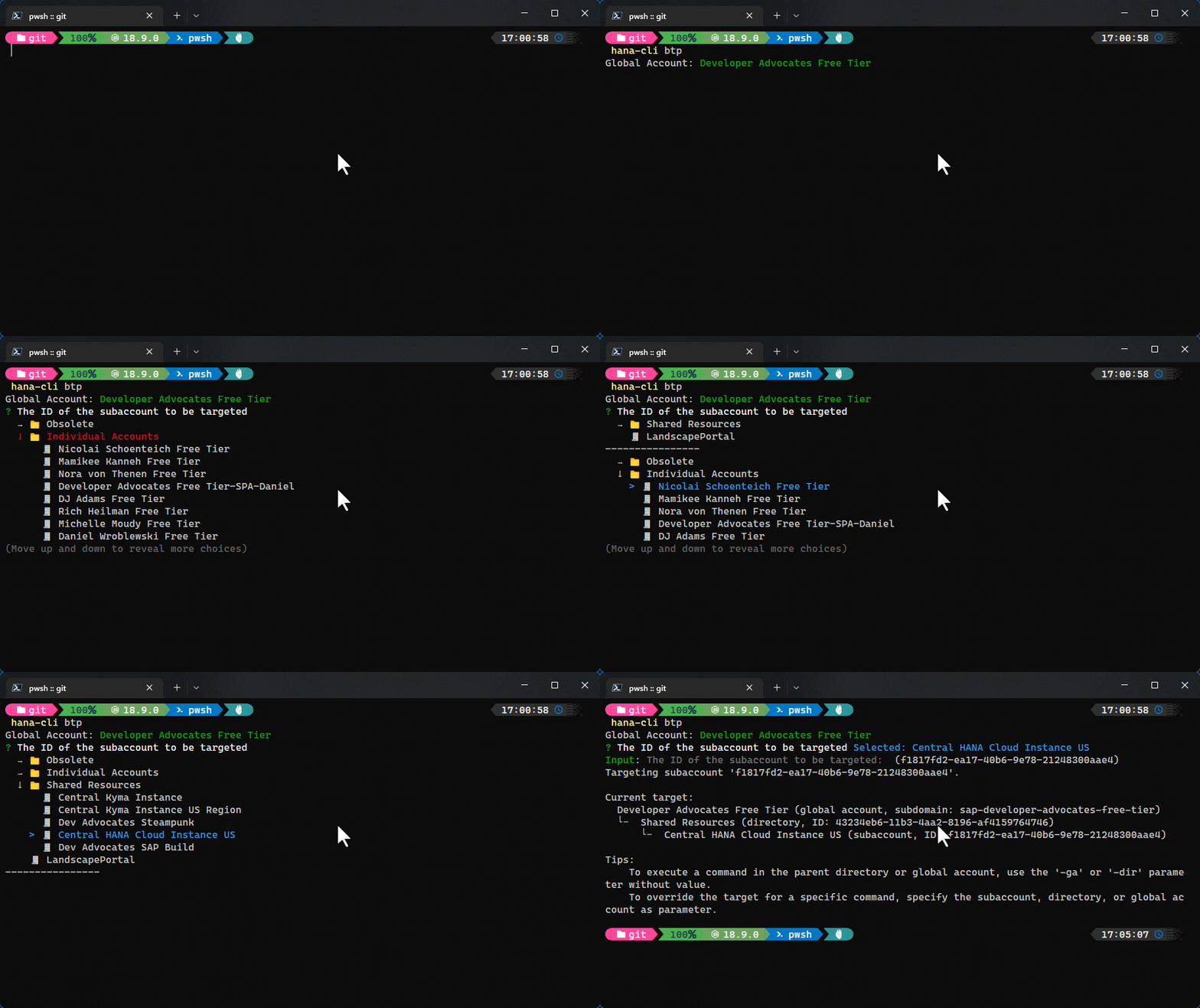
### btp
```shell
hana-cli btp [directory] [subaccount]
Set the target for commands for the btp CLI to the global account, a directory,
or a subaccount. Commands are executed in the specified target, unless you override it using a parameter. If the specified target is part of an account hierarchy, its parents are also targeted, so that if a command is only available on a higher level, it will be executed there.
Troubleshooting:
--disableVerbose, --quiet Disable Verbose output - removes all extra output t
hat is only helpful to human readable interface. Us
eful for scripting commands.
[boolean] [default: false]
--debug, --Debug Debug hana-cli itself by adding output of LOTS of i
ntermediate details [boolean] [default: false]
Options:
--subaccount, --sa The ID of the subaccount to be targeted [string]
```
### btpInfo
```shell
Detailed Information about btp CLI target
Troubleshooting:
--disableVerbose, --quiet Disable Verbose output - removes all extra outp
ut that is only helpful to human readable inter
face. Useful for scripting commands.
[boolean] [default: false]
--debug, --Debug Debug hana-cli itself by adding output of LOTS
of intermediate details
[boolean] [default: false]
Options:
-o, --output, --Output Output Format for inspection
[string] [choices: "tbl", "json"] [default: "tbl"]
```
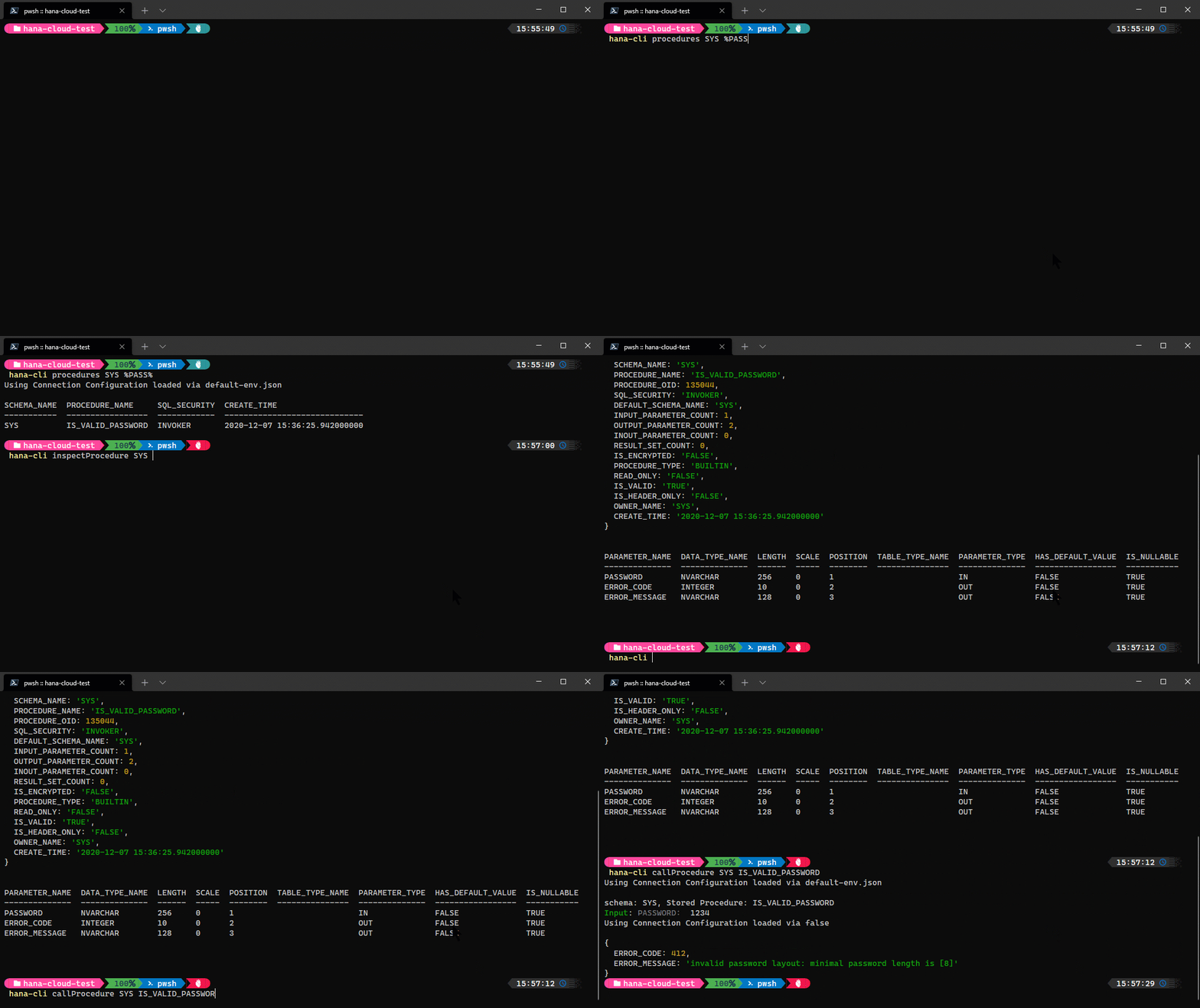
### callProcedure
```shell
hana-cli callProcedure [schema] [procedure]
[aliases: cp, callprocedure, callProc, callproc, callSP, callsp]
Call a stored procedure and display the results
Connection Parameters:
-a, --admin, --Admin Connect via admin (default-env-admin.json)
[boolean] [default: false]
--conn Connection Filename to override default-env.json
Troubleshooting:
--disableVerbose, --quiet Disable Verbose output - removes all extra
output that is only helpful to human readable
interface. Useful for scripting commands.
[boolean] [default: false]
--debug, --Debug Debug hana-cli itself by adding output of LOTS
of intermediate details
[boolean] [default: false]
Options:
-p, --procedure, --Procedure, --sp Stored Procedure [string]
-s, --schema, --Schema schema
[string] [default: "**CURRENT_SCHEMA**"]
```
### certificates
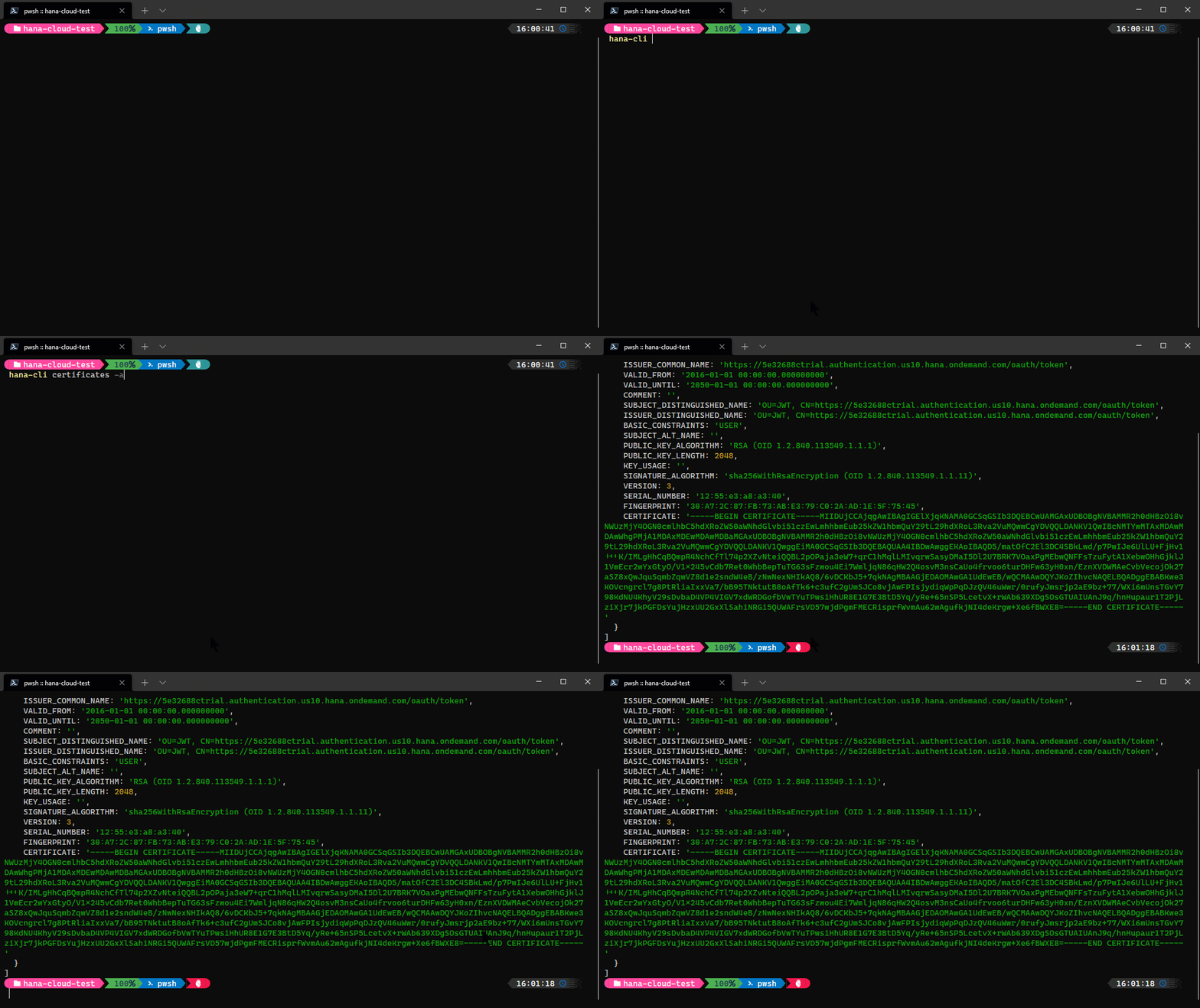
```shell
hana-cli certificates
[aliases: cert, certs]
List System Certificates
Connection Parameters:
-a, --admin, --Admin Connect via admin (default-env-admin.json)
[boolean] [default: false]
--conn Connection Filename to override default-env.json
Troubleshooting:
--disableVerbose, --quiet Disable Verbose output - removes all extra
output that is only helpful to human readable
interface. Useful for scripting commands.
[boolean] [default: false]
--debug, --Debug Debug hana-cli itself by adding output of LOTS
of intermediate details
[boolean] [default: false]
```
### cds
```shell
hana-cli cds [schema] [table]
[aliases: cdsPreview]
Display a DB object via CDS
Connection Parameters:
-a, --admin, --Admin Connect via admin (default-env-admin.json)
[boolean] [default: false]
--conn Connection Filename to override default-env.json
Troubleshooting:
--disableVerbose, --quiet Disable Verbose output - removes all extra
output that is only helpful to human readable
interface. Useful for scripting commands.
[boolean] [default: false]
--debug, --Debug Debug hana-cli itself by adding output of LOTS
of intermediate details
[boolean] [default: false]
Options:
-t, --table, --Table Database Table [string]
-s, --schema, --Schema schema [string] [default: "**CURRENT_SCHEMA**"]
-v, --view, --View CDS processing for View instead of Table
[boolean] [default: false]
--useHanaTypes, --hana Use SAP HANA-Specific Data Types See (https://cap.
cloud.sap/docs/cds/cdl#predefined-types)
[boolean] [default: false]
-q, --useQuoted, --quoted, --quotedIdent Use Quoted Identifiers ![non-identif
ifiers ier] [boolean] [default: false]
-p, --port Port to run HTTP server for CDS preview
[default: false]
```
### changelog
```shell
hana-cli changelog
[aliases: chg]
Open Change Log in browser
Troubleshooting:
--disableVerbose, --quiet Disable Verbose output - removes all extra output
that is only helpful to human readable interface.
Useful for scripting commands.
[boolean] [default: false]
--debug, --Debug Debug hana-cli itself by adding output of LOTS of
intermediate details [boolean] [default: false]
```
### changes
```shell
hana-cli changes
[aliases: chg]
Display Change Log in CLI
```
### changesUI
```shell
hana-cli changesUI
[aliases: chgUI, chgui, changeLogUI, changelogui]
Display Change Log in Browser UI
```
### completion
```shell
hana-cli completion
generate completion script for bash shell
```
### connect
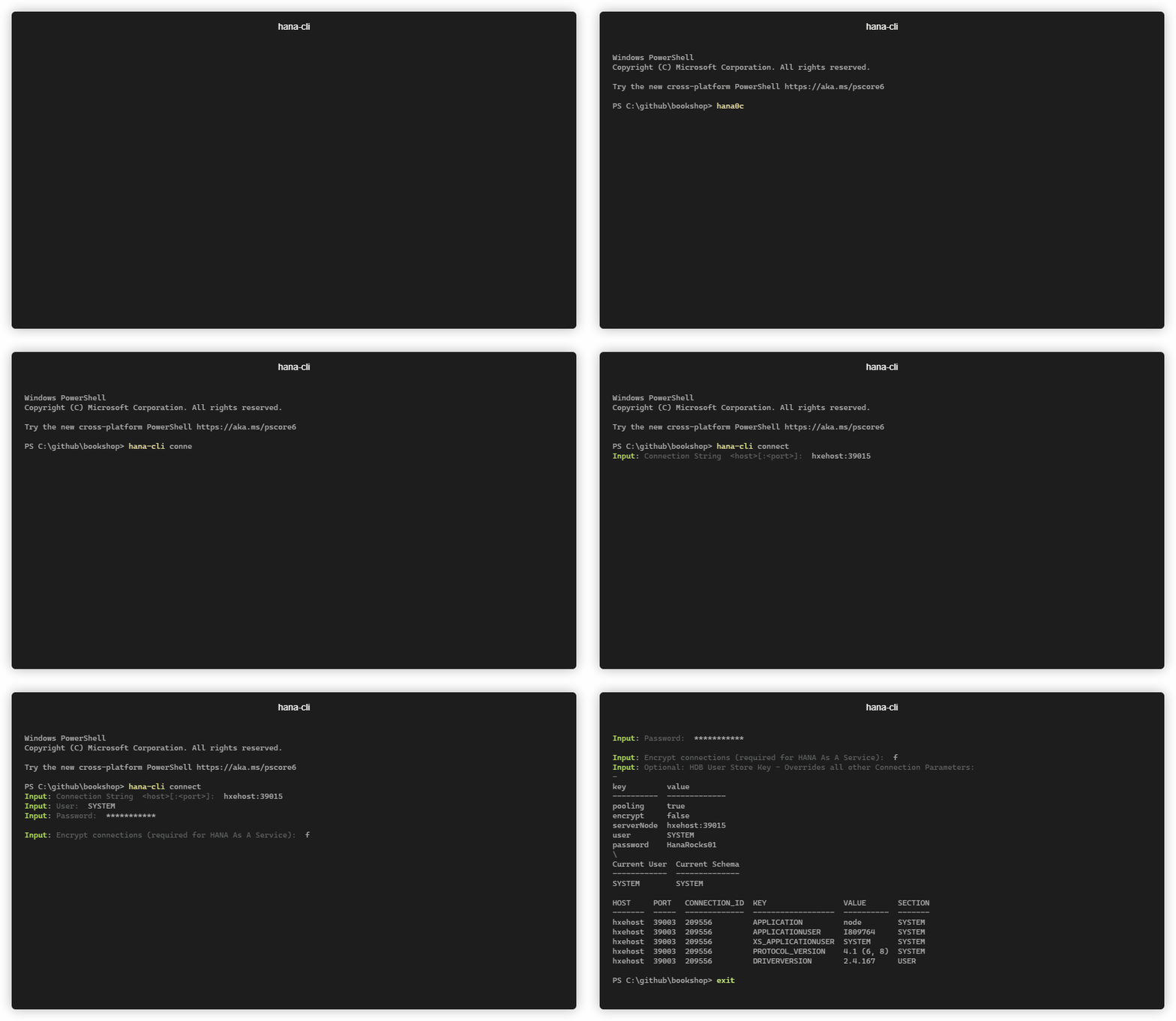
```shell
hana-cli connect [user] [password]
[aliases: c, login]
Connects to an SAP HANA DB and writes connection information to a
default-env-admin.json
Troubleshooting:
--disableVerbose, --quiet Disable Verbose output - removes all extra
output that is only helpful to human readable
interface. Useful for scripting commands.
[boolean] [default: false]
--debug, --Debug Debug hana-cli itself by adding output of LOTS
of intermediate details
[boolean] [default: false]
Options:
-n, --connection Connection String <host>[:<port>]
-u, --user, --User User
-p, --password, --Password Password
-U, --userstorekey, --UserStoreKey Optional: HDB User Store Key -
Overrides all other Connection
Parameters
-s, --save, --Save Save Credentials to
default-env-admin.json
[boolean] [default: true]
-e, --encrypt, --Encrypt, --ssl Encrypt connections (required for
SAP HANA service for SAP BTP or SAP
HANA Cloud) [boolean]
-t, --trustStore, --Trust, --trust, SSL Trust Store
--truststore
```
### containers
```shell
hana-cli containers [containerGroup] [container]
[aliases: cont, listContainers, listcontainers]
List all HDI Containers
Connection Parameters:
-a, --admin, --Admin Connect via admin (default-env-admin.json)
[boolean] [default: false]
--conn Connection Filename to override default-env.json
Troubleshooting:
--disableVerbose, --quiet Disable Verbose output - removes all extra
output that is only helpful to human readable
interface. Useful for scripting commands.
[boolean] [default: false]
--debug, --Debug Debug hana-cli itself by adding output of LOTS
of intermediate details
[boolean] [default: false]
Options:
-c, --container, --Container Container Name
[string] [default: "*"]
-g, --containerGroup, --Group, --group, Container Group
--containergroup [string] [default: "*"]
-l, --limit Limit results[number] [default: 200]
```
### containersUI
```shell
hana-cli containersUI [containerGroup] [container]
[aliases: contui, listContainersUI, listcontainersui, containersui]
List all HDI Containers in browser UI
Connection Parameters:
-a, --admin, --Admin Connect via admin (default-env-admin.json)
[boolean] [default: false]
--conn Connection Filename to override default-env.json
Troubleshooting:
--disableVerbose, --quiet Disable Verbose output - removes all extra
output that is only helpful to human readable
interface. Useful for scripting commands.
[boolean] [default: false]
--debug, --Debug Debug hana-cli itself by adding output of LOTS
of intermediate details
[boolean] [default: false]
Options:
-c, --container, --Container Container Name
[string] [default: "*"]
-g, --containerGroup, --Group, --group, Container Group
--containergroup [string] [default: "*"]
-l, --limit Limit results[number] [default: 200]
```
### copy2DefaultEnv
```shell
hana-cli copy2DefaultEnv
[aliases: copyDefaultEnv, copyDefault-Env, copy2defaultenv, copydefaultenv,
copydefault-env]
Copy .env contents to default-env.json and reformat
Troubleshooting:
--disableVerbose, --quiet Disable Verbose output - removes all extra output
that is only helpful to human readable interface.
Useful for scripting commands.
[boolean] [default: false]
--debug, --Debug Debug hana-cli itself by adding output of LOTS of
intermediate details [boolean] [default: false]
```
### copy2Env
```shell
hana-cli copy2Env
[aliases: copyEnv, copyenv, copy2env]
Copy default-env.json contents to .env and reformat
Connection Parameters:
-a, --admin, --Admin Connect via admin (default-env-admin.json)
[boolean] [default: false]
--conn Connection Filename to override default-env.json
Troubleshooting:
--disableVerbose, --quiet Disable Verbose output - removes all extra
output that is only helpful to human readable
interface. Useful for scripting commands.
[boolean] [default: false]
--debug, --Debug Debug hana-cli itself by adding output of LOTS
of intermediate details
[boolean] [default: false]
```
### copy2Secrets
```shell
hana-cli copy2Secrets
[aliases: secrets, make:secrets]
make secrets for Kubernetes deployment
(https://www.npmjs.com/package/@sap/xsenv#usage-in-kubernetes)
Troubleshooting:
--disableVerbose, --quiet Disable Verbose output - removes all extra output
that is only helpful to human readable interface.
Useful for scripting commands.
[boolean] [default: false]
--debug, --Debug Debug hana-cli itself by adding output of LOTS of
intermediate details [boolean] [default: false]
Options:
--envJson, --from-file JSON file containing VCAP_SERVICES variable
[string] [default: "default-env.json"]
--secretsFolder, --to-folder Folder name for storing secrets
[string] [default: "secrets"]
--filter List of service instances to process [string]
```
### createGroup
```shell
hana-cli createGroup [group]
[aliases: cg, cGrp]
Create an HDI container group
Connection Parameters:
-a, --admin, --Admin Connect via admin (default-env-admin.json)
[boolean] [default: false]
--conn Connection Filename to override default-env.json
Troubleshooting:
--disableVerbose, --quiet Disable Verbose output - removes all extra
output that is only helpful to human readable
interface. Useful for scripting commands.
[boolean] [default: false]
--debug, --Debug Debug hana-cli itself by adding output of LOTS
of intermediate details
[boolean] [default: false]
Options:
-g, --group, --Group Container Group Name [string]
```
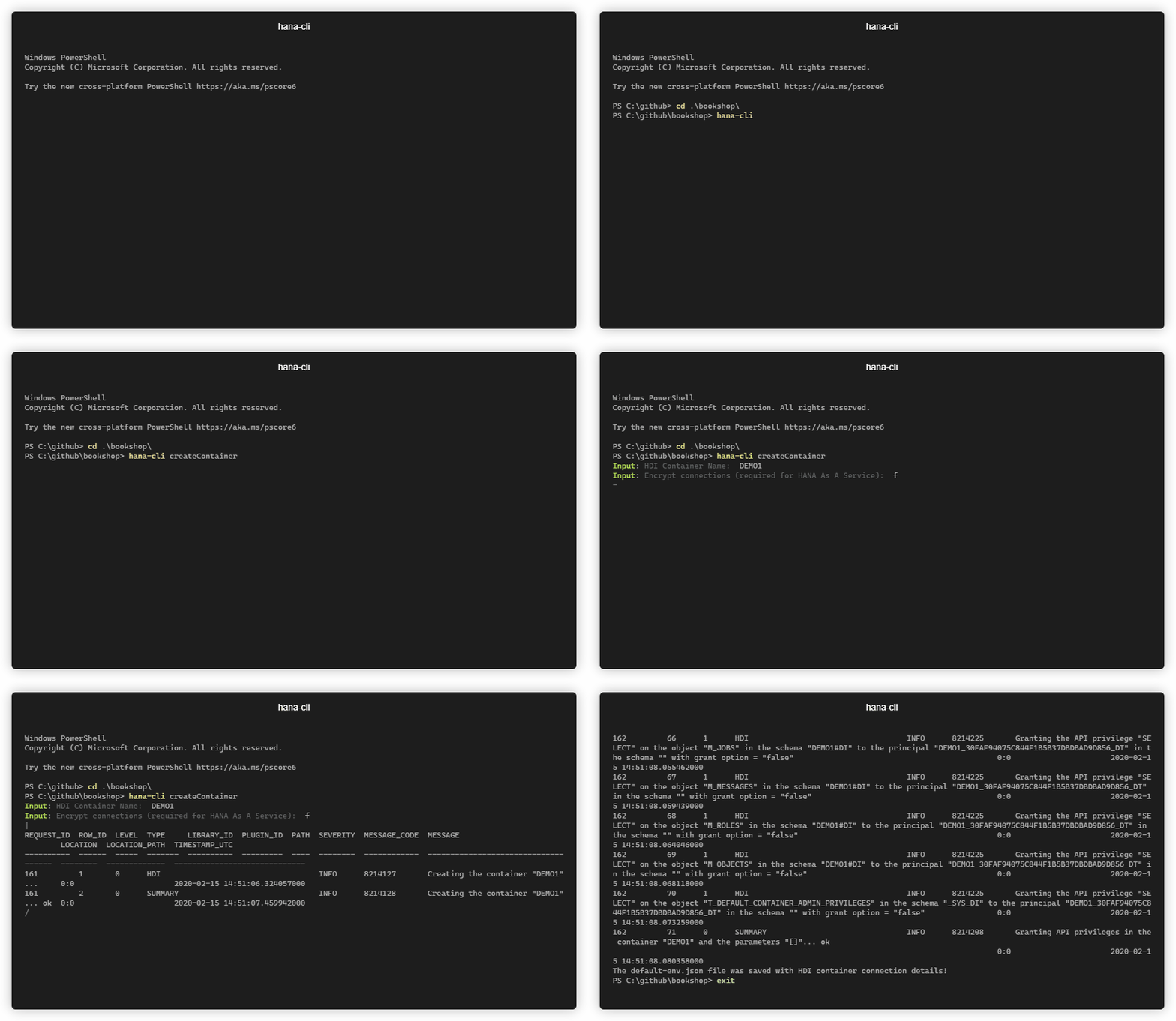
### createContainer
```shell
hana-cli createContainer [container] [group]
[aliases: cc, cCont]
Create an HDI Container and populate connection details into default-env.json
Connection Parameters:
-a, --admin, --Admin Connect via admin (default-env-admin.json)
[boolean] [default: false]
--conn Connection Filename to override default-env.json
Troubleshooting:
--disableVerbose, --quiet Disable Verbose output - removes all extra
output that is only helpful to human readable
interface. Useful for scripting commands.
[boolean] [default: false]
--debug, --Debug Debug hana-cli itself by adding output of LOTS
of intermediate details
[boolean] [default: false]
Options:
-c, --container, --Container Container Name [string]
-g, --group, --Group Container Group Name [string] [default: empty]
-s, --save, --Save Save Credentials to default-env.json
[boolean] [default: true]
-e, --encrypt, --Encrypt, --ssl Encrypt connections (required for SAP HANA
service for SAP BTP or SAP HANA Cloud)
[boolean] [default: false]
```
### createContainerUsers
```shell
hana-cli createContainerUsers [container]
[aliases: ccu, cContU]
Create new HDI Container technical users for an existing container and populates
connection details into default-env.json
Connection Parameters:
-a, --admin, --Admin Connect via admin (default-env-admin.json)
[boolean] [default: false]
--conn Connection Filename to override default-env.json
Troubleshooting:
--disableVerbose, --quiet Disable Verbose output - removes all extra
output that is only helpful to human readable
interface. Useful for scripting commands.
[boolean] [default: false]
--debug, --Debug Debug hana-cli itself by adding output of LOTS
of intermediate details
[boolean] [default: false]
Options:
-c, --container, --Container Container Name [string]
-s, --save, --Save Save Credentials to default-env.json
[boolean] [default: true]
-e, --encrypt, --Encrypt, --ssl Encrypt connections (required for SAP HANA
service for SAP BTP or SAP HANA Cloud)
[boolean] [default: false]
```
### createJWT
```shell
hana-cli createJWT [name]
[aliases: cJWT, cjwt, cJwt]
Create JWT Token and Import Certificate (To obtain the certificate and issuer
used in the SQL you need to use the xsuaa service key credentials.url element
which should look like this:
https://<subdomain>.authentication.<region>.hana.ondemand.com then add
/sap/trust/jwt path to it in a browser)
Connection Parameters:
-a, --admin, --Admin Connect via admin (default-env-admin.json)
[boolean] [default: false]
--conn Connection Filename to override default-env.json
Troubleshooting:
--disableVerbose, --quiet Disable Verbose output - removes all extra
output that is only helpful to human readable
interface. Useful for scripting commands.
[boolean] [default: false]
--debug, --Debug Debug hana-cli itself by adding output of LOTS
of intermediate details
[boolean] [default: false]
Options:
-c, --name, --Name JWT Provider Name (Any descriptive Value)
[string]
-c, --certificate, --Certificate certificate [string]
-i, --issuer, --Issuer Certificate Issuer [string]
```
### createModule
```shell
hana-cli createModule
[aliases: createDB, createDBModule]
Create DB Module
Troubleshooting:
--disableVerbose, --quiet Disable Verbose output - removes all extra
output that is only helpful to human readable
interface. Useful for scripting commands.
[boolean] [default: false]
--debug, --Debug Debug hana-cli itself by adding output of LOTS
of intermediate details
[boolean] [default: false]
Options:
-f, --folder, --Folder DB Module Folder Name
[string] [default: "db"]
--hanaCloud, --hc, --hana-cloud, Build Module for SAP HANA Cloud?
--hanacloud [boolean] [default: true]
```
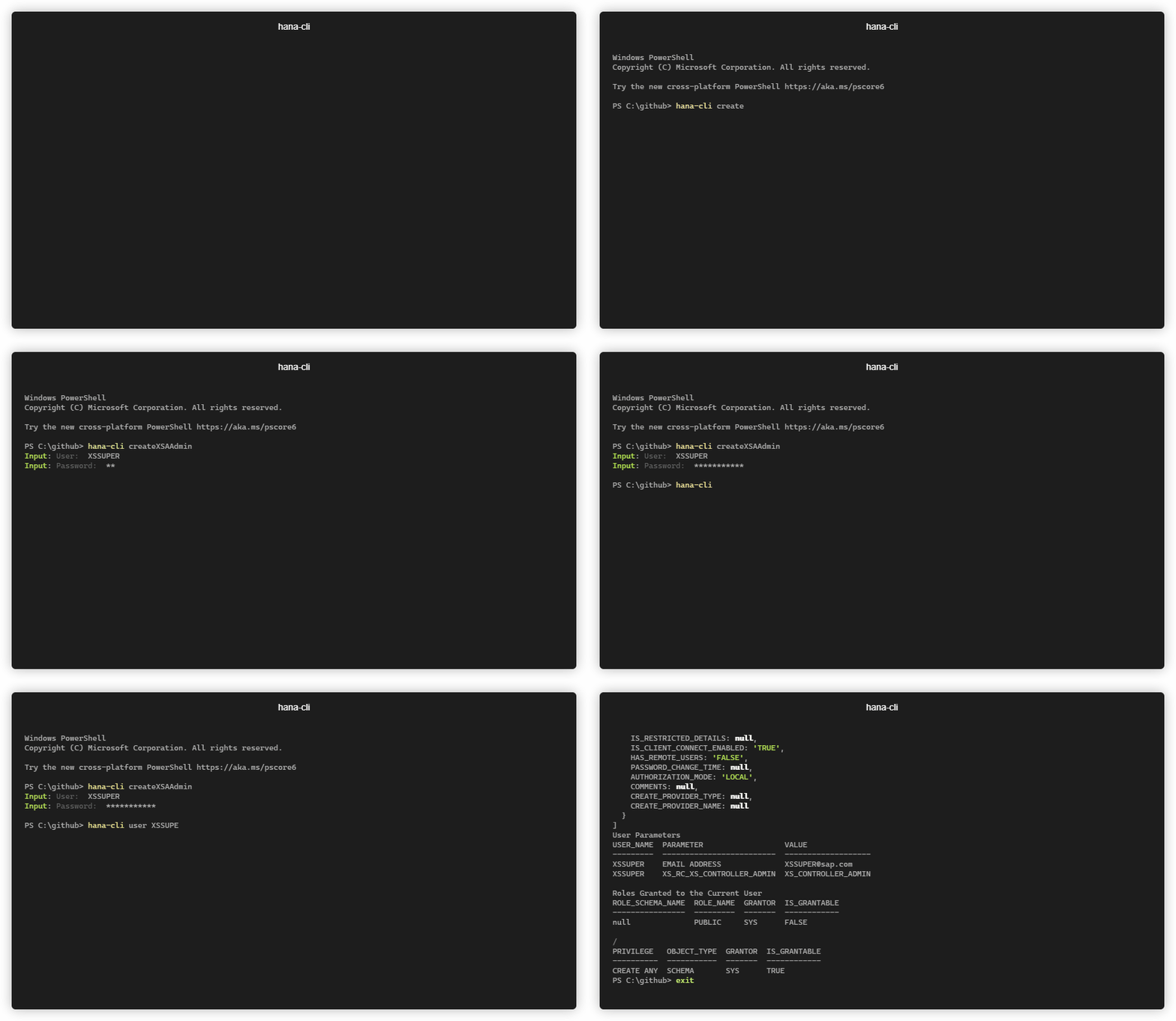
### createXSAAdmin
```shell
hana-cli createXSAAdmin [user] [password]
[aliases: cXSAAdmin, cXSAA, cxsaadmin, cxsaa]
Create an SAP HANA DB User which is also an XSA Admin
Connection Parameters:
-a, --admin, --Admin Connect via admin (default-env-admin.json)
[boolean] [default: false]
--conn Connection Filename to override default-env.json
Troubleshooting:
--disableVerbose, --quiet Disable Verbose output - removes all extra
output that is only helpful to human readable
interface. Useful for scripting commands.
[boolean] [default: false]
--debug, --Debug Debug hana-cli itself by adding output of LOTS
of intermediate details
[boolean] [default: false]
Options:
-u, --user, --User User
-p, --password, --Password Passwordd
```
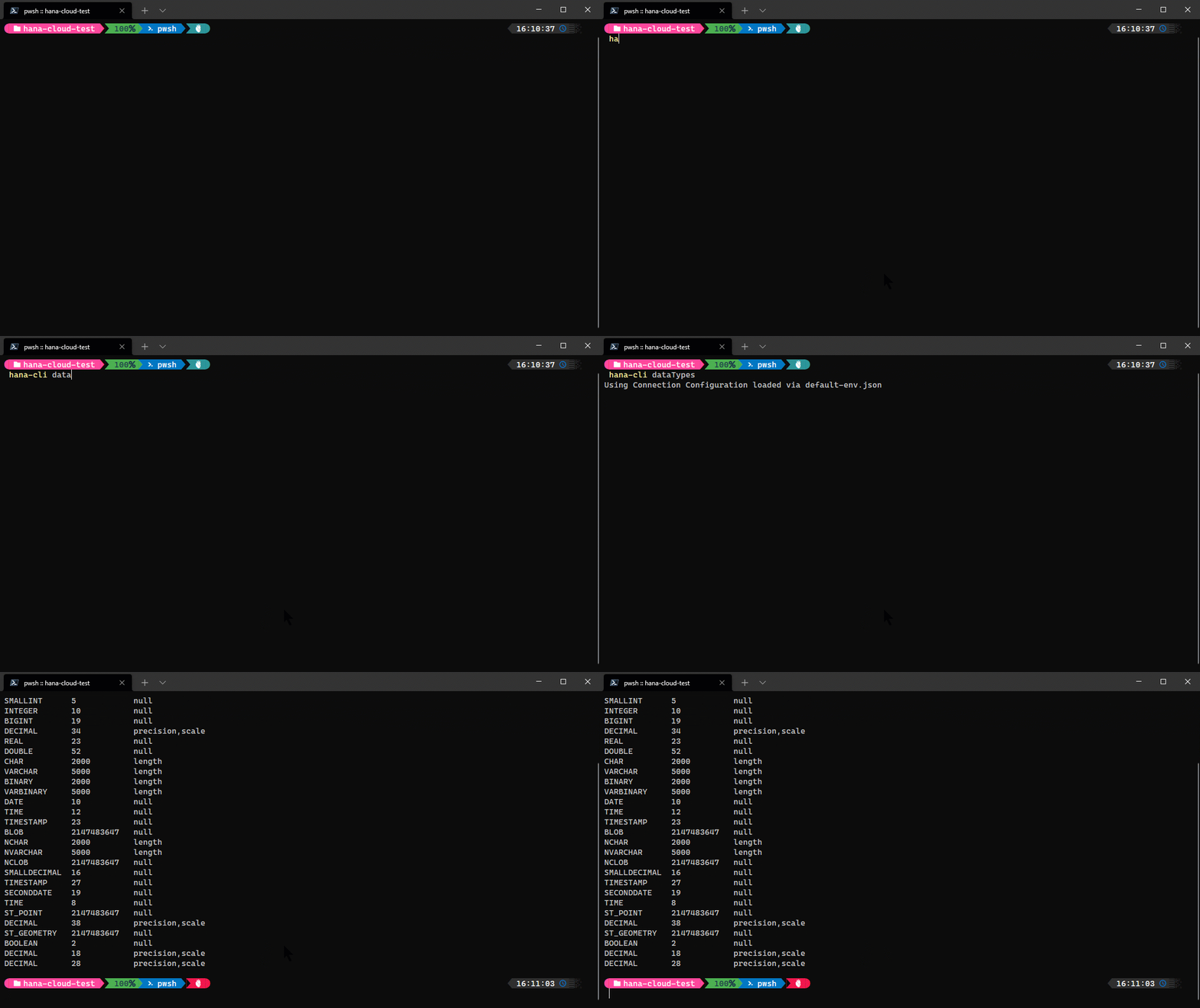
### dataTypes
```shell
hana-cli dataTypes
[aliases: dt, datatypes, dataType, datatype]
List of HANA Data Types and their technical details
Connection Parameters:
-a, --admin, --Admin Connect via admin (default-env-admin.json)
[boolean] [default: false]
--conn Connection Filename to override default-env.json
Troubleshooting:
--disableVerbose, --quiet Disable Verbose output - removes all extra
output that is only helpful to human readable
interface. Useful for scripting commands.
[boolean] [default: false]
--debug, --Debug Debug hana-cli itself by adding output of LOTS
of intermediate details
[boolean] [default: false]
```
### dataTypesUI
```shell
hana-cli dataTypesUI
[aliases: dtui, datatypesui, dataTypeUI, datatypeui]
List of HANA Data Types and their technical details in the browser UI
Connection Parameters:
-a, --admin, --Admin Connect via admin (default-env-admin.json)
[boolean] [default: false]
--conn Connection Filename to override default-env.json
Troubleshooting:
--disableVerbose, --quiet Disable Verbose output - removes all extra
output that is only helpful to human readable
interface. Useful for scripting commands.
[boolean] [default: false]
--debug, --Debug Debug hana-cli itself by adding output of LOTS
of intermediate details
[boolean] [default: false]
```
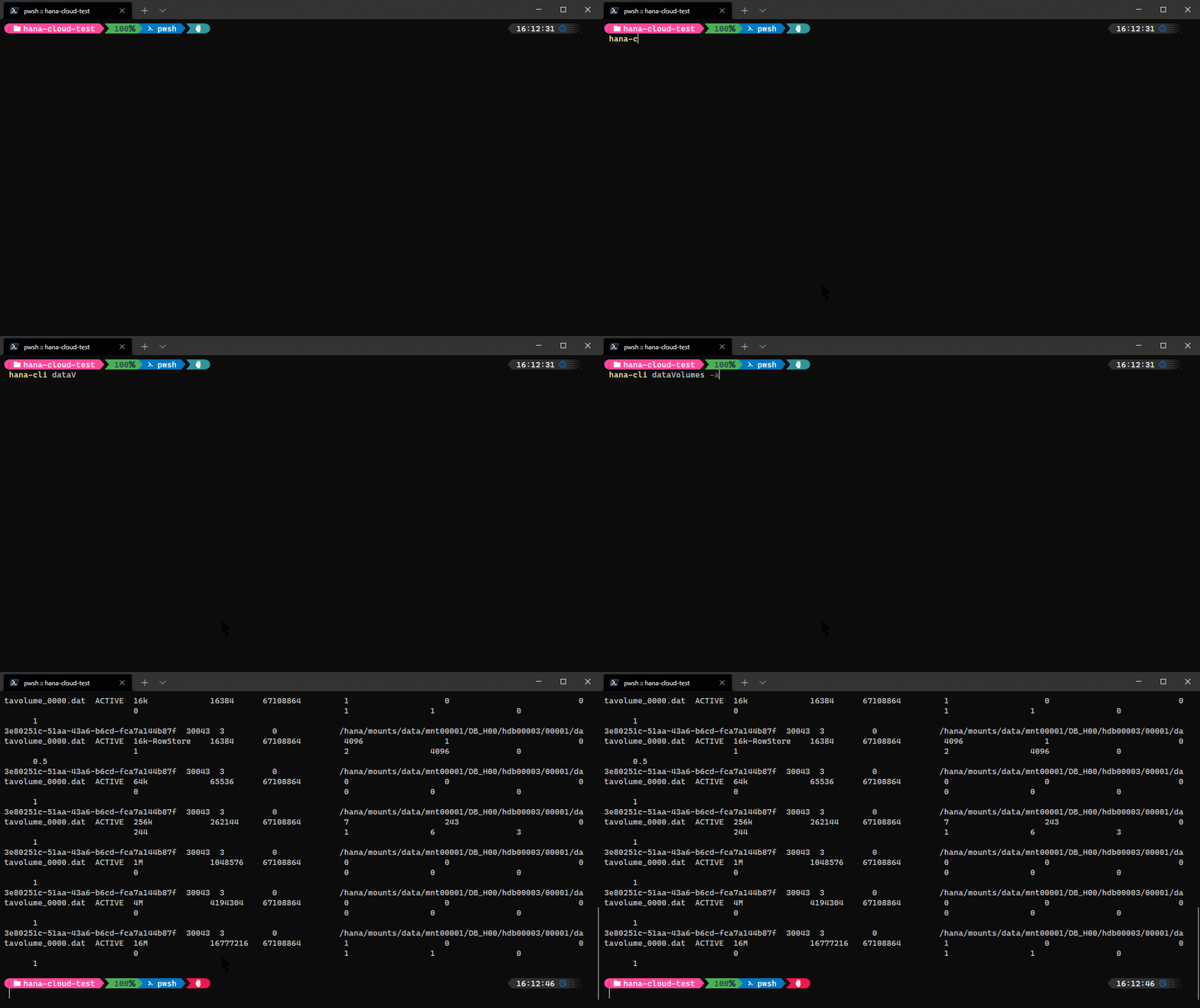
### dataVolumes
```shell
hana-cli dataVolumes
[aliases: dv, datavolumes]
Details about the HANA Data Volumes
Connection Parameters:
-a, --admin, --Admin Connect via admin (default-env-admin.json)
[boolean] [default: false]
--conn Connection Filename to override default-env.json
Troubleshooting:
--disableVerbose, --quiet Disable Verbose output - removes all extra
output that is only helpful to human readable
interface. Useful for scripting commands.
[boolean] [default: false]
--debug, --Debug Debug hana-cli itself by adding output of LOTS
of intermediate details
[boolean] [default: false]
```
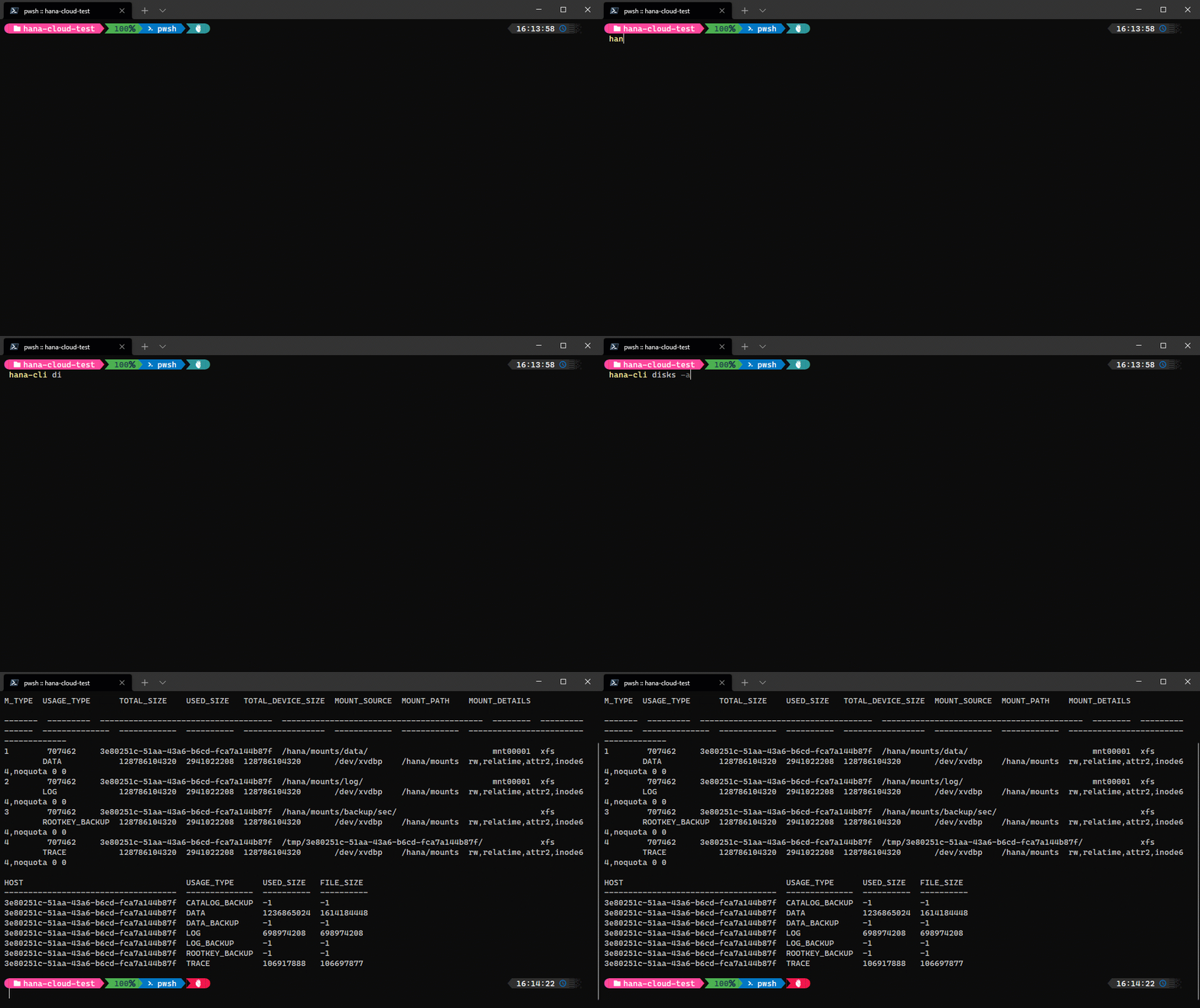
### disks
```shell
hana-cli disks
[aliases: di, Disks]
Details about disk devices used by HANA
Connection Parameters:
-a, --admin, --Admin Connect via admin (default-env-admin.json)
[boolean] [default: false]
--conn Connection Filename to override default-env.json
Troubleshooting:
--disableVerbose, --quiet Disable Verbose output - removes all extra
output that is only helpful to human readable
interface. Useful for scripting commands.
[boolean] [default: false]
--debug, --Debug Debug hana-cli itself by adding output of LOTS
of intermediate details
[boolean] [default: false]
```
### dropContainer
```shell
hana-cli dropContainer [container] [group]
[aliases: dc, dropC]
Drop HDI container and clean up HDI Container users
Connection Parameters:
-a, --admin, --Admin Connect via admin (default-env-admin.json)
[boolean] [default: false]
--conn Connection Filename to override default-env.json
Troubleshooting:
--disableVerbose, --quiet Disable Verbose output - removes all extra
output that is only helpful to human readable
interface. Useful for scripting commands.
[boolean] [default: false]
--debug, --Debug Debug hana-cli itself by adding output of LOTS
of intermediate details
[boolean] [default: false]
Options:
-c, --container, --Container Container Name [string]
-g, --group, --Group Container Group Name [string] [default: empty]
```
### dropGroup
```shell
hana-cli dropGroup [group]
[aliases: dg, dropG]
Drop HDI container group
Connection Parameters:
-a, --admin, --Admin Connect via admin (default-env-admin.json)
[boolean] [default: false]
--conn Connection Filename to override default-env.json
Troubleshooting:
--disableVerbose, --quiet Disable Verbose output - removes all extra
output that is only helpful to human readable
interface. Useful for scripting commands.
[boolean] [default: false]
--debug, --Debug Debug hana-cli itself by adding output of LOTS
of intermediate details
[boolean] [default: false]
Options:
-g, --group, --Group Container Group Name [string]
```
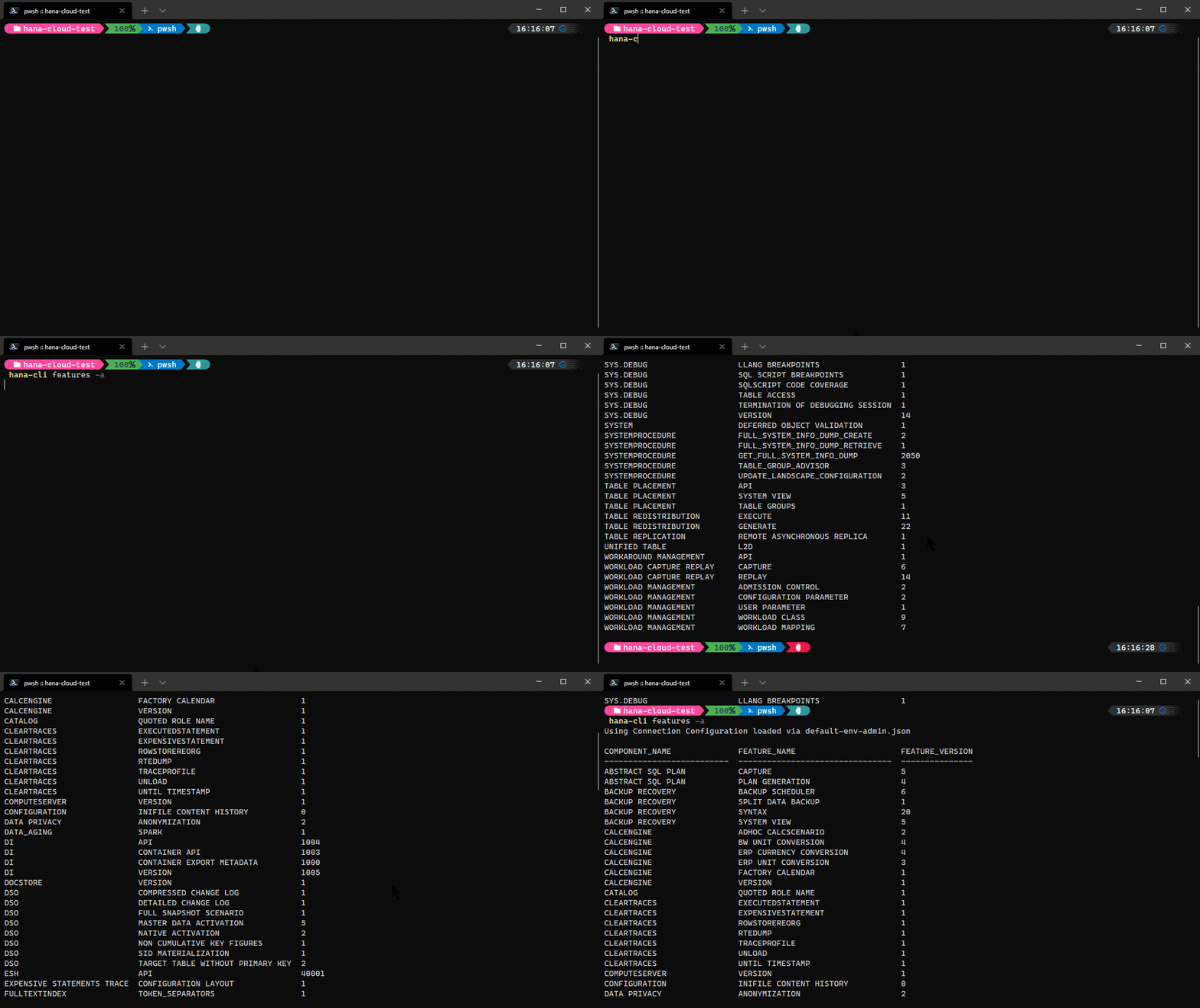
### features
```shell
hana-cli features
[aliases: fe, Features]
SAP HANA Features and Version
Connection Parameters:
-a, --admin, --Admin Connect via admin (default-env-admin.json)
[boolean] [default: false]
--conn Connection Filename to override default-env.json
Troubleshooting:
--disableVerbose, --quiet Disable Verbose output - removes all extra
output that is only helpful to human readable
interface. Useful for scripting commands.
[boolean] [default: false]
--debug, --Debug Debug hana-cli itself by adding output of LOTS
of intermediate details
[boolean] [default: false]
```
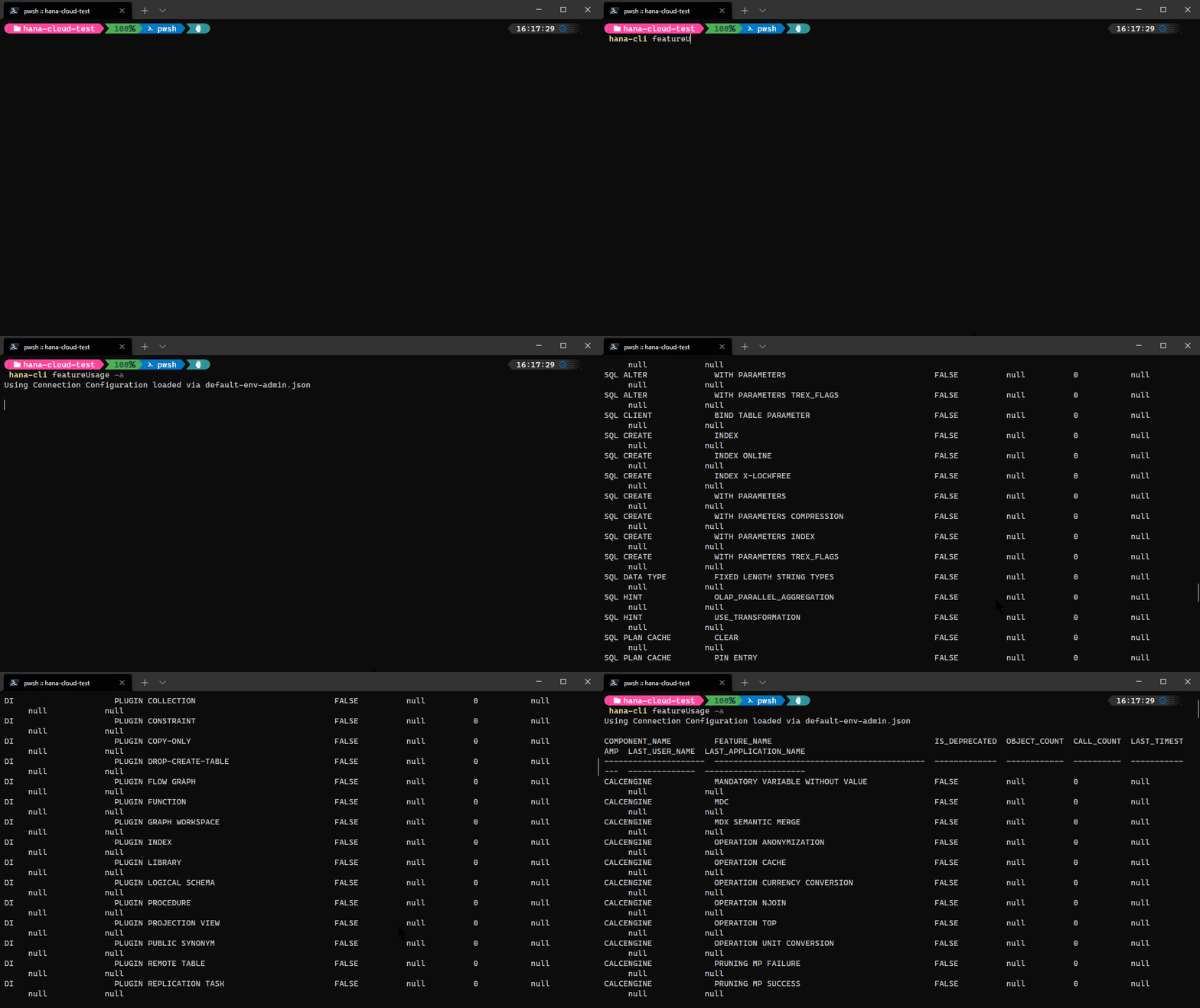
### featureUsage
```shell
hana-cli featureUsage
[aliases: fu, FeaturesUsage]
Usage Statistics by Feature
Connection Parameters:
-a, --admin, --Admin Connect via admin (default-env-admin.json)
[boolean] [default: false]
--conn Connection Filename to override default-env.json
Troubleshooting:
--disableVerbose, --quiet Disable Verbose output - removes all extra
output that is only helpful to human readable
interface. Useful for scripting commands.
[boolean] [default: false]
--debug, --Debug Debug hana-cli itself by adding output of LOTS
of intermediate details
[boolean] [default: false]
```
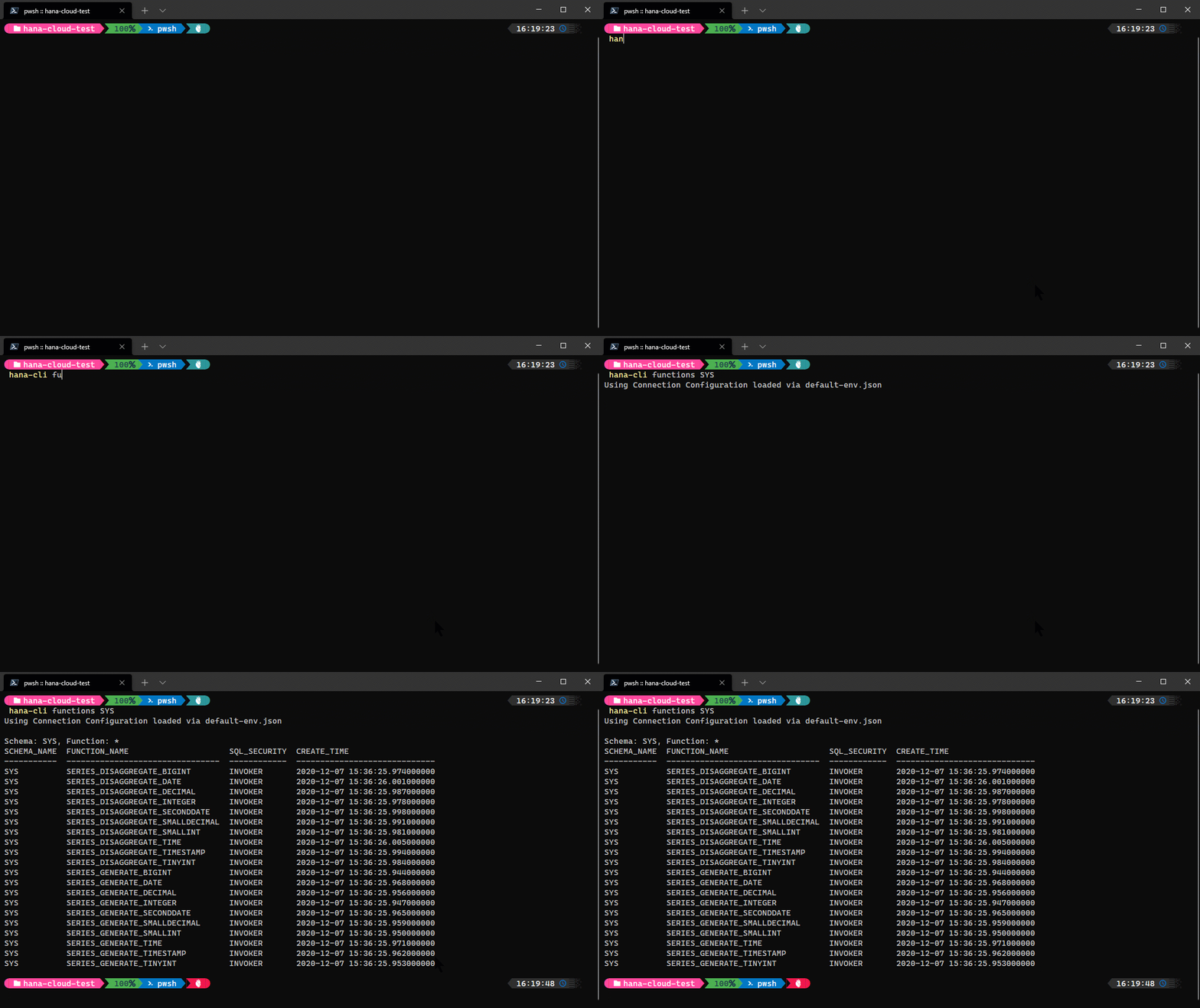
### functions
```shell
hana-cli functions [schema] [function]
[aliases: f, listFuncs, ListFunc, listfuncs, Listfunc, listFunctions,
listfunctions]
Get a list of all functions
Connection Parameters:
-a, --admin, --Admin Connect via admin (default-env-admin.json)
[boolean] [default: false]
--conn Connection Filename to override default-env.json
Troubleshooting:
--disableVerbose, --quiet Disable Verbose output - removes all extra
output that is only helpful to human readable
interface. Useful for scripting commands.
[boolean] [default: false]
--debug, --Debug Debug hana-cli itself by adding output of LOTS
of intermediate details
[boolean] [default: false]
Options:
-f, --function, --Function Function [string] [default: "*"]
-s, --schema, --Schema schema [string] [default: "**CURRENT_SCHEMA**"]
-l, --limit Limit results [number] [default: 200]
```
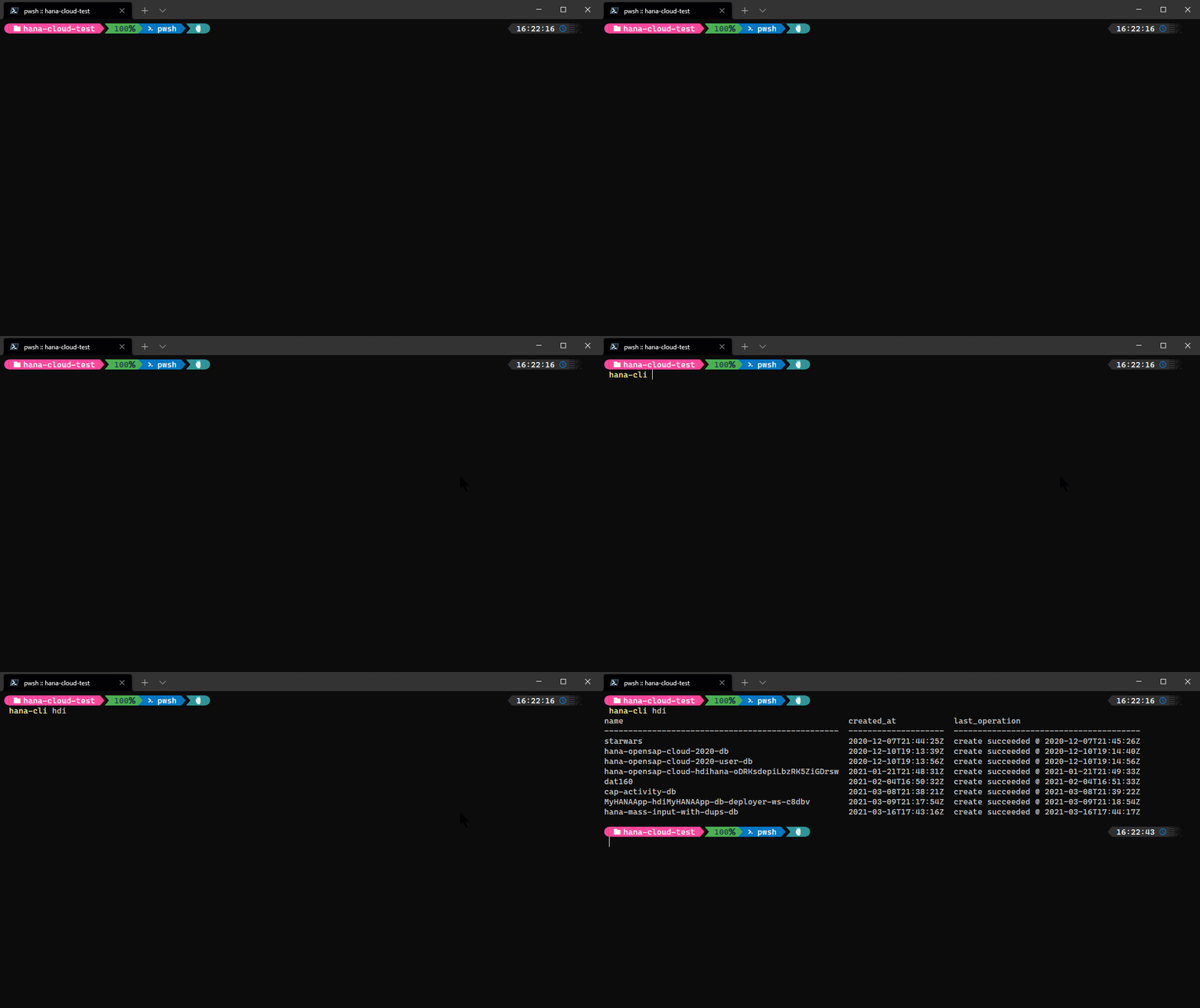
### hdi
```shell
hana-cli hdi
[aliases: hdiInstances, hdiinstances, hdiServices, listhdi, hdiservices, hdis]
List all SAP HANA Cloud HDI service instances in your target Space
Troubleshooting:
--disableVerbose, --quiet Disable Verbose output - removes all extra output
that is only helpful to human readable interface.
Useful for scripting commands.
[boolean] [default: false]
--debug, --Debug Debug hana-cli itself by adding output of LOTS of
intermediate details [boolean] [default: false]
Options:
-c, --cf, --cmd Cloud Foundry? [boolean] [default: true]
```
### hc
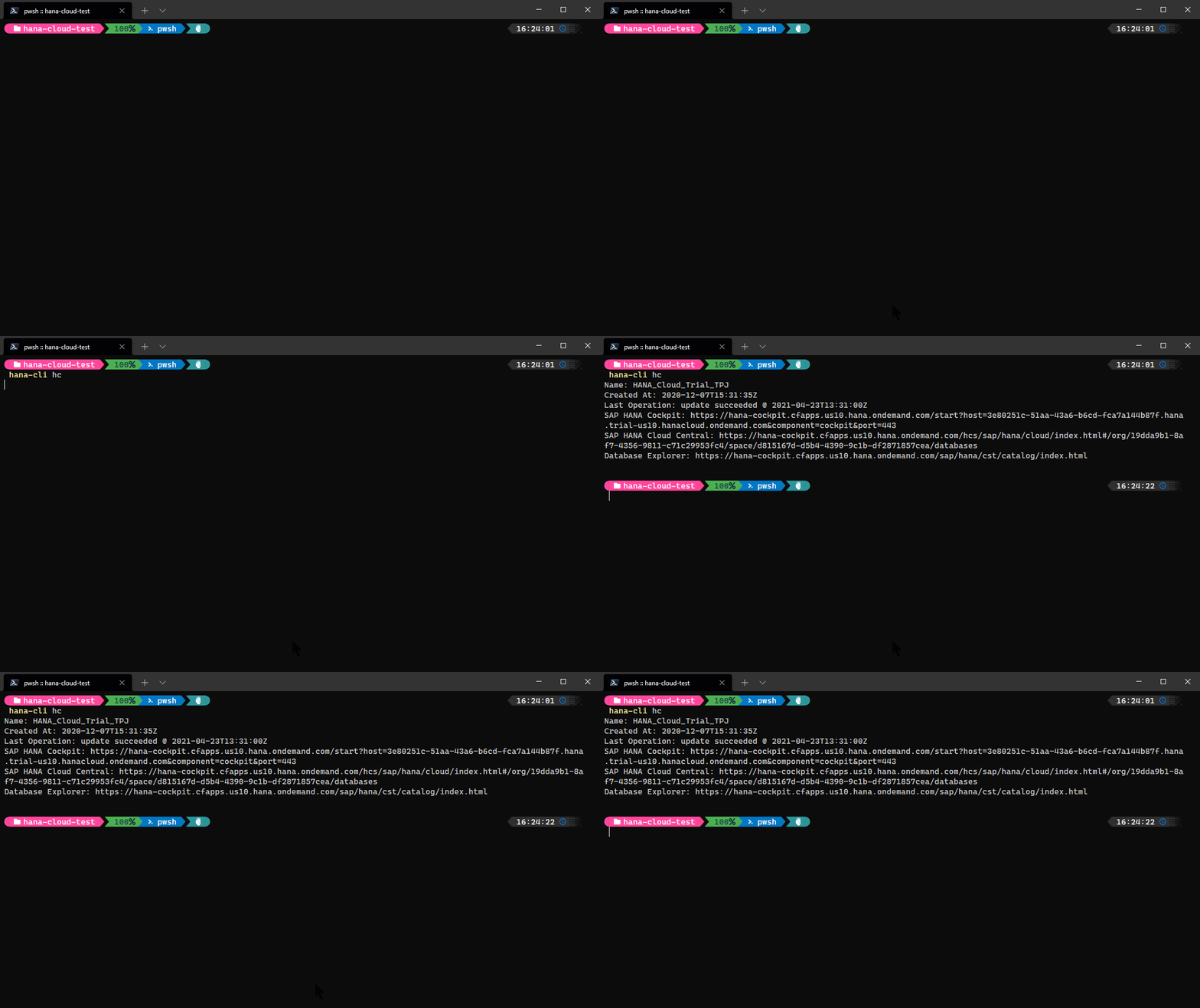
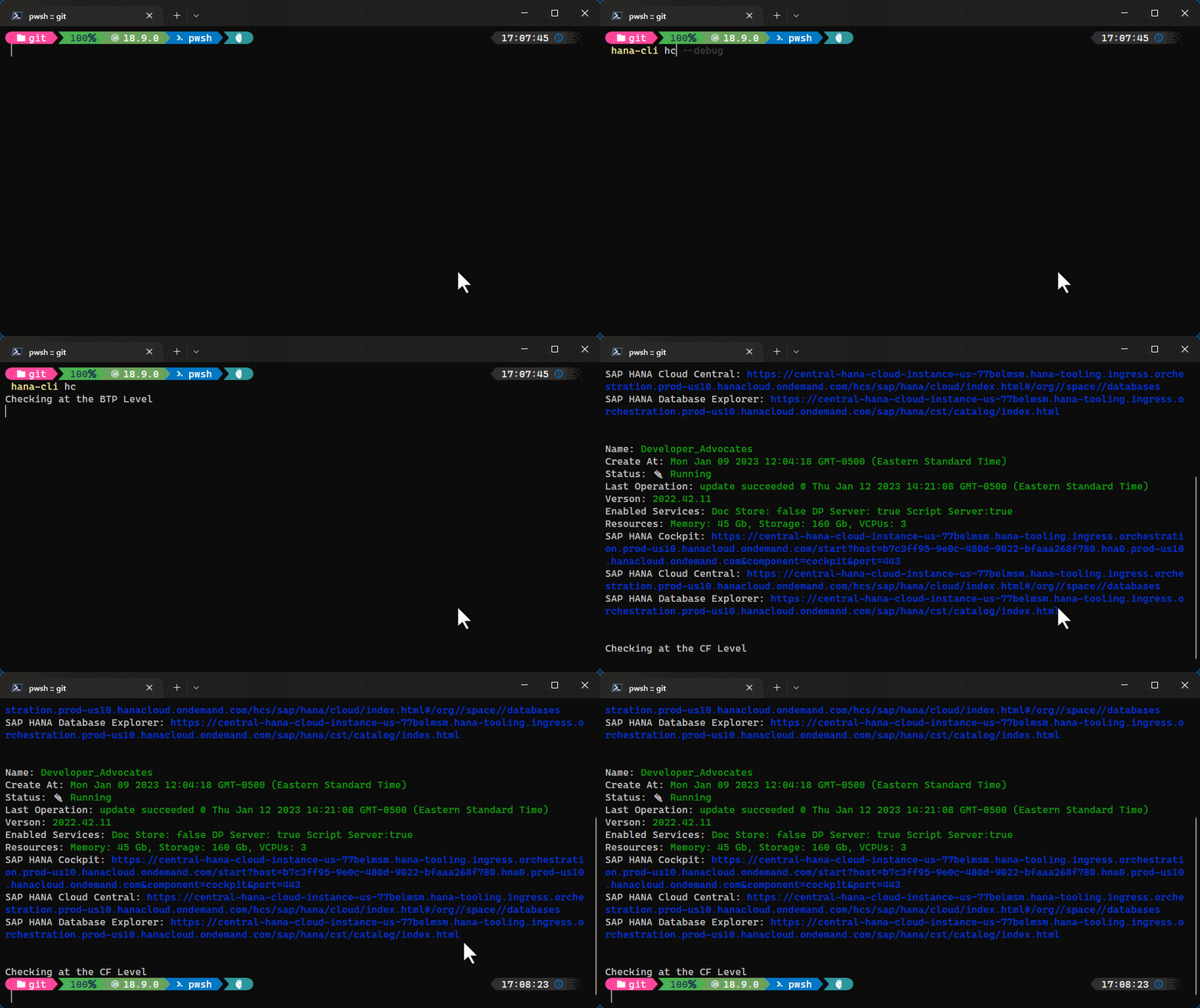
```shell
hana-cli hc [name]
[aliases: hcInstances, instances, listHC, listhc, hcinstances]
List all SAP HANA Cloud instances in your target Space
Troubleshooting:
--disableVerbose, --quiet Disable Verbose output - removes all extra
output that is only helpful to human readable
interface. Useful for scripting commands.
[boolean] [default: false]
--debug, --Debug Debug hana-cli itself by adding output of LOTS
of intermediate details
[boolean] [default: false]
Options:
-n, --name SAP HANA Cloud Instance name [string] [default: "**default**"]
```
### hcStart
```shell
hana-cli hcStart [name]
[aliases: hcstart, hc_start, start]
Start SAP HANA Cloud instance
Troubleshooting:
--disableVerbose, --quiet Disable Verbose output - removes all extra
output that is only helpful to human readable
interface. Useful for scripting commands.
[boolean] [default: false]
--debug, --Debug Debug hana-cli itself by adding output of LOTS
of intermediate details
[boolean] [default: false]
Options:
-n, --name SAP HANA Cloud Instance name [string] [default: "**default**"]
```
### hcStop
```shell
hana-cli hcStop [name]
[aliases: hcstop, hc_stop, stop]
Stop SAP HANA Cloud instance
Troubleshooting:
--disableVerbose, --quiet Disable Verbose output - removes all extra
output that is only helpful to human readable
interface. Useful for scripting commands.
[boolean] [default: