git-cz
Version:
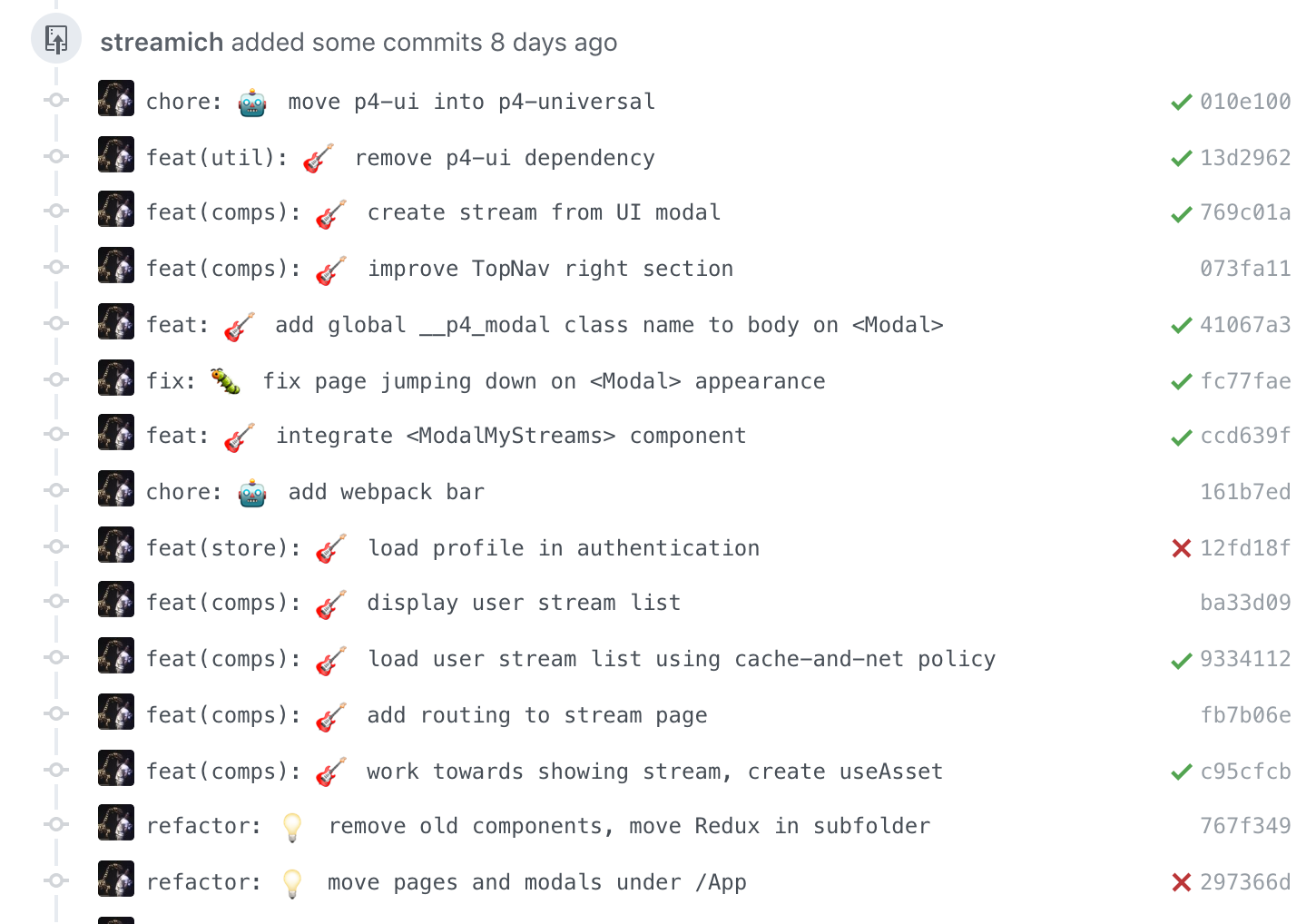
Semantic emojified git commit, git-cz.
254 lines (195 loc) • 5.5 kB
Markdown
[](http://commitizen.github.io/cz-cli/)
# git-cz
### Without installation
```shell
npx git-cz
# or
npx git-cz -e
```
### Install globally standalone
```shell
npm install -g git-cz
git-cz
# or
git-cz -e
```
### Install locally with Commitizen
```shell
npm install -g commitizen
npm install --save-dev git-cz
```
`package.json`:
```json
{
"config": {
"commitizen": {
"path": "git-cz"
}
}
}
```
run:
```shell
git cz
```
### Install globally with Commitizen
```shell
npm install -g commitizen git-cz
commitizen init git-cz --save-dev --save-exact
```
run:
```shell
git cz
```
## Custom config
You can provide a custom configuration in a `changelog.config.js` file in your repo, or in any parent folder.
git-cz will search for the closest config file.
Below is default config:
```js
module.exports = {
disableEmoji: false,
format: '{type}{scope}: {emoji}{subject}',
list: ['test', 'feat', 'fix', 'chore', 'docs', 'refactor', 'style', 'ci', 'perf'],
maxMessageLength: 64,
minMessageLength: 3,
questions: ['type', 'scope', 'subject', 'body', 'breaking', 'issues', 'lerna'],
scopes: [],
types: {
chore: {
description: 'Build process or auxiliary tool changes',
emoji: '🤖',
value: 'chore'
},
ci: {
description: 'CI related changes',
emoji: '🎡',
value: 'ci'
},
docs: {
description: 'Documentation only changes',
emoji: '✏️',
value: 'docs'
},
feat: {
description: 'A new feature',
emoji: '🎸',
value: 'feat'
},
fix: {
description: 'A bug fix',
emoji: '🐛',
value: 'fix'
},
perf: {
description: 'A code change that improves performance',
emoji: '⚡️',
value: 'perf'
},
refactor: {
description: 'A code change that neither fixes a bug or adds a feature',
emoji: '💡',
value: 'refactor'
},
release: {
description: 'Create a release commit',
emoji: '🏹',
value: 'release'
},
style: {
description: 'Markup, white-space, formatting, missing semi-colons...',
emoji: '💄',
value: 'style'
},
test: {
description: 'Adding missing tests',
emoji: '💍',
value: 'test'
},
messages: {
type: 'Select the type of change that you\'re committing:',
customScope: 'Select the scope this component affects:',
subject: 'Write a short, imperative mood description of the change:\n',
body: 'Provide a longer description of the change:\n ',
breaking: 'List any breaking changes:\n',
footer: 'Issues this commit closes, e.g #123:',
confirmCommit: 'The packages that this commit has affected\n',
},
}
};
```
## Non-interactive mode
Using `--non-interactive` flag you can run `git-cz` non-interactive mode.
For example:
```bash
git-cz --non-interactive --type=feat --subject="add onClick prop to component"
```
CLI parameters:
- `--type`
- `--subject`
- `--scope`
- `--body`
- `--breaking`
- `--issues`
- `--lerna`
## Disable Emoji
Using `--disable-emoji` flag will disable emoji.
For example:
```bash
git-cz --disable-emoji
```
## Commit message format
- A commit message consists of a **header**, **body** and **footer**.
- The header has a **type** and a **subject**:
```bash
<type>[(<scope>)]: <emoji> <subject>
[BLANK LINE]
[body]
[BLANK LINE]
[breaking changes]
[BLANK LINE]
[footer]
```
The **header** is the only mandatory part of the commit message.
The first line (type + subject) is limited to 50 characters **[enforced]**
Any other line should be limited to 72 character **[automatic wrapping]**
This allows the message to be easier to read on GitHub as well as in various git tools.
### Format
By default the subject format is: `{type}{scope}: {subject}`
Configuring the `format` field in `.git-cz.json` you can customize your own:
- `{type}{scope}: {emoji}{subject}`
- `{emoji}{scope} {subject}`
### Type
Must be one of the following:
- `test` — Adding missing tests
- `feat` — A new feature
- `fix` — A bug fix
- `chore` — Build process or auxiliary tool changes
- `docs` — Documentation only changes
- `refactor` — A code change that neither fixes a bug or adds a feature
- `style` — Markup, white-space, formatting, missing semi-colons...
- `ci` — CI related changes
- `perf` — A code change that improves performance
### Subject
The subject contains succinct description of the change:
- Use the imperative, present tense: "change" not "changed" nor "changes"
- No dot (.) at the end.
### Body
Just as in the **subject**, use the imperative, present tense: "change" not "changed" nor "changes".
The body should include the motivation for the change and contrast this with previous behavior.
#### Affects [only on [lerna](https://lernajs.io/) environments]
Select the packages the commit affected.
### Breaking Changes
**Breaking Changes** must start with the words `BREAKING CHANGE: `.
### Footer
The footer is the place to reference any tasks related to this commit.
## Why this Fork?
```bash
npm i -g git-cz
added 1 package in 0.612s
```
Installs in 0.6s vs 31.1s.
```bash
npm i -g mol-conventional-changelog
added 345 packages in 31.076s
```