getmdl-select
Version:
select for material-design-lite
97 lines (76 loc) • 4.05 kB
Markdown
Material Design Lite selectfield component [material-design-lite](https://github.com/google/material-design-lite)
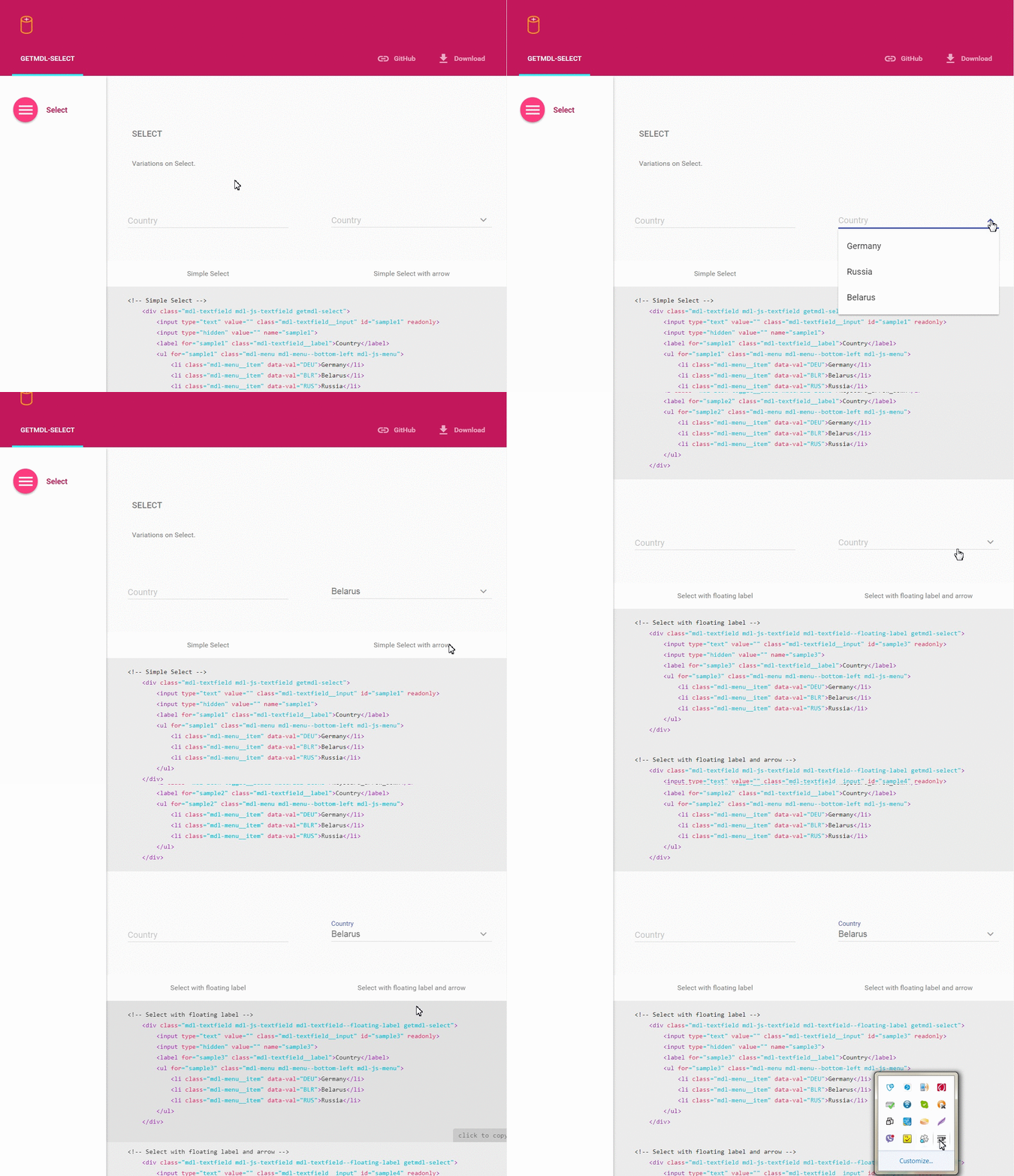
Check out the [example](http://creativeit.github.io/getmdl-select/)
There are three ways to install getmdl-select:
1. Using [npm](http://npmjs.org/):
Use this command in your command line:
```bash
npm install getmdl-select
```
2. Using [Bower](http://bower.io/):
Use this command in your command line:
```bash
bower install getmdl-select
```
3. Clone the repo using Git:
```bash
git clone https://github.com/CreativeIT/getmdl-select.git
```
(Alternatively you can [download](https://github.com/CreativeIT/getmdl-select/archive/master.zip)
this repository.)
And then:
```bash
cd getmdl-select
npm install
```
To use any MDL component, you must include the minified CSS and JavaScript files using standard relative-path references in the `<head>` section of the page, as described in the MDL Introduction.
```html
<!-- getmdl -->
<link rel="stylesheet" href="https://fonts.googleapis.com/icon?family=Material+Icons">
<link rel="stylesheet" href="your_path_to/material-design-lite/material.min.css">
<script defer src="your_path_to/material-design-lite/material.min.js"></script>
<!--getmdl-select-->
<link rel="stylesheet" href="path_to/getmdl-select/getmdl-select.min.css">
<script defer src="path_to/getmdl-select/getmdl-select.min.js"></script>
```
Simple select field. To see other examples visit [this page](http://creativeit.github.io/getmdl-select/).
```html
<div class="mdl-textfield mdl-js-textfield getmdl-select">
<input class="mdl-textfield__input" value="" id="country" readonly/>
<input value="" type="hidden" name="country"/>
<label class="mdl-textfield__label" for="country">Сountry</label>
<ul class="mdl-menu mdl-menu--bottom-left mdl-js-menu" for="country">
<li class="mdl-menu__item" data-val="BLR">Belarus</li>
<li class="mdl-menu__item" data-val="BRA">Brazil</li>
<li class="mdl-menu__item" data-val="FRA">France</li>
<li class="mdl-menu__item" data-val="DEU">Germany</li>
<li class="mdl-menu__item" data-val="RUS">Russia</li>
</ul>
</div>
```
If you want to use more than one getmdl-select item use different ids for inputs and don't forget to change `ul` and `label`'s `for` attributes. It works wrong without this.
For dynamically usage, you must add `getmdlSelect.init(cssSelector)` in javascript code, (where cssSelector, for example, is `".getmdl-select"` or `"#mySelect"`), after new item is created or any new element added to existing list.
Every `li` should have its own `data-val` attribute. Choosing any element of select you change `value` of hidden `input` as `data-val` property of corresponding
`li`. Also you change `value` of readonly `input` to `li.textContent`. Then after form submit, next pair `hiddenInputName=hiddenInputValue` will send to server side.
To set pre-selected value add `data-selected="true"` attribute to corresponding `li` in your list.
Initial Select takes the default width (300px). You can change it by overriding the CSS property `width`.
#### Height
Options list automatically adapt to the maximum height by content. If you want to use small height (300px) and see scroll bar, add class `getmdl-select__fix-height`.
## LICENSE
See the [LICENSE file](https://github.com/CreativeIT/getmdl-select/blob/master/LICENSE.txt) for license rights and limitations (MIT).
## Support the project
* Star the repo
* Create issue report or feature request
* [Tweet about it](https://twitter.com/CreativeITeam)
* Follow us on [Twitter](https://twitter.com/CreativeITeam)