geotiff
Version:
GeoTIFF image decoding in JavaScript
795 lines (613 loc) • 25.1 kB
Markdown
# geotiff.js
[](https://github.com/geotiffjs/geotiff.js/actions/workflows/ci.yml) [](https://badge.fury.io/js/geotiff) [](https://gitter.im/geotiffjs/Lobby)
Read (geospatial) metadata and raw array data from a wide variety of different
(Geo)TIFF files types.
## Features
Currently available functionality:
* Parsing TIFFs from various sources:
* remote (via `fetch` or XHR)
* from a local `ArrayBuffer`
* from the filesystem (on Browsers using the `FileReader` and on node using the filesystem functions)
* Parsing the headers of all possible TIFF files
* Rudimentary extraction of geospatial metadata
* Reading raster data from:
* stripped images
* tiled images
* band interleaved images
* pixel interleaved images
* Supported data-types:
* (U)Int8/16/32
* UInt1-31 (with some drawbacks)
* Float16/32/64
* Enabled compressions:
* no compression
* Packbits
* LZW
* Deflate (with floating point or horizontal predictor support)
* JPEG
* LERC (with additional Deflate compression support)
* Zstandard
* image formats supported via the browser (such as WebP)
* Automatic selection of overview level to read from
* Subsetting via an image window or bounding box and selected bands
* Reading of samples into separate arrays or a single pixel-interleaved array
* Configurable tile/strip cache
* Configurable Pool of workers to increase decoding efficiency
* Utility functions for geospatial parameters (Bounding Box, Origin, Resolution)
* Limited [bigTIFF](http://bigtiff.org/#FILE_FORMAT) support
* Automated testing via PhantomJS
Further documentation can be found [here](https://geotiffjs.github.io/geotiff.js/).
## Example Usage
Geotiff gives you access to all GeoTIFF metadata, but does not offer any one specific higher level API (such as GDAL) for things like transforms or data extraction. However, you can write your own higher level API using this library, given your specific dataset needs.
As an example, here is how you would resolve GPS coordinates to elevation in a GeoTIFF that encodes WGS-84 compliant geo data:
```js
import { fromUrl, fromArrayBuffer, fromBlob } from "geotiff";
const lerp = (a, b, t) => (1 - t) * a + t * b;
function transform(a, b, M, roundToInt = false) {
const round = (v) => (roundToInt ? v | 0 : v);
return [
round(M[0] + M[1] * a + M[2] * b),
round(M[3] + M[4] * a + M[5] * b),
];
}
// Load our data tile from url, arraybuffer, or blob, so we can work with it:
const tiff = await fromArrayBuffer(...);
const image = await tiff.getImage(); // by default, the first image is read.
// Construct the WGS-84 forward and inverse affine matrices:
const s = image.fileDirectory.getValue('ModelPixelScale');
const t = image.fileDirectory.getValue('ModelTiepoint');
let [sx, sy, sz] = s;
let [px, py, k, gx, gy, gz] = t;
sy = -sy; // WGS-84 tiles have a "flipped" y component
const pixelToGPS = [gx, sx, 0, gy, 0, sy];
console.log(`pixel to GPS transform matrix:`, pixelToGPS);
const gpsToPixel = [-gx / sx, 1 / sx, 0, -gy / sy, 0, 1 / sy];
console.log(`GPS to pixel transform matrix:`, gpsToPixel);
// Convert a GPS coordinate to a pixel coordinate in our tile:
const [gx1, gy1, gx2, gy2] = image.getBoundingBox();
const lat = lerp(gy1, gy2, Math.random());
const long = lerp(gx1, gx2, Math.random());
console.log(`Looking up GPS coordinate (${lat.toFixed(6)},${long.toFixed(6)})`);
const [x, y] = transform(long, lat, gpsToPixel, true);
console.log(`Corresponding tile pixel coordinate: [${x}][${y}]`);
// And as each pixel in the tile covers a geographic area, not a single
// GPS coordinate, get the area that this pixel covers:
const gpsBBox = [transform(x, y, pixelToGPS), transform(x + 1, y + 1, pixelToGPS)];
console.log(`Pixel covers the following GPS area:`, gpsBBox);
// Finally, retrieve the elevation associated with this pixel's geographic area:
const rasters = await image.readRasters();
const { width, [0]: raster } = rasters;
const elevation = raster[x + y * width];
console.log(`The elevation at (${lat.toFixed(6)},${long.toFixed(6)}) is ${elevation}m`);
```
## Advanced Example Usage
For more advanced examples of `geotiff` in larger codebases, please have a look at the following projects:
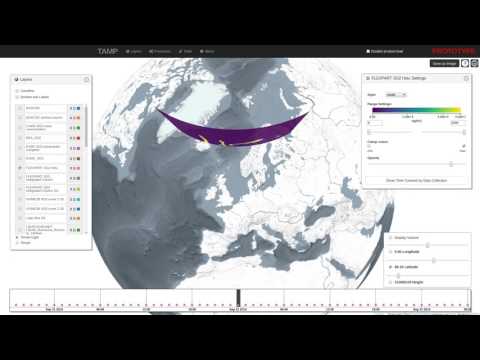
* [Slice view using Cesium.js (TAMP project)](http://www.youtube.com/watch?v=E6kFLtKgeJ8)
[](http://www.youtube.com/watch?v=E6kFLtKgeJ8)
* [Contour generation using d3-contour](https://bl.ocks.org/mbostock/83c0be21dba7602ee14982b020b12f51)
[](https://bl.ocks.org/mbostock/83c0be21dba7602ee14982b020b12f51)
## Migration Guide (v2 to v3)
Version 3.0 introduces significant performance improvements through deferred tag reading, but includes breaking changes to some APIs. This guide will help you migrate your code.
### Summary of Changes
**For most users**: Minimal changes required. The high-level APIs (`getImage()`, `readRasters()`, etc.) remain compatible. You'll mainly need to:
- Add `await` to `getTiePoints()` and `getGDALMetadata()`
- Change `image.geoKeys` to `image.getGeoKeys()`
**For advanced users**: If you directly access `fileDirectory` properties, you'll need to migrate to the new `ImageFileDirectory` methods.
### Breaking Changes
#### 1. GeoKeys Access
**Before (v2)**:
```javascript
const image = await tiff.getImage();
const geoKeys = image.geoKeys;
```
**After (v3)**:
```javascript
const image = await tiff.getImage();
const geoKeys = image.getGeoKeys();
```
#### 2. getTiePoints() and getGDALMetadata() are now async
**Before (v2)**:
```javascript
const tiePoints = image.getTiePoints();
const metadata = image.getGDALMetadata();
```
**After (v3)**:
```javascript
const tiePoints = await image.getTiePoints();
const metadata = await image.getGDALMetadata();
```
#### 3. Accessing fileDirectory properties
The `fileDirectory` object has been replaced with an `ImageFileDirectory` class that supports deferred loading.
**Before (v2)**:
```javascript
const image = await tiff.getImage();
const { ModelPixelScale: s, ModelTiepoint: t } = image.fileDirectory;
const width = image.fileDirectory.ImageWidth;
const compression = image.fileDirectory.Compression;
```
**After (v3)** - Use `getValue()` for synchronous access:
```javascript
const image = await tiff.getImage();
const s = image.fileDirectory.getValue('ModelPixelScale');
const t = image.fileDirectory.getValue('ModelTiepoint');
const width = image.fileDirectory.getValue('ImageWidth');
const compression = image.fileDirectory.getValue('Compression');
```
**Note**: `getValue()` throws an error if the tag is deferred. For tags that might be deferred (like large arrays), use `loadValue()`:
```javascript
const colorMap = await image.fileDirectory.loadValue('ColorMap');
```
#### 4. Checking if tags exist
**Before (v2)**:
```javascript
if (image.fileDirectory.ModelTiepoint) {
// ...
}
```
**After (v3)**:
```javascript
if (image.fileDirectory.hasTag('ModelTiepoint')) {
// ...
}
```
#### 5. Accessing array elements
For large arrays (like `TileOffsets`, `StripOffsets`), individual elements can now be loaded on-demand:
**Before (v2)**:
```javascript
const offset = image.fileDirectory.TileOffsets[5];
```
**After (v3)**:
```javascript
const offset = await image.fileDirectory.loadValueIndexed('TileOffsets', 5);
```
#### 6. Pool API changes
If you're using the `Pool` class directly (most users don't):
**Before (v2)**:
```javascript
const pool = new GeoTIFF.Pool();
const decoded = await pool.decode(fileDirectory, buffer);
```
**After (v3)**:
```javascript
const pool = new GeoTIFF.Pool();
const compression = fileDirectory.getValue('Compression');
const params = await getDecoderParameters(compression, fileDirectory);
const boundPool = pool.bindParameters(compression, params);
const decoded = await boundPool.decode(buffer);
```
**Note**: When using `readRasters({ pool })`, this is handled automatically.
#### 7. Custom Decoders
If you've implemented custom decoders:
**Before (v2)**:
```javascript
class MyDecoder extends BaseDecoder {
async decode(fileDirectory, buffer) {
// decode using fileDirectory properties
}
}
```
**After (v3)**:
```javascript
class MyDecoder extends BaseDecoder {
constructor(parameters) {
super(parameters);
// parameters extracted once during construction
}
async decode(buffer) {
// decode using this.parameters
}
}
// Register with parameter extraction function
addDecoder(
12345, // compression ID
() => import('./mydecoder.js').then(m => m.default),
async (fileDirectory) => {
return {
...await defaultDecoderParameterFn(fileDirectory),
myCustomParam: await fileDirectory.loadValue('MyCustomTag')
};
}
);
```
### Migration Examples
#### Example 1: Reading with ModelTiepoint/ModelPixelScale
**Before (v2)**:
```javascript
const tiff = await fromUrl(url);
const image = await tiff.getImage();
const { ModelPixelScale: s, ModelTiepoint: t } = image.fileDirectory;
const [sx, sy, sz] = s;
const [px, py, k, gx, gy, gz] = t;
```
**After (v3)**:
```javascript
const tiff = await fromUrl(url);
const image = await tiff.getImage();
const s = image.fileDirectory.getValue('ModelPixelScale');
const t = image.fileDirectory.getValue('ModelTiepoint');
const [sx, sy, sz] = s;
const [px, py, k, gx, gy, gz] = t;
```
#### Example 2: Working with ColorMap (potentially deferred)
**Before (v2)**:
```javascript
const image = await tiff.getImage();
const colorMap = image.fileDirectory.ColorMap;
```
**After (v3)**:
```javascript
const image = await tiff.getImage();
const colorMap = await image.fileDirectory.loadValue('ColorMap');
```
#### Example 3: Checking PhotometricInterpretation
**Before (v2)**:
```javascript
const pi = image.fileDirectory.PhotometricInterpretation;
if (pi === photometricInterpretations.RGB) {
// ...
}
```
**After (v3)**:
```javascript
const pi = image.fileDirectory.getValue('PhotometricInterpretation');
if (pi === photometricInterpretations.RGB) {
// ...
}
```
### What Hasn't Changed
These APIs remain fully backwards compatible:
```javascript
// GeoTIFF class
const tiff = await fromUrl(url);
const tiff = await fromArrayBuffer(buffer);
const tiff = await fromBlob(blob);
const imageCount = await tiff.getImageCount();
const image = await tiff.getImage(index);
// GeoTIFFImage class
const width = image.getWidth();
const height = image.getHeight();
const samplesPerPixel = image.getSamplesPerPixel();
const tileWidth = image.getTileWidth();
const tileHeight = image.getTileHeight();
const origin = image.getOrigin();
const resolution = image.getResolution();
const bbox = image.getBoundingBox();
// Reading raster data
const data = await image.readRasters({ window, samples, interleave, pool });
const rgb = await image.readRGB({ window });
// Writing GeoTIFFs
const arrayBuffer = await writeArrayBuffer(values, metadata);
```
### Performance Benefits
The new deferred loading system provides significant performance improvements:
- **Faster initial parsing**: Large arrays (like tile offsets) are not loaded upfront
- **Reduced memory usage**: Only load the data you actually need
- **On-demand array access**: Access individual array elements without loading the entire array
- **Backward compatible caching**: Frequently accessed tags are eagerly loaded by default
## Setup
To setup the repository do the following steps:
```bash
# clone repo
git clone https://github.com/constantinius/geotiff.js.git
cd geotiff.js/
# install development dependencies
npm install
```
## Testing and Building
In order to run the tests you first have to set up the test data. This requires
the [GDAL](http://gdal.org/) and [ImageMagick](http://imagemagick.org/) tools.
Installation of these tools varies according to the operating system, the
following listing shows the installation on Ubuntu (using the ubuntugis-unstable
repository):
```bash
sudo add-apt-repository -y ppa:ubuntugis/ubuntugis-unstable
sudo apt-get update
sudo apt-get install -y gdal-bin imagemagick
```
To install GDAL and ImageMagick on MacOS X, please use [Homebrew](https://brew.sh/). The setup script also needs `wget` on MacOS X
```bash
brew install wget gdal imagemagick
```
When GDAL and ImageMagick is installed, the test data setup script can be run:
```bash
cd test/data
sh setup_data.sh
cd -
```
To test the library (using PhantomJS, karma, mocha and chai) do the following:
```bash
npm test
```
To do some in-browser testing do:
```bash
npm run dev
```
and navigate to `http://localhost:8090/test/`
To build the library do:
```bash
npm run build
```
The output is written to `dist-browser/main.js` and `dist-node/main.js`.
## Install
You can install geotiff.js using npm:
```
npm install geotiff
```
or you can use the prebuilt version with a CDN:
```html
<script src="https://cdn.jsdelivr.net/npm/geotiff"></script>
```
## Usage
geotiff.js works with both `require`, `import` and the global variable `GeoTIFF`:
```javascript
const GeoTIFF = require('geotiff');
const { fromUrl, fromUrls, fromArrayBuffer, fromBlob } = GeoTIFF;
// or
import GeoTIFF, { fromUrl, fromUrls, fromArrayBuffer, fromBlob } from 'geotiff';
```
or:
```html
<script src="https://cdn.jsdelivr.net/npm/geotiff"></script>
<script>
console.log(GeoTIFF);
</script>
```
To parse a GeoTIFF, first a data source is required. To help with the development,
there are shortcuts available. The following creates a source that reads from a
remote GeoTIFF referenced by a URL:
```javascript
fromUrl(someUrl)
.then(tiff => { /* ... */});
// or when using async/await
(async function() {
const tiff = await fromUrl(someUrl);
// ...
})()
```
Note: the interactions with geotiff.js objects are oftentimes asynchronous. For
the sake of brevity we will only show the async/await syntax and not the
`Promise` based one in the following examples.
Accessing remote images is just one way to open TIFF images with geotiff.js. Other
options are reading from a local `ArrayBuffer`:
```javascript
// using local ArrayBuffer
const response = await fetch(someUrl);
const arrayBuffer = await response.arrayBuffer();
const tiff = await fromArrayBuffer(arrayBuffer);
```
or a `Blob`/`File`:
```html
<input type="file" id="file">
<script>
const input = document.getElementById('file');
input.onchange = async function() {
const tiff = await fromBlob(input.files[0]);
}
</script>
```
Now that we have opened the TIFF file, we can inspect it. The TIFF is structured
in a small header and a list of one or more images (Image File Directory, IFD to
use the TIFF nomenclature). To get one image by index the `getImage()` function
must be used. This is again an asynchronous operation, as the IFDs are loaded
lazily:
```javascript
const image = await tiff.getImage(); // by default, the first image is read.
```
Now that we have obtained a `GeoTIFFImage` object we can inspect its metadata
(like size, tiling, number of samples, geographical information, etc.). All
the metadata is parsed once the IFD is first parsed, thus the access to that
is synchronous:
```javascript
const width = image.getWidth();
const height = image.getHeight();
const tileWidth = image.getTileWidth();
const tileHeight = image.getTileHeight();
const samplesPerPixel = image.getSamplesPerPixel();
// when we are actually dealing with geo-data the following methods return
// meaningful results:
const origin = image.getOrigin();
const resolution = image.getResolution();
const bbox = image.getBoundingBox();
```
The actual raster data is not fetched and parsed automatically. This is because
it is usually much more spacious and the decoding of the pixels can be time
consuming due to the necessity of decompression.
To read a whole image into one big array of arrays the following method call can be used:
```javascript
const data = await image.readRasters();
```
For convenience the result always has a `width` and `height` attribute:
```javascript
const data = await image.readRasters();
const { width, height } = data;
```
By default, the raster is split to a separate array for each component. For an RGB image
for example, we'd get three arrays, one for red, green and blue.
```javascript
const [red, green, blue] = await image.readRasters();
```
If we want instead all the bands interleaved in one big array, we have to pass the
`interleave: true` option:
```javascript
const [r0, g0, b0, r1, g1, b1, ...] = await image.readRasters({ interleave: true });
```
If we are only interested in a specific region of the image, the `window` option can be
used to limit reading in that bounding box. Note: the bounding box is in 'image coordinates'
not geographical ones:
```javascript
const left = 50;
const top = 10;
const right = 150;
const bottom = 60;
const data = await image.readRasters({ window: [left, top, right, bottom] });
```
This image window can go beyond the image bounds. In that case it might be usefull to supply
a `fillValue: value` option (can also be an array, one value for each sample).
It is also possible to just read specific samples for each pixel. For example, we can only
read the red component from an RGB image:
```javascript
const [red] = await image.readRasters({ samples: [0] });
```
When you want your output in a specific size, you can use the `width` and `height` options.
This defaults of course to the size of your supplied `window` or the image size if no
`window` was supplied.
As the data now needs to be resampled, a `resampleMethod` can be specified. This defaults to
the nearest neighbour method, but also the `'bilinear'` method is supported:
```javascript
const data = await image.readRasters({ width: 40, height: 40, resampleMethod: 'bilinear' });
```
### Using decoder pools to improve parsing performance
Decoding compressed images can be a time consuming process. To minimize this
geotiff.js provides the `Pool` mechanism which uses WebWorkers to split the amount
of work on multiple 'threads'.
```javascript
const pool = new GeoTIFF.Pool();
const data = await image.readRasters({ pool });
```
It is possible to provide a pool size (i.e: number of workers), by default the number
of available processors is used.
### Dealing with visual data
The TIFF specification provides various ways to encode visual data. In the
specification this is called photometric interpretation. The simplest case we
already dealt with is the RGB one. Others are grayscale, paletted images, CMYK,
YCbCr, and CIE L*a*b.
geotiff.js provides a method to automatically convert these images to RGB:
`readRGB()`. This method is very similar to the `readRasters` method with
the distinction that the `interleave` option now defaults to `true` and the
`samples` are automatically chosen.
```javascript
const rgb = await image.readRGB({
// options...
});
```
### Automatic image selection (experimental)
When dealing with images that have internal (or even external, see the next section)
overviews, `GeoTIFF` objects provide a separate `readRasters` method. This method
works very similar to the method on the `GeoTIFFImage` objects with the same name.
By default, it uses the larges image available (highest resolution), but when either
`width`, `height`, `resX`, or `resY` are specified, then the best fitting image will
be used for reading.
Additionally, it allows the `bbox` instead of the `window` parameter. This works
similarly, but uses geographic coordinates instead of pixel ones.
```javascript
const data = await tiff.readRasters({
bbox: [10.34, 57.28, 13.34, 60.23],
resX: 0.1,
resY: 0.1
});
```
### External overviews
Especially for certain kinds of high resolution images it is not uncommon to separate
the highest resolution from the lower resolution overviews (usually using the `.ovr`
extension). With geotiff.js it is possible to use files of this setup, just as you
would use single-file images by taking advantage of the `MultiGeoTIFF` objects. They
behave exactly the same as the before mentioned `GeoTIFF` objects: you can select
images by index or read data using `readRasters`. Toget such a file use the `fromUrls`
factory function:
```javascript
const multiTiff = await fromUrls(
'LC08_L1TP_189027_20170403_20170414_01_T1_B3.TIF',
['LC08_L1TP_189027_20170403_20170414_01_T1_B3.TIF.ovr']
);
```
### AbortController Support
Geotiff.js supports the use of [`AbortController`s](https://developer.mozilla.org/en-US/docs/Web/API/AbortController). Calls to `getRasters`, `readRGB` and `getTileOrStrip` will throw an `Error` with name `AbortSignal` similar to the browser's `fetch` behavior.
```javascript
const tiff = await fromUrl(source);
const abortController = new AbortController();
const { signal } = abortController;
abortController.abort();
try {
const data = await tiff.readRasters({ signal });
} catch(e) {
if (err.name === 'AbortError') {
// do stuff
}
}
```
### Writing GeoTIFFs (Beta Version)
You can create a binary representation of a GeoTIFF using `writeArrayBuffer`.
This function returns an ArrayBuffer which you can then save as a .tif file.
:warning: writeArrayBuffer currently writes the values uncompressed
```javascript
import GeoTIFF, { writeArrayBuffer } from 'geotiff';
const values = [1, 2, 3, 4, 5, 6, 7, 8, 9];
const metadata = {
height: 3,
width: 3
};
const arrayBuffer = await writeArrayBuffer(values, metadata);
```
You can also customize the metadata using names found in the [TIFF Spec](https://www.loc.gov/preservation/digital/formats/content/tiff_tags.shtml) and [GeoTIFF spec](https://cdn.earthdata.nasa.gov/conduit/upload/6852/geotiff-1.8.1-1995-10-31.pdf).
```javascript
import { writeArrayBuffer } from 'geotiff';
const values = [1, 2, 3, 4, 5, 6, 7, 8, 9];
const metadata = {
GeographicTypeGeoKey: 4326,
height: 3,
ModelPixelScale: [0.031355, 0.031355, 0],
ModelTiepoint: [0, 0, 0, 11.331755000000001, 46.268645, 0],
width: 3
};
const arrayBuffer = await writeArrayBuffer(values, metadata);
```
## What to do with the data?
There is a nice HTML 5/WebGL based rendering library called
[plotty](https://github.com/santilland/plotty), that allows for some really nice
on the fly rendering of the data contained in a GeoTIFF.
```html
<canvas id="plot"></canvas>
<script>
// ...
(async function() {
const tiff = await fromUrl(url);
const image = await tiff.getImage();
const data = await image.readRasters();
const canvas = document.getElementById("plot");
const plot = new plotty.plot({
canvas,
data: data[0],
width: image.getWidth(),
height: image.getHeight(),
domain: [0, 256],
colorScale: "viridis"
});
plot.render();
})();
</script>
```
There's also a library called [geotiff-geokeys-to-proj4](https://github.com/matafokka/geotiff-geokeys-to-proj4), that allows for reprojecting pixel coordinates and, therefore, consuming geospatial data contained in GeoTIFF.
## BigTIFF support
geotiff.js has a limited support for files in the BigTIFF format. The limitations
originate in the capabilities of current JavaScript implementations regarding
64 bit integer parsers and structures: there are no functions to read 64 bit
integers from a stream and no such typed arrays. As BigTIFF relies on 64 bit
offsets and also allows tag values of those types. In order to still provide
a reasonable support, the following is implemented:
* 64 bit integers are read as two 32 bit integers and then combined. As
numbers in JavaScript are typically implemented as 64 bit floats, there
might be inaccuracies for *very* large values.
* For 64 bit integer arrays, the default `Array` type is used. This might
cause problems for some compression algorithms if those arrays are used for
pixel values.
## n-bit Support
geotiff.js has some n-bit support which means that it supports unsigned integer
data reading with each element using a non-multiple of 8 bit depth. This only
works with band interleaved images (see
[this related issue](https://github.com/geotiffjs/geotiff.js/issues/202)).
## Planned stuff:
* Better support of geospatial parameters:
* WKT representation
## Known Issues
The open issues can be found on [GitHub](https://github.com/geotiffjs/geotiff.js/issues).
## Contribution
If you have an idea, found a bug or have a remark, please open a ticket, we will
look into it ASAP.
Pull requests are welcome as well!
## Community Packages
A list of community packages can be found in [COMMUNITY.md](COMMUNITY.md)
## Acknowledgements
This library was inspired by
[GeotiffParser](https://github.com/xlhomme/GeotiffParser.js). It provided a
great starting point, but lacked the capabilities to read the raw raster data
which is the aim of geotiff.js.