geofence
Version:
Geofencing for npm
84 lines (60 loc) • 3.41 kB
Markdown
# Geofence
Simple geofencing using Google or other geolocation providers's API
[](https://www.npmjs.com/package/geofence)
[![NPM Downloads][downloadst-image]][downloads-url]
- [x] Check the current location's distance/duration againts the destination
- [x] Caches the distances to reduce geolocation API calls
- [x] Accepts callbacks for finding current location
- [x] Accepts callbacks for when inside the fence
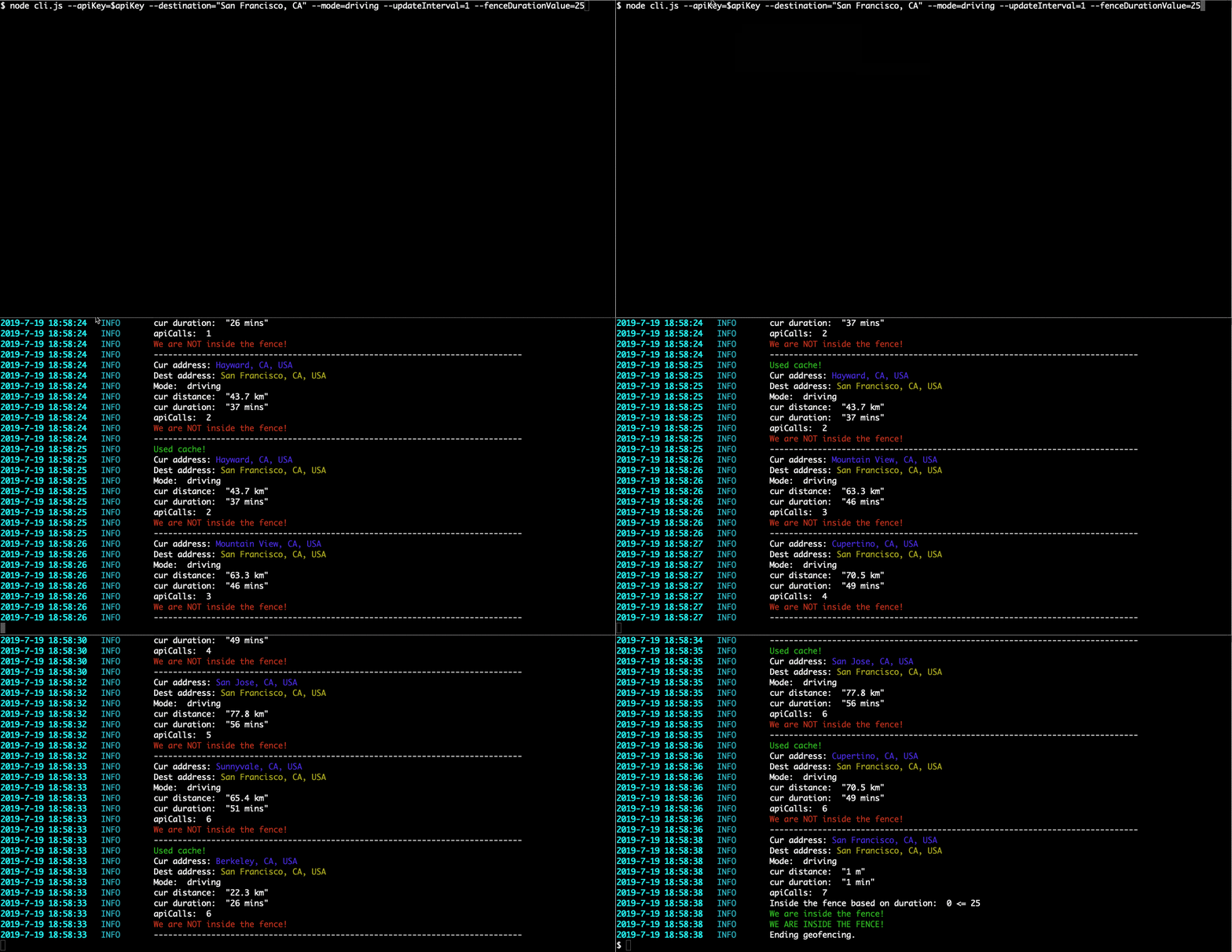
# Screenshot
[examples/cli.js](examples/cli.js)
```bash
node cli.js --apiKey=$apiKey --destination="San Francisco, CA" --mode=driving --updateInterval=1 --fenceDurationValue=25
```
# Installation
Install with npm:
```bash
npm install geofence --save
```
# Usage
The current location and destination can be address or lat/long. See [Google's Distance Matrix API](https://developers.google.com/maps/documentation/distance-matrix/intro)
```javascript
let options = {
// You can get it from here: https://cloud.google.com/maps-platform/
apiKey: "ENTER YOUR API HERE", // Enter your own api key
updateInterval: 5, // Update current location (in seconds)
// API function to get the current location.
// It should return a string that is an address or lat/long
// See Google's Distance Matrix API:
// https://developers.google.com/maps/documentation/distance-matrix/intro
getCurrentLocation: getCurrentLocation,
// Callback for when we are inside the fence (optional)
insideGeofenceCallBack: insideGeofenceCallBack,
// Callback function to be called whenever the
// current location and distance is updated (optional)
updateDistanceCallBack: updateDistanceCallBack,
loopForever: false, // Stop/continue once we are inside the fence
activateFenceOn: "duration", // 'duration' OR 'distance' OR 'either'
fenceDurationValue: 25 * 60, // range of the fence in seconds
fenceDistanceValue: 1000, // range of the fence in meters
};
let locationSepc = {
destination: "Oakland, CA", // Can be address or lat/long
mode: "driving" //
};
//-----------------------------------------------------------------------------
var geofence = require("geofence")(options, locationSepc);
geofence.start(options);
```
# Examples
- [examples/example.js](examples/example.js): Simple example
- [examples/cli.js](examples/cli.js): demonstrates running with command line arguments:
- `node cli.js --apiKey=YOUR_API_KEY --destination="San Francisco, CA"`
- [examples/termux.js](examples/termux.js): demonstrates running inside [Termux](https://termux.com/) and [Termux-API](https://play.google.com/store/apps/details?id=com.termux.api) on Android using device GPS and system notifications. Run with:
- `node termux.js --apiKey=YOUR_API_KEY --destination="320 Main St, Venice, CA" --fenceDurationValue=300 --updateInterval=10`
- [examples/termux_prompt.js](examples/termux_prompt.js): demonstrates running inside [Termux](https://termux.com/) and [Termux-API](https://play.google.com/store/apps/details?id=com.termux.api) on Android using device GPS and system notifications. It receives the inputs from command prompt:
- `node termux_prompt.js`
[downloads-image]: https://img.shields.io/npm/dm/geofence.svg
[downloadst-image]: https://img.shields.io/npm/dt/geofence.svg
[downloads-url]: https://npmjs.org/package/geofence