generator
Version:
Project bootstrapping with an emphasis on simplicity.
92 lines (70 loc) • 3.01 kB
Markdown
## Generator [](http://travis-ci.org/thisandagain/generator)
#### Language agnostic project bootstrapping with an emphasis on simplicity.
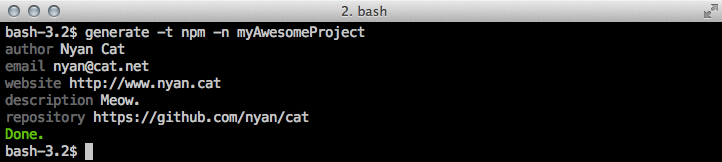
### Installation
```bash
[sudo] npm install -g generator
```
Once installed, you should load the default templates:
```bash
generate --setup
```
### Usage
In order to bootstrap a project using one of the default templates you simply run `generate` and specifiy a template and project name. For example, let's create a new Node.js module called `kittycannon`:
```bash
generate --template npm --name kittycannon
```
---
### Default Templates
Generator comes with a few templates to get you started. While they are usable as-is, the whole point of Generator is make the creation of custom templates as simple as possible.
- `npm` [NPM](https://npmjs.org/) module template
- `arduino` [Arduino](http://www.arduino.cc/) project template
### How Templates Work
Templates are simply directories with any combination of files and sub-directories found within them. To create a new template simply create a new directory within your `~/.generator` path or copy one of the default templates and modify it. Upon use, Generator will walk the template looking for any instances of `__somelowercasevariable__` and prompt for a value. For example, a template including this:
```javascript
/**
* __description__
*
* @package __name__
* @author __author__ <__email__>
*/
```
Will prompt:
```bash
description: Rainbow catsplosion.
author: Nyan Cat
email: kitty@meow.com
```
Which will generate:
```javascript
/**
* Rainbow catsplosion.
*
* @package myAwesomeProject
* @author Nyan Cat <kitty@meow.com>
*/
```
---
### Post Processing
By default, Generator will look for a `makefile` and (if found) will run `make generator` after all other template processing has been completed. This is particularly handy for dealing with template dependencies that may change over time (like git repositories or even [NPM](https://npmjs.org/) modules). For example:
```bash
generator:
npm install
.PHONY: generator
```
Or... heck, let's go crazy nuts and automate setting up our git repo:
```bash
generator:
git init
git remote add origin https://github.com/__github__/__name__
npm install
.PHONY: generator
```
---
### Testing
```bash
npm test
```
### Notes
- C, C++, and PHP often use the `__SOMETHING__` pattern for [macros](http://gcc.gnu.org/onlinedocs/gcc-3.1/cpp/Standard-Predefined-Macros.html). For this reason, Generator will ignore any variable instances that are specified in caps. This works fine for C and C++ users, but given that such macros in PHP are case insensitive, PHP users should keep this limitation in mind while designing templates.
- "Good coders code. Great reuse." quote shamelessly stolen from [Peteris Krumins' blog](http://www.catonmat.net/) (which you should read).