generator-ngx-rocket
Version:
Extensible Angular 13+ enterprise-grade project generator based on angular-cli with best practices from the community. Includes PWA/Cordova/Electron support, coding guides and more!
141 lines (100 loc) • 4.55 kB
Markdown
# :rocket: ngx-rocket/cli
[](https://github.com/sindresorhus/xo)
[](../LICENSE)
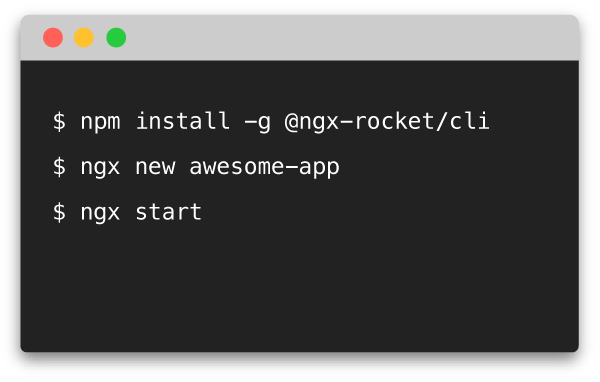
> CLI for creating Angular apps with ngX-Rocket generators.
Leverage [ngX-Rocket generator](https://github.com/ngx-rocket/generator-ngx-rocket) with community
[add-ons](https://www.npmjs.com/search?q=ngx-rocket-addon) and improve your **developer experience**.
From scaffolding to deployment, use this CLI to accelerate your workflow.
You can also
[make your very own add-on](https://github.com/ngx-rocket/generator-ngx-rocket/tree/main/generators/addon) directly
from the CLI, to make your next project even faster!
## Installation
```sh
npm install -g generator-ngx-rocket
```
## Usage
```sh
ngx --help
__ __
_ _ __ _\ \./ / ____ ____ ____ _ _ ____ ___
| ' \/ _` |> < |--< [__] |___ |-:_ |=== |
|_||_\__, /_/°\_\ ENTERPRISE APP STARTER -~*=>
|___/
Usage: ngx [new|update|config|list|<script>] [options]
n, new [name]
Creates a new app.
-a, --addon Creates an add-on instead.
--packageManager <yarn|npm> Uses specified package manager.
--automate <json_file> Automates prompt answers using JSON file.
--tools Generates only the toolchain
${chalk.blue('u, update')}
Updates an existing app or add-on.
--tools Updates only the toolchain
c, config
Configures add-ons to use for new apps.
All available add-ons are used by default.
l, list
Lists available add-ons.
-n, --npm Show installable add-ons on NPM
<script>
Runs specified script from your package.json
Works like npm run <script> with fuzzy matching
```
## Generating and serving a project via a development server
```sh
ngx new
npm start
```
Navigate to `http://localhost:4200/`.
The app will automatically reload if you change any of the source files.
To get more information about generated project, see
[ngX-Rocket generator](https://github.com/ngx-rocket/generator-ngx-rocket).
> Note: any [ngX-Rocket generator option](https://github.com/ngx-rocket/generator-ngx-rocket#generator-options) can be
> used with `ngx new` or `ngx update`.
## Updating an existing project
Make you have no uncommitted changes in your project folder, then:
```sh
ngx update
```
The simplest and safest way is then to overwrite everything in case of conflict, then use your SCM to revert/merge
changes one file at once.
> Note: you can use the `--tools` option to generate only the toolchain and not application templates, thus reducing
> the number of changes to merge.
## Managing add-ons
ngX-Rocket add-ons are additional generators running on top of
[ngX-Rocket generator](https://github.com/ngx-rocket/generator-ngx-rocket) that complement or modify the project
template.
### Listing available add-ons
Use `ngx list` to show currently installed add-ons on the system.
To show add-ons available for installation, use `npm list --npm`.
### Disabling specific add-ons
By default all installed add-ons are used for new projects.
However, you selectively enable or disable add-ons using `ngx config`.
### Creating a new add-on
You can use the command `ngx new --addon` to create a new ngX-Rocket add-on.
See [ngx-rocket/core](https://github.com/ngx-rocket/core) for the complete documentation about add-on creation.
## Running scripts from `package.json`
In a generated project folder, you can use the command `ngx <script>` to run any `package.json` script.
This is only a convenience shortcut, it works exactly like `npm run <script>`, except that you do need to add `--` to
pass arguments to the underlying command, and script name is fuzzy matched.
For example in a ngX-Rocket project you can use these commands:
```sh
ngx start --configuration=production
ngx generate component myComponent --module myModule
ngx build --build-optimizer
```
Instead of typing the full script name, you can also type only the first letters:
```sh
ngx s --configuration=production
ngx g component myComponent --module myModule
ngx b --build-optimizer
```
If there is more than one script matching, the first one will be used.
You can then use any number of additional letters to discriminate the script you want to run.
For example you can use first letters of sub-commands:
```sh
ngx cr ios // start cordova:run script
```
# License
[MIT](../LICENSE)