generator-fsharp
Version:
68 lines (40 loc) • 3.84 kB
Markdown
## F# Yeoman Generator
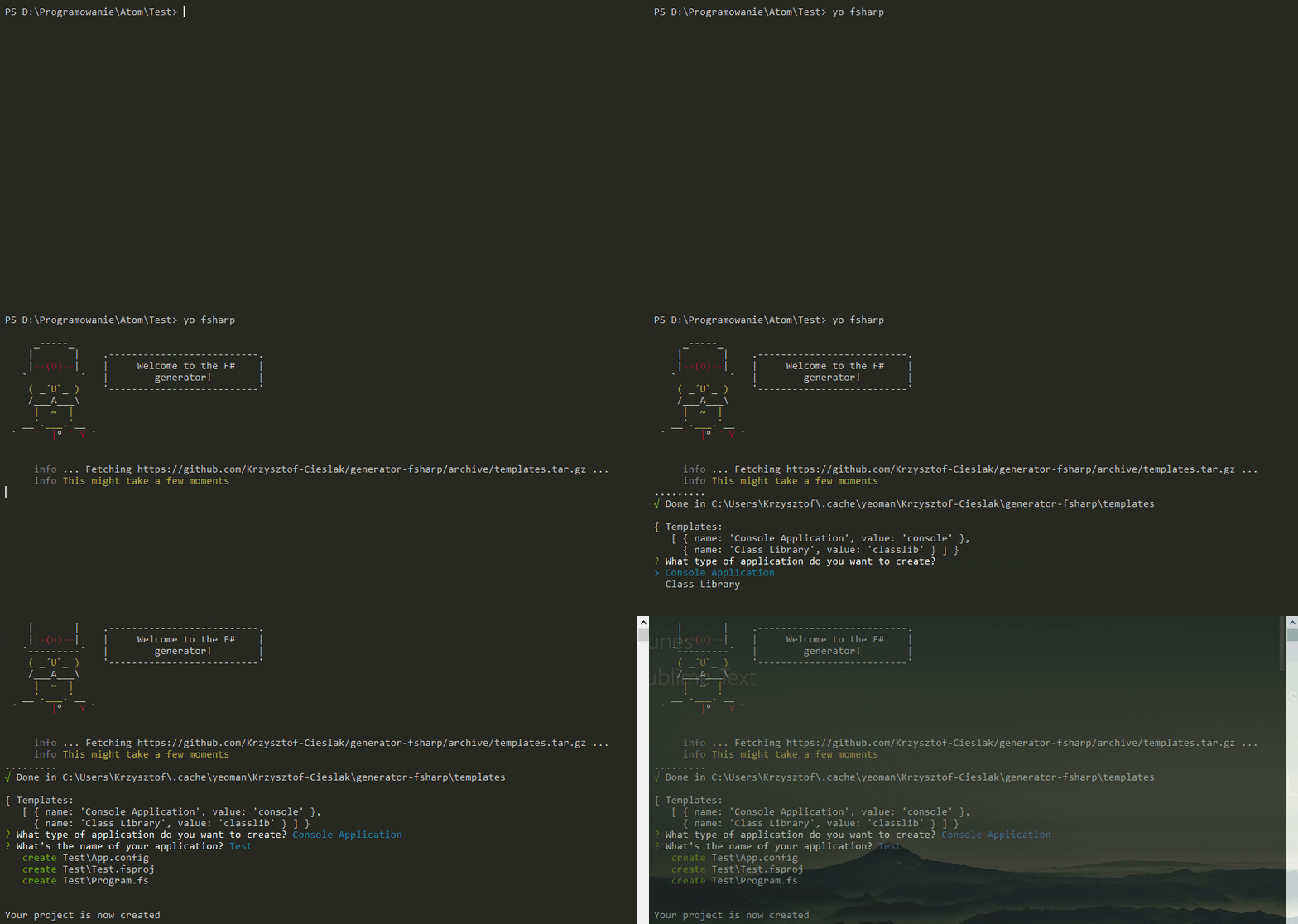
The aim of the project is to provide good and easy way of scaffolding F# projects outside of IDE such as Visual Studio and Xamarin Studio.
[Yeoman](http://yeoman.io/) is popular node.js based scaffolding tool used also by for example ASP.NET vNext team. Also there exists nice integrations of Yeoman with text editors such as Atom.
Available templates are stored also on GitHub (in [templates branch](https://github.com/fsprojects/generator-fsharp/tree/templates) branch of this repository) so it's very easy to add / update templates without need of updating generator.
## Getting started
### What is Yeoman?
Trick question. It's not a thing. It's this guy:

Basically, he wears a top hat, lives in your computer, and waits for you to tell him what kind of application you wish to create.
Not every new computer comes with a Yeoman pre-installed. He lives in the [npm](https://npmjs.org) package repository. You only have to ask for him once, then he packs up and moves into your hard drive. *Make sure you clean up, he likes new and shiny things.*
```bash
npm install -g yo
```
### Yeoman Generators
Yeoman travels light. He didn't pack any generators when he moved in. You can think of a generator like a plug-in. You get to choose what type of application you wish to create, such as a Backbone application or even a Chrome extension.
To install generator-fsharp from npm, run:
```bash
npm install -g generator-fsharp
```
Finally, initiate the generator:
```bash
yo fsharp
```
## Contributing and copyright
The project is hosted on [GitHub](https://github.com/fsprojects/generator-fsharp) where you can [report issues](https://github.com/fsprojects/generator-fsharp/issues), fork
the project and submit pull requests on the [develop branch](https://github.com/fsprojects/generator-fsharp/tree/develop).
The library is available under [Apache 2 license](https://github.com/fsprojects/generator-fsharp/blob/master/LICENSE.md), which allows modification and
redistribution for both commercial and non-commercial purposes.
### Adding templates
Templates are added by doing PR to the develop branch adding new subfolders to the [templates folder](https://github.com/fsprojects/generator-fsharp/tree/develop/templates) and by updating [templates.json file](https://github.com/Krzysztof-Cieslak/generator-fsharp/blob/develop/templates/templates.json).
At the moment, several helpers are working to make scaffolding easier:
* In ever file name `ApplicationName` part is replaced with application name user provided.
* In template files `<%= namespace %>` tag can be used to insert application name provided by user ( [example#1](https://github.com/fsprojects/generator-fsharp/blob/develop/templates/classlib/ApplicationName.fs#L3), [example#2](https://github.com/fsprojects/generator-fsharp/blob/develop/templates/classlib/ApplicationName.fsproj#L10) )
* In template files `<%= guid %>` tag can be used to insert randomly generated GUID ( [example#3](https://github.com/Krzysztof-Cieslak/generator-fsharp/blob/develop/templates/classlib/ApplicationName.fsproj#L8) )
* In template files `<%= pacakgesPath %>` tag can be used to insert path to packages folder ( [example#4](https://github.com/fsprojects/generator-fsharp/blob/templates/fslabbasic/ApplicationName.fsx#L10) )
* In template files `<%= paketPath %>` tag can be used to insert path to `.paket` folder ( [example#5](https://github.com/fsprojects/generator-fsharp/blob/templates/fslabjournal/build.cmd#L7) )
### Maintainer(s)
- [@Krzysztof-Cieslak](https://github.com/Krzysztof-Cieslak)
- [@rodrigovidal](https://github.com/rodrigovidal)