generator-ember-plus
Version:
Yeoman generator for Ember with added functionality
143 lines (86 loc) • 4.15 kB
Markdown
# Ember.js Generator Plus!
Maintainer: [kfir124](https://github.com/kfir124)
The Ember.js generator plus is a fork of the [emberjs-generator] (https://github.com/yeoman/generator-ember)
which aims to give the same functionality as the main emberjs-generator but includes the following Plus features:
* No questions asked! installs all the latest technologies without bothering you with questions
* [Ember-simple-auth] (https://github.com/simplabs/ember-simple-auth) full integration working out of the box!
* FontAwesome 4
* Bootstrap-sass
* [Bootstrap-for-ember] (https://github.com/ember-addons/bootstrap-for-ember)
* Latest Ember version!(1.8.0)
## Pre-reqs
* [npm](http://nodejs.org/)
* [compass](http://compass-style.org/install/)
* `npm install -g grunt-contrib-compass`
* Bower ( which requires git installed )
* Ruby
* gem install compass
* gem install --pre sass-css-importer
You should have one path each for:
`which ruby && which compass`
## Tutorials
You can either get started using the guide in our documentation lower down or via one of the community-authored tutorials about this generator.
* please remember to use generator-ember-plus instead of generator-ember
* [Yeoman Ember](https://www.openshift.com/blogs/day-24-yeoman-ember-the-missing-tutorial) - the missing tutorial
* [Productive out-of-the-box with Yeoman and Ember](http://www.infoq.com/presentations/emberjs-tools-yeoman)
## Usage
* `npm install -g generator-ember-plus`
* `mkdir myemberapp && cd myemberapp`(The directory's name is your application's name)
* `yo ember-plus`
* `npm install -g grunt-mocha`
* `grunt serve`
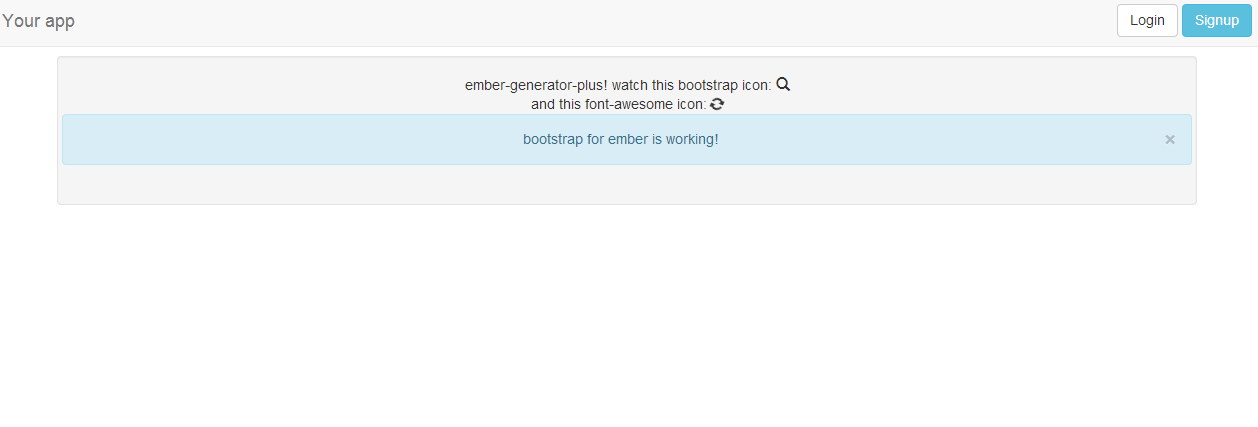
A welcome page should appear in your browser.
## Generators
Add'l generators:
* ember-plus:model
* ember-plus:view
* ember-plus:controller
* ember-plus:component
### ember-plus:model
Creates a model, views, handlebars, controllers, view/edit routes, and some basic fixtures given an arg, as in:
`yo ember-plus:model User name:string zipcode:number`
see:
* http://localhost:9000/#/users
see also:
* http://localhost:9000/#/user/1
* http://localhost:9000/#/user/1/edit
### ember-plus:view
Creates a view and template given an arg, as in
`yo ember-plus:view Foo`
__KNOWN ISSUE: IF YOU ADD A NEW VIEW, REGARDLESS OF WITH WHICH GENERATOR, YOU HAVE TO RESTART THE SERVER.__
### ember-plus:controller
Creates a view, handlebar, controller and route given an arg, as in:
`yo ember-plus:controller Bar`
(and updates router.js, overwrite when prompted)
see:
* http://localhost:9000/#/bar
### ember-plus:component
Creates a component and a template for that component given an arg, as in:
`yo ember-plus:component x-player`
Which can be used in the application with `{{x-player}}`.
## Options
* `--skip-install`
Skips the automatic execution of `bower` and `npm` after scaffolding has finished.
* `--test-framework=[framework]`
Defaults to `mocha`. Can be switched for another supported testing framework like `jasmine`.
* `--coffee` **(NOTE: not fully supported yet)**
Enable support for CoffeeScript.
* `--karma`
Enables support for karma test runner
## Testing
Testing your app is as simple as running `grunt test`. The generator ships with the
[karma test runner](http://karma-runner.github.io/0.8/index.html) for running the tests. Integration
tests are written with [ember-testing](https://github.com/emberjs/ember.js/tree/master/packages/ember-testing)
and preferably mocha. Karma is highly configurable and you can take a look at the varity of options
on [its website](http://karma-runner.github.io/0.8/index.html).
## Troubleshooting
### Command not found
Manifests as: `-bash: yo: command not found`
You need to make sure that npm is on your path. Add the following to your .bash_profile (or .bashrc):
`PATH=/usr/local/share/npm/bin:$PATH`
### templateName issues
Manifests as: `You specified the templateName ... but it did not exist.`
You probably added a view; restart the server.
## License
[BSD license](http://opensource.org/licenses/bsd-license.php)