generator-aspnetcore-angular2
Version:
Generate a Visual Studio/Code project for ASP.NET Core, Angular 2, and TypeScript
88 lines (62 loc) • 2.16 kB
Markdown
# generator-aspnetcore-angular2
> Generate a Visual Studio/Code project for ASP.NET Core, Angular 2, and TypeScript 2 using Webpack
## Two templates
1. Basic - nothing fancy, same as previous versions (doesn't use webpack)
2. Advanced - Angular Universal, webpack, Karma, Protractor, TS2, HMR
## Features
* Visual Studio 2015 Update 3
* Visual Studio Code
* [ASP.NET Core 1.0.1](https://www.microsoft.com/net/core)
* Angular 2.1.0
* Angular Universal
* Lazy routes
* TypeScript 2
* Webpack
* Karma
* Protractor
* Bootstrap/Material Design Lite
* Swagger via [Swashbuckle (Ahoy)](https://github.com/domaindrivendev/Ahoy)
## Installation
First, install [Yeoman](http://yeoman.io) and generator-aspnetcore-angular2 using [npm](https://www.npmjs.com/) (we assume you have pre-installed [node.js](https://nodejs.org/)).
```bash
npm install -g yo
npm install -g generator-aspnetcore-angular2
```
Then generate your new project:
```bash
yo aspnetcore-angular2
```
## Command line
From the root folder, type the following commands:
### Basic template
```
cd src/webapp
tsc
dotnet restore
dotnet run
```
### Advanced template
```
cd src/webapp
dotnet restore
npm run build:vendor
set ASPNETCORE_ENVIRONMENT=Development
npm start
```
Other commands:
```
npm run lint
npm run test
npm run e2e (while running the app)
npm clean:dist (cleanup dist directory)
```
## Result
What it looks like:
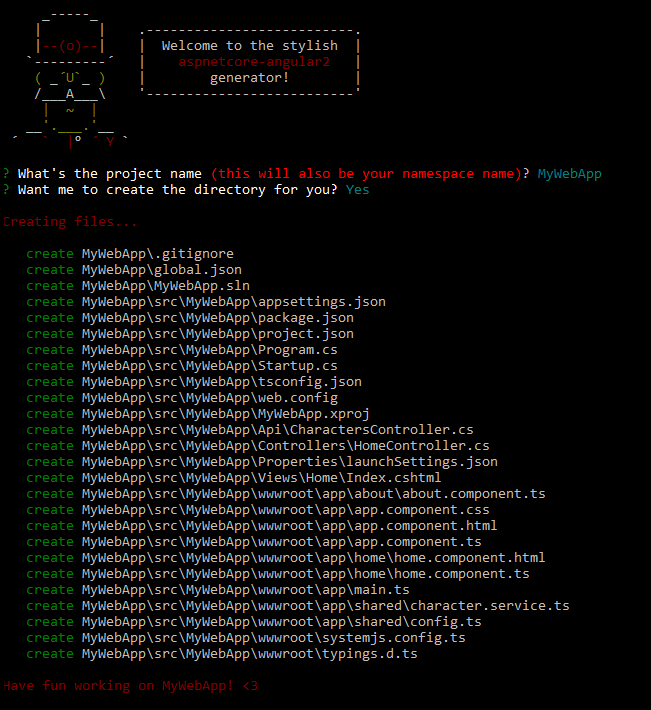
What you get:


## Getting To Know Yeoman
Yeoman has a heart of gold. He's a person with feelings and opinions, but he's very easy to work with. If you think he's too opinionated, he can be easily convinced. Feel free to [learn more about him](http://yeoman.io/).
## License
MIT <3 [sgbj](https://github.com/sgbj)